Is there a way to permanently remove the hand icon in krita? It keeps randomly appearing when I draw and won’t go away until I restart it. Even switching tools doesn’t help, it’s on every brush preset too and stays stuck like this.
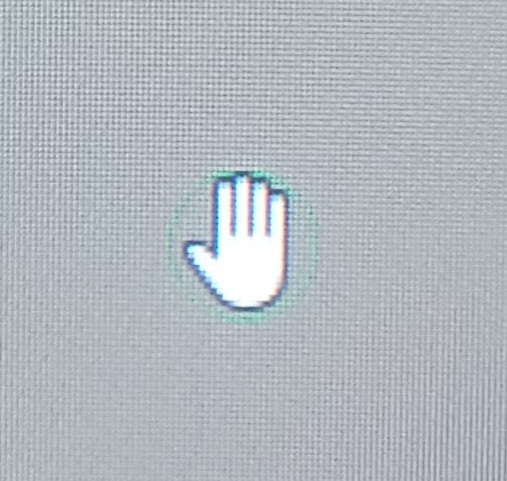
It happens to me too sometimes,
You could fill a bug (this is the most useful thing you can do). The more precise, the better. For example if you find a few steps workflow to reproduce, you are golden.
Could you both get involved in creating a formal bug report for this a
https://bugs.kde.org/
You’ll need to create an account there to use it.
1 Like
Sure but I’m still trying to find the easy reproduction as it seems to me to happen after actions.
1 Like
It sometimes also appears for me, even in some cases I need to restart my PC. 
I really don’t know the reason, but it could be an issue with the KIeyboard. I mean when I hold down the Spacebar for the Pan tool, it automatically stays even after I remove my hand from the spacebar. Then, by clicking on the Spacebar rapidly (maybe 6-7 times), it becomes fixed.
I don’t know but it could also be a bug.
K.A.B.H.
2 Likes
It’s a bug for sure. You mean it may be random i guess ?
Maybe it randomly appears in a specific context:
If you switch apps maybe randomly 1 out 10 you get hit…
Yeah maybe I will, but I don’t want to wait around for the next krita release or even longer for a fix. I just want it gone and was hoping for an immediate solution. It’s the reason why I hardly use krita. Seems to be random and I can’t figure out what produces it. Isn’t there some kind of way to find the icon and delete it? I would rather it be gone permanently than to show up, it’s useless to me and I could get by without it actually. I’m in windows 11
I dunno what makes it happen, I’m on windows 11 and seems to happen randomly on every cintiq I have. I really want to delete it but not sure how. I want it gone so I don’t have to wait 6-7 months for a new version bug fix. I was thinking krita is supposed to be open source and that there could be a way to delete the icon
There’s no way that I know of to remove it.
If it was fixed then it would be available in the nightly ‘Next’ build or possibly the nightly ‘Stable’ build.
Despite that, it’s obviously not a good situation to be in 
It is open source and so anyone (with the ability and a build environment) could modify it and make a new version.
Knowing what to do and avoiding possibly bad consequences of changes is more difficult.
I think the icon is taken from your OS.
Krita doesn’t tell it to stop or something like this.
Unfortunately, if nobody reports it, you can wait for versions without seeing changes.
if its from the os i wonder if i could replace the hand icon with a tiny dot that couldnt be really seen . i would try the linux version its just that the linux version doesnt have the feature i need.
ill probably report it, i just dunno what makes it happen. i get so involved in drawing and it just shows up
If you replace it at the OS level, you will lose it also outside of krita 
that would be hard, i cant build enviroments . i had hoped i could navigate to it and right-click delete it . im gonna try the mac version later
That would be new to me, for all I know, even from own experience, the versions are feature identical, the only thing you won’t find on Linux is full DirectX support.
Or do you mean functions/software Linux itself does not have/support?
Michelist
thats okay. i dont think i ever had a need for it. all of my cintiqs are touch screen , so i can pan like that
barrel rotation doesnt work in linux krita which is why i dont use linux , so for me the main definitive krita is the windows version since everything works there. not sure about mac becasuse i cant even get it to open there
The image you shared before @Hewpow, I think it only occurs when using the Pan tool. I don’t know, but it could be a bug in Krita with the keyboard.
K.A.B.H.
But that is not a function Krita offers, it is not provided from the driver for your styluses/tablets, so you should ask those who are responsible for the drivers you use to add it to their Linux drivers.
Krita only handles the input the driver has handed over to a Qt-API, and if this API does not get the barrel-rotation handed over from your driver, Krita can not use it (can not tell Krita to do this kind of rotation).
And since this API is the same that is used on Windows and macOS too, it is an issue of the incomplete driver.
Michelist
i dont think wacom ever will , at least no time soon .i guess i can try, if i were to contakt them theyll probably say , no not at this time no plans.
I don’t know if Open Tablet Driver offers this feature, but it might be worth a try, as I think they support most Wacom tablets.
This list shows the supported tablets and also, if you scroll all the way down, it shows which features are missing or only partially supported by the tablets.
https://opentabletdriver.net/Tablets
Michelist