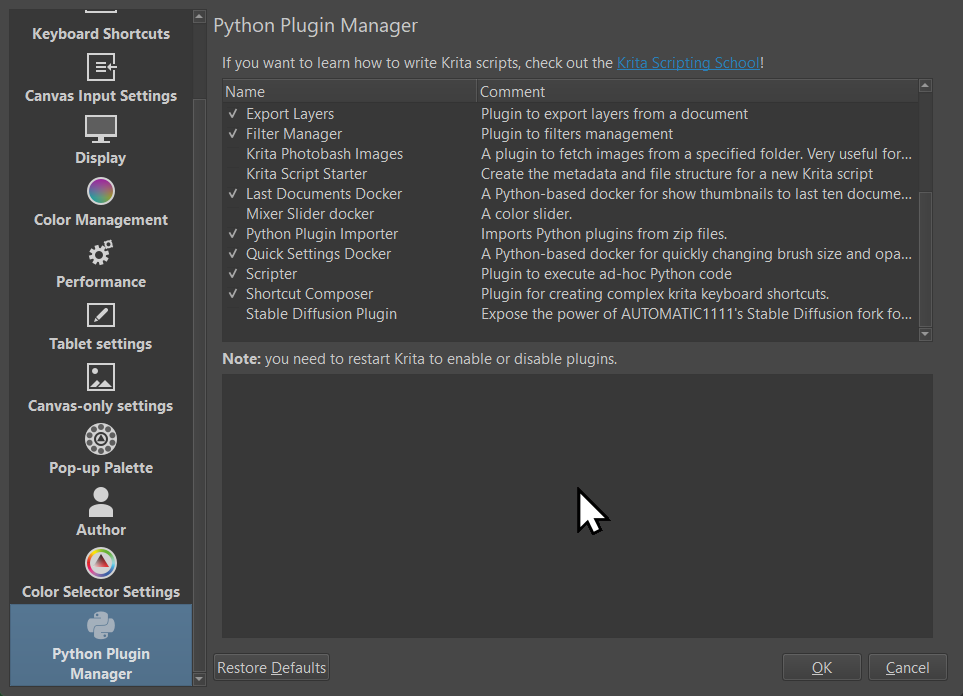
Hi,
But the shortcuts associated to those plugins still show up in the Keyboard Shortcuts list.
Are there any ways to remove them from the Keyboard Shortcuts list?
Thank you so much.
I found a way.
So, I’ll leave the solution here for future reference.
I’m on Windows but I think it would be similar to other platform also.
Go to
…\Program Files\Krita(x64)\share\krita\actions
OR if you also have Krita on your profile. It’d be in the below folder.
…-yourUserName-\AppData\Roaming\krita\actions
Find the plug-in’s .action file, it should be the same one that you trying to uninstall.
Not sure this is the correct way but it worked for me.
Cheers,
Hello @MrTingle and welcome to the forum
I’m not sure either but someone who knows about this area may come along soon to give advice about this.
system
January 2, 2025, 10:36am
4
This topic was automatically closed 30 days after the last reply. New replies are no longer allowed.