I’d like to use the rotation feature more often but, being ASD, the way it never quite goes back to zero really bothers me when I zoom out and want to look at my entire painting. It either rests at 0.86 or -0.86! Aside from tapping the little arrows 86 times is there a quick way to reset to zero?
Hmm, the 5 key didn’t do anything but type 5 into the rotation bar (and set the rotation to 5 degrees). But I did then extrapolate that I can type 0 into the rotation bar, and that works.
If you have a rotation control/settings window open then the ‘5’ key won’t reset canvas rotation. It’s intended to be used while you’re painting.
The upcoming version 4.3.0 has a Reset Rotation icon on the status bar which is small and neat and useful.
The ‘5’ key for reset canvas rotation is in the Canvas Input Settings but you can put another one in the Keyboard Shortcuts if you want to.
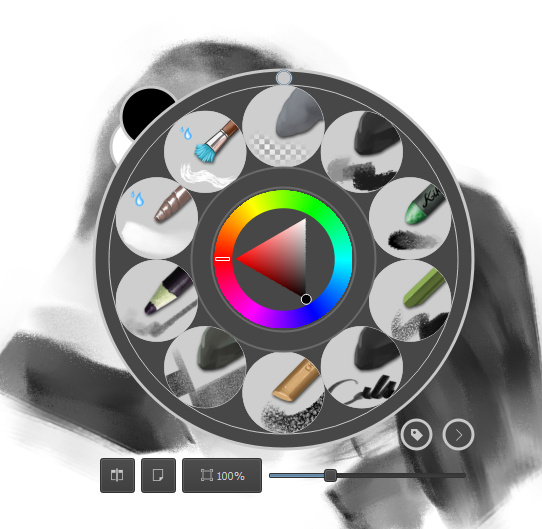
you can also reset rotation clicking on the small circle on top of the right click palette, you don’t need to be super precise clicking for it to work.