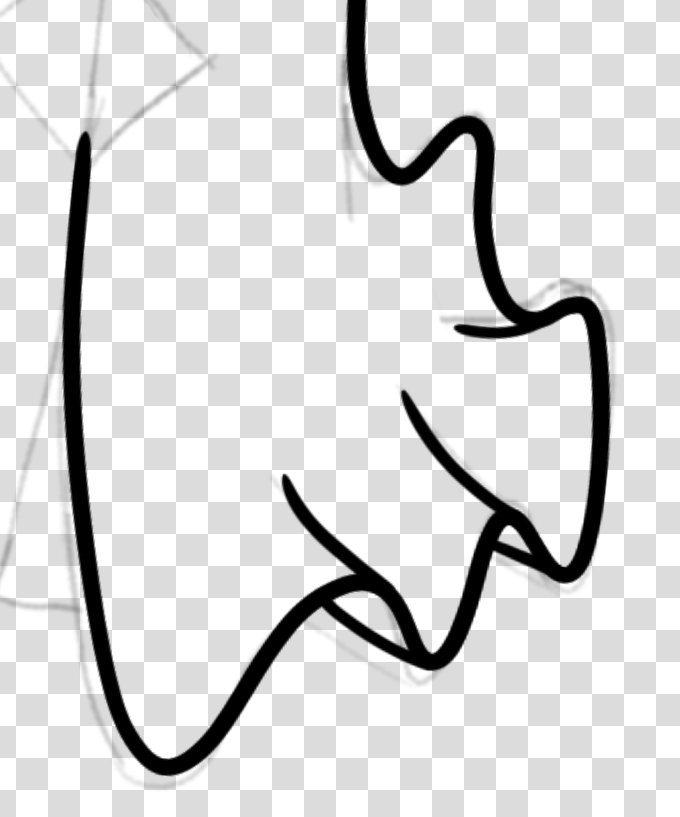
I am very new to Krita, recently got a drawing tablet again, and am currently transitioning from using a mouse to draw after my last tablet broke back in 2019. I noticed that even with the stabilizer turned fairly high in order to draw these long wavy strokes, the line weight was still very wobbly, giving this sort of Flash kind of appearance, which I don’t exactly want. I would like to know how exactly I can make these strokes look smoother. Is this an issue with my brush/driver/Krita settings, hardware (god I hope not), technique, or just a skill issue?
For me, the Dynamic Brush Tool works great in terms of stability, even though I no longer have proper fine motor control over my hands due to my strokes.
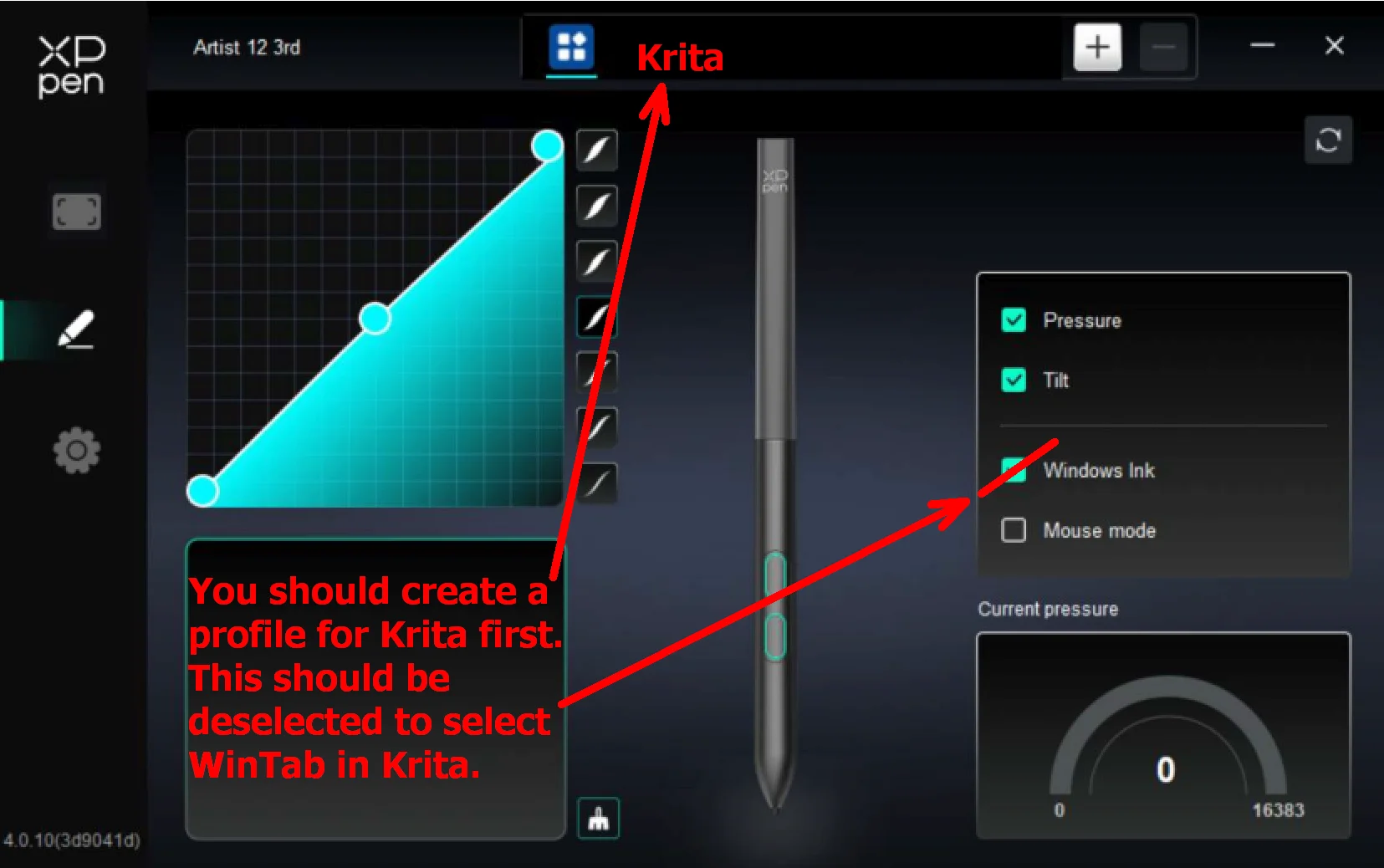
Your tablet isn’t known for having the issues you described, so I’m wondering if you’ve set it up correctly - that is, created a profile for Krita and disabled Windows Ink in your tablet’s driver? After that, you need to check whether the WinTab option is enabled in Krita under Settings > Configure Krita > Tablet Settings. If not, please enable it and confirm the dialog with the OK button, then restart Krita.
But it’s important to have created the profile first.
By the way, I’m using the standard values of 0.2 mass and 0.92 drag and like them very much.
I don’t think it’s an issue with your skill, and more with the brush preset or your overall pen sensitivity. The lines look pretty good in my opinion, the inconsistency in the thickness easily happens when the brush is too soft (meaning the pressure not the appearance of the tip). That causes tiny changes in your pressure, which is naturally when drawing, to have a huge effect on the lines.
I have one of these Japanese ink brush pens, with a unbelievable soft tip that feels like it isn’t even there. There is no way to rest the pen on its tip (like you would do with a ball pen for example) so I have to hold it at a constant height all the time which is incredibly difficult, giving the same effect on paper like you have digitally. If the brush preset is configured to be harder you can basically have the brush rest on the tip, you don’t have to hold the weight of the pen and your hand and just move it around.
One of the brush smoothing option, I don’t know which also has the ability to “smooth pressure” (or all inputs) which can mitigate that effect.
Personally I’m not a big fan of using the brush smoothing if I can absolutely avoid it because it can mess up your muscle memory a lot. Imagine driving and someone is constantly reaching for the steering wheel and messing with your driving. This is basically what the stabilizer options do. Of course they are not made to mess with you but to help you but in some situations you can end up fighting the stabilizer and the brush preset at the same time.
You can try changing the brush or you can change the global pressure curve in Krita’s tablet settings. I sometimes do the later because there are some days where I apparently are more angry and press harder and this is simpler than to adjust all the brush presets individually.
When I tried to turn off Windows Ink, it made it so the entire tablet was mapped to only the right side of the screen, and honestly that’s a separate problem for another day. I heard Windows Ink has more capabilities anyway including things like subpixel precision so I think I’ll stick to using that for now.
After tinkering around with the pressure curve on the brush, I was able to get it to a point I was much happier with!
I usually don’t have my stabilizer that high or even really on if I’m just sketching, but in specific cases where I need to do one long continuous stroke, It’s kind of necessary in order for it to not be really messy.

 Hello
Hello