How to use gimp to convert krita to draw 16-bit linear picture to 8-bit srgbtrc (V2)?
I know this question seems a little silly.
But I’m not sure if what I’m currently doing is the right thing to do.
I don’t use krita for the conversion because krita currently has no dithering.
To be precise, I wonder if this can be converted into a png suitable for sharing to the web?
I refer to the content in this link.
A note on interoperability between Krita and GIMP (ninedegreesbelow.com)
My current approach is:
- Krita creates a new 16-bit integer and uses the sRGB-elle-V4-g10.icc document for painting.
- Export as png and embed sRGB profile.
- Open png with gimp, keep icc.
- Specify icc in gimp as gimp’s own.
- Convert to 8-bit in gimp and select Blue noise dithering algorithm.
(I don’t know which algorithm works better when converting, the gimp documentation doesn’t mention this.) - Specify icc as sRGB-elle-V2-g10.icc in gimp.
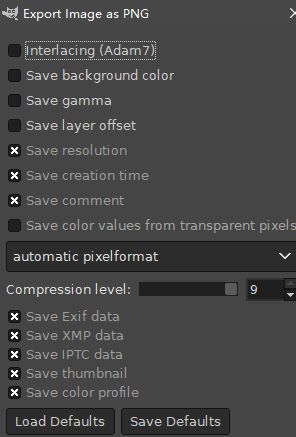
- Export png in gimp and embed icc.
I also don’t understand the difference between Save gamma and embedding icc, in my understanding icc itself contains gamma.