Huion Kamvas Pro 24 (4K) – sharing my experience

Also a little update on the monitor arm. As previously mentioned, the ST410 I got form Huion is really no good. Wobbles like hell and isn’t easily height-adjustable (you need to take the display off the arm, to be able to move it up and down).

So I got the Ergotron LX linked above instead.
It’s a lot better than the Huion arm, but not as good as the Wacom one (which we also have here).
But at least I can easily move it up and down.
I still have to put a thick book underneath it when extending it all the way to the front of the desk (when I’m drawing on it), or it will wobble a bit too much.
But for the price I’m definitely happy with it.

2 Likes

My 2 cents:

The good:

  • The 24 (4K) is nice for drawing.
  • Pen works and feels well (I use the grey “paper-like” nibs and like them)
  • Driver runs without issues on Win 10 and 11 (both wintab and windows ink work for me). I use Krita with windows ink and Affinity Photo with wintab. No issues at all. Same for other software I use.
  • Parallax is so good that I am not bothering about it anymore.
  • Slow lines don’t show wobble.
  • Pressure works well.
  • Tilt works well (though I had to adjust the brushes to my preferred setting to get the desired effect)

The bad (see also: “The solution” below):
Color accuracy is bad - I mean really bad.
I am not having the issues @Papernoise mentioned. My panel is quite uniform.

BUT:
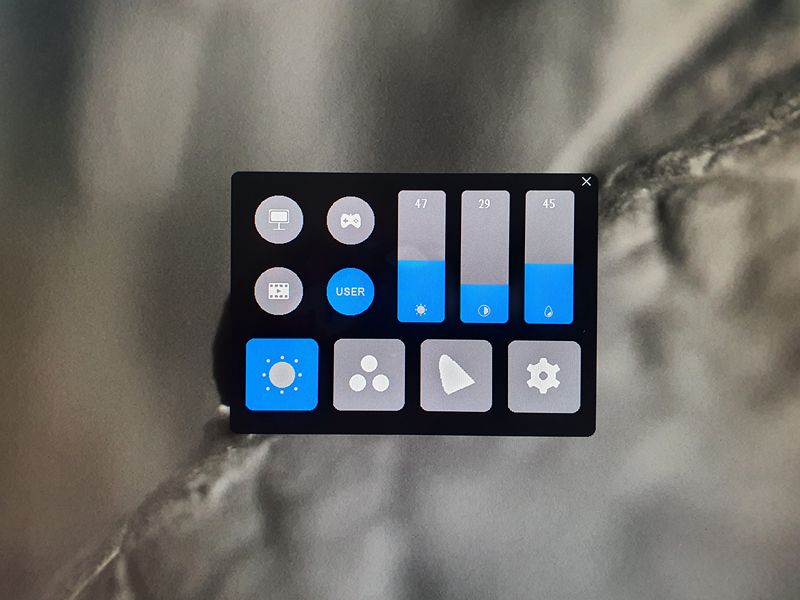
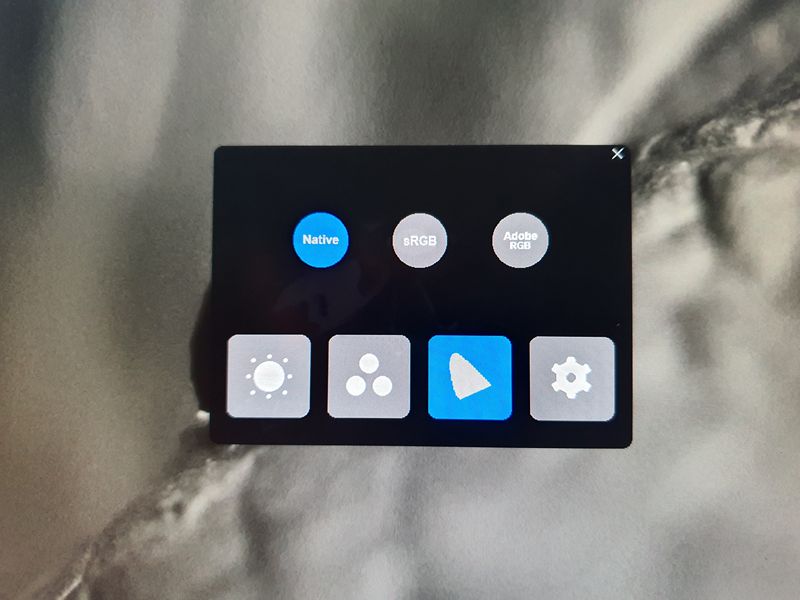
I mostly work in the sRGB color space and the preset for that, which can be selected in the Huion’s on screen menu, is way off. The RGB primaries are to saturated and way to bluish. The problem is that once that preset is selected I can’t change the rgb channels individually (and also not in ADOBE rgb preset).
Trying to solve this with a custom ICC profile did not lead to a good sRGB representation because the primaries are so far off that compensating this is nearly impossible.

The solution:
In the end I did the following:

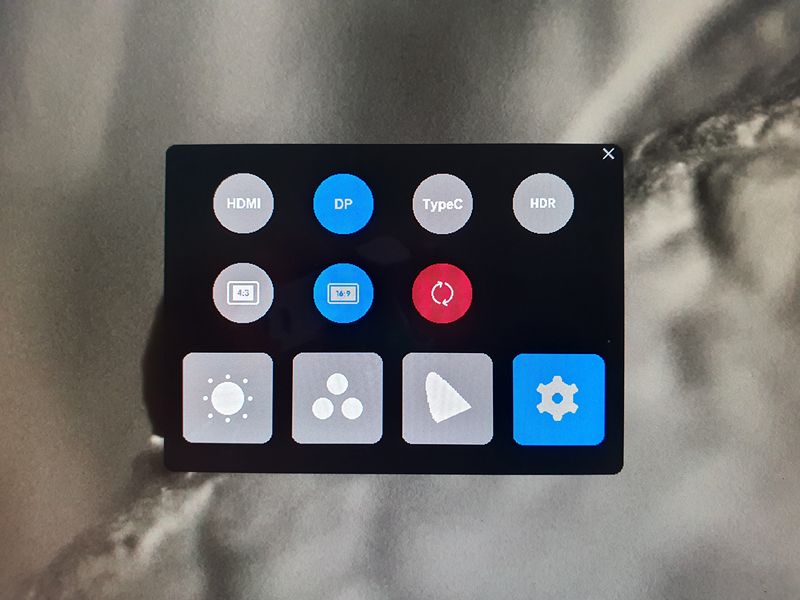
  • I set the Huion to “native” (that means the rgb primaries are using the display’s native ones and not a bad sRGB representation and the display uses its native whitepoint)
    Advantage: in this mode I can adjust the individual rgb sliders
    Problem: the display is now in wide gamut (super saturated colors which is also not suitable for sRGB)
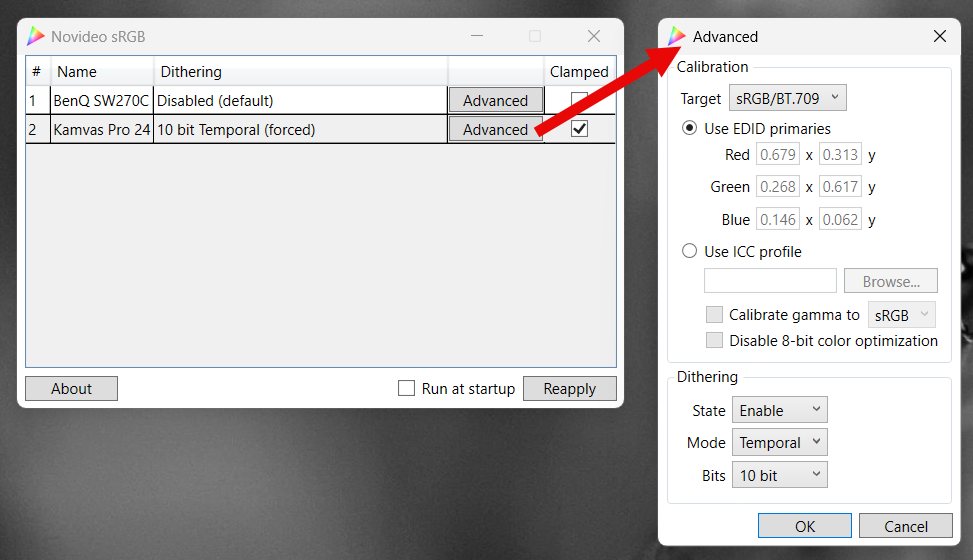
  • But there comes the little free open source tool called “novideo srgb” to the rescue (at least for Nvidia gpus).
    GitHub - ledoge/novideo_srgb: Calibrate monitors to sRGB or other color spaces on NVIDIA GPUs, based on EDID data or ICC profiles
    It uses a hidden Nvida feature that allows to take native rgb primaries as input and converts those primaries into sRGB ones. This happens on the GPU side and does not need any calibration etc.
    It “knows” the native rgb values from the EDID data of the display (luckily Huion writes somehow accurate data in its 24(4k) data.
  • So the 24 is now in its native wide gamut state but the gpu is converting that to sRGB primaries on the fly.
    Of course that is still not really good. The colors are still off.
  • Next step was to adjust the individual rgb channels with the on screen settings. I did this visually. On the right side I had my main dektop monitor as a reference and on the left my 24. I adjusted the Huion until I got a match as close as possible. To help me I used the free software “displaycal”. This one can use a colorimeter device and show the result of the rgb adjustments as a graph in realtime. I used that to get close to my desired candela and whitepoint. Now the colors and whitepoint became better.
  • Last step then was to create a custom ICC profile with displaycal.
    https://displaycal.net/
    Once I loaded that into Krita (and the Windows color management for other software) I had a Huion 24(4K) that is a quite good sRGB device.

I know this is a convoluted workaround but it works for my sRGB workflow.

Here is a screenshot of the Huion’s colors compared the desktop monitor reference.
(note, it also shows the difference of setting Krita’s display preference to sRGB (which is wrong) instead of to the correct custom ICC profile - see this thread for more details: Krita display ICC profile information - simplified - #4 by cgidesign

EDIT:
One more note: The 24(4K) really needs “warmup” time. After switching it on, it shows a “warmer” reddish tint. That goes away once it got to operating temperature. I didn’t use a stopwatch but guess that 15 minutes are ok.

4 Likes

Thanks a lot for sharing your experience!

I guess some of their panels are ok. But having gotten two of them with very bad uniformity, I’m inclined to say that they probably have quite a high percentage of bad ones.

This said, yes I confirm that mine also have completely unusable colours in any of the preset modes (sRGB and Adobe RGB) and the only way for me to get it to look ok was to set it to NATIVE, and to USER in the RGB screen, then use ColorMunki with DisplayCal to calibrate it. Due to the bad uniformity, it was challenging to calibrate it, even with the hardware device, but it’s ok now.

I would encourage anybody who is serious about digital painting to get some hardware calibration device, it’s really worth the money, even if it will require some trial and error to get it right.

This said…

a little update on my experience with the pen display 6 months later

I since abandoned MacOS and attached the Huion to a Windows laptop. On MacOS the display had a bunch of issues. I think they are all on the Apple side though. The 2018 Mac Mini’s GPU is too crappy and slow to be able to deal with the 4K screen and pen input (or maybe the driver is too crappy, I can’t say). Fact is I had to use the display at 1920x1080 scaled resolution, anything higher would introduce an enormous lag. I think 24" is a bit too big for 19020x1080.
The other issue was that the display would never wake from sleep, sometimes forcing me to restart the computer entirely.

I don’t have any of the above issues with the laptop (which is a Ryzen 7 / Nvidia 3050 combo), there it works like a charm, pen response is good, even at higher resolutions, and I never get any issues with the display not turning back on after sleep.

Now if only Windows didn’t get more annoying with every update and Linux wouldn’t be out of the question due to obvious lack of some of the applications that I have to rely on, I would definitely ditch Apple. But I might have to ditch the Huion and just get a Cintiq pro at one point.
Not that the Cintiq is without issues (it’s got a whole set of issues of its own) but at least colour is decent, and it does work reliably on our other Mac Mini (which is a newer M1).
The Cintiq costs a lot more, but to be honest, the Kamvas Pro cost me so much time and mental energy, that I’m not sure the money I saved was worth it.

1 Like

Wouldn’t it be even less hassle to go with a basic pen tablet (no screen) :smile: But yeah, I know, it may be very difficult to switch if you’ve been using a pen display for a long time.

I’ve been using various Wacom Intuos models for I think almost 20 years before buying a pen display (which was not many years ago).
But I’ve never really liked that.
Still… I was thinking almost the same thing after all the issues with the Kamvas pro. But taking this thought further I just came to the conclusion that even better would be to just use the computer less entirely, which is sort of what I’m currently working on doing :grinning:

:slightly_smiling_face: I had tried a wacom intuos before but could not get used to the disconnection between the pen on the tablet and the stroke on the screen (also the dimension difference was an issue for me - small movement on the tablet was a bigger movement on the screen etc.). Maybe my type of brain is stubborn and insists on having a 1 to 1 relation of pen and stroke :slightly_smiling_face:

It’s true that it takes some time to get adjusted to it, in my case it took 2 months of regular use, during which I had many doubts. And I believe that for some people it will never feel comfortable, that’s why my motto is “Use a pen tablet if you CAN and a pen display if you MUST” :slight_smile:

To reduce the dimension issue, I just use a large tablet (Intuos Pro Large or Huion Giano). It’s still not as big as the monitor, but I think any larger would be cumbersome to use. Some people actually prefer a smaller (i.e medium size) tablet so that they don’t need to move their hand too much.

1 Like

Here comes another update! I recently had to upgrade my 2018 Mac Mini to a more powerful Mac Studio (M2 Max).
I am happy to report that so far, the Huion does not seem to show any of the issues I previously mentioned, besides the bad colour accuracy and uniformity.
No coming back from sleep issues (that seems to have been an Intel GPU problem) and I can happily use the higher scaled 4K resolution (not the 1920x1080 one), together with a second display and the pen does not lag more than is acceptable. So again, this was due to the crappy Intel GPU I had on the Mac Mini. This also means that you should have a half-decent GPU on your computer if you want to get the most out of this pen display.
Haven’t tried to calibrate it yet, but I’ll get to it soon.

3 Likes

I use the Kamvas pro 20, and I honestly never got any of the issues you’ve mentioned :kiki_smile: I have however calibrated both of my displays very early on, and had no trouble even before that. I also do not use Intel but AMD, so that may be a part of why I never had any struggles.
I think working with a pen display on laptops is nightmarish, though. I remember I had a lot of problems there when I was confined to a laptop instead of a manually built PC, but that was the laptop just not being able to keep up with the tech more so than the display being faulty. The lag I experienced back then was also a big fault of only 6 gigs of ram.

Do update us if you get a Cintiq, though! I’ve been curious about Wacom mostly just because of the barrel roll + touch combo possibility (hell no I will not buy another iPad nor Apple Pencil), but I don’t feel like I can justify spending my whole life savings on that just yet :kiki_upside_down: