Hello everyone.
I’m new to krita (and i’m french, so, per advance sorry for my grammar mystakes  ) and I have a problem.
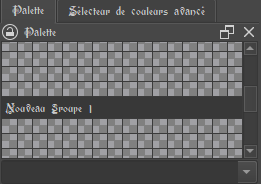
I recently created a palette “saved on the document” on krita, and I tried to create groups on it. I clicked on the palette editor, on “add a new group”, I filled the parameters, and then, when I clicked on “Ok” to close the editor, the new group wasn’t there. I re-opened the editor and the new group wasn’t saved anywhere. I tried again and again, I even try to create two groups, but as soon as the editor was closed, the groups desapeared.
I desinstalled and re-installed krita and tried again, that only makes an error message appeared, in wich was wrote (if I remember well) " impossible to change the ressource name". Then I tried again 2 or 3 times, and the message stopped to appear. But the new group still doesn’t appear.
Does anyone have an idea of what I can do to fix this problem, please ?
Thanks.
 Hello @sorcelyne13, and welcome to the forum!
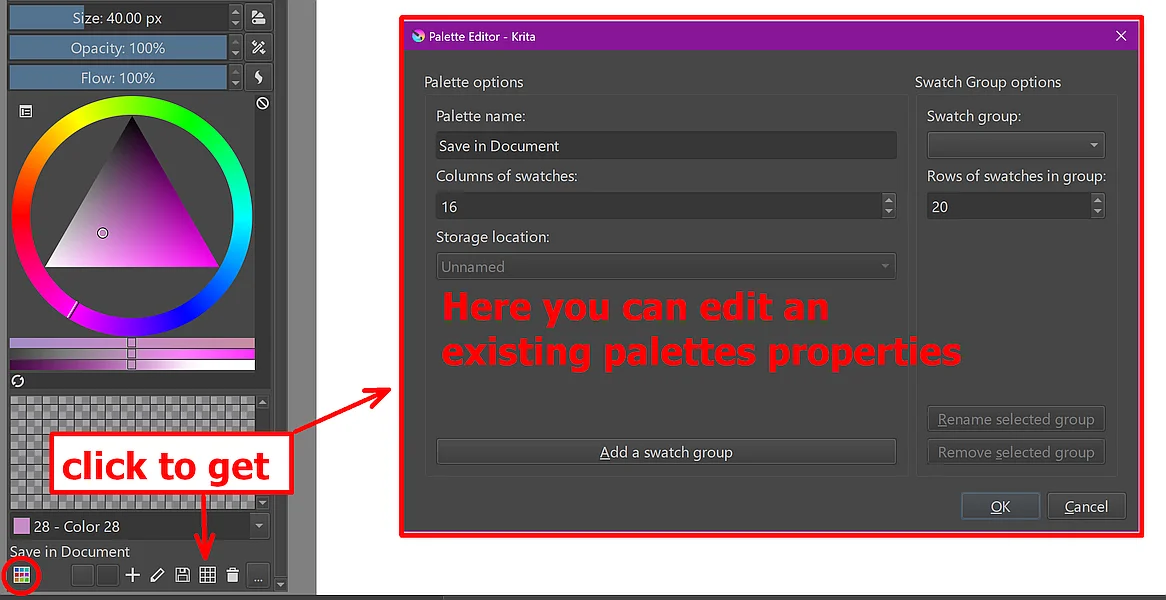
Here, you can edit an existing palettes properties, after you created the palette via the button in the red circle.
At least for me, this works flawlessly. It is saved to the palette I created for this, and this palette saved also without issues into the test-document I created for this. Also, it is no problem to edit the palette after creation via the button I point to in the first screenshot:
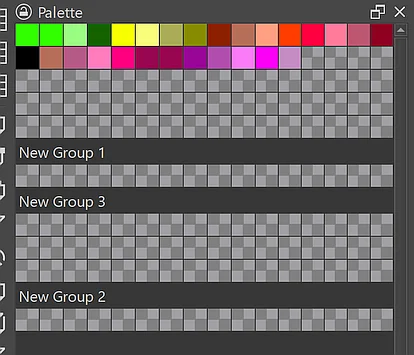
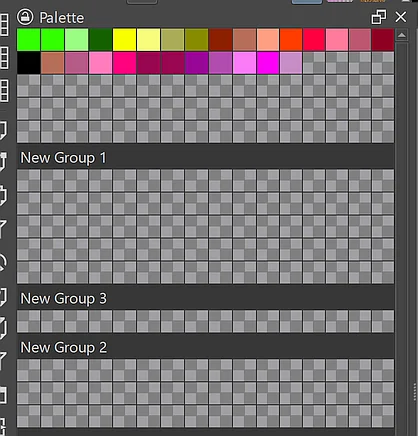
If you should not get it working this way, then please report back and state the version of Windows you use, as well as the version of Krita that you use.
Michelist
Hello @Michelist, thanks for your help, but it still doesn’t work.
Here are the informations about the windows version that I use :
System Type : 64-bit OS, x64 Processor
Edition : Windows 11 Education
Version : 23H2
I use krita 5.2.0.
Thanks for your help .
Sorcelyne13
That makes me wonder a little, but okay, we can’t change reality.
One thing I noticed and that threw some issues in the past is the OS you are using, to be precise the Education version of Windows. But you maybe are not allowed to exchange it if it is a school PC. Is it a school PC?
Also, do you have full read and write access to your user folder? That is the folder with the username you use to log in into Windows.
Another thing, I forgot to mention in my first answer, with issues like yours, you can reinstall Krita a thousand times and won’t change anything, because you only will overwrite one version with the same, here only an update may help, if the issue lies in Krita.
Have you tried to save your palette to another location, the desktop for instance, just to see if a palette saved there can be manipulated?
Another thing I noticed is that your Krita is outdated. So, the first thing you should do is updating Krita to its most recent version 5.2.11 which is out just for a few days. If you are lucky, it is an issue with the version you use and it will solve your issue. This is a link to directly download it from Krita’s homepage:
https://download.kde.org/stable/krita/5.2.11/krita-x64-5.2.11-setup.exe
And in the case that you are not allowed to install software to your PC, you can alternatively download the portable version of Krita, unzip it to a folder you have read and write access to, like your desktop or your download folder, and then run Krita via the link krita you will find in the unzipped folder. This is a link to directly download it from Krita’s homepage:
https://download.kde.org/stable/krita/5.2.11/krita-x64-5.2.11.zip
The portable version will use the absolutely same settings that your current version uses, and it does not overwrite any brushes or artwork you created so far. The only important thing is that you have to close Krita with the X-Button in the upper right corner before you install the update!
By the way, if you don’t know how to unzip an archive like the Krita portable version on Windows, you just need to open Explorer, browse to the downloaded file krita-x64-5.2.11.zip and do a double click on it which will open the ZIP-Archive where you will see a folder with the same name of the just opened archive krita-x64-5.2.11 and have to grab it with your mouse and pull it out of Explorer on your desktop or into your download folder, or in any other folder you like to and have read and write access to.
Then you can open that folder via a double click and double-click the krita-link found in the folder, you can also use the other two links, but for drawing you should use the one I named.
If this update did not solve your issue, then please report back, and we will try it with a step-by-step approach.
Michelist