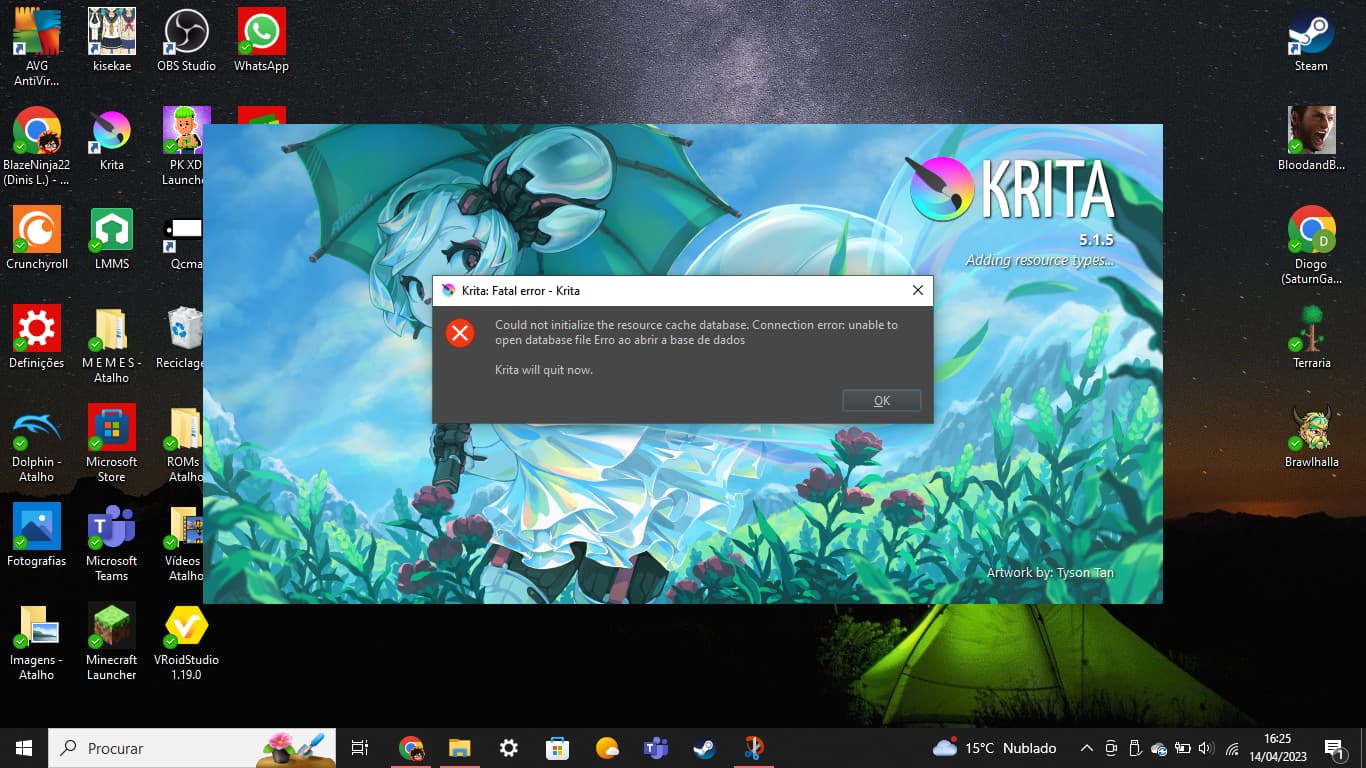
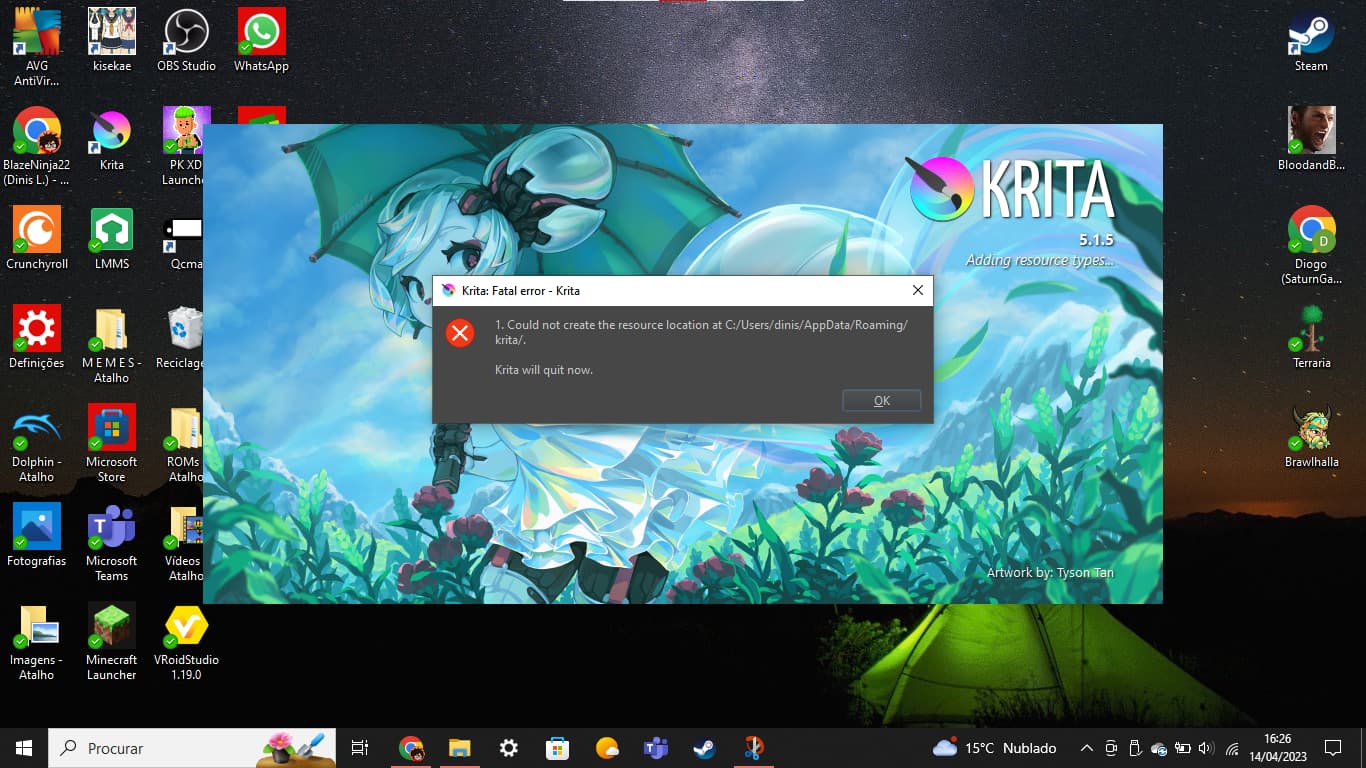
I think Krita can’t detect my AppData folder after I changed my PC username. I’ve uninstalled and reinstalled it multiple times, but every time I run it I get this:
That is no issue to get in panic, at last usually and in case you don’t have done a totally stupid thing, what I do not believe. So, I think there are at least two ways to solve your issue.
First way would be to delete your old “resourcecache.sqlite” and your newly created “kritarc”, Krita’s main configuration-file. But this way you lose your settings to the UI of Krita and custom tags you could have made to your resources.
This file is found in your user-account in the directory “c:\Users\YOUR_WINDOWS_USERNAME\AppData\Local\”, where you have to exchange the string “YOUR_WINDOWS_USERNAME” with your Windows-Username, you’ll find that file at the end of that folder, not in a sub-folder of it.
The “resourcecache.sqlite” is located in the folder “c:\Users\YOUR_WINDOWS_USERNAME\AppData\Roaming\krita\”, it is also found at the end of the folder. If you delete both files, then Krita should theoretically start again without issues.
If you want to preserve settings you have made to the user-interface of Krita, you have to find the kritarc in your former username’s AppData-Path, so again “c:\Users\YOUR_WINDOWS_USERNAME\AppData\Local\” but now you have to exchange the old username with that string “YOUR_WINDOWS_USERNAME” to find that file. When you have found it, you have to edit every occurrence of your old username and exchange it to your new username. The file can be edited with every text-editor, even notepad, if you need help with this, then please ask.
I’m here for the next 20 minutes, then it may be that I out for about 2 hours, perhaps I’m back earlier.
In case you get stuck, then please tell us briefly where you got stuck and what you have done so far.
Michelist, in a hurry, hoping to not have written too much bull… because of that
I already mentioned I’ve unistalled and reinstalled Krita multiple times because of this issue, so maybe that’s why I didn’t found the “kritarc” file, but since I had already copied my Krita AppData folder to my 931 GB drive, I copied it again to AppData/Local and deleted “resourcecache.squlite”, so Krita is working now, thanks.
 Hello
Hello 