hi i have a problem with switching functions between pen and eraser, after i finish using pen basic pen i switch to pen b when i press the shortcut key on my pen it doesn’t switch to eraser function but it switches to pen basic function. Did i do wrong parameter setting?  i using Veikk tablet, win 11 and the pen have two buttons one of us let it left click the other one initially i left it in the default mode of the pen as pen/ eraser i use it normally i can switch between Basic pen and Eraser Cricle but when i use another pen i cant switch back to Eraser cricle anymore it changes to switch between the two pens i used then i reset the shortcut key on my pen to E and it turned into eraser function but not Eraser cricle anymore i want to use that function because it erases faster and i dont have to change the size of the pen constantly is there a keyshot button for it?
Does your pen have two ends like the Wacom stylus, that has an eraser nib on the other end (just like a pencil)?
Krita will normally remember the preset used for each end (no matter if it is an eraser or not). It is independent off the eraser mode (you use the E key for) which just switches the mode of the current active brush preset.
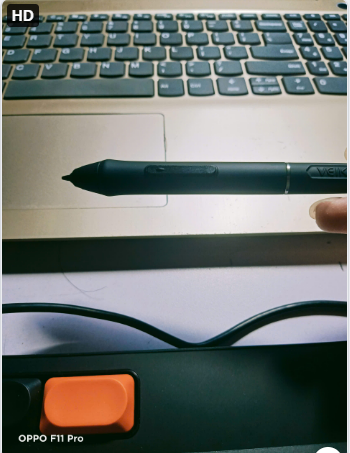
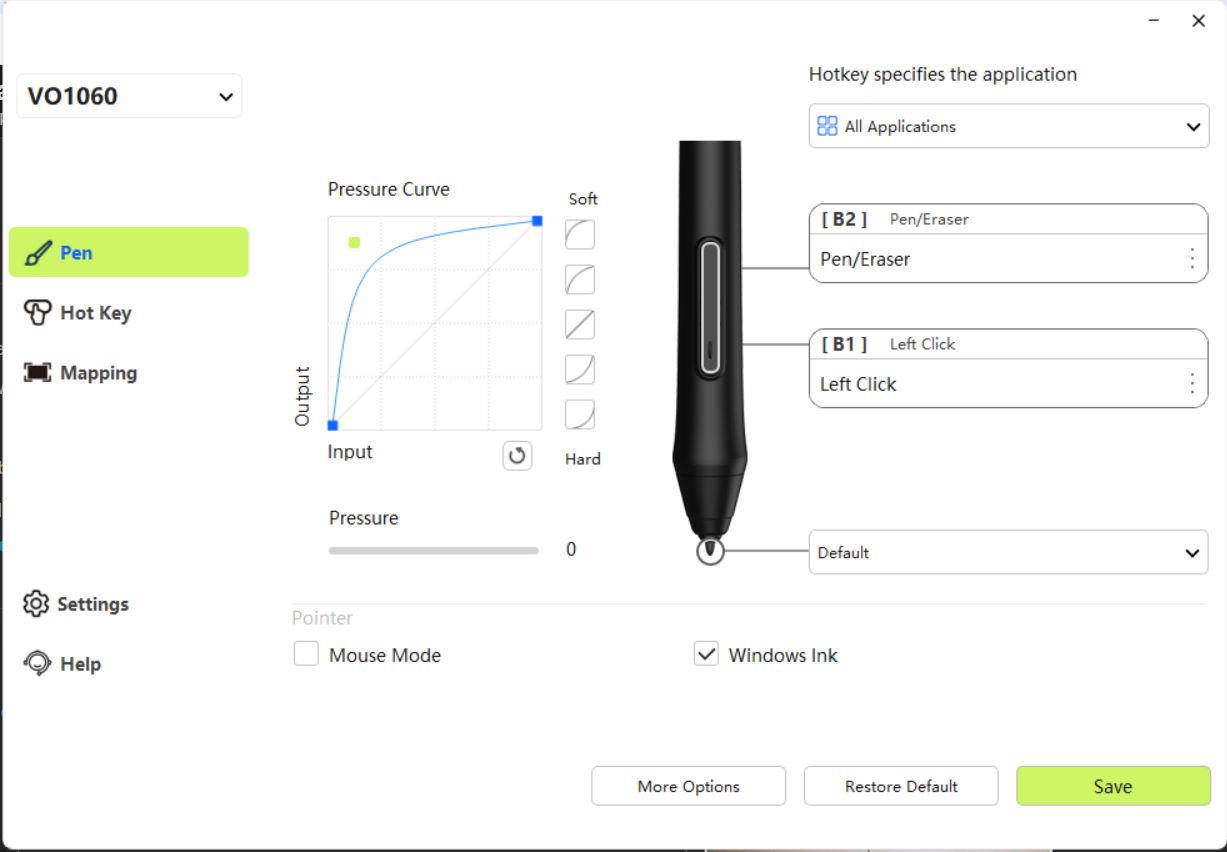
I’ve never seen a button setup like this. Having left click on the side buttons is also unusual, normally you have right click on a side button to open context menus, so you don’t have to reach for your mouse every time you want to open a context menu.
Anyway, I’m not sure Krita can handle an erase toggle on the pens side buttons, denpending on how they work. You can try this:
- in normal mode select the preset you want to draw with, check if that works.
- now press the Pen/Eraser button on your pen, don’t use it yet.
- now select an eraser preset of your choice from Krita’s brush presets, it should now be connected to the “eraser mode” of your pen (not to be confused with Krita’s eraser mode, which is something different).
- now the pen should erase
- press the side button again and it should switch to your previously selected
- pressing the side button should now toggle between both brush presets (painting and eraser brush in your case but you could use any two, if you wanted to)
See if that works. I don’t know your tablet or pen, with my Wacom it’s as simple as (litterally) turning the pen around and use the other end and it will use the eraser (or whatever preset I had selected with it).
Touching the stylus tip to the tablet surface generates a left click and thus you can select anywhere by touching the UI with the stylus.
That B2 button should make the stylus tip identify itself as an eraser tip and that can be tested/checked in the tablet tester:
Settings -> Configure Krita -> Tablet settings -> Open Tablet Tester
(It’s not actually used to definitely select an eraser preset, it’s used to choose any preset you want to use, for which the obvious practical choice is an erasing preset.)
Drag the resulting tablet tester window out to a suitably large size and then draw on the grid area on the left.
The tablet event record on the right will show the signals that are being received by krita and will include the identity of the stylus as either a Pen tip or an Eraser tip as you bring the stylus close to the surface then move it away again and bring it back.
If for some reason your tablet doesn’t provide that distinction, you could try mapping the B2 button to the ‘/’ key to give the Switch to Previous Preset shortcut then you can use it to swap between the current preset (any painting preset you’re using) and the previously used preset which you would have made sure was an erasing preset.
thanks i returned the tablet to them, and i bought another tablet
sorry to bother but i am still having trouble with that error can you help me again? now I use ugee u16
You never even told us what you used before. The solution will most likely be the same. That model seems to have an eraser at the opposite end. Just turn your pen around and select the eraser preset you want in Krita, just how I wrote before. Then you can switch between erasing and painting by using the different ends of the pen.
i don’t still don’t know help…I used the eraser tip on the rest but it became the second pen tip
The eraser tip is on the back of your pen, the very other end. The one you did not use in the video.
still not work
You have to select an eraser preset for the back tip first, like I wrote before. That’s how it works for my Wacom pen at least, which has drawing tips on both ends just like yours. You can imagine them as separate brushes that can have different brush presets selected (any brush preset) but you have to select one for each side first. So use the eraser end of the pen to select an eraser brush preset from the preset docker.