I implemented realistic color mixing (mixbox clone)

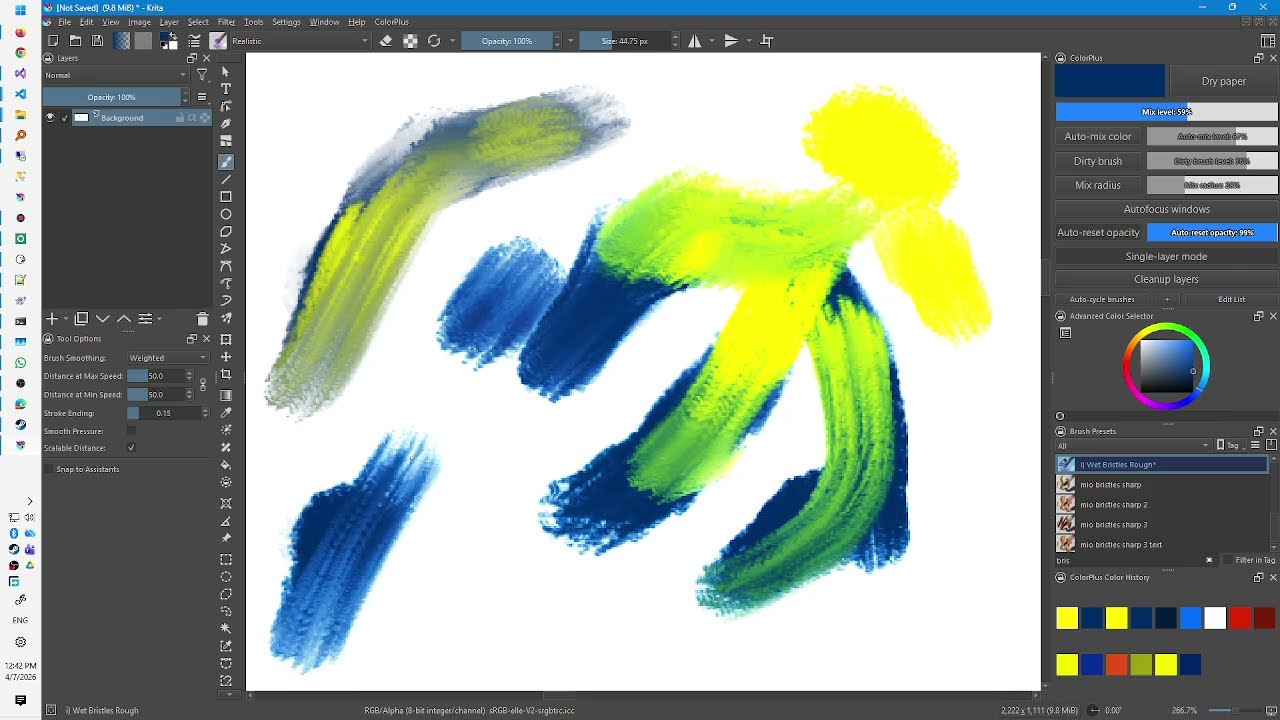
Dear friends, I am pleased to announce that I have successfully created a new blending mode for Krita that achieves realistic color mixing. Think of it like Mixbox: yellow and blue make green; blue and white make a brilliant light blue, and so on. I’m already using it and it helps a lot. Currently, in Krita, you can’t really use brushes or layers with high transparency because everything ends up looking washed out. This blending mode fixes that problem.

The blending mode is implemented via a neural network and machine learning. It is fast because it relies solely on simple operations, such as addition and multiplication. Furthermore, it is free of copyright issues.

Here is a video to demonstrate how it works.
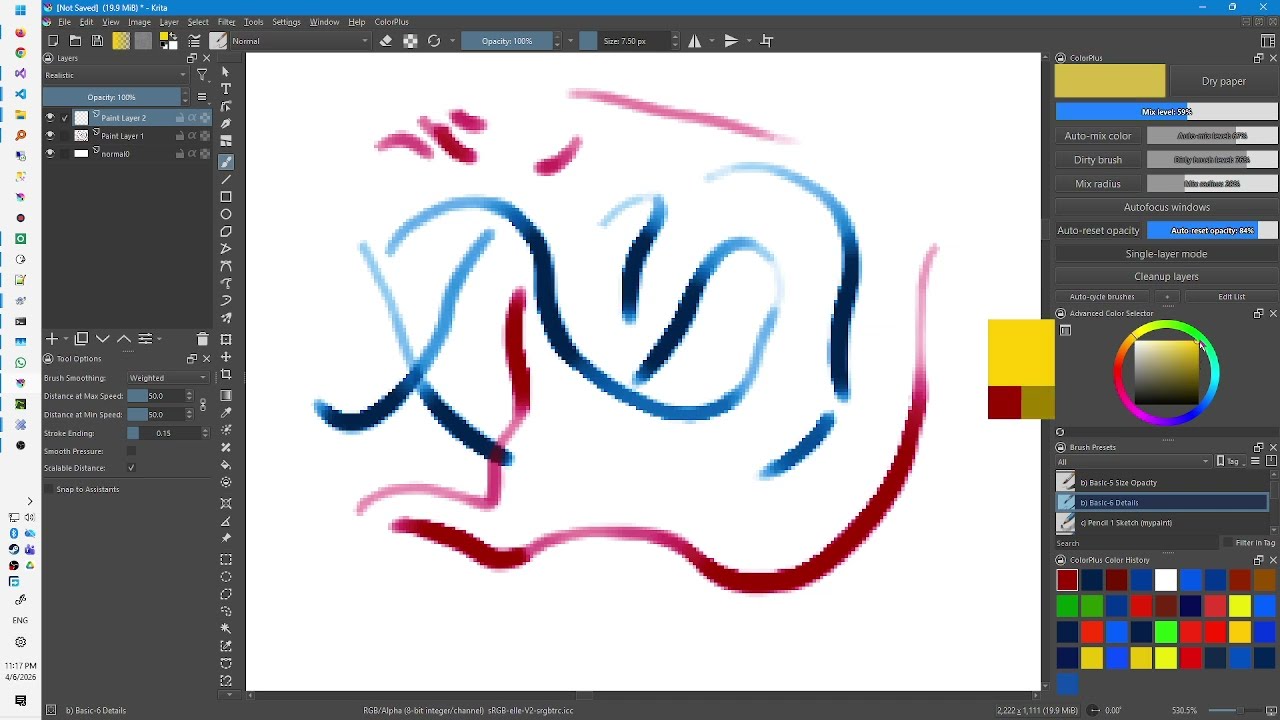
As you can see in the clip, you need to set a white background layer; otherwise, you won’t notice much of a difference. Then, set the layer above it to “Realistic” blending mode, and you will see the colors mix realistically with the layer beneath. Naturally, the top layer must be semi-transparent or contain semi-transparent pixels.

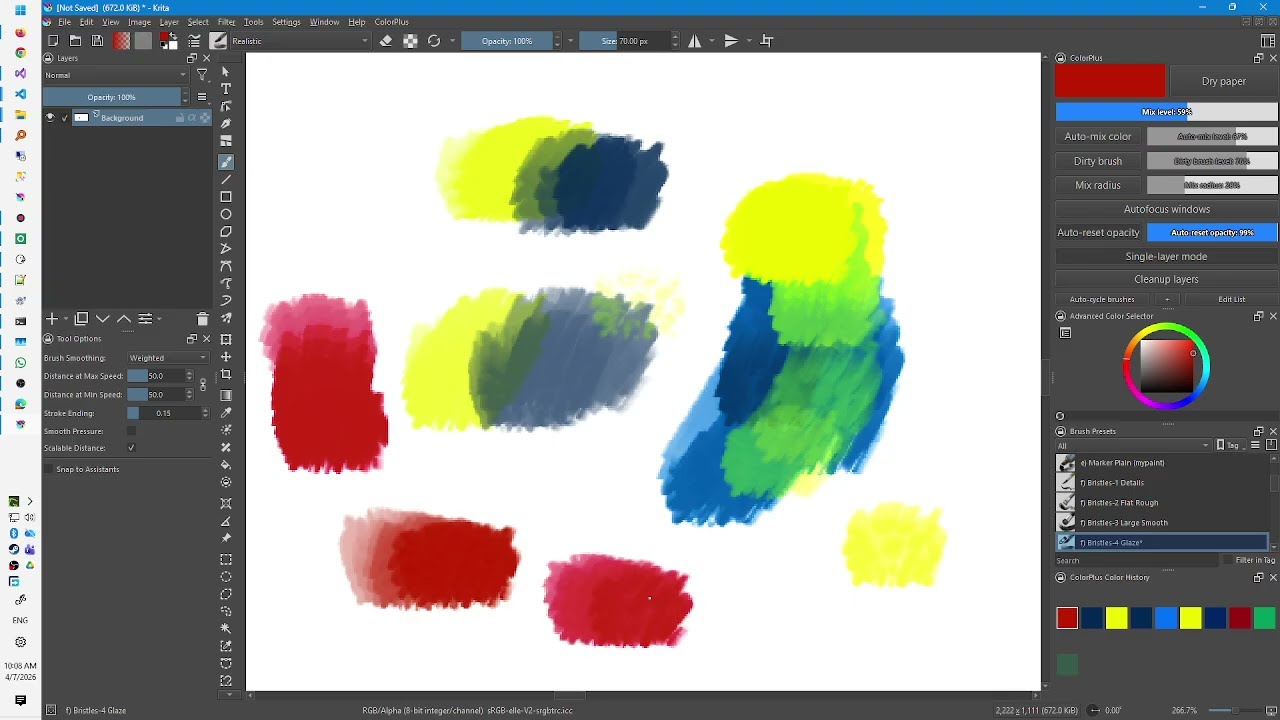
Please note that since the color mixing is implemented as a blending mode between layers, you won’t see any difference if you paint on a single layer. [edit: this is no longer true. It is working already, see video below:]
The patch is based on Krita 5.4.0 (today’s master branch, April 6, 2026). I uploaded it here. (I am trying to figure out how to submit a merge request. Right now my account to https://invent.kde.org is blocked and I don’t know why)

I also integrated this mixing mode into the pixel engine and the color-smudge engine. That way, users will be able to see the benefits of realistic color mixing even when working on a single layer, even when using brushes with high degree of transparency.

7 Likes

pretty cool

ya could make MR on the gitlab, no?

1 Like

It’s gonna be harder than I thought…

Oooh if that could be implemented in a brush setting, I’d be so happy!

You need a Linux PC to be able to register with them, that is because there were masses of hacking attempts, but only from Windows machines and now, as a reaction, these are simply blocked because nearly every real dev has at least one Linux machine.
But you can circumvent that using a browser tool like user-agent-switcher to manipulate the UA the site sees.

Michelist

Thanks, but the thing is, I’m not trying to register a new account. I’m trying to use my existing one, which I created years ago. I’ve emailed sysadmin@kde.org—hopefully they can unlock it for me.

1 Like

Yeah, the same happened to me, they simply dropped me out. You have to write to the sysadmin listet in the footnotes, if I remember this correctly, to get your account reactivated.

Michelist

Wow, this is working already! The AI writes code faster than the Krita devs can accept it :slight_smile:

Here is a video showing the difference between realistic mixing mode and the normal mode (while painting on a single layer):

3 Likes

If you just vibed it I have bad news for you

3 Likes

If your plugin/whatever incorporates AI code, then it won’t be accepted:

But the whole topic may be of interest for you

Michelist

Add/Edit: @Takiro Two heads are better than one!

2 Likes

Seriously? I understand how it works. And any dev that looks at it will too. It’s just a few lines of code…

That’s really cool. :slight_smile:
I don’t know how to implement stuff like that though, especially not on android.. so I need it to be added to the default krita for me to use it.

AI does give me a bad taste too, even though I think your blending mode is really cool and would be useful.

(AI is just pushed too hard, too much and I don’t trust it. Your piece of code may be great and useful and safe, but generative AI is everywhere and it’s not good.
I’m a visual arts teacher and in the proposal to our next curriculum in art (!) they suggest to have students spend time on a long project, prompting AI images and then having an exhibit… just because AI is seen as the future. Some kind of dystopian future IMO, and I don’t want to take time from actually painting and working with your hands - stylus or paint - to… type prompts. Generate images with kids that really do not yet have the understanding to get it..and exhibit them as skillfully made works?

So yeah, it might seem narrowminded to oppose a good feature because it happens to be written by AI, but I am just fed up. I want Krita to remain free of AI. I want to be able to tell people honestly that “no, there’s no chance I made it with AI because I made it in Krita and it has no AI functions” .. and any AI usage feels like a slippery slope to me.)

2 Likes

Where did you get the numbers for pigment mixing?

Moreover, the code itself has some issues: it has wrong SPDX text and it reimplements many already existing in Krita functions, including some basic ones like lerp.

And:

Mix two SDR RGB colors using a neural network to simulate realistic mixing (blue + yellow = green,

Why a neural network? Have you done any benchmarks on how much it slows it down? Where does this specific model come from? Usually spectral mixing is realized with simple, though big matrices instead.

I trained a neural network to predict the result of mixing with kubelka munk. With backpropagation it eventually came up with those coefficients. The result was indistinguishable from mixbox, so I stopped the training. So in a sense these coefficients make all the work. These coefficients are used to encode a vec3d into a “latent space” made of 8 numbers, which can then be added and multiplied normally, with linear operations performed on then, and then converted back to 3d space.

Ok, I guess I can work on that.

Because I didn’t understand the math in the Mixbox paper well enough to reproduce their technique. And we can’t use their code of course. This is a workaround.

I haven’t run any speed benchmarks, but it works in Krita without any apparent lag. [edit: the color smudge engine does have a lag at high resolutions]

By the way, it being fast isn’t an accident; I was careful to use only simple operations when writing the code. For example, I used hsigmoid and hrelu to approximate complex functions.

Usually spectral mixing is realized with simple, though big matrices instead.

The problem is doing this with only linear operations. sqrt , exp, etc, they slow down a lot. My code seems to be fast enough.

for the sake of completeness, here is a video showing the Color Smudge engine modified for realistic color mixing. (The previous clip used the Pixel engine). Notice how fast it is—it’s perfectly usable. [edit: well at high resolutions you can see a slowdown]

3 Likes

[link removed]

Do you think that was the right upload? I guess over 95% will have issues getting this running, if at all …

Michelist

Sorry, I am trying a workaround… will get back as soon as possible. it might take a few hours.