Just like the title says.
I pressed Ctrl+Space for several times, the IME icon didn’t change. I tried to manually change the IME to Fcitx5, well the IME icon changed, but I still couldn’t input text using the IME.
I don’t sure whether the problem is caused by Krita 5.2.6, Fcitx5, KDE Framework 6.10.0, KDE Plasma 6.2.5, Qt 6.8.1, Wayland, Linux 6.12.
Has anyone experienced the same?
For me, I can’t use IME to type texts also on Kolourpaint. I can use IME to type texts on Konsole, Dolphin, KWrite, Kate, Kdenlive.
In my case, I specified QT_IM_MODULE=fcitx XMODIFIERS=@im=fcitx in the environment variable and can now type.
I want you to try one of the following.
Console
QT_IM_MODULE=fcitx XMODIFIERS=@im=fcitx krita
GUI
See also: KDE 環境で一部の Qt 系アプリケーションで日本語入力ができない #Linux - Qiita
(This posts was written in Japanese, so you should use translator app such as Google Translator or DeepL)
(I think the problem was caused by Wayland, but I don’t know details)
It works… partially.
Some behaviour is still weird (on Krita the IME overlay is smaller than other window like Konsole and Dolphin, on Kolourpaint the IME overlay is greyed). Why other apps can correctly handle this? I think Krita is missing somewhere for this. 
It is probably because Wayland lacks support.
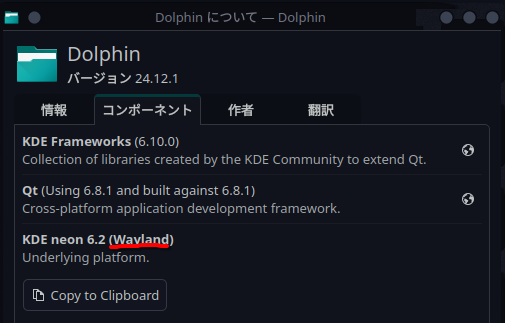
In Dolphin, where the IME works normally, it has become Wayland,
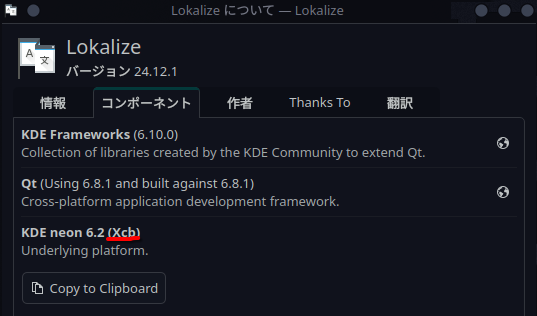
However, Lokalize, which has similar symptoms in my environment, has Xcb. (Krita does not display this information, but probably similarly)
Maybe it will be fixed in the next major version of Krita, Krita 6.x series.
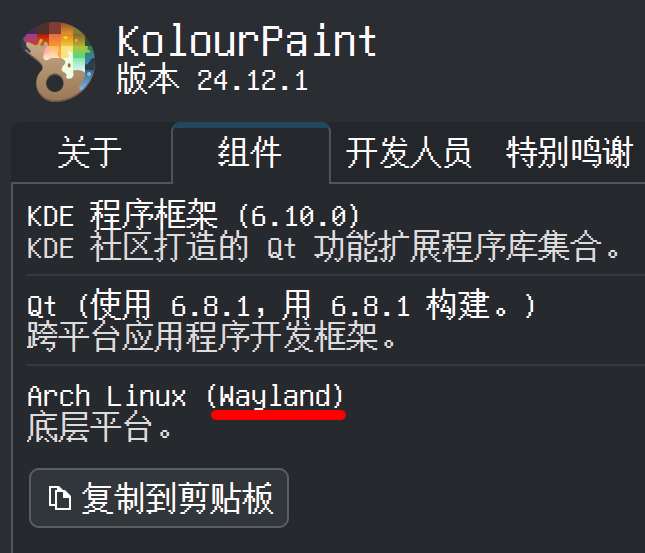
After some tests on VLC and other Qt apps, I think Kolourpaint was just an accident, and the main problem is Wayland library Krita built with.