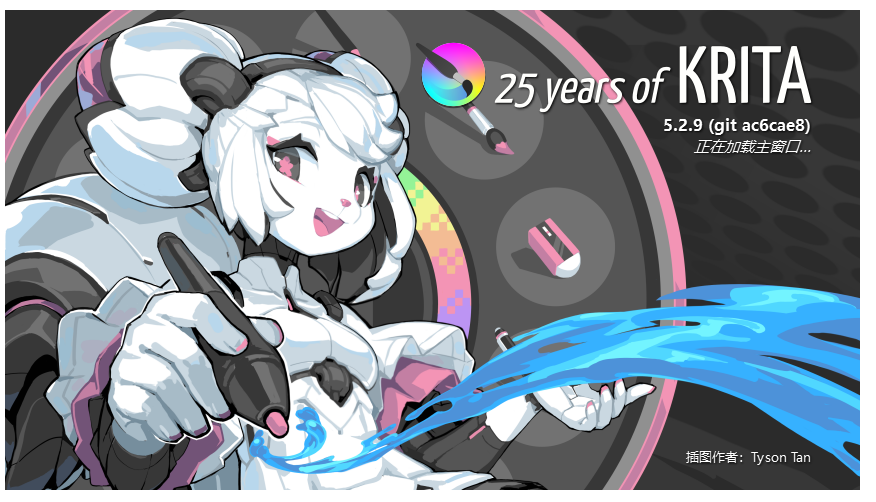
This interface, flash back, installed the latest or no installation version, it will not work. It’s all a flash retreat
 Hello @xiaokebuai and welcome to the forum!
Sorry, but whether your headline, nor your description let me understand your issue. If you can describe in more detail, for someone who does not sit beside you, what does or does not happen for you, and what you did so far to solve it, if you did try to solve it.
Furthermore, we need the operating system you are using.
And we need to know from where you have got your copy of Krita.
All that together may bring us into a position to help you, currently we are as clueless as you are. The thing is, you used many words without saying anything.
Were you ever able to use Krita?
Michelist
2 Likes
Thank you very much for your answer, I see you also answered others, I am using Windows 11 here, before the kirta2.6 last number version, now install 2.9 version, it can not open. Is the interface of the above picture, crash!
Thank you very much for your reply. I might not have used the right translation engine at first, so I switched to Immersive Translation and hope you can understand it!
If you are having difficulty using comfyui, you will have to ask your question in a different forum as this one does not allow any AI image generating materials to be posted.
1 Like
Okay okay, I won’t upload any AI paintings above. I’m just confused now. The software is installed normally, but why does it crash and not open? Is it because there were some files not deleted before, or what other reasons? I have reinstalled it many times, but it’s not successful!
It seems to be better understandable, yes.
At first, I have to make you aware of one important fact, and your issue seems to be connected to it.
What @sooz meant is connected with our rules, as you can read below. We don’t give support with issues connected to these AI-Plugins! Not only that we dislike pictures made with these tools, we do not support these tools, as sorry as I am.
As you could have read in our forum’s welcome page as well as in our Terms of Service, that you said you want to obey by registering here:
Welcome to Krita-artists.org! - A forum for krita users
A central place for all the Krita enthusiasts, users, developers and artists to showcase their work, help each other and enhance Krita. This forum is operated by volunteers with permission from the Krita Foundation.
Before posting, please…Understand that this is not an AI software website where you can type in a prompt. This forum is also not for AI plugin support. Please do not post or promote generative AI we do not entertain such questions on this forum. Go through our the terms and conditions.
Excerpt from our Terms Of Service
Content Standards
- This forum does not promote or want to be associated with AI image-generating tools or plugins or any image generated with AI technology as it is today. This forum is not the place to promote or showcase AI technology. And since the legality or ethical implications of current AI technology is not yet clear we do not want to host or give space to any of the content that promotes AI use. Users are free to debate about AI in the dedicated off topic thread but when adding images generated by AI please note that we do not understand the copyright implications of those images so the post might get removed.
Michelist
1 Like
OK, I will pay attention and will not upload any information with artificial images. I have just started to learn about this software recently, and I am involved in game modeling. The drawing software I used to use was PS, and recently I learned that I want to learn it! But it’s very troublesome that I can’t open it!
But to simply get your Krita running again, you can try the following things.
In Windows Explorer you have to go into its “View” menu, there you have to activate two things, the view of hidden file name extensions, and the view of hidden files and folders.
Now you have to enter %LOCALAPPDATA% into the address bar of Explorer and hit Return, then scroll way down to the end and delete the file kritarc, now enter %APPDATA%\krita\ into the address bar of Explorer and hit Return and scroll again way down to the end, there you have to delete the two files resourcecache.sqlite and krita5.xmlgui. This only works when Krita is not running, so in case you have a hanging remnant of Krita in the Windows Task-Manager, then please that Krita task in the Task Manager.
After you deleted these files, you can try to start Krita again.
Michelist
By the way, the Tencent chat apps QQ and WeChat are known to make issues together with Krita, probably because they are badly programmed, because these are the only chat apps so far I know of doing this.
Michelist
Ok, it is very troublesome for you. I will try to see if it can be solved. Thank you very much!
Don’t worry about it, if it was problematic in the sense that I wasn’t allowed to answer you, then I would either tell you or not answer you at all. But now that you should know what is and isn’t allowed here, I hope you won’t ask such questions.
You can ask questions about Krita, but not about plugins like this.
Michelist
Hmhm, I’m trying to understand and have deleted some files □ %LOCALAPPDATA%\kritarc → Deleted
□ %APPDATA%\krita\resourcecache.sqlite → Deleted
□ %APPDATA%\krita\krita5.xmlgui → Deleted
Then, without restarting the computer, I also closed the related processes, restarted kirta, but the same problem still occurred. I will update the new graphics card driver later, and if that doesn’t work, I will have to reinstall the system!
It is not convenient to re-install Windows, but often the best solution for some issues that can’t be solved by resetting Krita the hard way, because that is exactly what the deletion of these files was, a very hard reset.
I wish you much luck with that!
Michelist
I uninstalled kirta through the system, and I’m not sure if there are any leftovers, I have reinstalled it many times! The same problem, although it hasn’t been solved, I still want to thank you for your help. I will come back to learn after I have the opportunity to reinstall the system later! I still need to work on it recently, there are too many software in it. Just thinking about it makes my head ache!
A re-installation of Krita is usually useless.
There is only one case where it makes sense to re-install Krita, that is when users, not knowing what they are doing and how Krita works and is concepted, have manipulated in Krita’s installation directory. A thing you never should do! If that happened, you can repair Krita with a re-installation, but if you have not been in Krita’s installation directory, a re-installation will only exchange a working Krita with a working Krita.
You have to delete, move or rename the files I mentioned above to repair Krita.
Usually, you first try it with kritarc alone, before, in a second try, you again delete the kritarc plus the resourcecache.sqlite, and if that also did not help you delete all three files from above in a last try.
If that did not fix your issues, then you usually have to search aside of Krita, so re-install or update your graphic tablet’s driver, update or re-install your graphics card driver. Also, not a seldom cause of issues are drivers of fancy gaming mice, especially no-name products often have badly coded drivers, these can cause issues with Krita.
Another source of issues are updates of Windows and the drivers of your input devices.
After checking Krita and these devices, a new installation of Windows has solved any issues so far, except one, where, as the user stated later, something with their hardware was broken.
Michelist
Thank you very much, I will try to update the following drivers later!
1 Like
You can try using Revo Uninstaller to remove Krita and the other program. Here’s a tutorial explaining how to do it in Windows 11.
This will ensure that both programs have been removed without leaving any files left behind. Then, try to uninstall again.
Thank you, are you specifically deleting for kirta, or is it just the software that is being deleted? I downloaded and used it, but it can’t find some files of kirta on the C drive.
I didn’t quite understand. I said “programs” because, from what I gathered from the posts above, there was another program involved besides Krita. Is that correct?
If Revo Uninstaller is not showing any sign of Krita, then the program has already been completely removed.