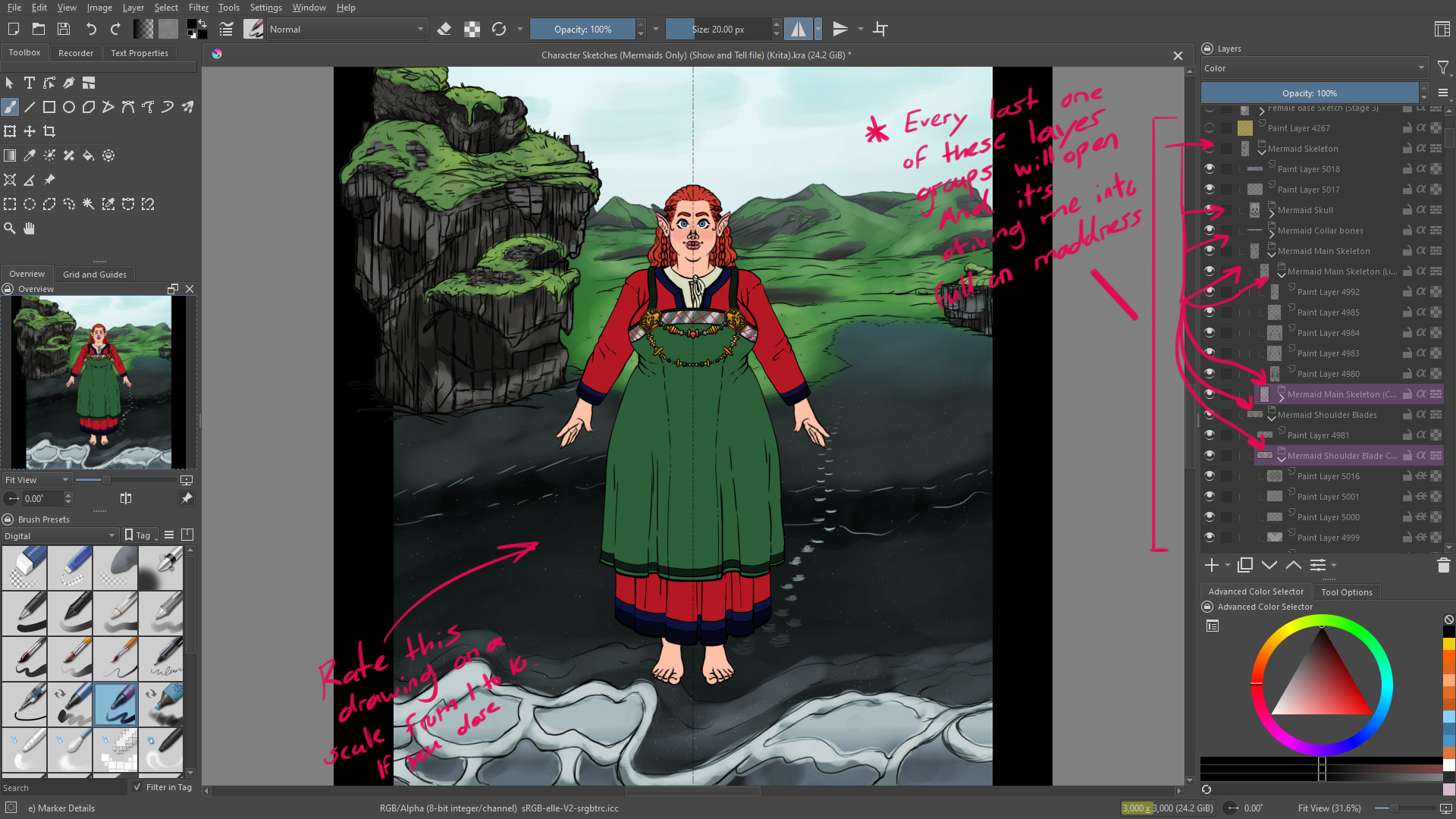
I need to know. Why do my layer groups all keep opening up every time I open a project?

This is really annoying the heck out of me.

We all know that Krita needs you to make like 1,000,040 layer groups when you work in it. Especially if you’re adding colors, and effects.

So having dozens of folders open up every time I open a file is annoying as all get out.

I’ve trouble shooted it a bit, but I’ve had no success.

I tried closing them all and saving (Didn’t work)

I tried closing them all and Purged all unused image data and then saving (Didn’t work)

I tried closing them all, and editing the project with a single scribble on a layer and then saving (that didn’t work)

I tried closing them all and editing the project a lot (Working as usual) and then saving (No dice)

I tried closing them all and then changing the file to 16-bit from 8-bit, then closing it (Not a dang thing)

I’m totally out of ideas!

To make it worse. Even if I close all layer groups and mouse over a different closed group that doesn’t constantly open on launch (Which in theory would open the group I selected on the next time I launch). It opens the same folders again. And not even the folder I had selected when I closed it last.

And at this point I have to ask, “Why. Why does it do this?

Every single time I open up a project. Most, if not all the project layer group folders will open up which I have to close them all one by one (Still can’t believe we STILL don’t have a “Close all layer groups” option). This is really annoying to me. Because I like to just hop on, turn my brain to low, and draw without a care in the world. And worrying about little nuances like this really kills the flow.

Can you good folks please help a poor man with his annoying issues?

(Note: I’m on windows 10)

I have this problem too. This started happening on a fairly recent update but I can’t remember which one. Yes it’s annoying. I thought I saw something in a recent news bulletin that they were working on some Layer issues for an upcoming release. Was hoping this would get fixed.

I just tried it on a 5.3.1 version on Windows and for me the groups stay as they were when I saved the file.

Do you have any plugins installed that may mess with the layers docker?

I can get around with just 5 to 10, maybe 20 on really big works, so that seems to be a you problem.

Yeah, ever since the May 26, 2026 update it’s been acting funny.

I originally thought it was from these two crashes I had when windows updated. But that was 3 days before that update and this issue only started happening to me in the past two days (On the 26th).

It’s lowkey about 10 to 20.

It feels like a million compared to Photoshop where a lot of the layer effects can be achieved by linking layers together with “Alt + left click” thing, and adding effects (The only thing I miss about Photoshop).

I don’t have it on Windows 10 with no version of Krita up to 5.3.2, so this seems to get an interesting topic. Also tried with different documents regarding the number or mass of groups, no matter if there is only one group or if there were 37, if I have counted them correctly :wink: , they do not fold out automatically.

Michelist

I did a search and can find this described on different forums dating back up to 2018. Some of them apparently were because it was a PSD file (which yours doesn’t seem to be), some people got it “fixed” by having one global group that contained all the other layers and groups. However I did not do that and it still worked for me with groups and paint layers intermixed. I can’t remember that ever happening to me so I’m surprised to see this bug still being around.

I’ll give it a shot.

It didn’t work. :smiling_face_with_tear:

I tried various things to make the problem go away too, but nothing worked for me. For some odd reason it seemed to affect only the lowest group in the stack. But after looking at this again, I see it happening elsewhere up the stack so…

I tried the file again I made for testing earlier. I always have a paint or fill layer as at the bottom when I create a new file, the default background layer. I deleted it and saved the file but the group stayed collapsed after reopening the file.

I renamed the kra file to zip and looked inside. There is a maindoc.xml containing all the layer information including if it is collpased or not.

Here is an excerpt from my file (line breaks added by me for readability):

<layer x="0" locked="0" 
collapsed="1" 
y="0" compositeop="normal" colorlabel="0" intimeline="0" visible="1" channelflags="" uuid="{0696ad08-fbac-424c-b336-37c25b21cdd3}" filename="layer6" profile="sRGB-elle-V2-srgbtrc.icc" name="Group 12" opacity="255" nodetype="grouplayer" passthrough="0" colorspacename="RGBA">

It would be interesting to know if collapsed is set to 1 for your broken files after saving the file with collapsed groups. That way we could know if Krita already fails saving the information or only fails loading it correctly.

All the “groupslayers” are set to one [collapsed=“1”]

Example:

(Side note: Thanks for going this far to help.)

(Edit: Why isn’t it showing that line of code I copied and pasted?)

For me with the 5.3.2 Linux appimage in a fresh installation, if all groups are collapsed then the saved .kra file has all groups marked as collapsed=“1”.
When next opened, the upper group is expanded.
If a change is then made to a paint layer, even if it’s not in the group, the saved file has the upper group with collapsed=“0”.

It seems to be that the information for the groups states are saved correctly but the upper group has that changed to collapsed=“0” when opened into krita.

sorry had to revise my previous statement. I took another look at this and am seeing the problem on upper stack group layers as well. Not just the very bottom one. But it’s always only one group out of many. I’ve never seen it manifest as badly as the original poster. Weird. But glad it’s come up for observation. It needs to be addressed.

I tested this with only one newly created document. The full/true situation seems to be quite complicated and would need extensive experiments and testing, or a developer making a lucky discovery/realisation.

It definitely popped up in a not-so-long-ago update (V5 series I’m sure). I trust the issue will be resolved soon. I’ve longed for some additional Layers Docker improvements there as well. It would be nice if we could have a wider palette of colors to choose from when “color-coding” the groups/subgroups/layers. I can get crazy with groups and layers too and I find the color-coding feature to be important.

I only skimmed through Krita’s code but could not find something immediately obvious that is causing this. Could one of you with an affected file share that file so we can try if it also loads wrong in other peoples Krita? There is a expandNodesRecursively method in the code that is called when a canvas gets set, which I suspect could be the culprit but I’m not a krita dev and only have a superficial understanding of the project structure.

Sorry if this is common knowledge, but where would we share the file to? Also I think Phanto has a much worse problem than I do. I’ve never seen the problem as severe as his. Maybe he should send his project in for evaluation. But I’d be happy to send one of mine.

I’m with you on that @larrycross – I can get quite technical with layers and having custom colors would be welcome.
Some time in the future, it would be great if adding new layers to a group would also inherit the color of the group as default color for the new layer. It’s not critical, but not super hard to write a programmatic switch like that. In other words, every layer in a group always inherits group color, until a layer is assigned its individual color.

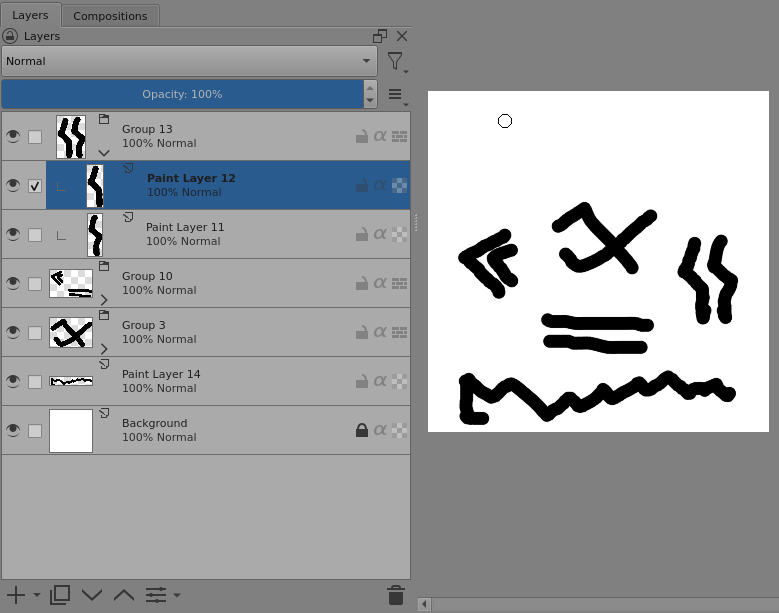
Here is a simple example created with the 5.3.2 appimage:
https://drive.google.com/file/d/1uNVQvPyOiRujLXnEcee5MokwmA3wseYL/view?usp=sharing

In that .kra file, all groups are collapsed=“1” because all groups were collapsed before I Saved it.

When opened in 5.3.2, the result is:

When it was Saved, the ‘Background’ layer was the selected layer.