I used to love drawing/art. I hated maths. Picking up a pen/pencil/brush was a great escape from it. I’ve been desperate to start drawing again but find digital art to be the complete antithesis of what I loved about drawing - getting right into a creative flow. I just do not get most technical stuff, no matter how hard I try. My brain just isn’t wired that way. I can get my head around Heidegger, but want to puke the second I open Krita (a program that’s supposedly simple). There are way too many buttons and numbers for me. All I want is to draw simple panel comics, set my own template, and download them to stick on something like Instagram. What the f*** are opacity, layers, vectors? I don’t care about any of that stuff. I feel like a sad fish within sight of water that’s being forced to operate a forklift truck before it can start swimming. I get lost within minutes of the tutorials I’ve looked at. And I’ve looked. Can anyone help by talking me through what I need to do? Thanks
If u want a simpler art app to get you into digital art fast, you can go for sketchbook app ( very simple art app that you wont be confuse) but now need to pay around 20 bucks now in pc/mac but still free on ipad/tablet. Leonardo art app also very simple to the point UI. But cost 30 bucks. For another free one can see medibang pro.
Try to use your brush with full 100 opacity and only 10 opacity you will see the difference of how transparent it become.
For layers is just let say a layer is like a blank piece of paper. If you add another layer on top of the first layer, than it give another blank paper on top of the first layer. You can also move layers to the top or to the bottom. Just remember the bottom is always override by the top layer. Just give a try, play with it yourself.
Krita/photoshop/clip studio paint looks hard cause they are very packed with functions but you dont need all their tools to get you started. Just need to find the brush, eraser, shape tool including line and need to learn layers. There are lots of beginner tutorial in youtube. Or photoshop tutorial, not much different.
I would like to call it “transparent paper” 
If you’re old enough to remember overhead projectors (OHPs) in regular use, you can call it “ohp sheet” (tough transparent plastic) 
I’ve found that’s a good analogy for explaining layers to people and an OHP projection with multiple sheets is rendered from the bottom up, just as the krita layer stack is rendered from the bottom up to make the on-screen projection.
@Crikka Traditional paints have ‘opacity’ too (how ‘thin’ they are and how easily you can see through them to any other material or colour underneath).
You can ignore vectors if you’re not interested in them but they are very useful for making panel comic frames in a flexible and editable way. There are other ways too but vectors are useful.
In theory, you can ignore layers and only draw/paint on one layer but you’d be placing a massive limitation on yourself if you did that.
Drawing on one layer is like drawing on a single sheet of paper, which sounds ‘normal’ but is actually very limiting compared to having multiple layers.
If you don’t like the technical stuff and still want to draw digitally than MS Paint or something like that is probably what you want.
Krita is meant to be useful for professionals and unfortunately that means it has a certain complexity to it and uses standardized technical terms from digital art industry. Theres no way around learning this stuff at least a little bit, if you want to use an extensive tool like Krita. It’s just with traditional art where you have to know why some pigments don’t mix or why some papers are better for markers qnd others for ink.
I know it can look intimidating but most other art tools that are at least a little bit advanced will have layers and stuff too.
There are also a lot of good beginner tutorials for Krita on YouTube.
Thank you very much for all of your responses. It was very kind of you to take the time. I just don’t think Krita/digital art is for me, sadly. Thanks again.
Maybe you don’t need to know all the features of the software at first, because in fact all you need to start drawing is a few pens and a color pad.
The various buttons are just a tool to help you draw.
Nah, there is no need to give up.
Vectors? Layers? Opacity? Just ignore them, if you don’t want to learn what they do. By default, everything should work roughly the way you expect them. (And if you get in trouble, you can always ask for help.)
You only need three things:
- canvas (
File -> New -> OKwill give you a good canvas) - brushes
- color wheel
- the widget to change the size of the brush
In tools, just make sure you have this one selected (it’s selected by default):
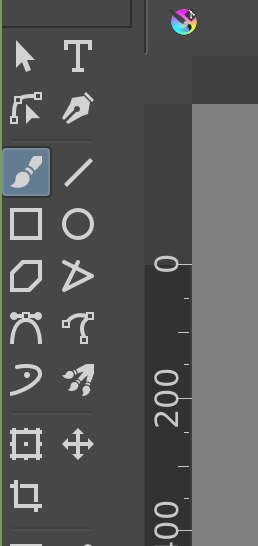
You need this part to select a color (color wheel):
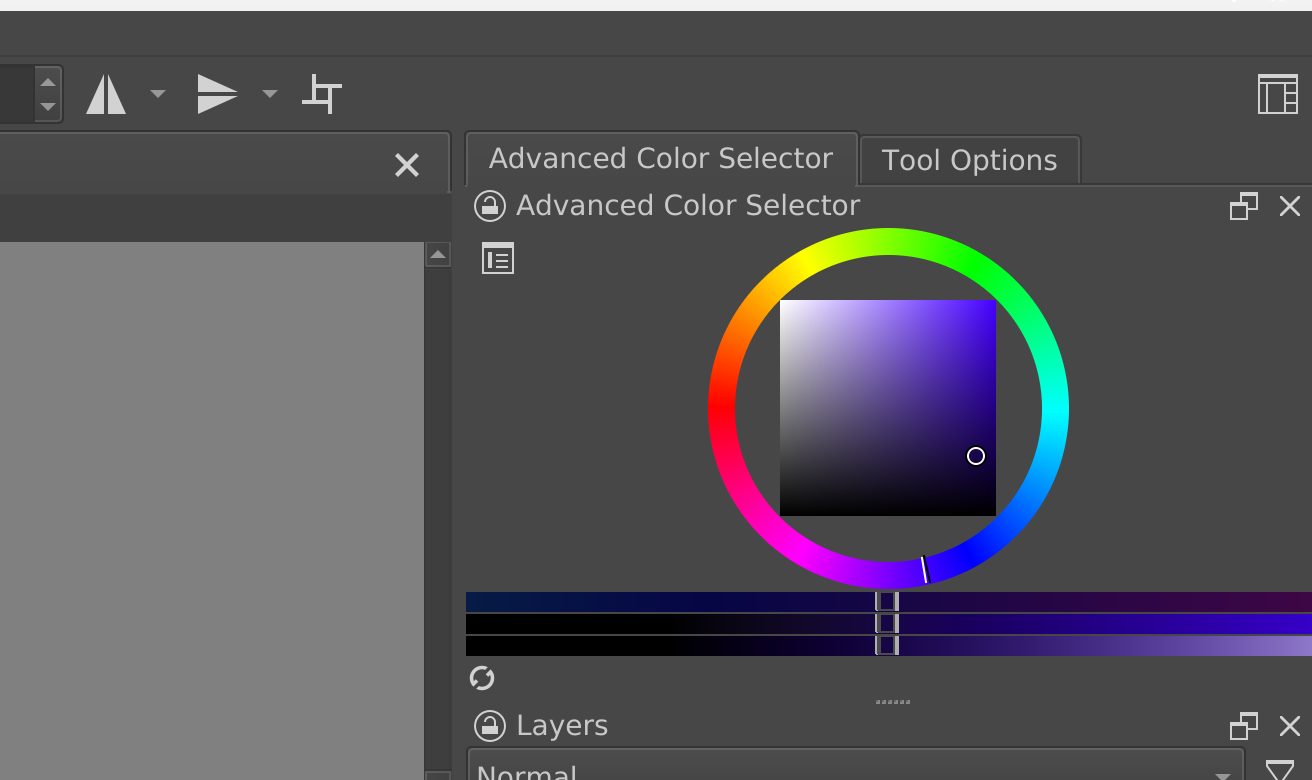
And you need this to select a brush you like:

And this to select a size:
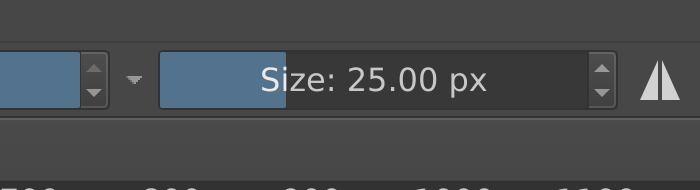
The brushes have icons that show a bit what you can expect from them. But you can just test them out. You don’t need to use all of them, just find one or two that you like.
Since you’re just starting out, I can recommend this simple but nice-looking brush for painting:
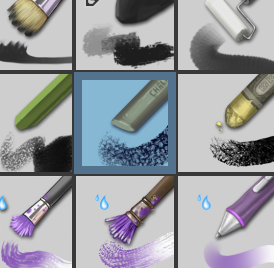
This is good to get a pencil feel to lines (for example when you make a sketch):
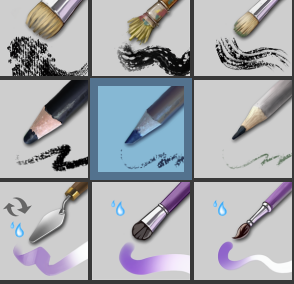
And this will be good to paint comic lines:
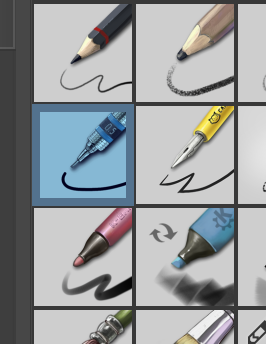
Oh and to “download the result” you just need to go to File → Export → and put the name of the file with “.png” at the end (for example “comicpage.png”) and it will save there. And then you can upload it to Instagram like any other file from your computer.
This topic was automatically closed 15 days after the last reply. New replies are no longer allowed.