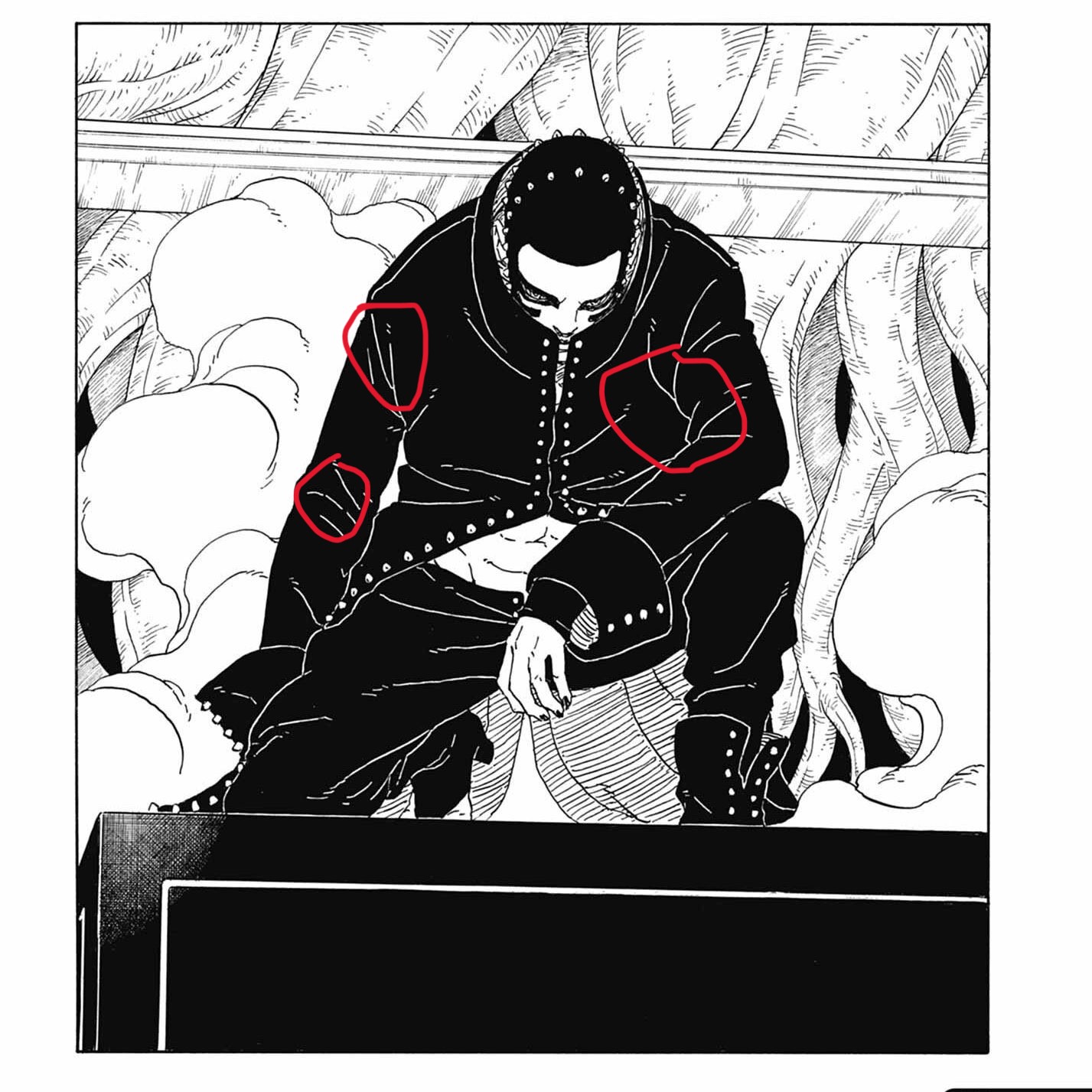
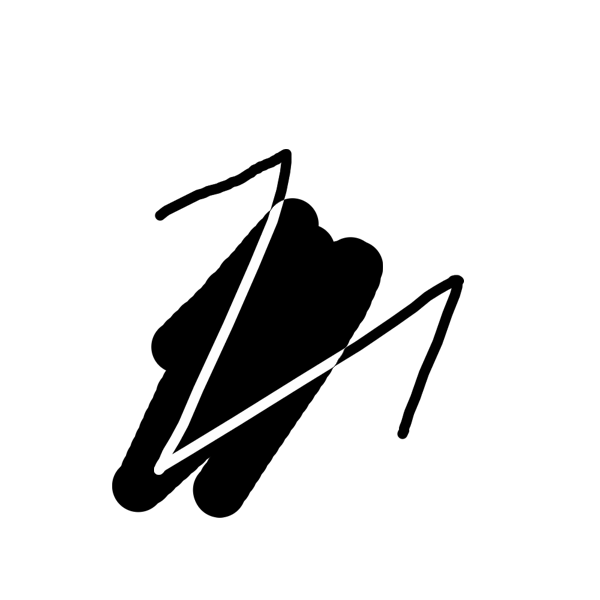
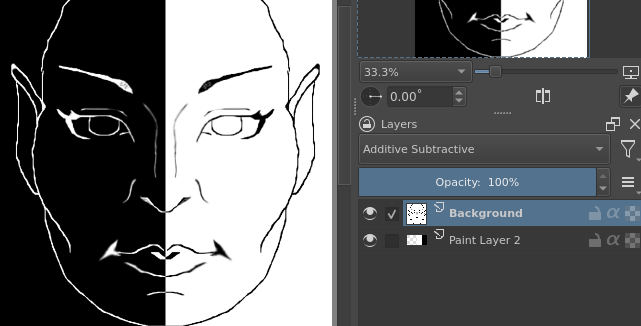
I wanted to know if something is possible in Krita please ! The artist Mikio Ikemoto does his drawing by hand, but he puts the black areas digitally, but when he does it, if a line he made in ink is in the area he wants to make black , we still see the line because it becomes white, as if it were negative. I think it’s possible to do it on Krita too, but I don’t know how, if anyone could give me a hint please !
Well you have so many possibilities to achieve this effect.
First would be to restrict the transparency and fill the layer with white.
Next one would be selecting the lines and deleting them from the filled layer and line layer
You could also select the lines an apply a filter → adjust → invert
You could selecte the lines and apply a filter → adjust → hsv adjustment
You could also add a filter mask or filter layer with the same adjustments.
“First would be to restrict the transparency and fill the layer with white.”
and
“You could also add a filter mask or filter layer with the same adjustments.”
I’m sorry, but i’m not a Krita expert and english is not my native language, so sometime it’s hard for me to figure out even very simple thing. I’m sorry.
If anyone have another options on how to do it i will take it too. You alredy give me a lot, thanks ! I will try this techniques in my next comics in black and white for hair or outfit, i’m gratefule for yout help !
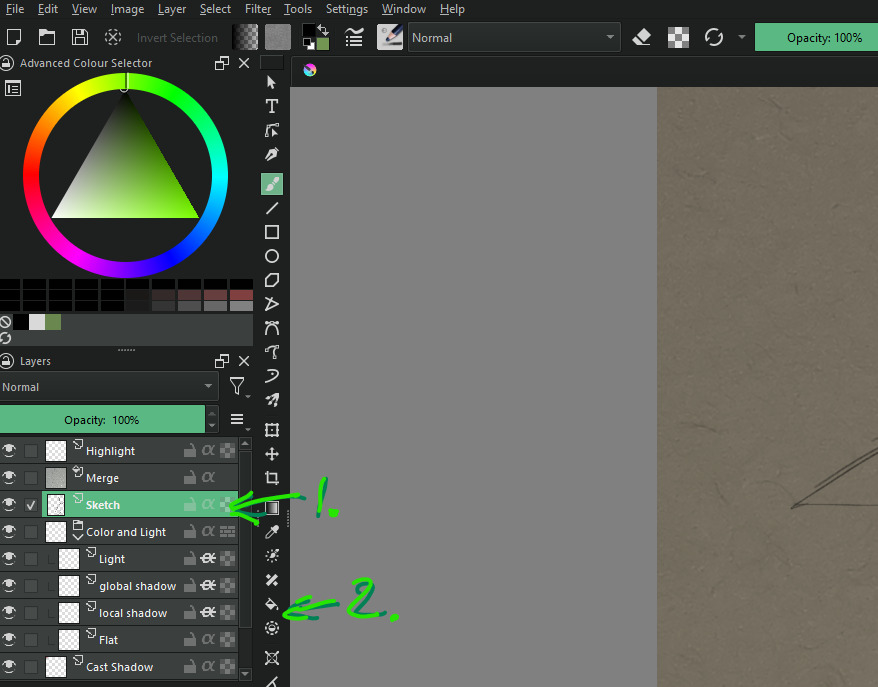
Your layer has this checkerboard icon. If you press that, the amount of pixel of this layer can not be increased. But you can change the color of the existing ones, without worry. And If you use the fill tool, you can color all pixel in one go.
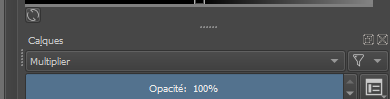
With your line drawing layer on top, if you make your lines white then change the layer blending mode to Additive Subtractive they change to black on a white background and vice-versa…
So i put the line layer on top, then i use the mode Additive Subtractive on it right ? And i find this mode here right ?
I just want to precise that the line art is hand made and scanned, then put to Krita. Just want to precise that so we all have the same base.
That dont work. Maybe is because i miss a step or is it because i don’t draw the line on Krita, but it’s a scan, so all the espace can be color ? Idk… But this two solutions work : “You could also select the lines an apply a filter → adjust → invert
You could selecte the lines and apply a filter → adjust → hsv adjustment”
No, the layer mode is Additive Subtractive, not multiplier. I was wrong about changing the lines to white, leave them as they are on the top layer with the black fill layer underneath.
Thank you, both of you ! It’s a very nice forum to ask for help, everyone responds so quickly, it’s amazing ! I will try all the solutions you offer me !
But it’s a very weird way to put black in your handmade manga, it looks very tedious since you have to be careful not to touch the outer line, but to fill in every empty space, Ikemoto is very weird on this point