my friend said we can use photoshop brushes in krita, so i bought some photoshop brush presets to try. but they don’t seem to be working as shown in the picture below. did I miss a step?
1 Like
You can import Krita brushes but not Photoshop brushes. The brush engines are completely different.
There are methods of using the png brushtip that is inside the PS brush but then you have to build a Krita brush around it.
Do a search on this forum and you will find at least 100 posts detailing the process.
2 Likes
I hope they were not too expensive. And in case you want more brushes, you should search our forum category for brushes Brushes and Bundles - Krita Artists, and if that is not enough for you, you can ask me for more for resources not listed there, after you checked them all out.
Michelist
2 Likes
can i check your resources? i’m looking for a textured brush for children’s book illustrations. i’ve already scrolled through the brush bundle category until 2021 but only found a few that look good
You really have checked the about 3000 brushes from our resource category, brush by brush, I can’t believe it, that takes weeks.
What exactly are you searching for that can not be found there?
But you wanted stuff? Here is stuff:
The first one I created from very old but good stuff once offered by BearsBears via the now defunct old KDE-Forum (which I now offer via a renewed link to the BearsBears-Bundle, because the old file hosting service is no longer reliable), after that follows link after link to stuff not listed in the forum (at the time I write this post):
https://www.deviantart.com/altback/art/Square-Shape-Brushes-for-KRITA-by-Altback-858594150
https://zer0coil.itch.io/zer0coil-krita-brushes
https://bauhausdog.itch.io/krita-things
https://tombofnull.itch.io/stipple-beast-brush-pack
https://kasper-hviid.itch.io/krita-pencil-leads
https://4nnih6.itch.io/dotraster-brushes
https://rytelier.itch.io/ryelier-legacy-brush-packs
If you want even more, then I’ll have to search for longer, but the best things you already got from our resource category and the links above. And it will not be soooo much more, I think, at least if I’m not mistaken.
Michelist
Add/Edit: Updated a link
6 Likes
By the way, for your ABR’s, you can download these two programs, both can view the content of ABR’s, but the first is to see if your ABR’s belong to the type that has to be converted before you can see and use them with Krita, the second one can convert those that the first one can not view into a format Krita (and the first program) can read, use and view!
Michelist
5 Likes
thank you! i’m looking for a brush with a texture like the ones used by children’s book illustrators in procreate. hopefully, once I get better with the brush engine, i can import the texture i want and make my own (i’m trying now, and it’s tough).

This is one of the most common unhelpful descriptions.  You know what you want, be we can’t know what you want, you have to help us with it.
Firstly, not everyone has to use or even know Procreate, secondly, there will certainly be children’s book illustrators using Procreate who use completely different textures than the ones you mean, and even if someone knew which children’s book illustrators you are interested in, they will certainly also use textures that you are not interested in at all.
Please always give examples for such requests, so links to the pages in the children’s books would be interesting here, where you can see what you want, what you are interested in. Even better would be sample pictures you show us from these books, preferably with an arrow pointing to the relevant textures.
BUT THEN ALWAYS NAME THE AUTHOR AND THE ILLUSTRATOR and also the link to the respective image source, this is absolutely mandatory, because without it such images will be removed here - and rightly so, because of intellectual property rights.
As much as we would like to help you, you are not making it easy for us. Please also think about what someone else needs to know in order to be able to help you, this will help you to get a targeted answer more quickly.
Michelist
1 Like
even if the OP doesn’t find it helpful, I do!
this is an amazing list of links! WOW
thank you! 
1 Like
Oops! And I just saw that I have forgotten an important link with one of my most beloved sets…

No bundle was downloaded more often from my cloud, over 5000 times at the time of writing. Now with updated link since the old file hosting service got unreliable.
Michelist
Add/Edit: Another updated link
3 Likes
i find it helpful please don’t get me wrong, i was answering @Michelist 's question “what exactly are you searching for that can not be found there?”
i didn’t mean to sound rude but yes, maybe after i get back from work I’ll try to attach some screenshots of the brushes and explain my definition of children’s book illustration type of brushes
i never think of actually having to attach what i want in the same post because i don’t know that you want to look it for me you can always let me know and i’ll attach references and so
Don’t worry about it, I’m not so quick to take offense at anything. That would also be stupid, after all I often have a demanding, sometimes pointed, way of describing things.
If we can see what something, a stroke, a texture, whatever, looks like, then that often helps more than many words.
Because, the thing about “I want this or that because I like it so much” is simply that only you can know what you like so much that you are looking for it. Also, an explanation of your definition of such a brush “only” describes your own view of it, something other people may interpret and describe very different.
To stay with children’s book illustrators specifically, even if I knew children’s book illustrators who use Procreate, they could still be different from the ones you like so much. That has, in a certain sense, similarities to the game known as “Chinese Whispers” or “Broken Telephone”. That’s why sample images or links to them are the best tool for such questions. And if you can then say: “It’s the texture of the red-haired girl’s pants”, wow, bull’s eye, then the person asked has a basis from which to search.
However, this does not mean that the respondents always have the right solution at hand, but you can search on the basis of facts instead of poking around in the fog with sticks, hoping to catch the right texture, just as sailors did in the days before the invention of radar and precise maps to avoid collisions in fog near the coast. In other words, they tried to feel their way in the right direction.
Michelist
1 Like
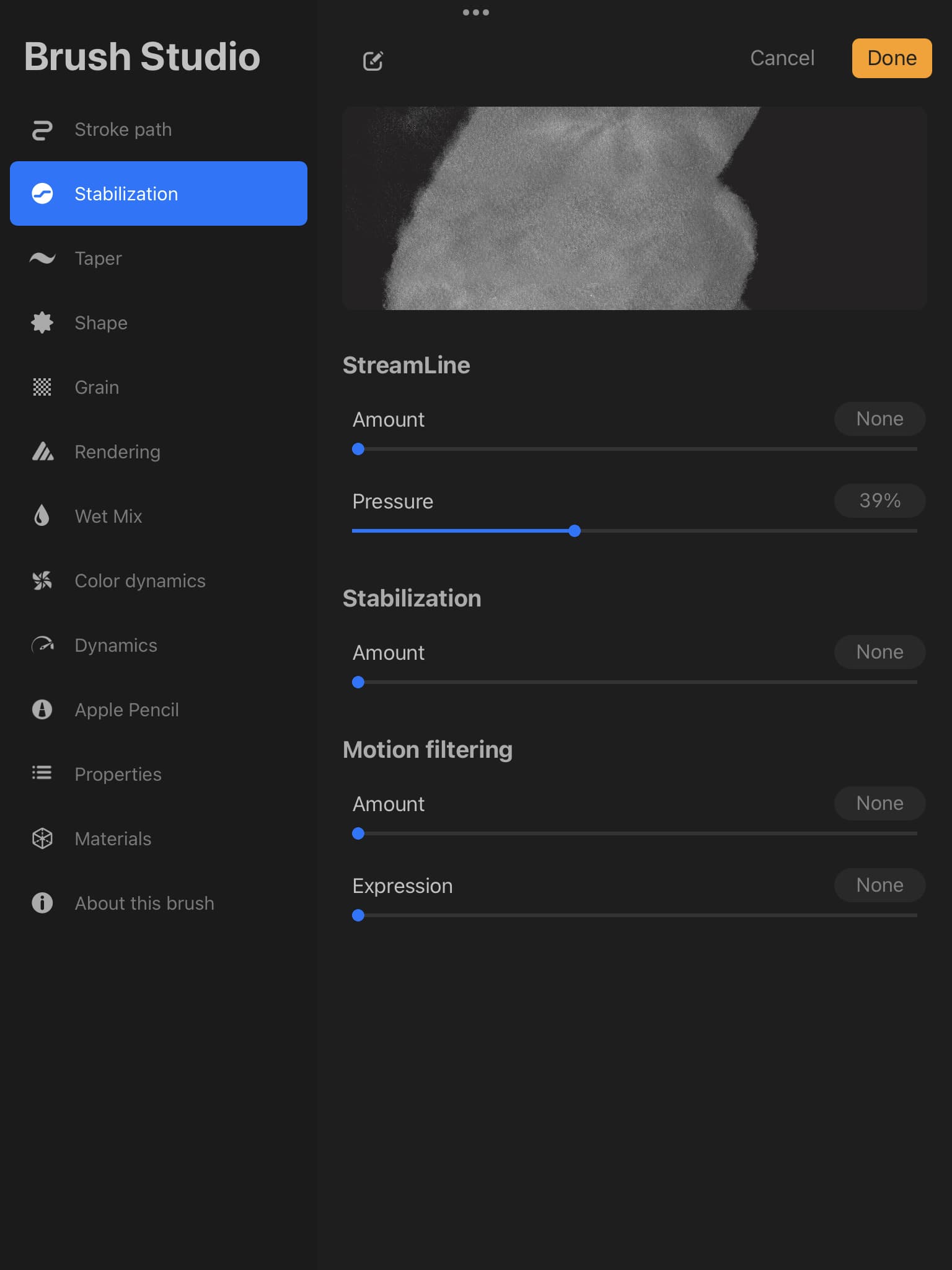
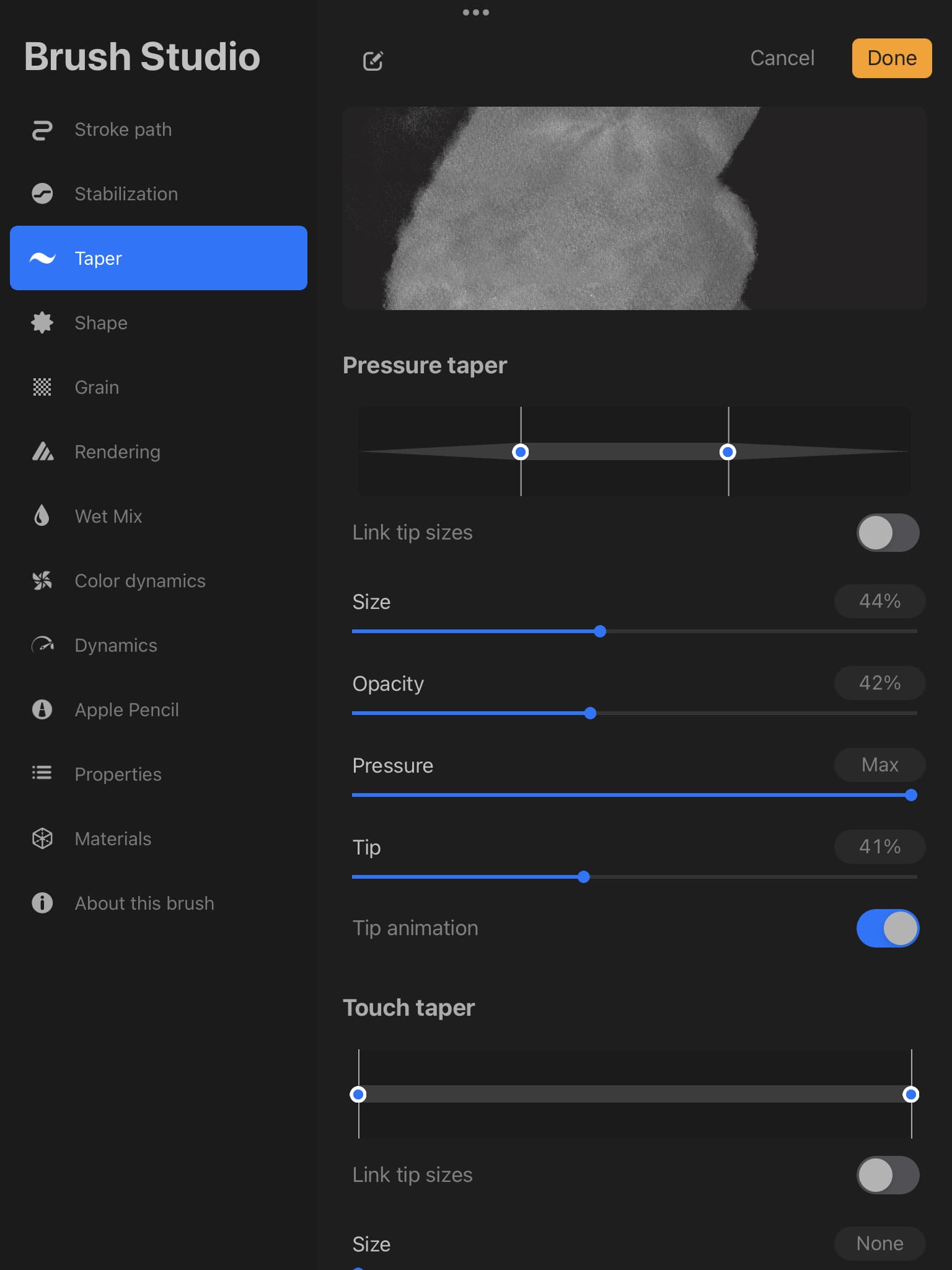
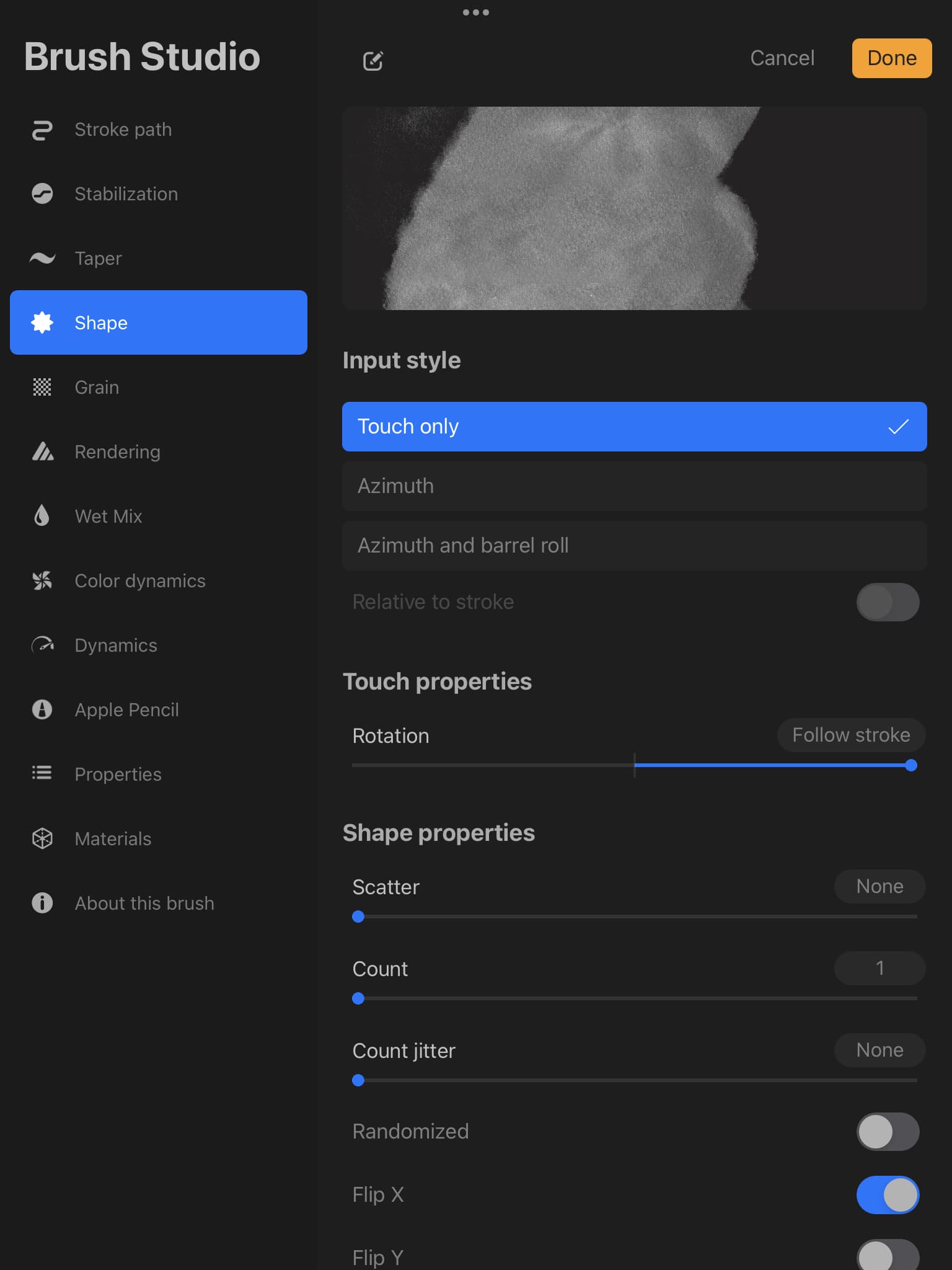
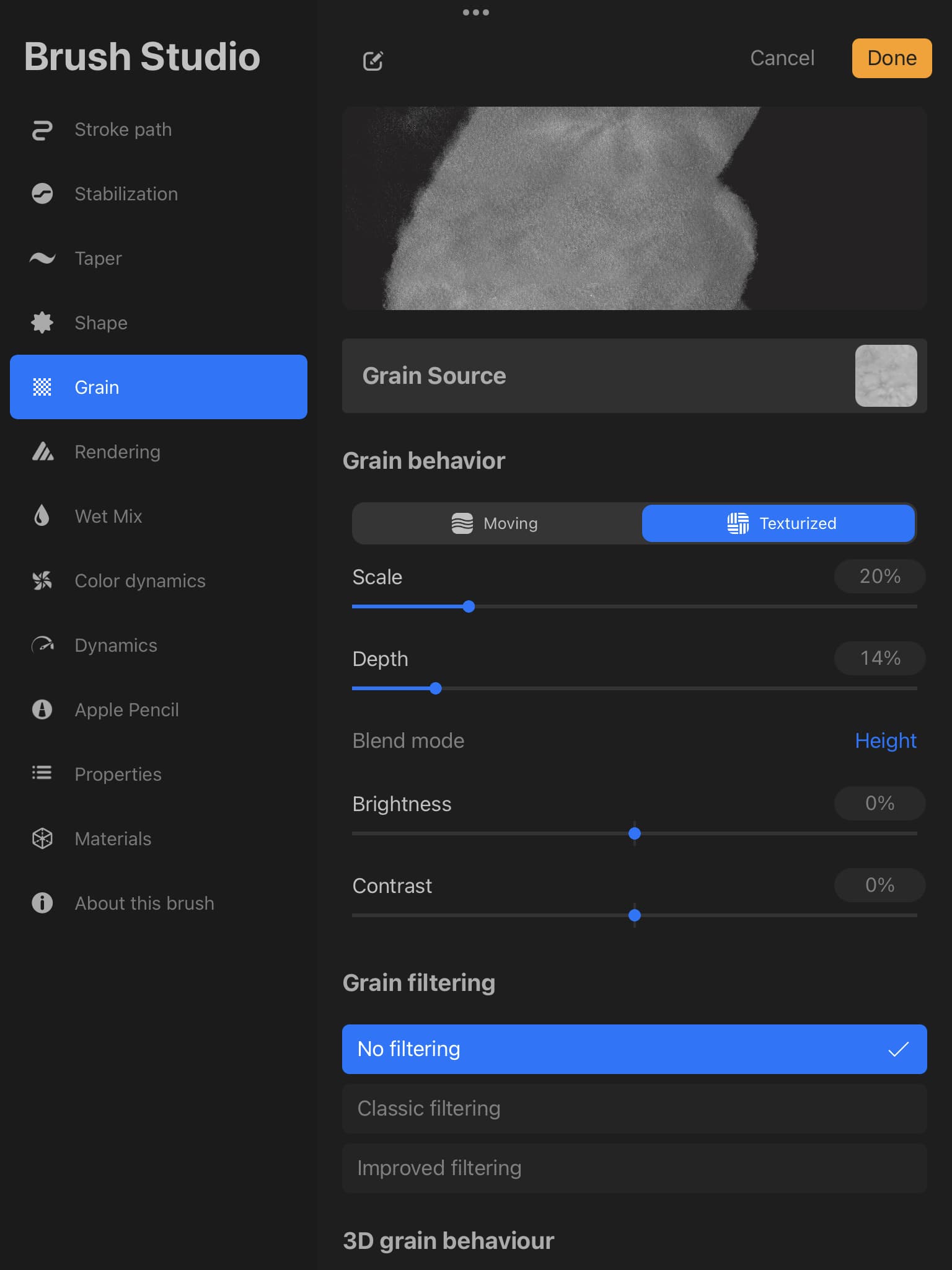
by children’s illustration art style, i mean it usually features bright colors and often uses rough textured brushes. most people i know use procreate for this style and for getting the brushes. the artwork i consider children’s book illustration style can be found on instagram, with the artists tagged in the pictures.
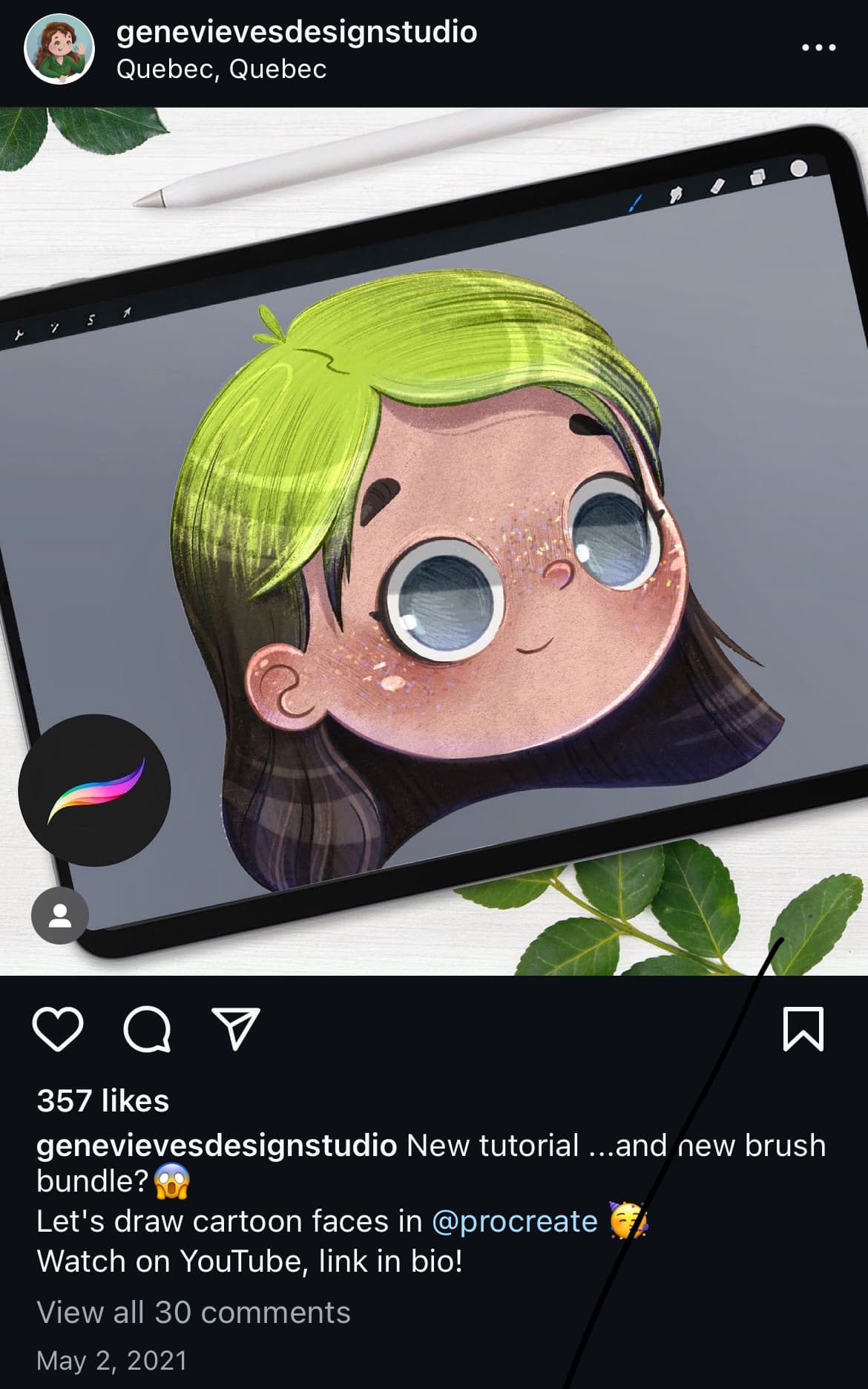
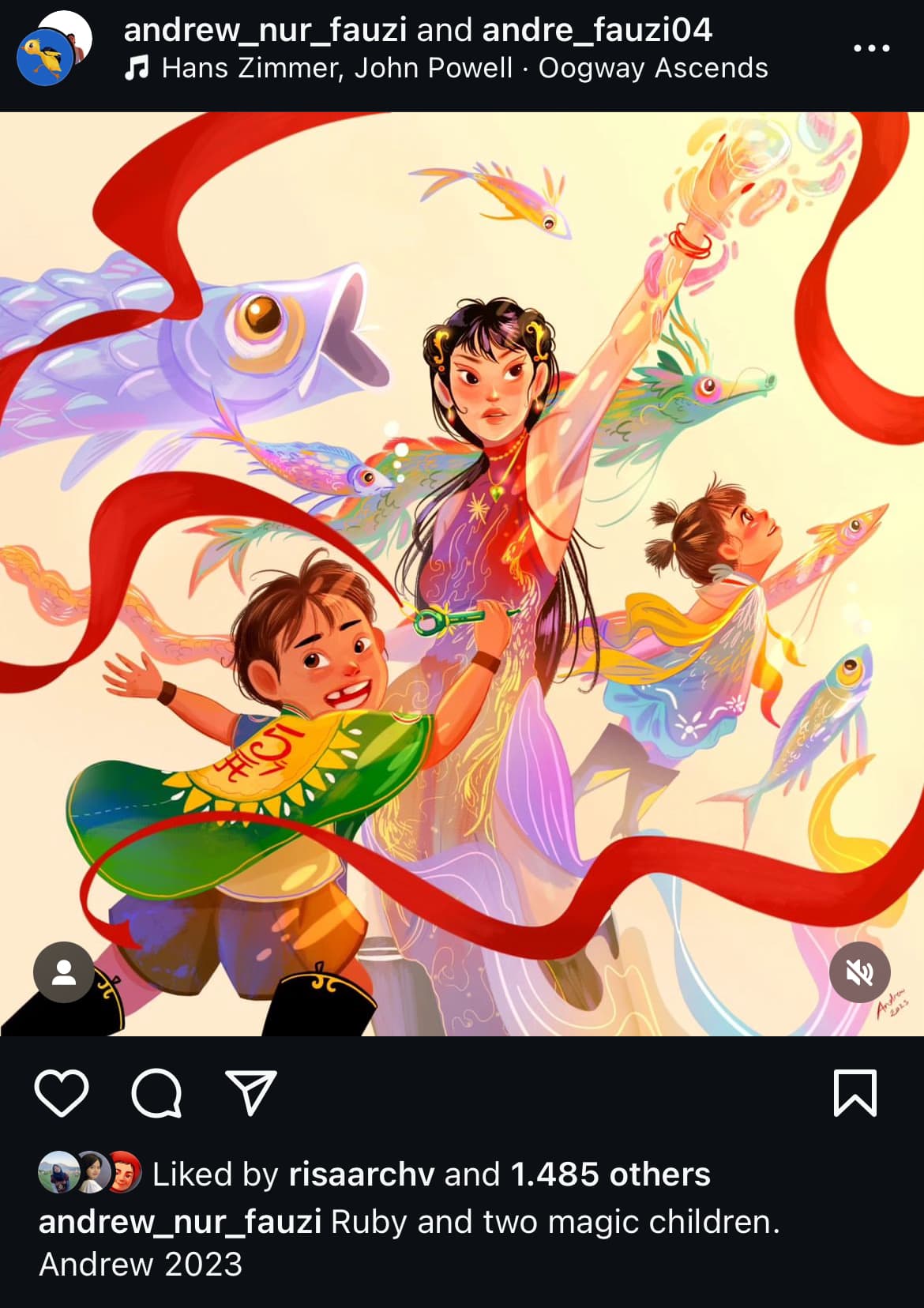
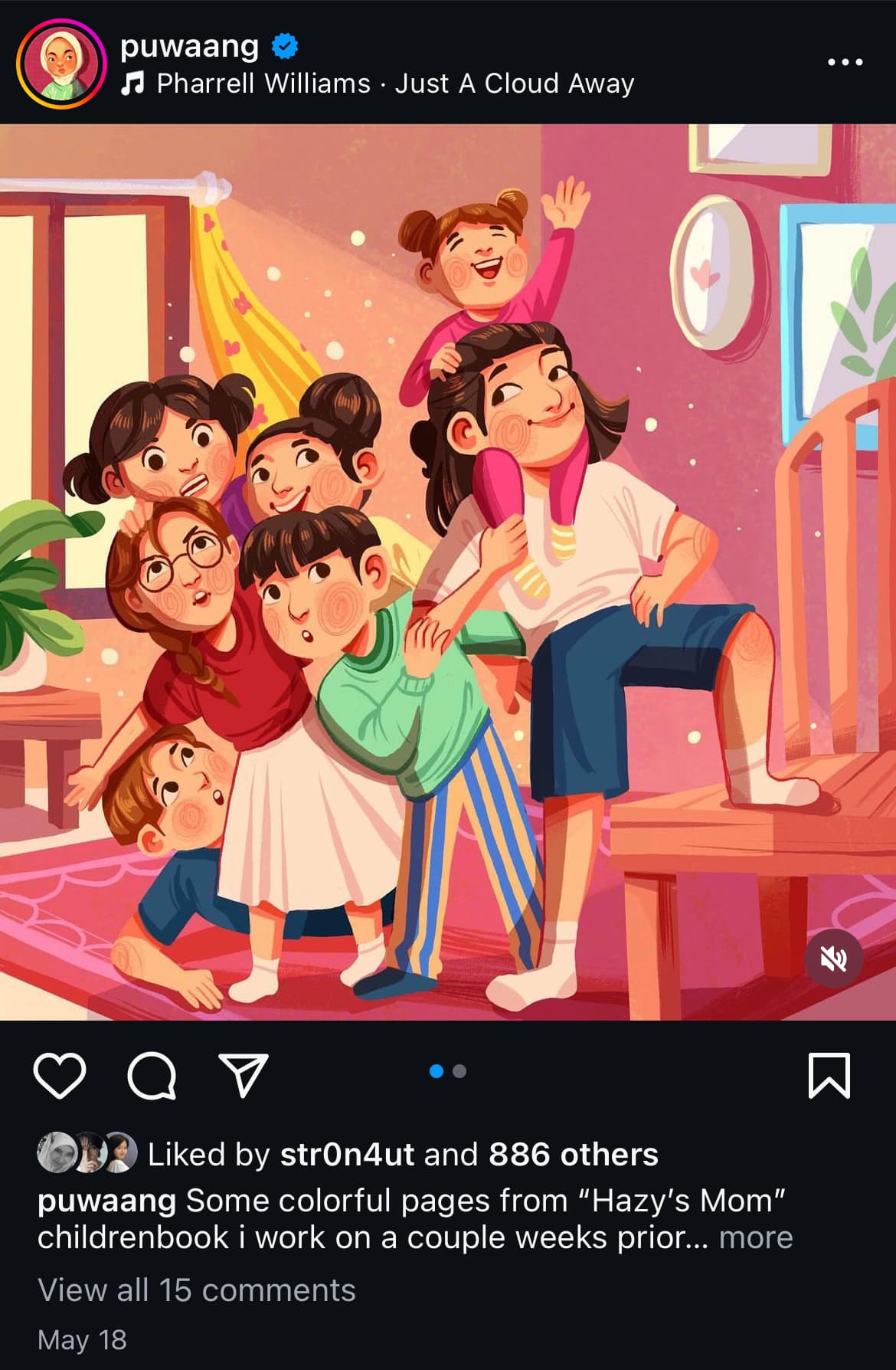
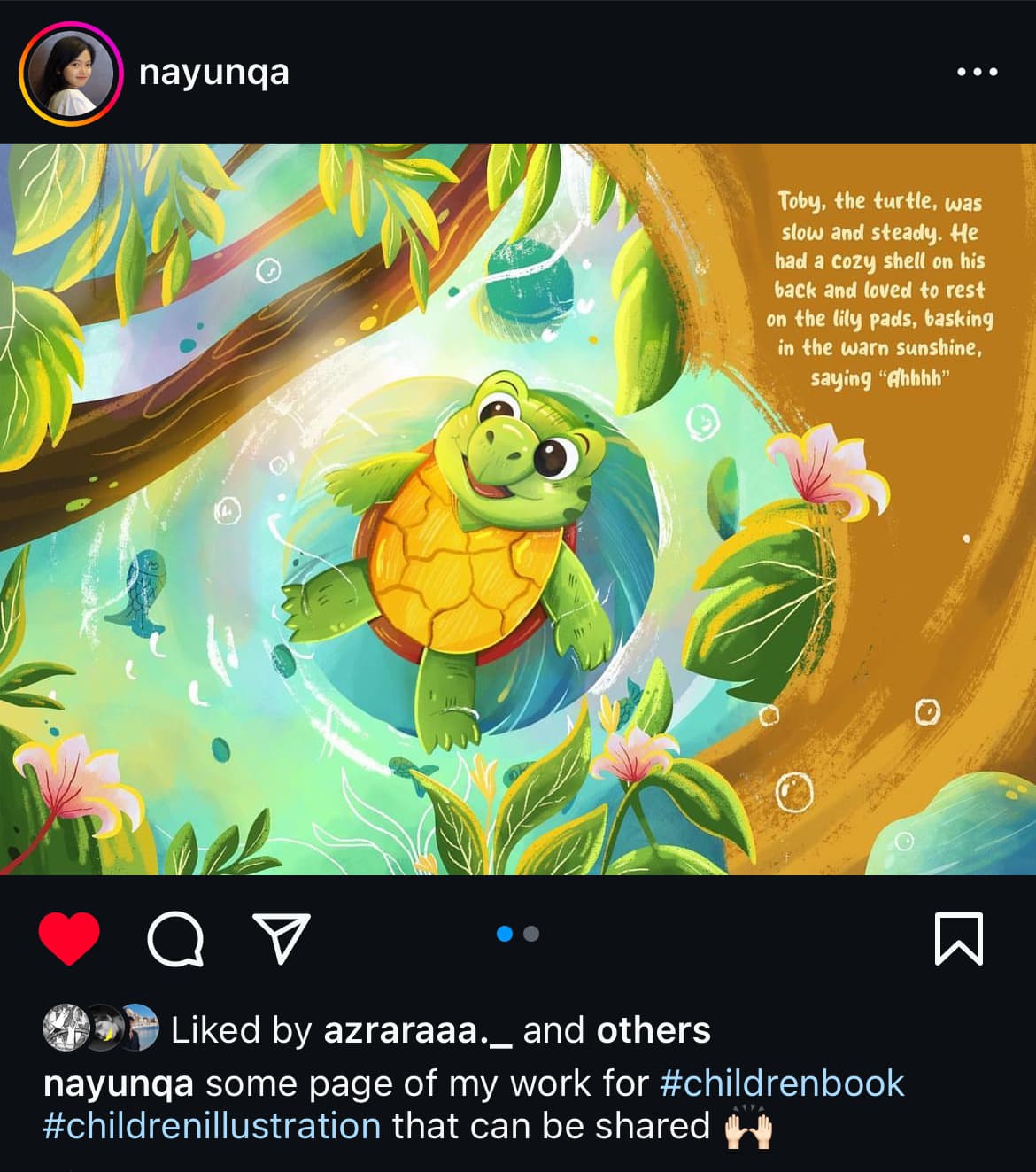
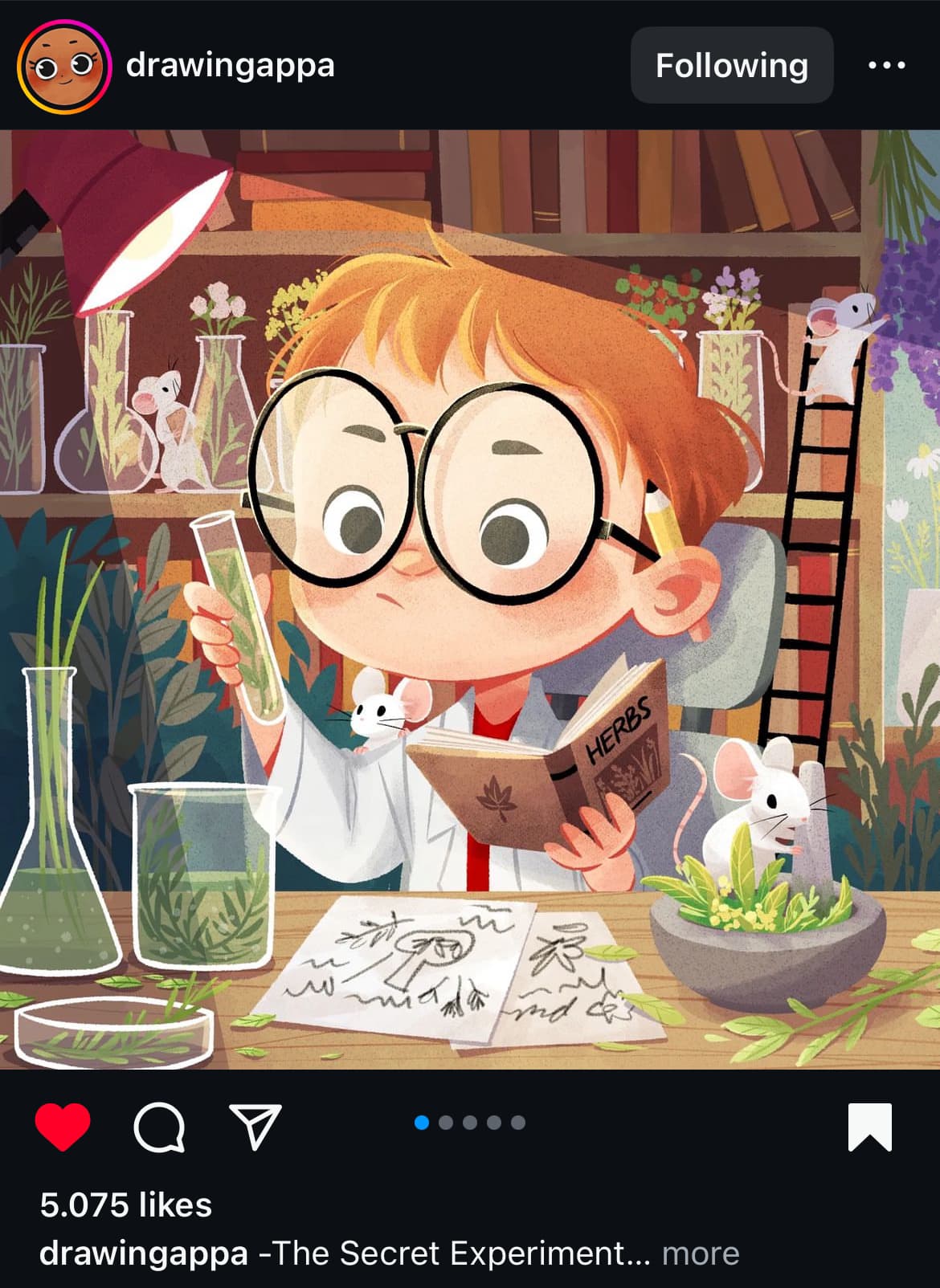
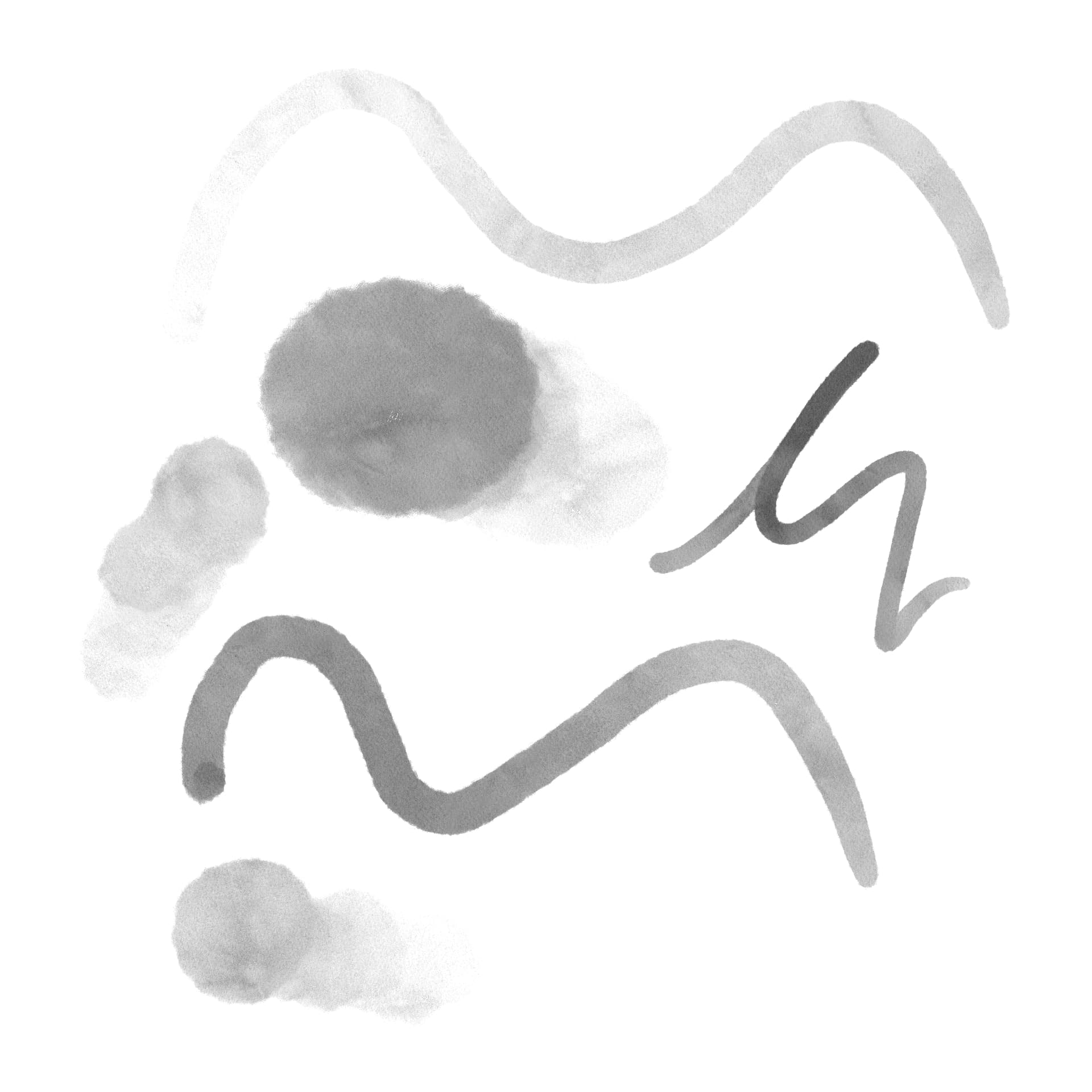
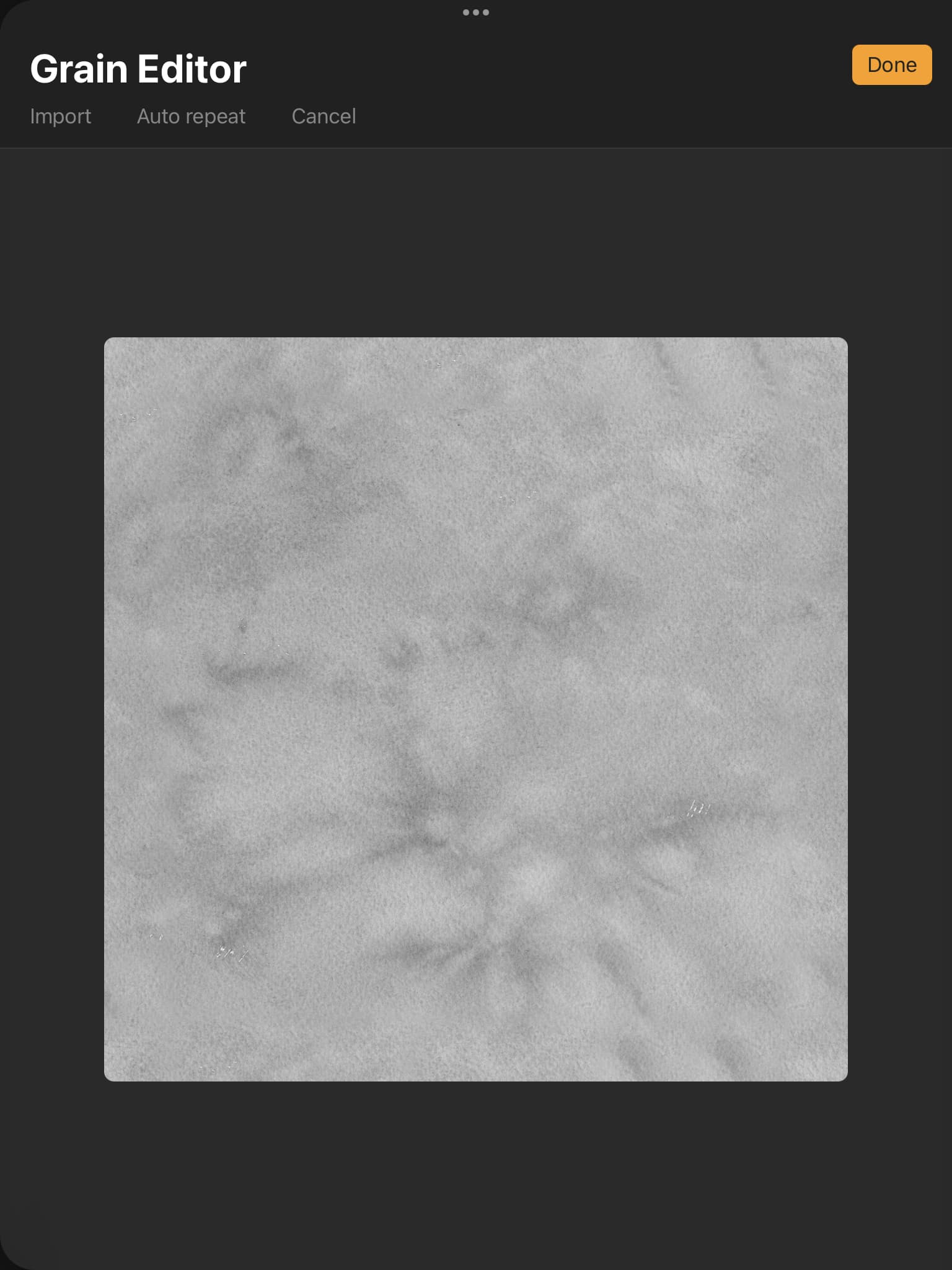
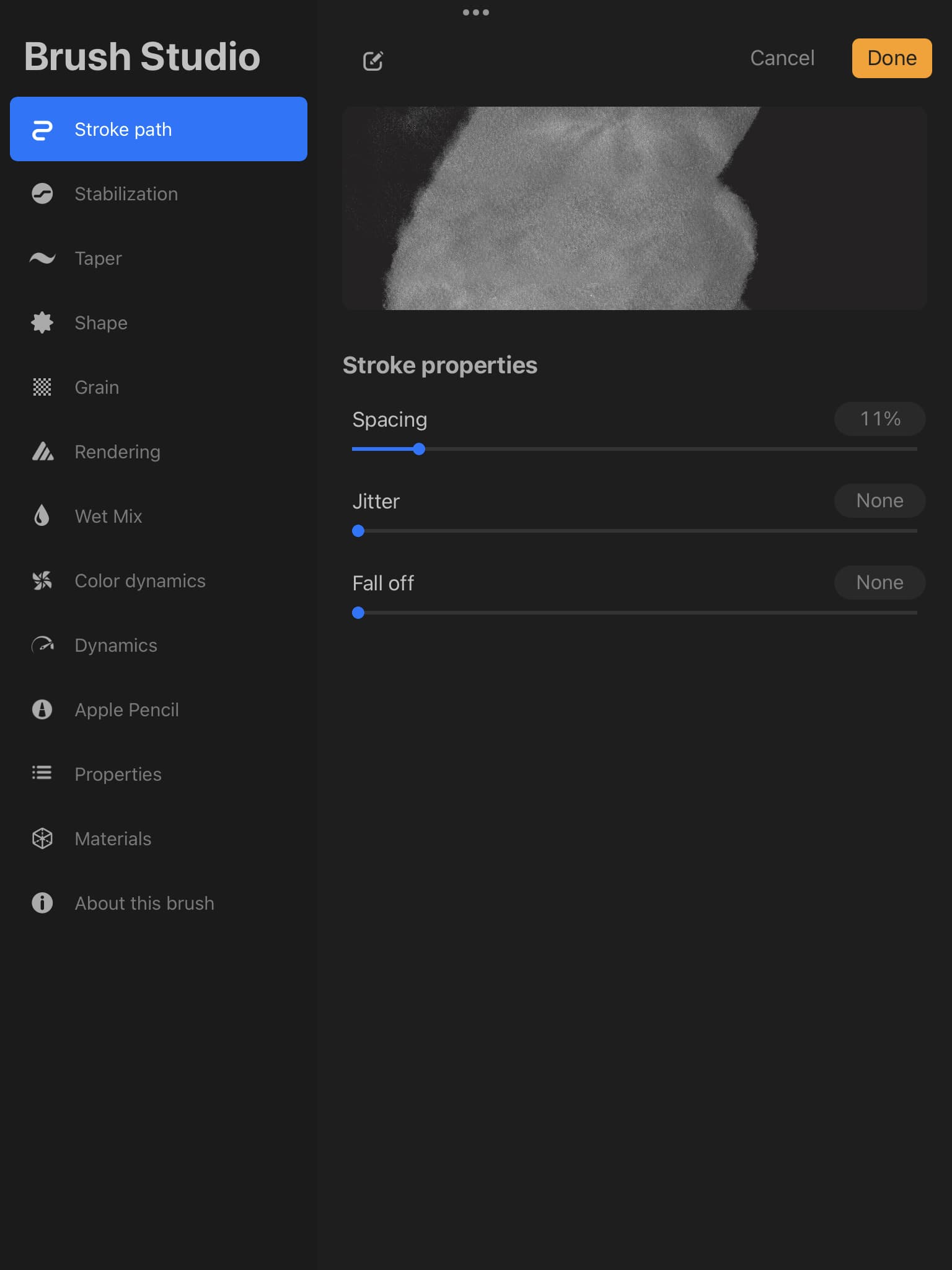
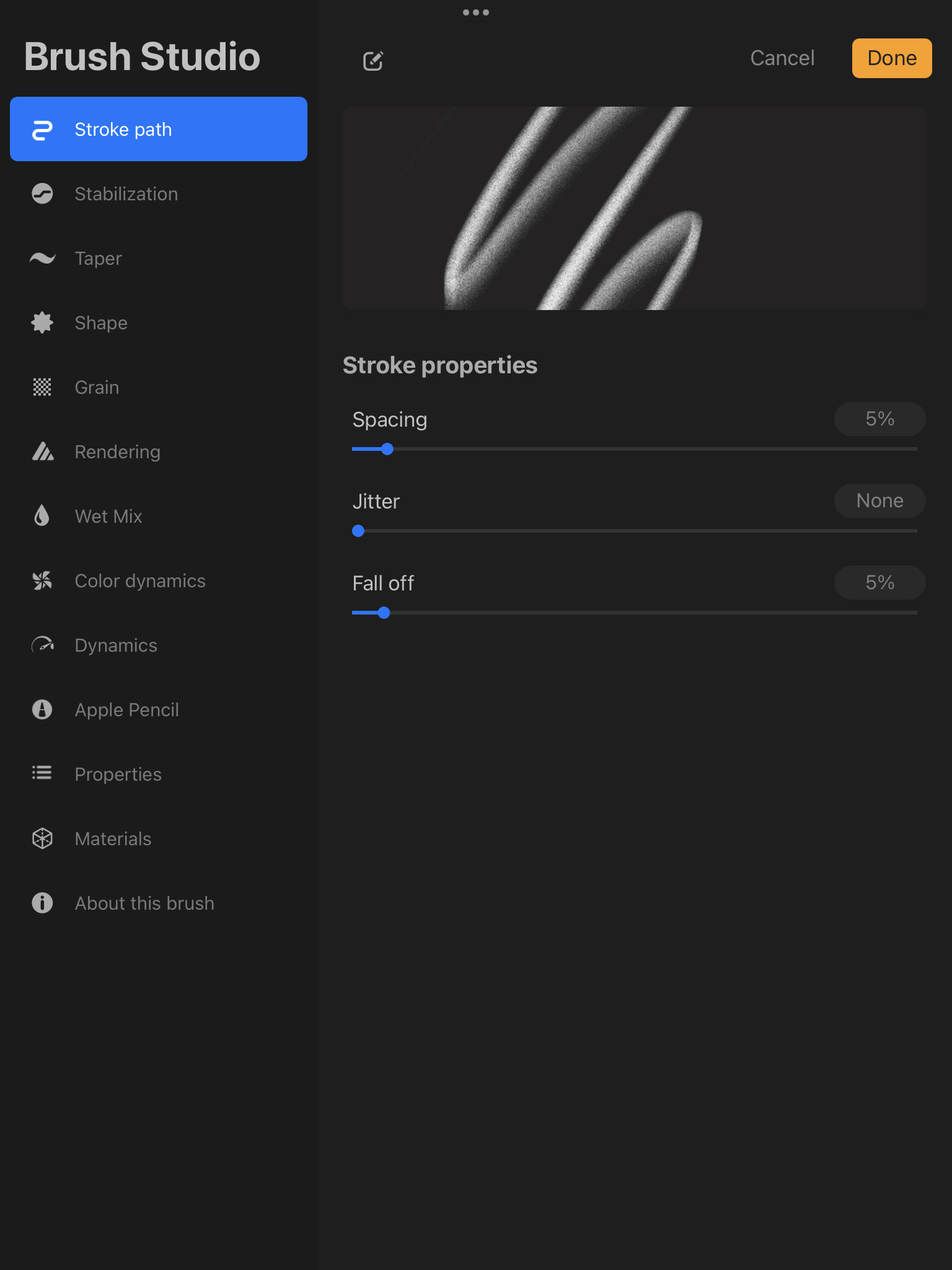
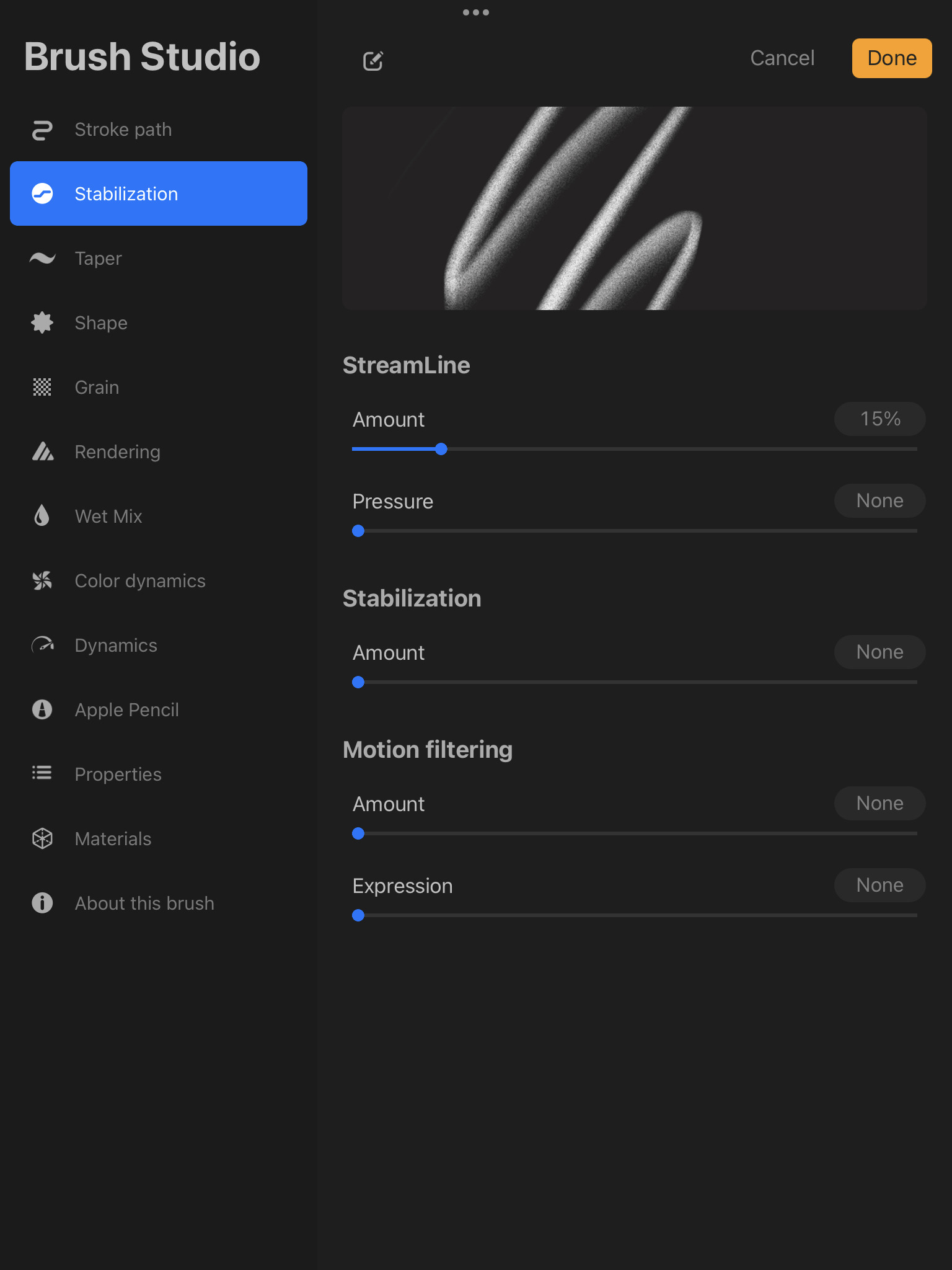
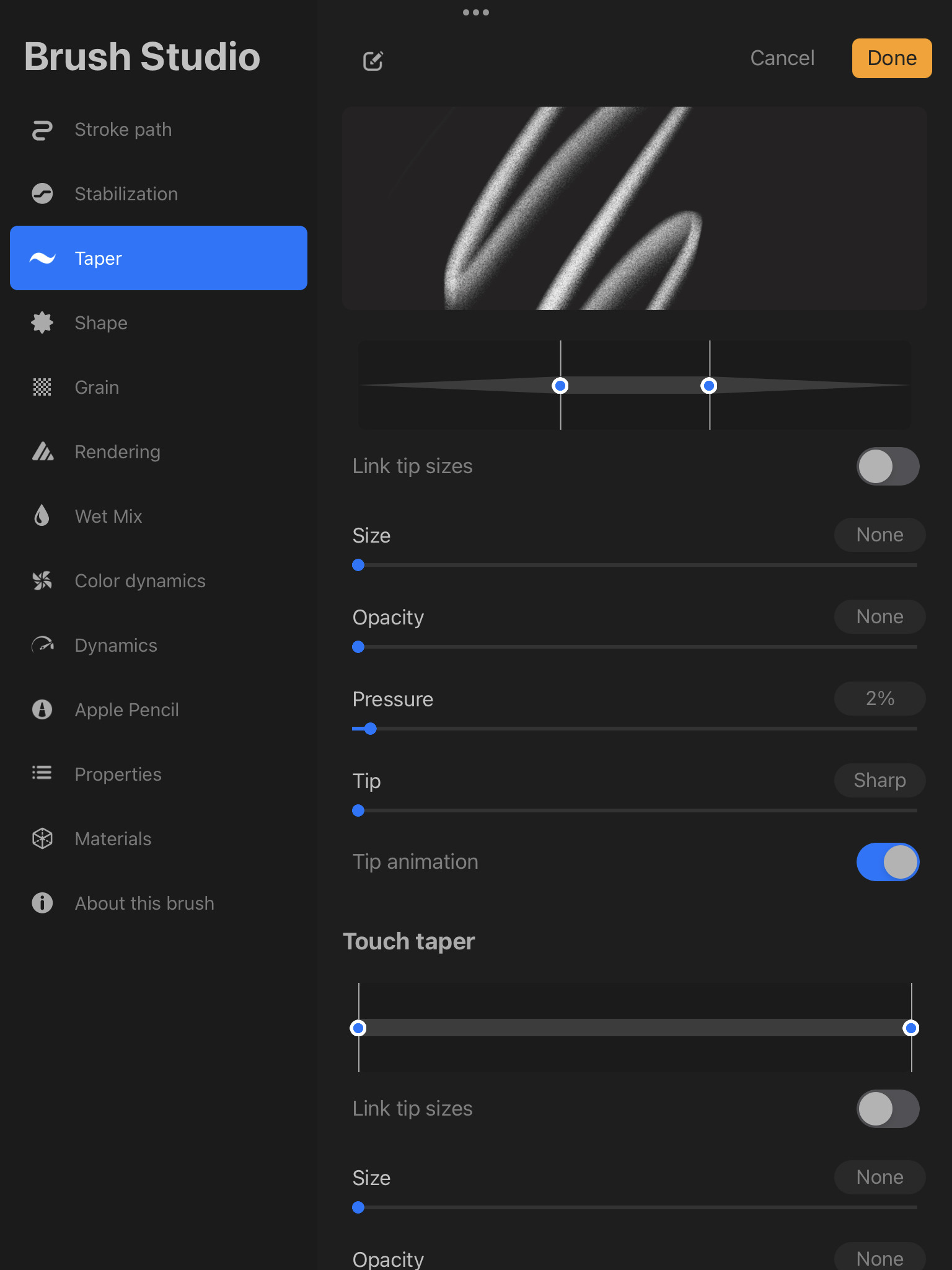
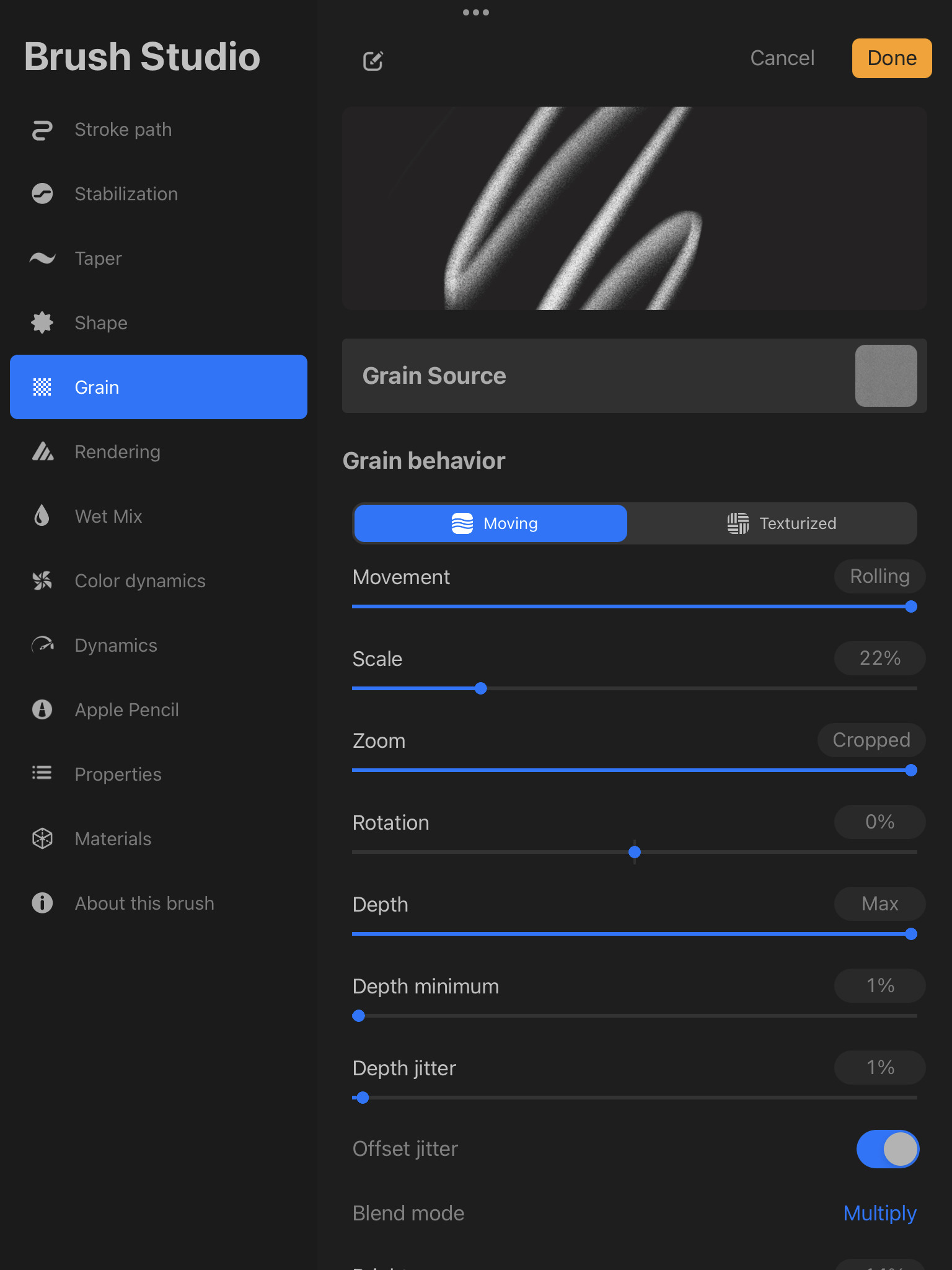
i got two favorite brushes from 씰Seal on youtube and cosmic cookie (magdalina dianova) on instagram that i’ve been trying to recreate. they’re amazing, but i can’t quite get them right. the pictures below show their brushes and an overview of procreate’s brush engine.
-
씰Seal’s
-
cosmic cookie’s

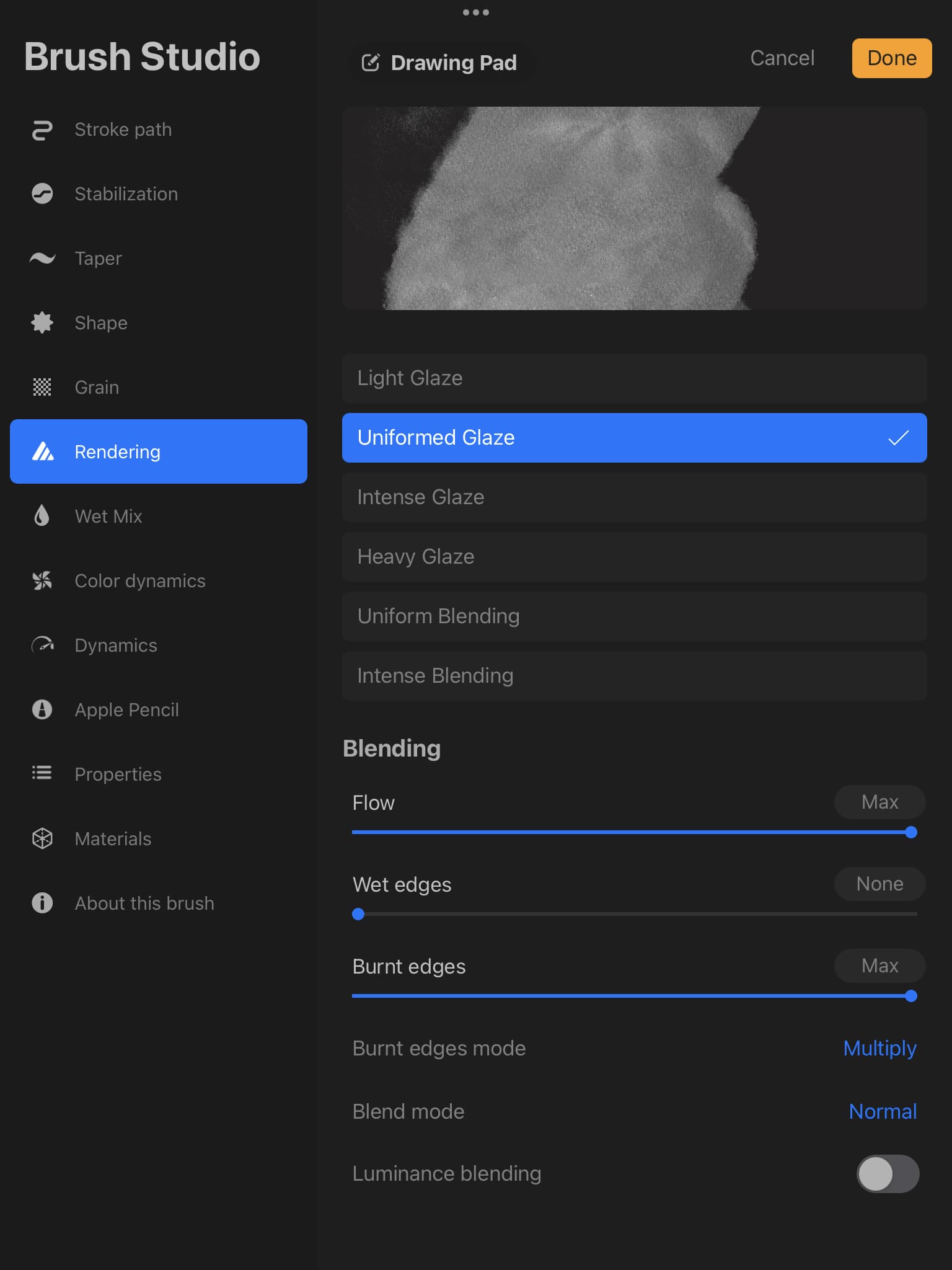

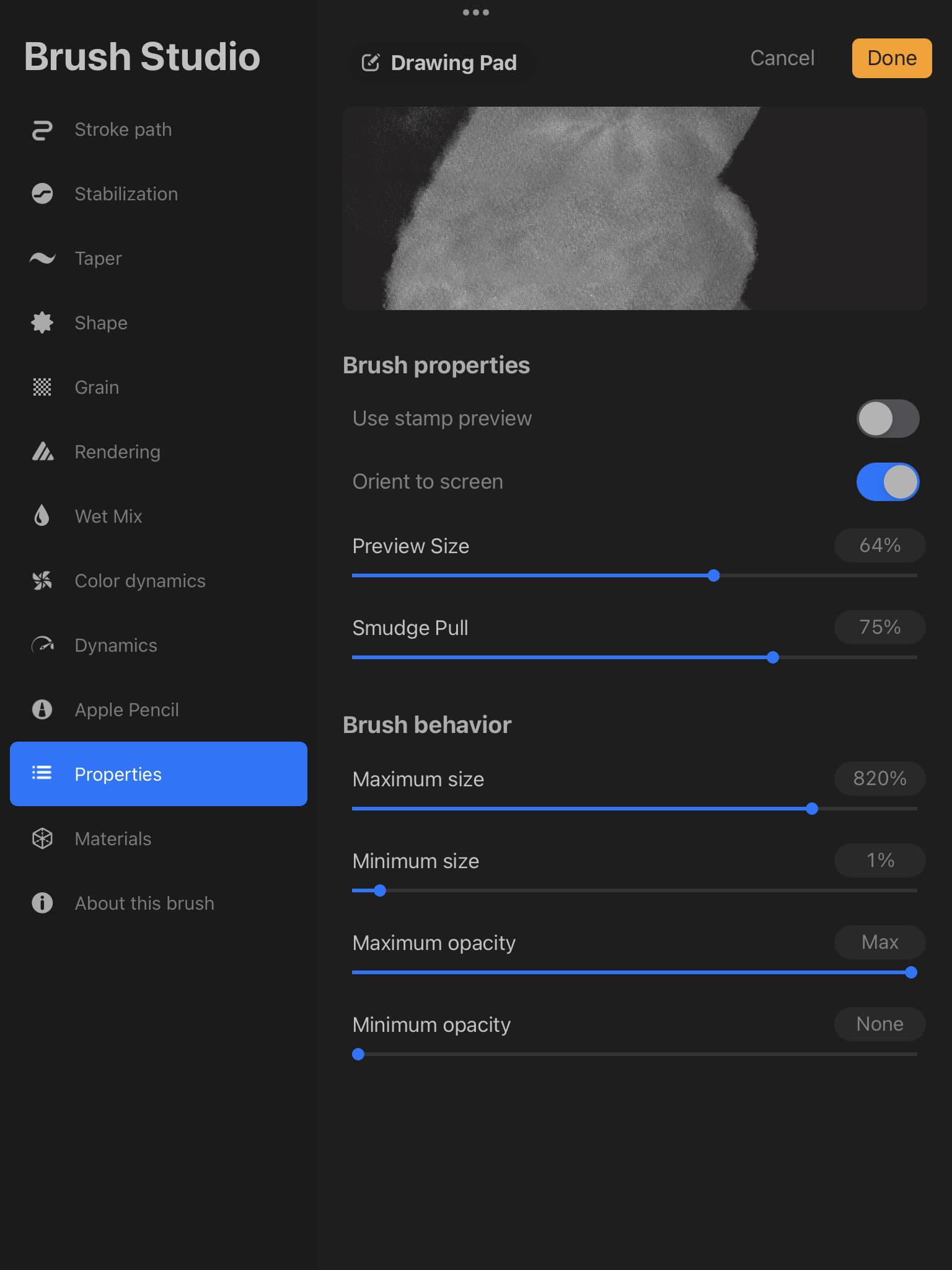

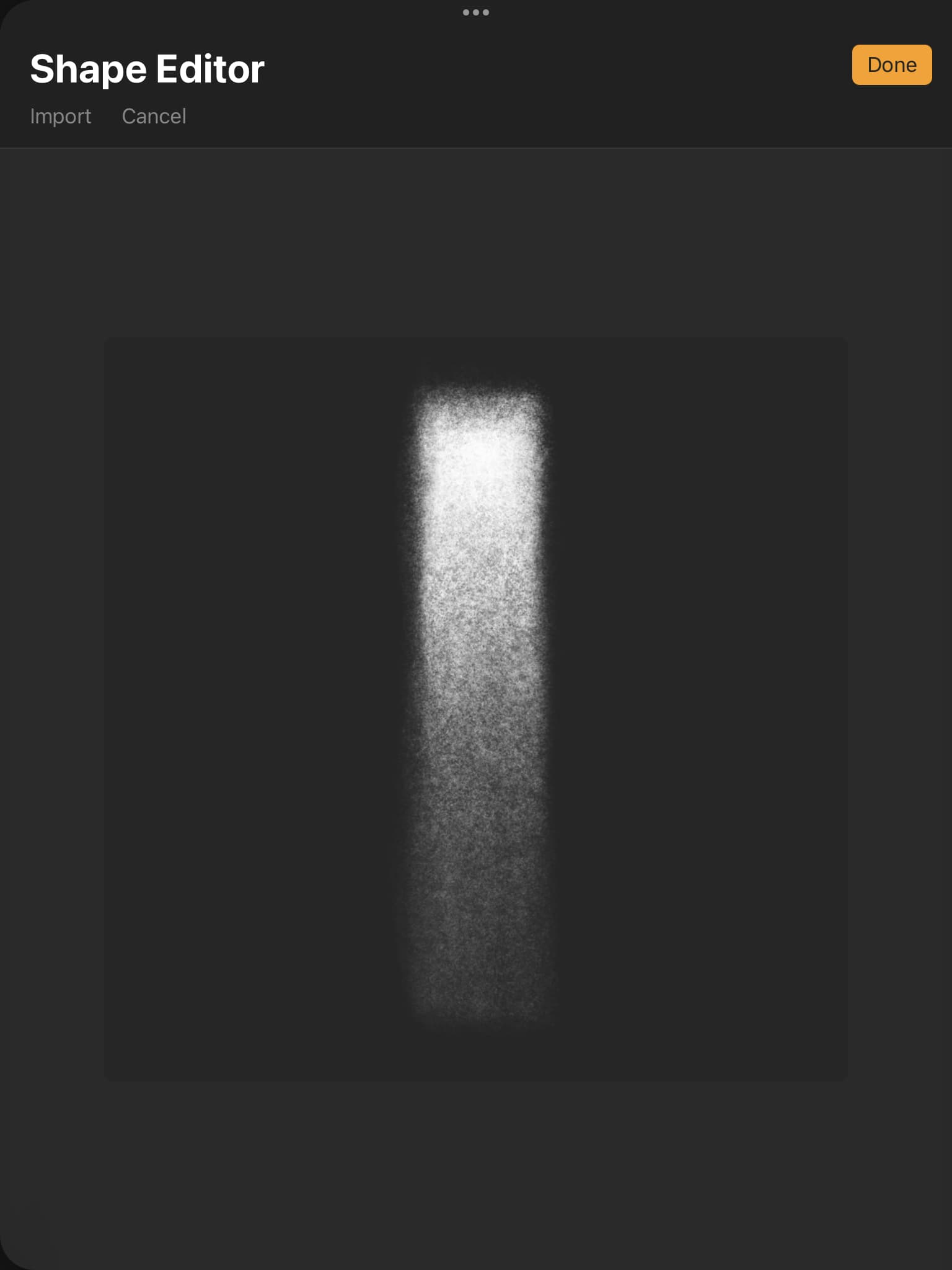
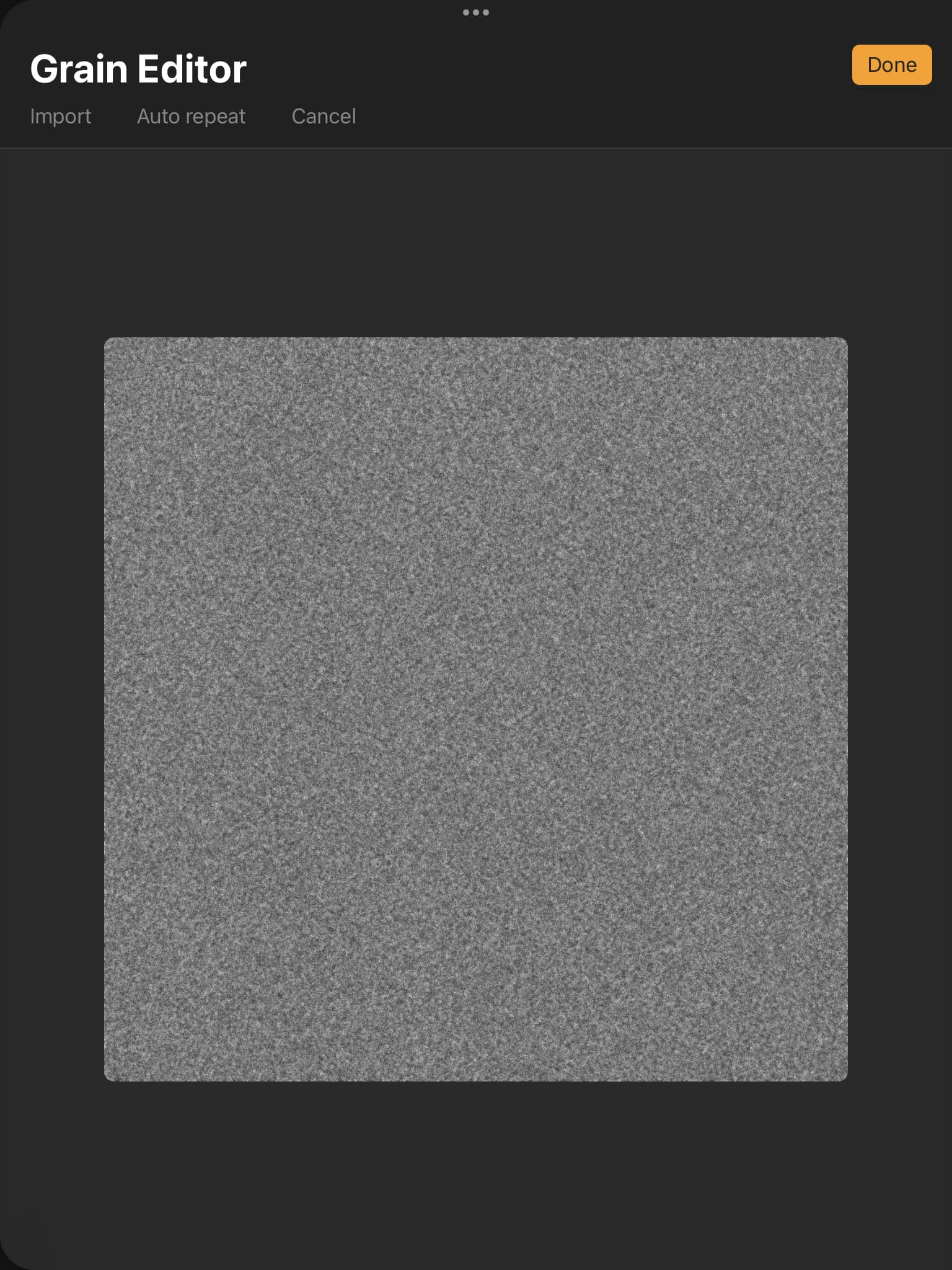

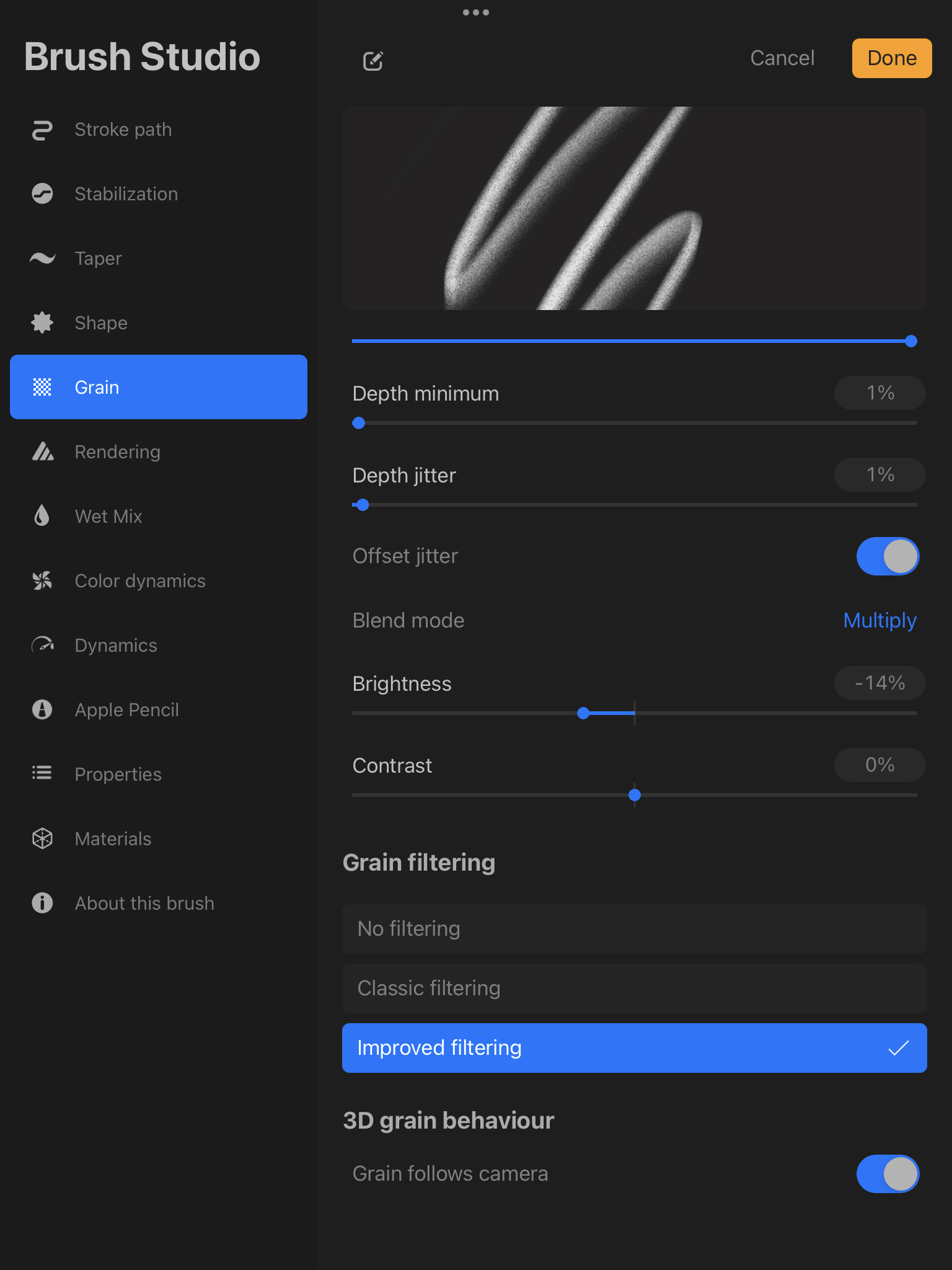
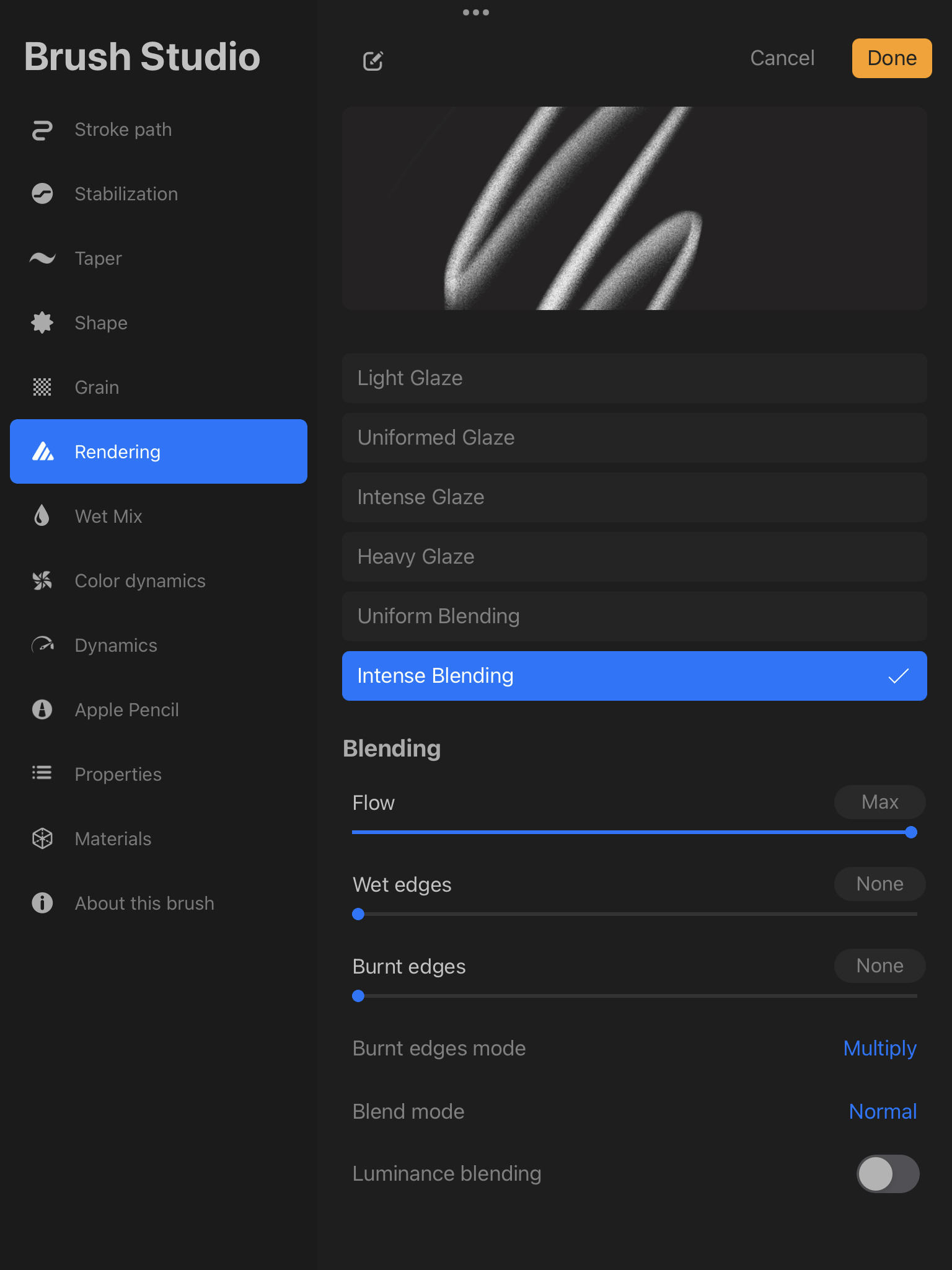

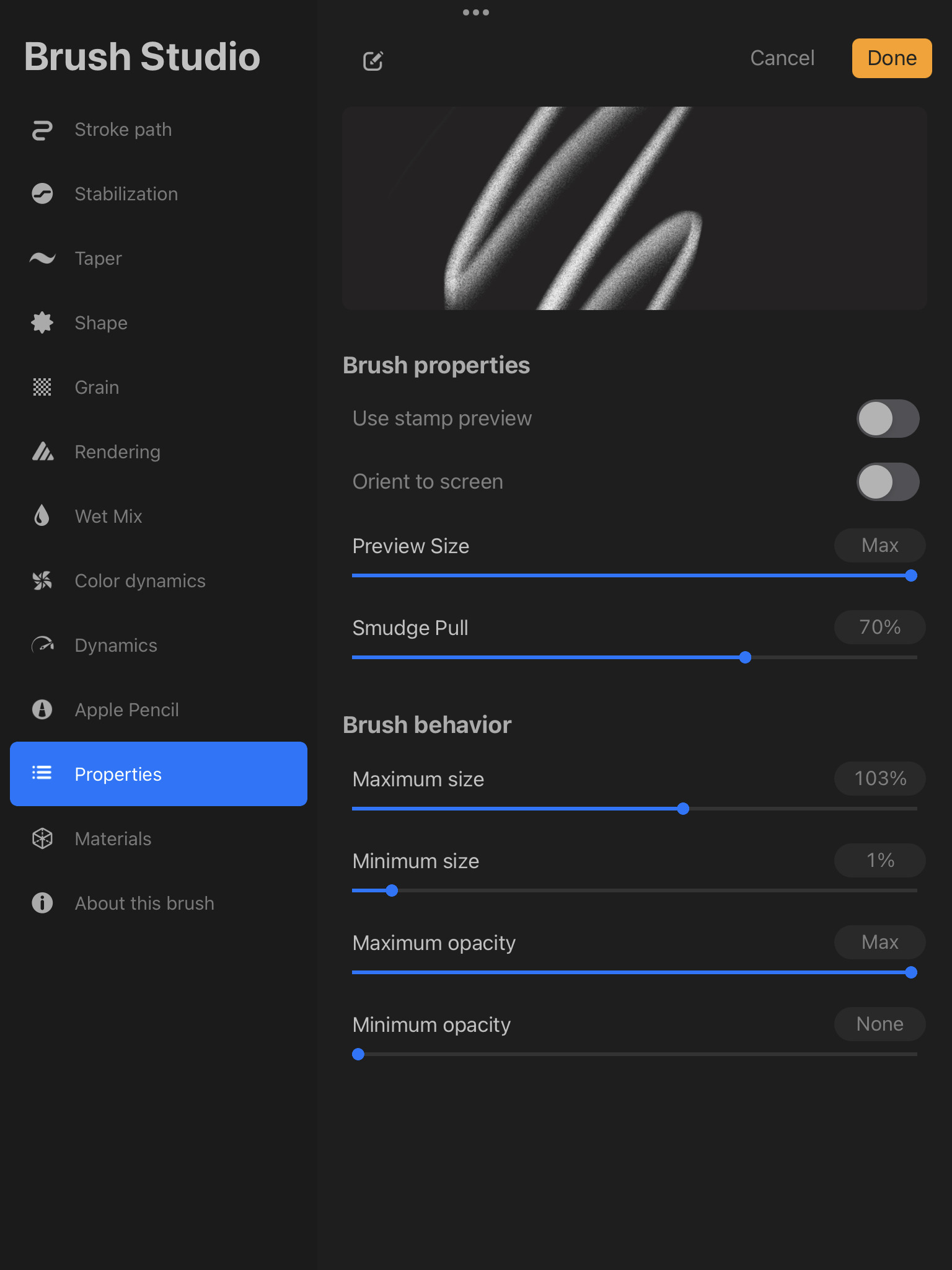
1 Like
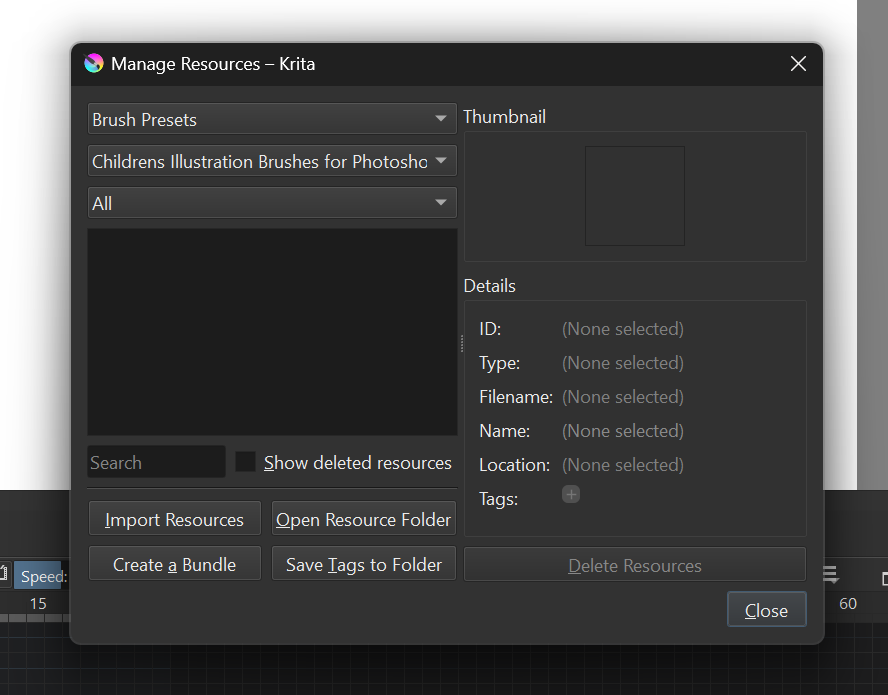
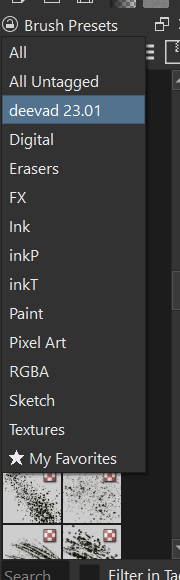
i have a few questions. i imported some .abr brush sets into krita. i know that when you import photoshop brushes into krita, you can only use the brush tips and recreate the brushes. however, the brush tips i imported didn’t show up in the brush engine tab, and i can’t tag them. any ideas?
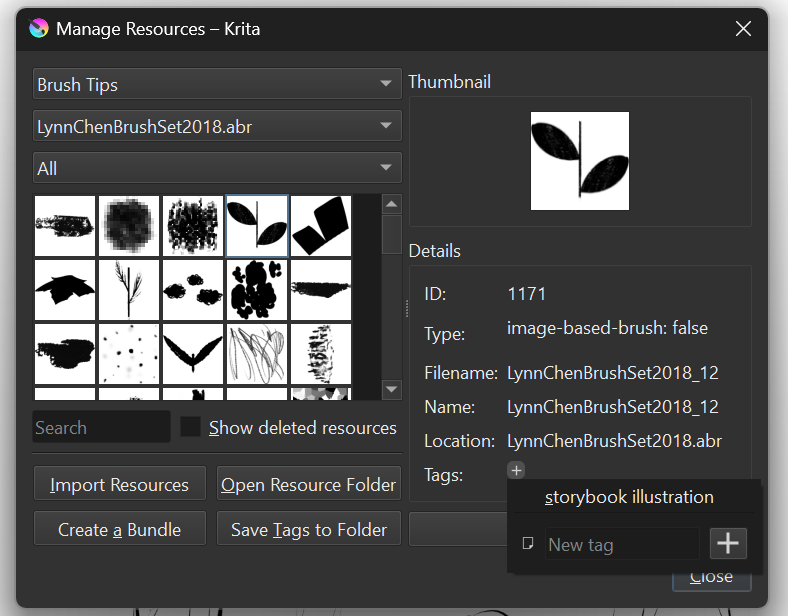
i want to organize my resources and delete the ones i don’t use, but i can’t find a delete button. is there a way to delete resources?
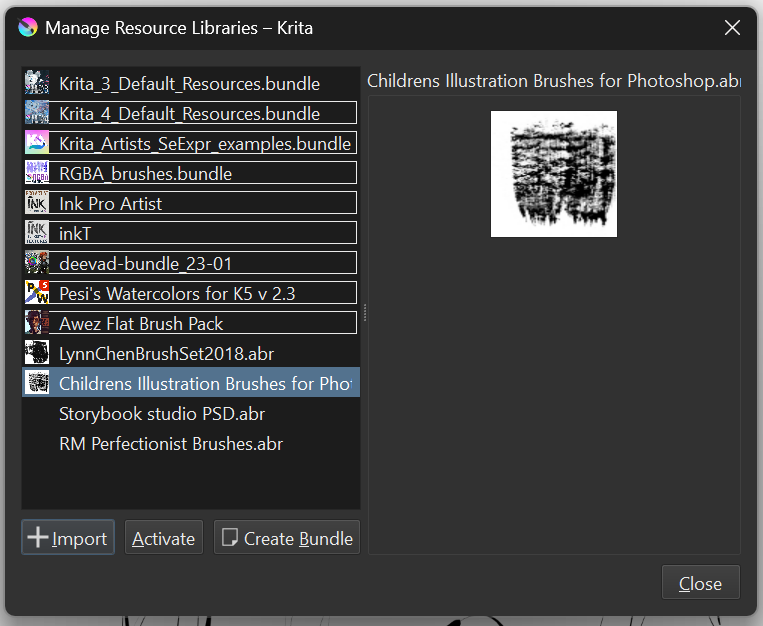
appreciate your help!
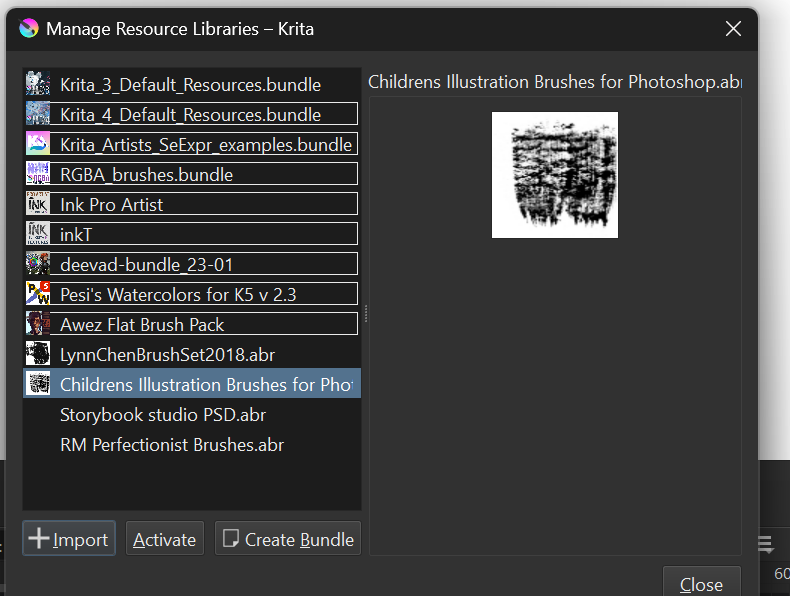
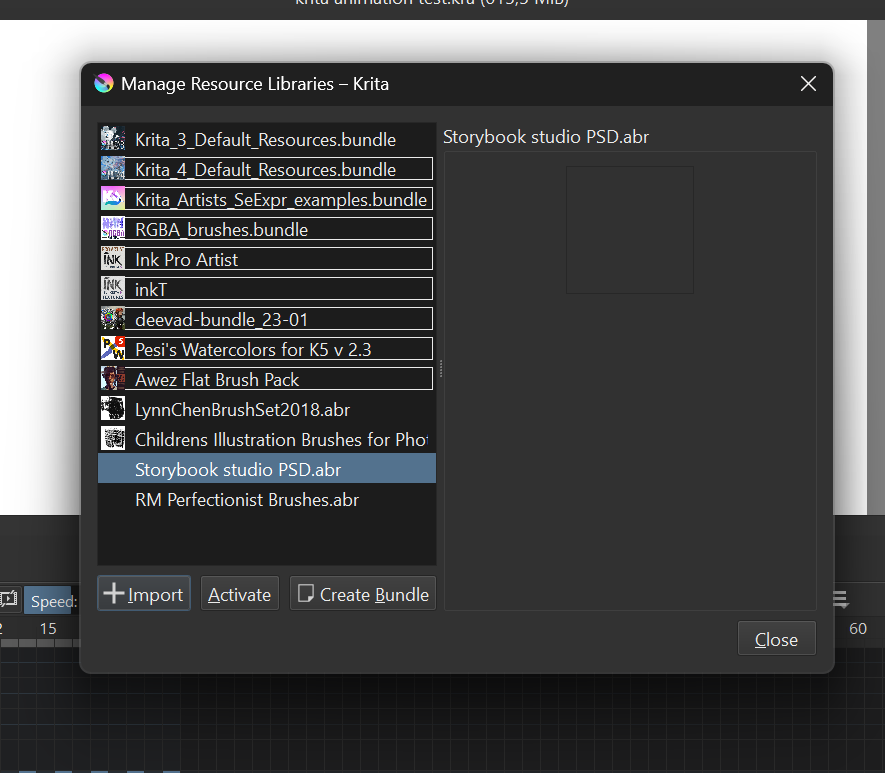
According to the screenshot of the Manage Resources Libraries window, the LynnChenBrushSet2018.abr resources (and the ones below them) are all Deactivated and so will not appear in the Brush Editor.
This is shown by the fact that the name in the list is not outlined.
You need to click on it to select it then click the Activate button at the bottom.
After that, they should be outlines and available for use.
As for the Procreate brushes, the Krita brush engines are very different from the Procreate ‘brush engines’ and so you’d need someone to study the brush effect (by using it in Procreate) and then use their knowledge of the Krita brush engines to figure out a way of replicating the effect and appearance.
Or, you could learn how to use the Krita brush editor yourself to try to do this.
3 Likes
Please excuse the late and sparse replies, I have contracted an infection and am quite out of sorts.
Additionally to @AhabGreybeard, and as I already wrote it in the above post:
There may be ABRs that Krita (and many other programs) cannot read because they are in a newer, slightly modified format.
And I have therefore introduced the following workflow for myself to avoid constantly importing ABRs that Krita cannot read, then having to remove them again, and to avoid all the unnecessary fuss.
And this is where “abrViewer.NET” comes into play. If “abrViewer.NET” cannot display the contents of an ABR file, then Krita cannot either, and you will get an error message from “abrViewer.NET” in a dialog, and you can then load these ABRs with abrMate and convert them via “Convert All Open Brushes to PS7.x:”.
Whether you accept the file name suggested after the conversion or rename the files differently is up to you.
After this conversion, Krita or “abrViewer.NET” and other programs will be able to display and use the content, i.e. the brushes you are missing. This means that after the conversion, you can import and use the files in Krita.
However, abrMate fails with corrupt and copy-protected ABRs and with ABRs that are supposed to contain so-called “artistic brushes” (whatever these brushes are).
Michelist
Add/Edit: From your screenshots, I suppose that at least the ABRs Storybook studio PSD.abr and RM Perfectionist Brushes.abr can not be read by Krita, Activated or Deactivated does not matter, because Krita can not even show a thumbnail of them. So you’ll need to convert them the way I described above.
Add/Edit 2: BECAUSE AN EVIL BEING REGISTERED A DOMAIN NAMED LIKE THE SOFTWARE “abrViewer.NET” AND SPREAD MALWARE VIA THAT SITE, I HAVE NOW CORRECTED ALL THE FORMER PSEUDO-LINKS TO"abrViewer.NET", TO THEIR CORRECT WEB-ADDRESS AT SOURCEFORGE.NET. SORRY FOR ANY POSSIBLE INCONVENIENCE, IT WAS NOT DELIBERATELY.
BUT THE FIRST OCCURRENCE OF “abrViewer.NET” HERE ON THIS PAGE WAS ALWAYS THE CORRECT LINK TO SOURCEFORGE.
2 Likes
that’s my plan for replicating brushes, but i find Krita’s brush engine quite challenging. it might take me some time to understand it fully. do you have a cheatsheet for Krita’s brush engine? let me know, and thanks!
i get it, i’ll remember your workflow and try your methods. i’ll let you know when i do. in the meantime, is there a way to delete the resources? maybe through the file manager? i think i’ll try deleting from the file manager.
Making brush presets is not ‘my thing’, I only mess around with them to make minor modifications. There are many people here who know the ways to make them and there are some YouTube video tutorials for making them.
I suggest that you create a New Topic asking for recommendations for brush making tutorials or do a forum search for similar topics.
1 Like
okay, thank you!
1 Like