There’s a method that allows you to do it I think
But not sure that will do the trick for you as I didn’t use photoshop for more than 20 years now 
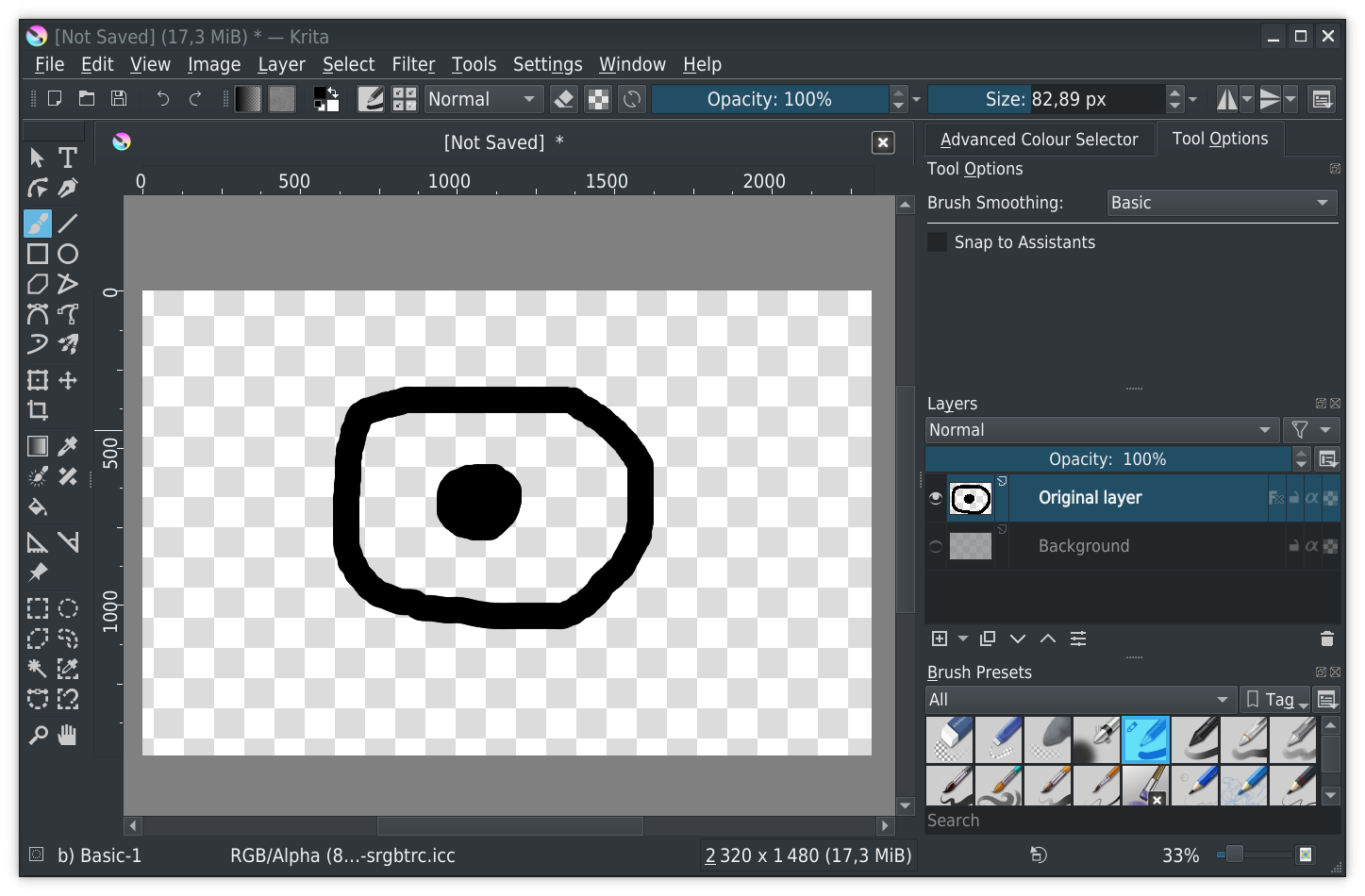
- Create your paint layer named, for example original layer and draw your stuff
- Apply the layer style “Inner glow” to layer original layer
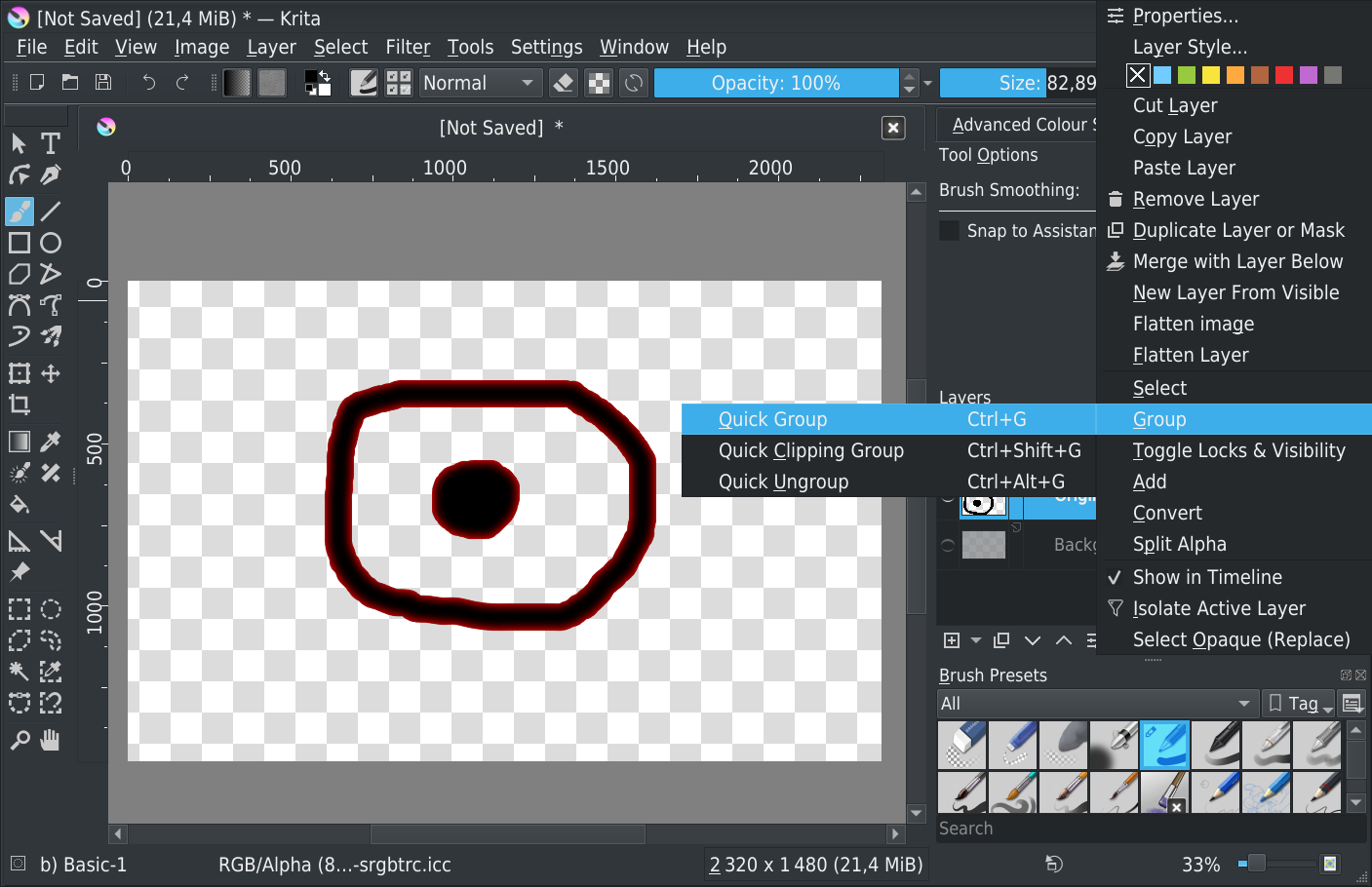
- Create a Quick-Group on the layer original layer (Ctrl+G or right-click on layer and then Group>Quick Group)
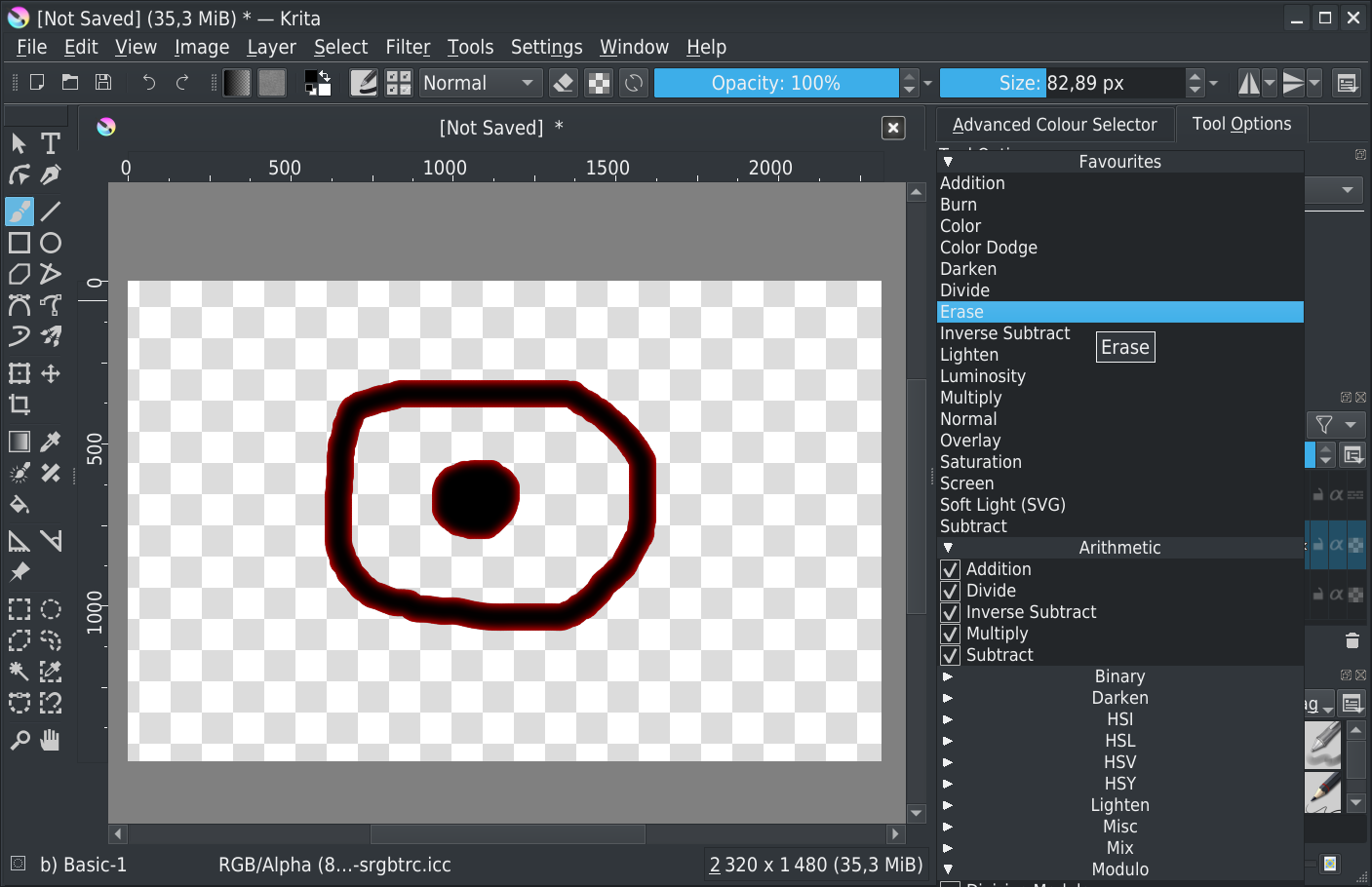
- Set blending mode of original layer to Erase

Final result: only the layer style is visible
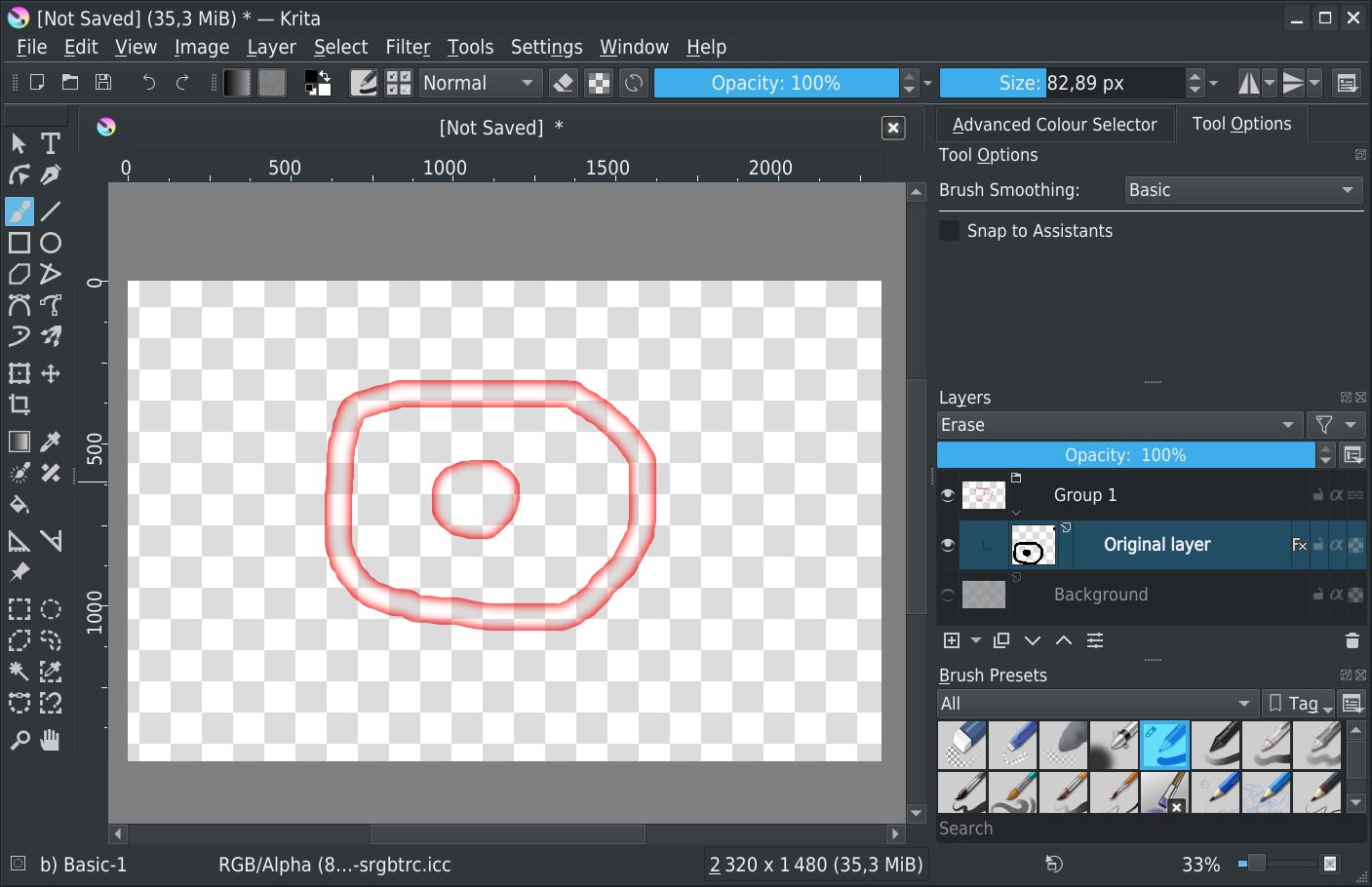
After, according to your layer content I don’t know if result it will be ok or not…
Grum999