Is it possible to adjust the layer transparency independently of the layer styles effect? for instance, if i wanted to make the layer art completely invisible, but keep the outline or inner glow at full visibility?
1 Like
One way could be to turn off all the other layers, create new layer from visible, on your original layer select opaque, go back to the new layer and delete what’s inside the selection.
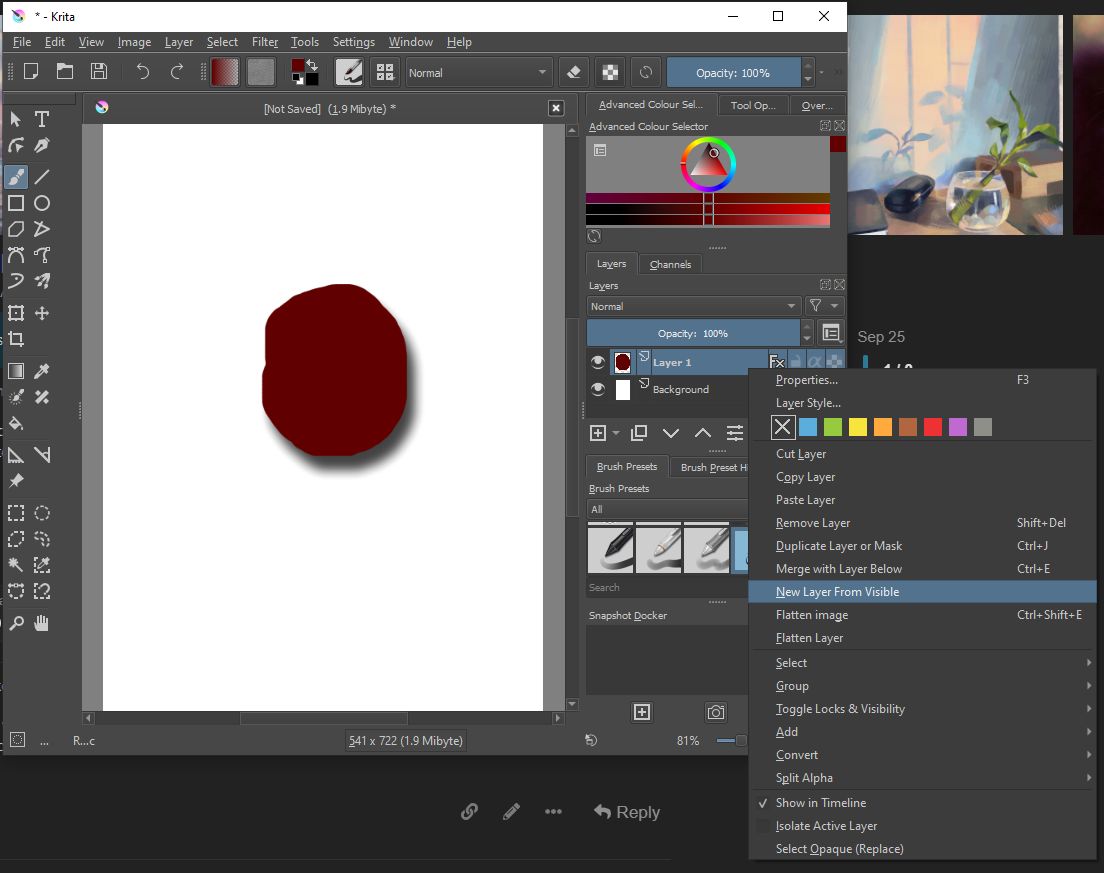


I think that will delete the inner glow?
For inner glow and other effects that are present inside, there’s a trick that may work depending on the exact details of the image.
Here is a white disc that had an orange inner glow applied, then a New From Visible and colour (white) to alpha applied.

That trick does not work well with pale coloured glows.
Didn’t see that you wrote inner glow. In that case you need another solution.
In photoshop you can turn down the opacity of a layer without affecting the applied glow effect. Is something like that possible?
There’s a method that allows you to do it I think
But not sure that will do the trick for you as I didn’t use photoshop for more than 20 years now 
- Create your paint layer named, for example original layer and draw your stuff
- Apply the layer style “Inner glow” to layer original layer
- Create a Quick-Group on the layer original layer (Ctrl+G or right-click on layer and then Group>Quick Group)
- Set blending mode of original layer to Erase
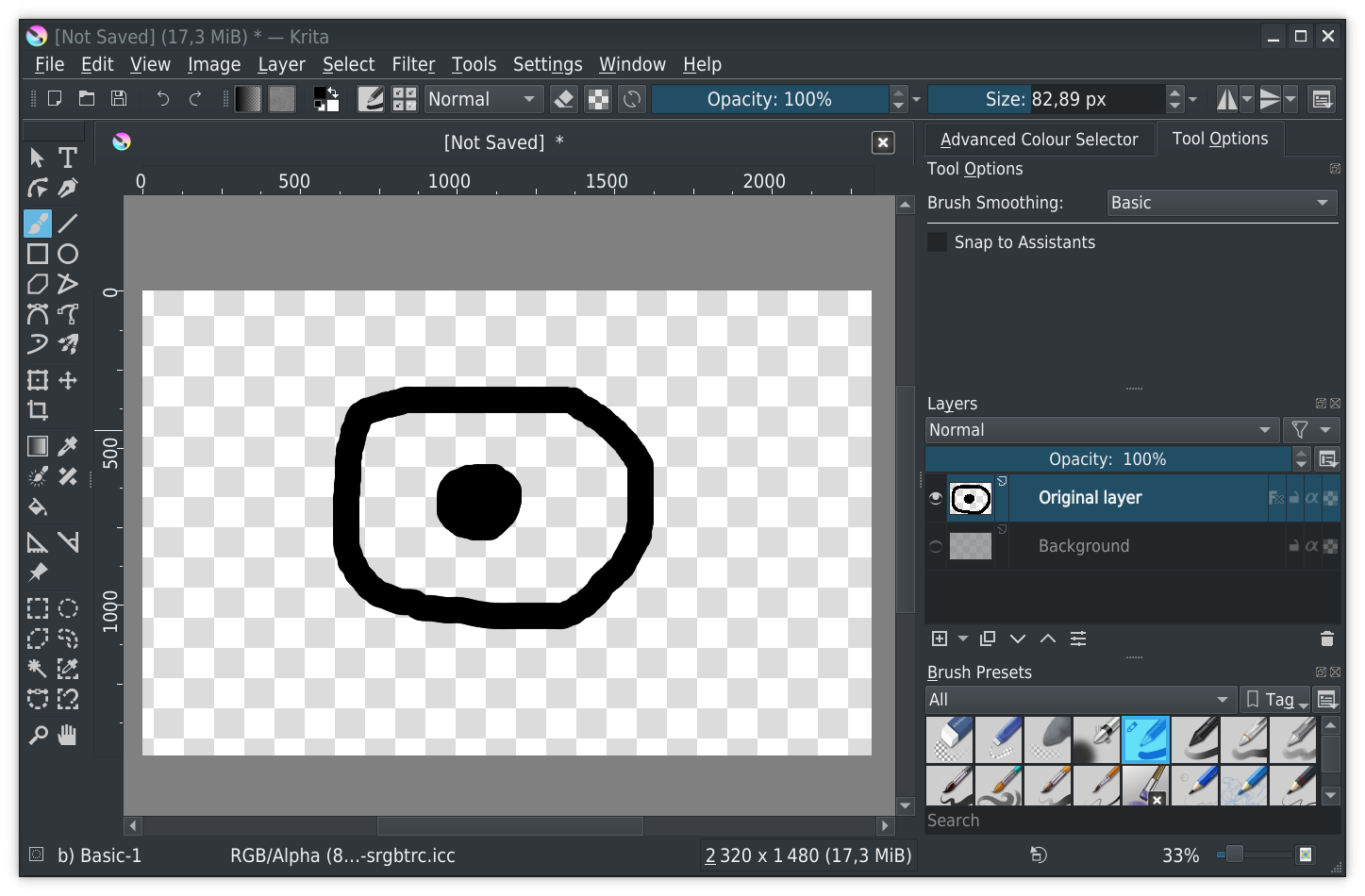

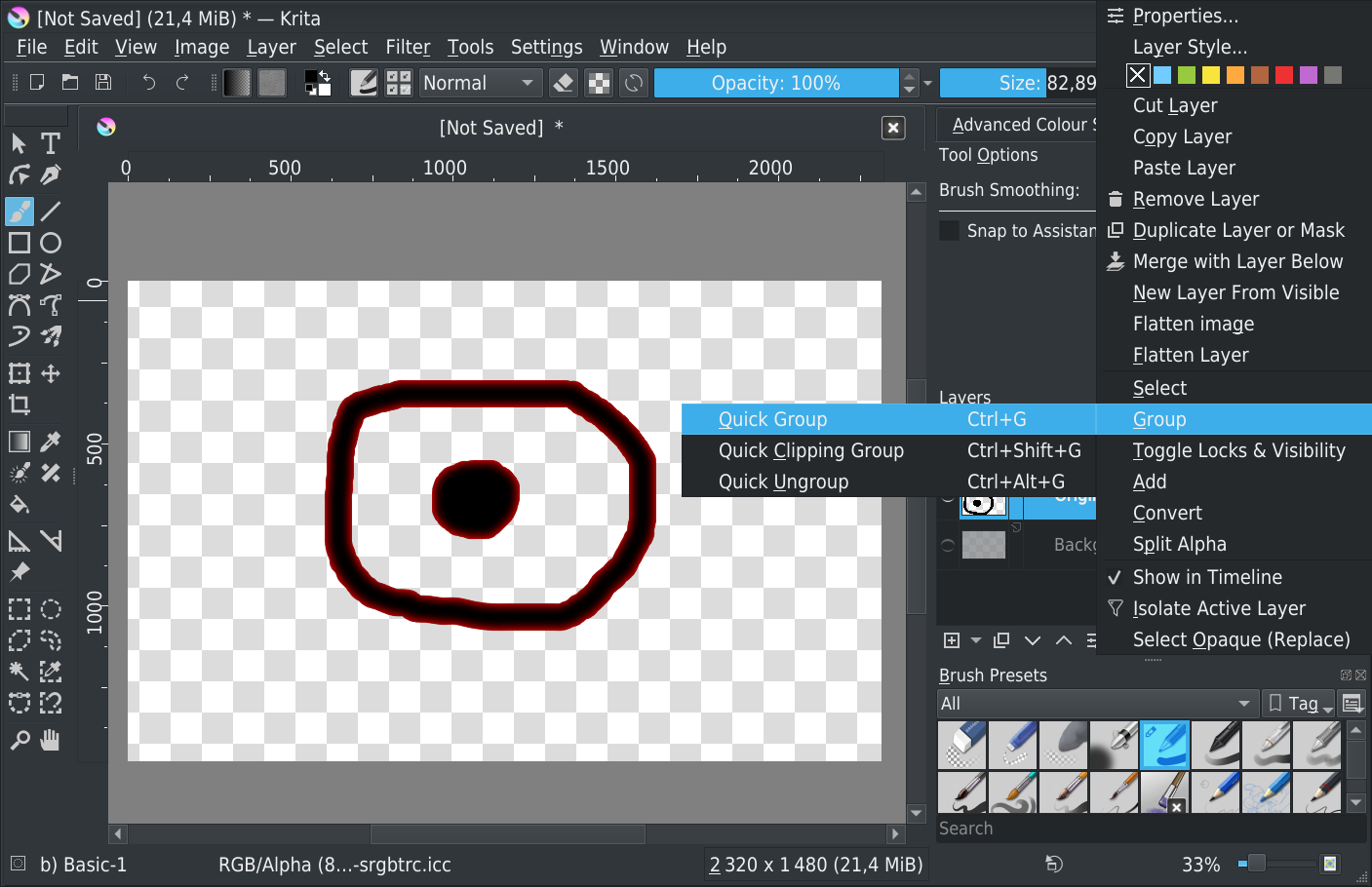
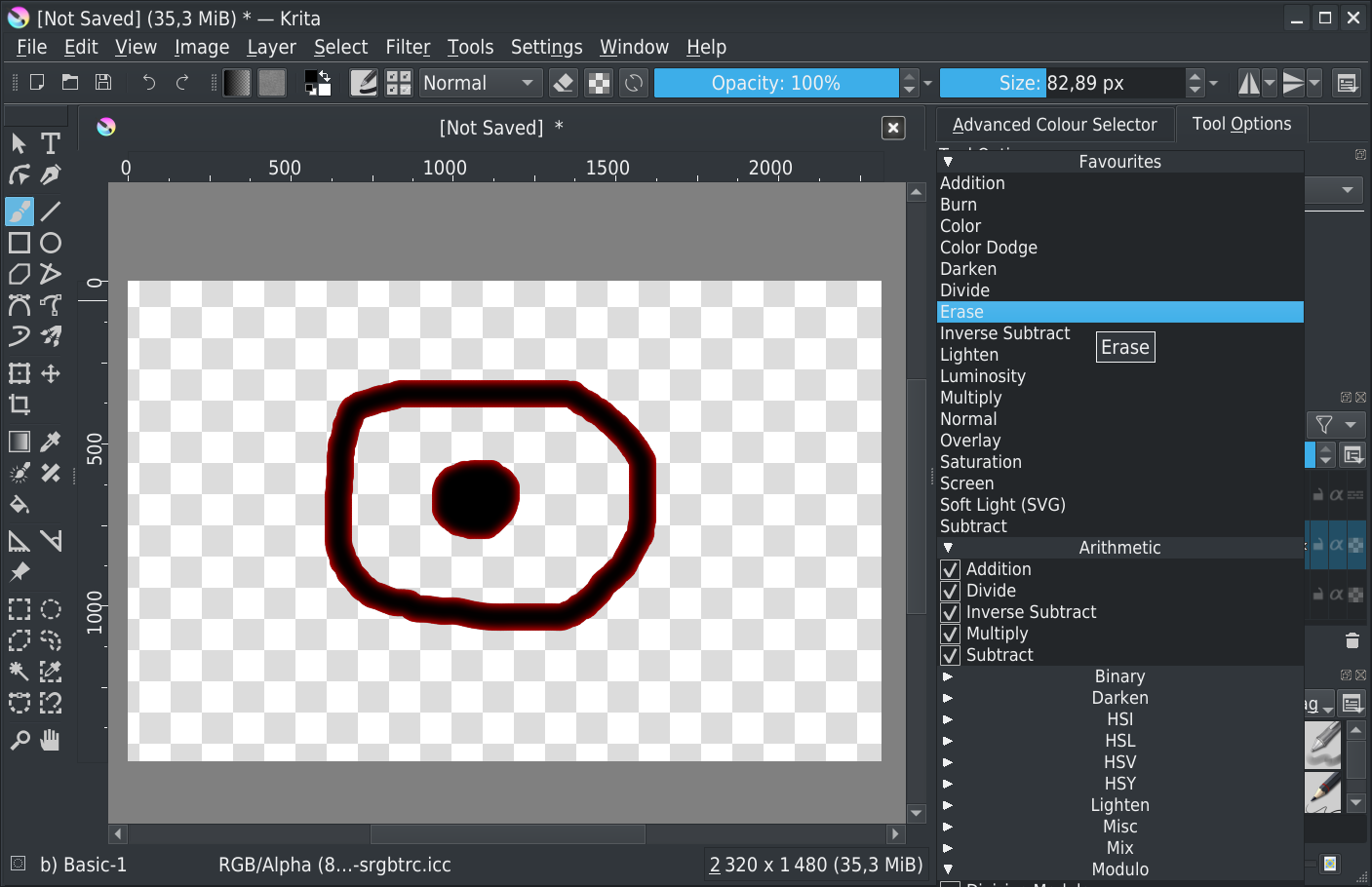
Final result: only the layer style is visible
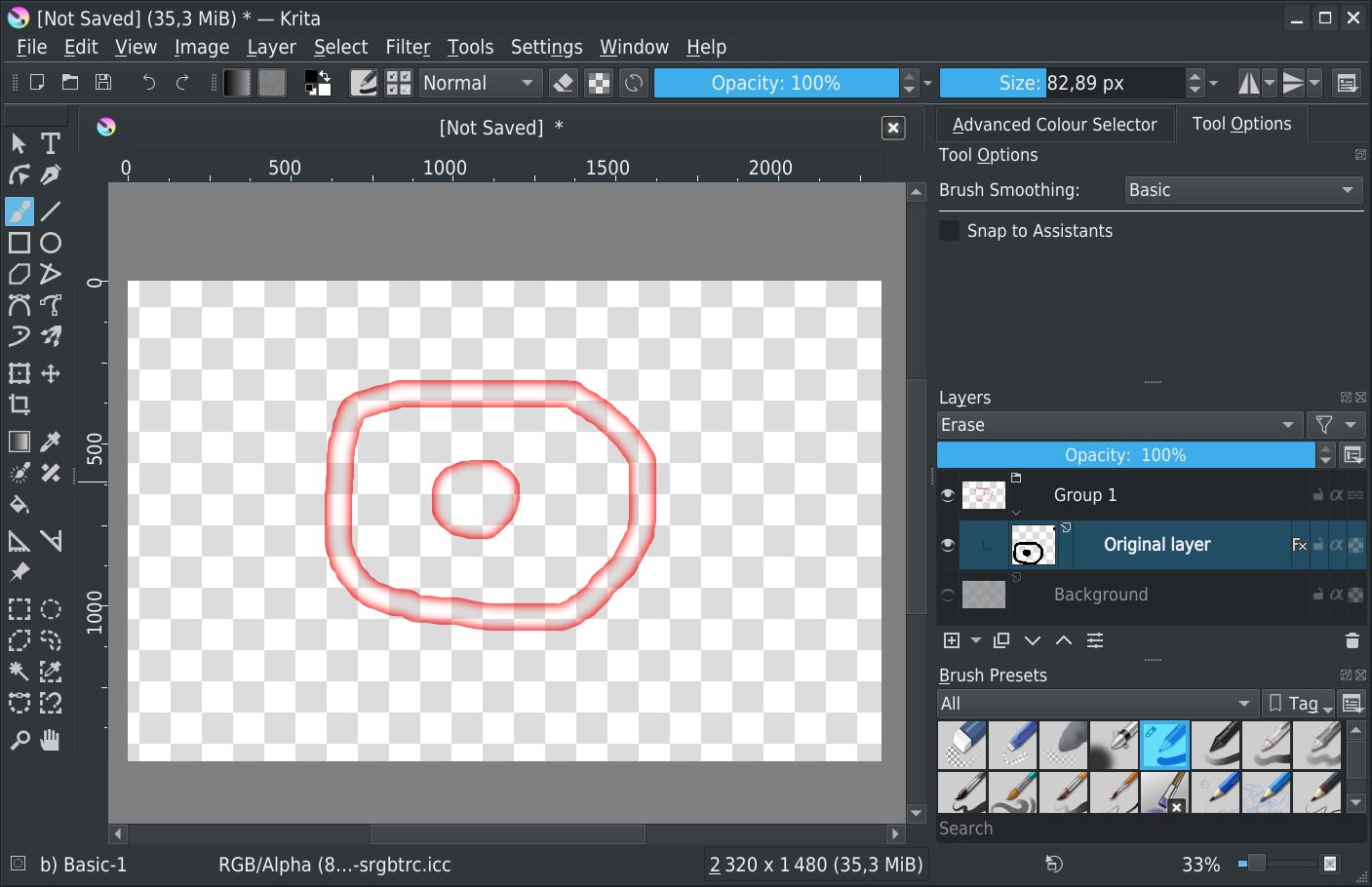
After, according to your layer content I don’t know if result it will be ok or not…
Grum999
3 Likes
Shaking your hand 
Expanding the solution from @Grum999 a bit, with this setup in place you can also create a Clone Layer from the original layer that has the layer styles (from the drop-down menu right next to the + icon for adding new layers) and then move the clone layer underneath and outside the group. Layer clones in Krita will not copy the layer style, and groups are self-contained so the blending modes of the layers in them don’t affect what’s below them (unless you toggle the pass-through mode).
Now you can use the opacity slider to separately adjust the layer content and style.
2 Likes
It is the “fill” option in Photoshop. Opacity affects everything where as “fill” leaves out the layer styles.
https://basicdas.com/wp-content/uploads/2019/02/options-in-photoshop.jpg
2 Likes
This topic was automatically closed 15 days after the last reply. New replies are no longer allowed.