I don’t know much about Android, but it seems that you may use system-wide screen scaling for your device to display anything bigger and perhaps better to read for you, because your Krita has nearly no space to work at but huge text, toolbars and icons. If that is the case on your side, and you use system-wide scaling, you will have to reduce that system-wide scaling.
If you do not use it, then try if you can reach the following dialog in Krita via moving the settings dialog far to the left and as high as possible: Settings > Configure Krita > General in the tab Window > Use Custom Interface Font > Font try reducing the font size, see screenshot:
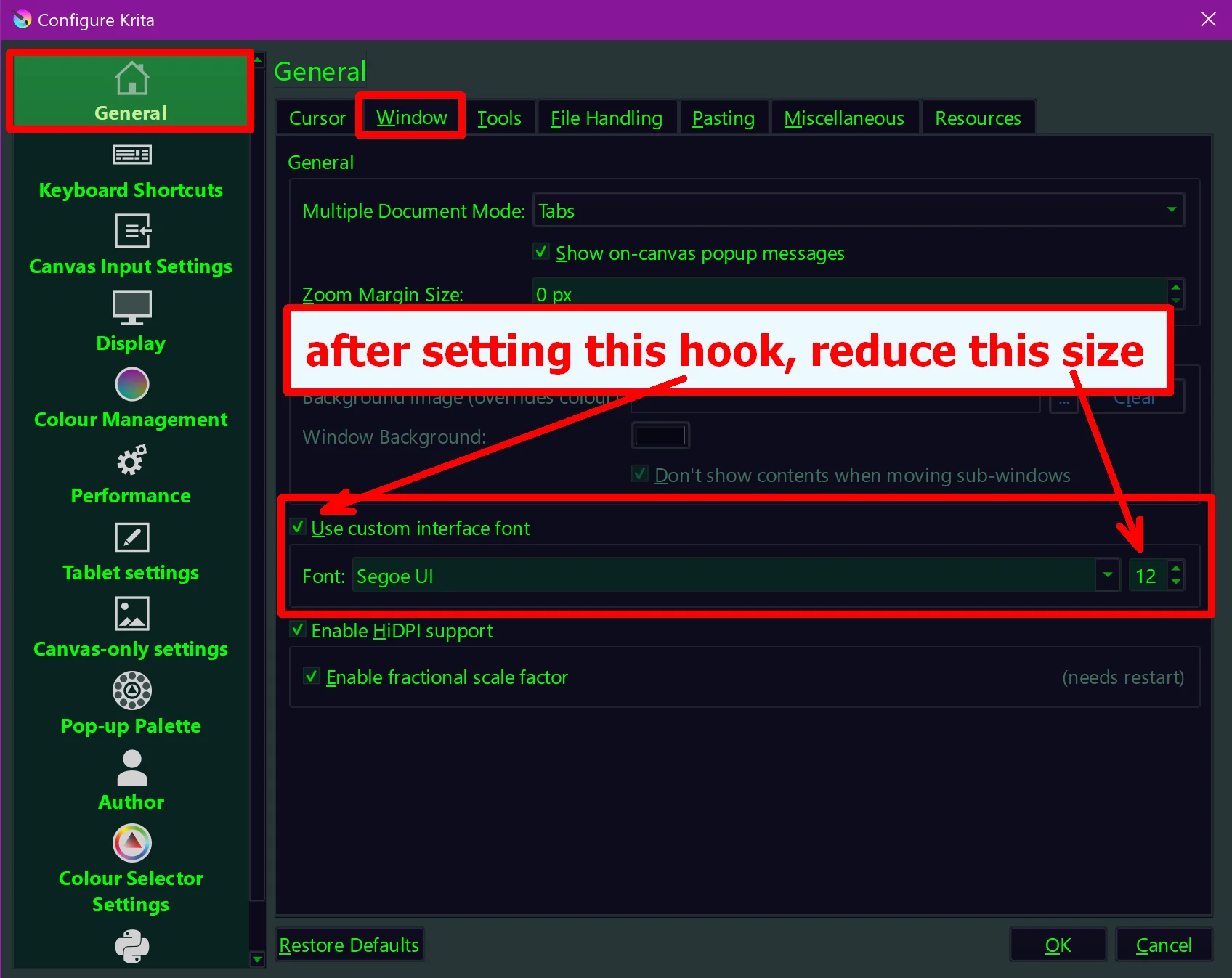
If that doesn’t help I’m out of my waters, but perhaps @Drawpile may then be able to give you further advice.
Michelist