Yes the problem also happens when I use my mouse while the tablet is connected. How would I fix that? This problem also happens only with Krita. Other apps worked fine but Id like to continue using Krita if possible
@Mimikyutie Try switching your preferred renderer over the others.
Settings > Configure Krita > Display > Canvas Accelration tab > Preferred renderer
If you’re currently set to Direct3D 11 via ANGLE, try OpenGL. See if anything changes.
Same problem happens with both, and I reset between properly as well
Seems to be an issue with the tablet driver.
If WinTab does not solve it, try with WindowsInk and tablet timestamp active.
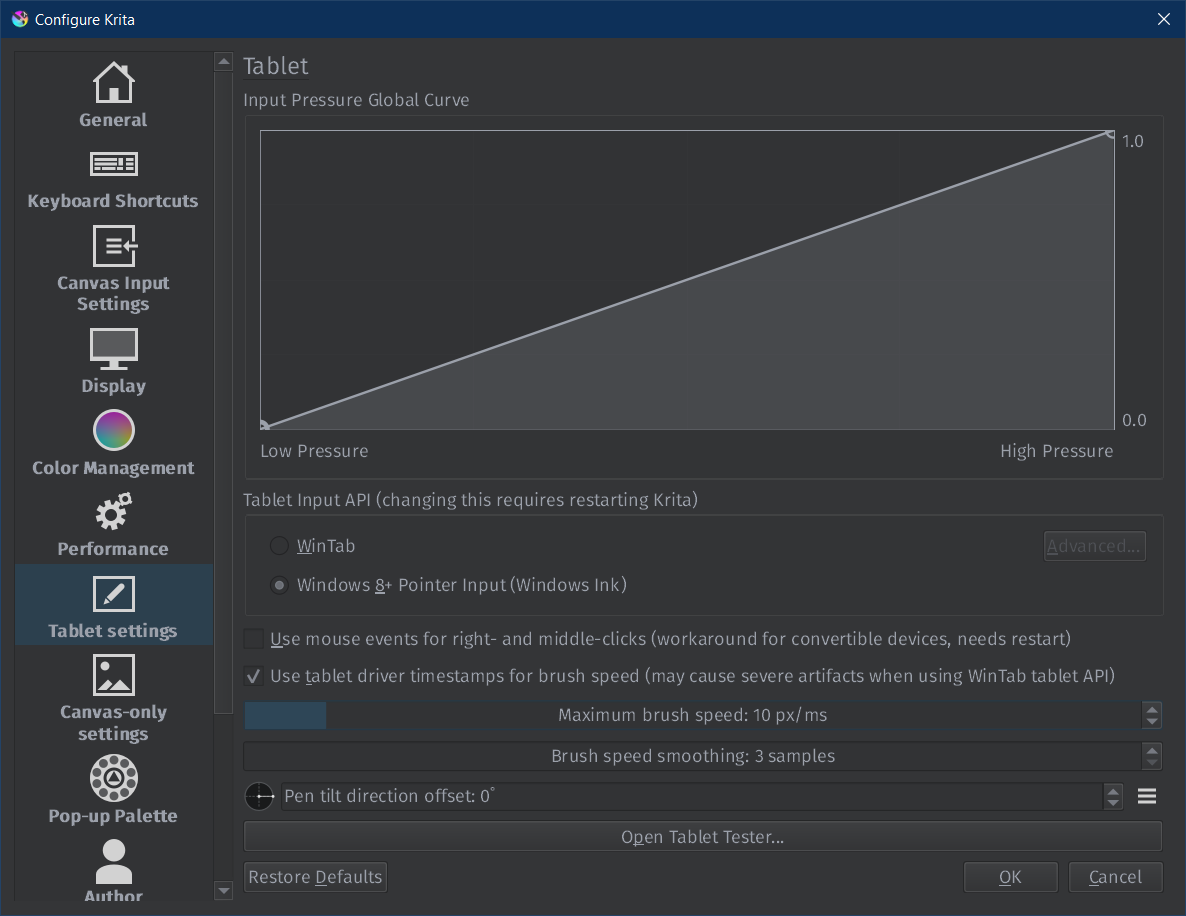
I activated both of those and reset Kira, then I turned on windowsInk and the problem remains. Unless I have to restart my pc for it to take effect aswell
Try setting Wintab in Krita but Windows Ink in your drivers. I have that kind of config back then to make Krita work properly for some strange reason.
It seems you’re not the only one who’s been having the same problem recently.
I suspect it’s because of the newer versions of Krita. Which older versions have you tried? I’m personally using 5.2.6(released in October 2024, no plans on updating anytime soon) and have been having no issues similar to yours.
Could you please download a portable Krita 5.2.9 version (KDE - Experience Freedom!, you should get the one that ends with “.zip” and nothing else), and check if it happens there as well? (You need to download it and then unpack and double-click Krita inside of the folder; it should not replace your installed version).
There is a bug report for this issue: https://bugs.kde.org/show_bug.cgi?id=509541 but I haven’t got an answer from the reporter.
Could you also check on the “bad” version whether you can change the pivot point in the Transform Tool? (click on the point in the middle and drag it somewhere) It might be related.
2 Likes
This thread now contains posts from @Mimikyutie , @hellooo and @Mater_Sandwich so all potential solutions are in one spot.
Thanks for suggesting this, @AhabGreybeard .
3 Likes
Thank you for your help!!! It turns out that I just needed to update the drivers on my graphics tablet. I spent two hours drawing, and the error never appeared. This tip was mentioned in one of the posts you sent me. You were very helpful)))
3 Likes
Yes!!! I updated my Ugee 16 tablet’s driver and it has fixed the problem. Thanks for the help in fixing this!
2 Likes
Unless I am somehow updating my drivers incorrectly, my problem remains even after updating to new ones
I am using windows 11 and the driver I downloaded from the manufacturer was a .exe file. All I needed to do is double click on the file. I had a popup asking me if I wanted to replace an older driver. I clicked yes and after it was done I restarted my system.
Are you doing something similar?
Ive tried that
Ive tried disconnecting the device, uninstalling the driver, resetting my pc, installing the new one, restarting my pc again
Ive tried disabling the device, disconnecting it physically, uninstalling the driver, resetting my pc, installing the new one, restarting my pc again
Plus a few variations of the same thing.
Do you have a discord I could add or something so I can see if our problem is the same and stuff?
I have a discord but haven’t used it in a very long time so I am not proficient with it anymore. I am kind of like an old dog and new tricks. lol. I can learn but will not retain it if I don’t use it often.
Thats fine, just give me your user and Ill add you
Itll only take a few minutes so
PM sent
Hi, @Mater_Sandwich and @Mimikyutie!
Have you managed to resolve the issue? Did you have to do something special with your tablet?
Yeah, I just ended up having to do a factory reset on my entire pc to fix it