Hi!
I am currently using Krita 5.2.2 and I just found a shortcut related to Photoshop that could speed up my 2d game workflow in Unity. Many reasons have made me to completely switch from photoshop’s workflow while working with Unity (that already has a psb support).
I tried to make a test with a possible Krita psd work file, but it did not seem to work as intended. The work file got flat and behaved in Unity like a PNG instead of keeping all of the layers intact, ready for rigging and animating.
Therefore, I am curious to know if there is some sort of krita plugin or something that might help to export my work file into a working psb file?
Does anyone know a working solution?
Did you want a PSD or a PSB? The latter is a large file format extension to PSD, and I don’t recall if we actually save that, though we can load it.
Can you open your PSDs made in Krita in any other software? Because as far as we know it works with photoshop, and this is the first time I hear of Unity having particular problems. (Note that PSD isn’t supossed to be an interchange format, so it might be that Krita is saving it correctly but Unity doesn’t support every toggle in PSD and thus just doesn’t load it correctly, and that would just be because the toggle in question just isn’t documented by Adobe)
EDIT: I just had a silly thought: Are you using vector layers inside your test file? Krita isn’t currently saving those vectors out as separate layers (flattening them), so it might be that you will need to manually place each vector on a separate layer.
I am trying to follow a Photoshop to Unity tutorial. They show that while exporting from Photoshop with that large psb workfile format, you can use that whole workfile from assets with the 2D psd importer plugin where Unity automatically creates a prefab that contains all of the layers as children. But Exporting from Krita only has the normal psd image export (it’s the only one in the exporting list relating to photoshop) one and it seems to have flatten the layers instead.
I am not using Vector files.
Can you show a picture of your sample layer stack? Krita should be saving the layers properly, or otherwise that’d be a bug.
The problem isn’t that Krita can’t open that psd file and to still have the layers intact. Although the layers in photoshop do differ slightly compared to Krita’s inherit alpha mask, which makes the alpha clip groups not active after opening the same workfile but as a photoshop file
(that I need to click in that “a” symbol again after grouping layers). But that shouldn’t be the problem that I see with Unity rn.
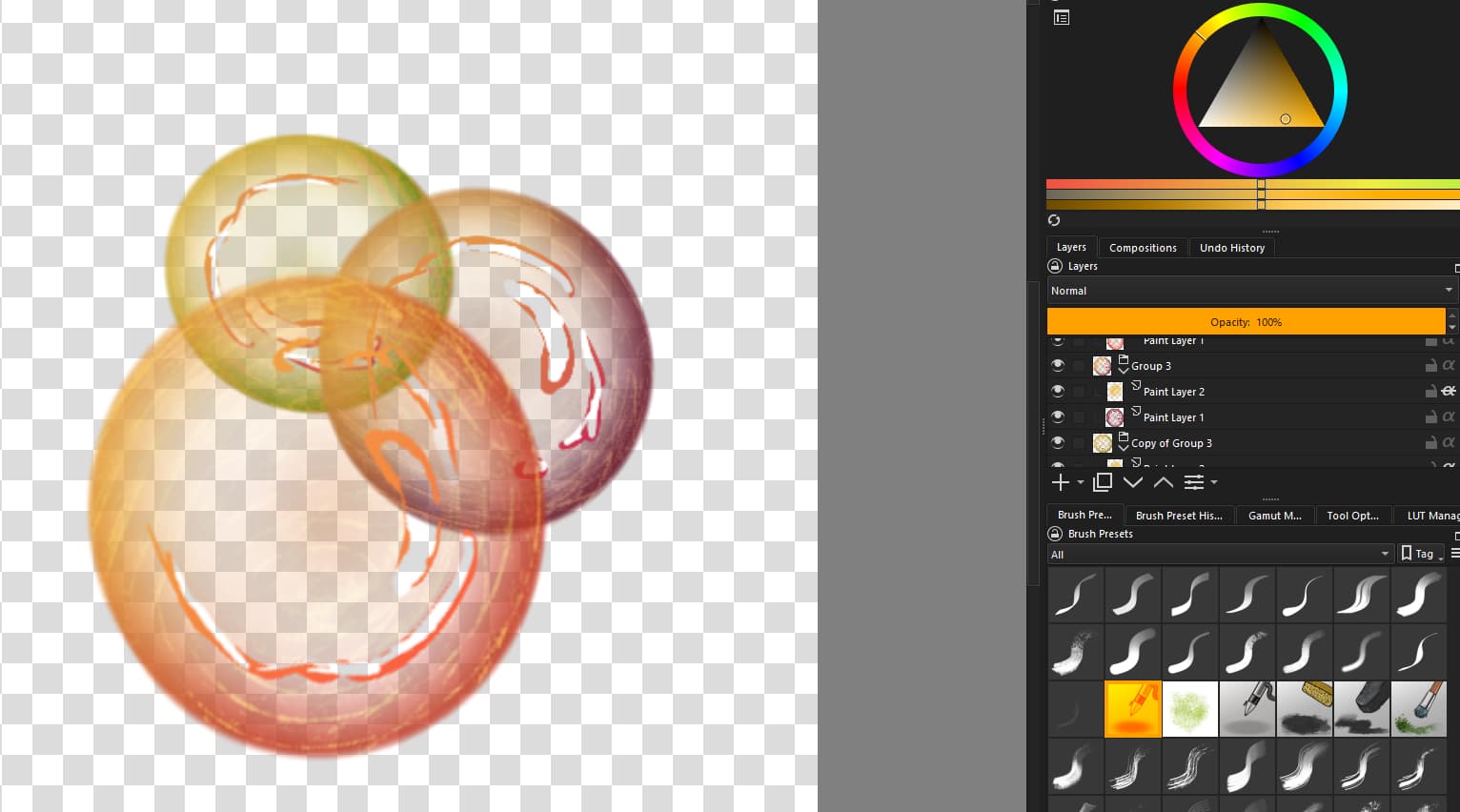
This is a screenshot of my simple test in Krita to see if the layers stay intact as layers and groups with inherit alpha on after importing it into Unity. This means that I want the groups and layers to act as children exactly where I placed them in Unity like I placed them in Krita (that’s why the “bubbles” are overlapping in this test).
Yeah, sorry, I am one of the devs, so I tend to go into bugtriaging mode sometimes when I see a problem like this.
Ok, it doesn’t look like you’re doing anything exotic, so I am completely mystified why unity’s having trouble. My last suggestion would be to merge the group layers, though I would be very surprised if the unity plugin couldn’t handle groups, but beyond that it would require someone who understands unity’s psd plugin a bit better.
PSB is really only an indicator to indicate the photoshop file in question is able to have really large file size (because PSD is a binary file format, this changes how many bytes need to be read for the width, height and length of layers and various buffers, but that’s all it does), so it shouldn’t be the thing that makes the difference between Krita’s saving of PSD and Unity’s loading of it.
Ah no worries. I tried to merge the groups in Krita before exporting it as a psd file and then importing it into Unity. It sadly seems to not have worked either. I really wonder why Unity has such a hard time reading in the layers separate when it exported from Krita as a psd file (and I can open it again in krita as a psd file).
Maybe I need to go to a Unity forum to ask more about the Unity plugin there? I mean, I must have missed something for it to not work.
Yeah, maybe you can find more info, perhaps others who have tried the same? It’d be good to know what is going on, at the least…
Okay, I have an update on this. I checked around the Unity forum for answers to this and many seemed to say that this Unity plugin ONLY supports psb files if you want your layers intact in Unity.
I had to work around this and find an online psd to psb converter and now I think it kind of works, although I need to make the background transparent after converting because it somehow adds a white background.
Do you know if Krita is going to have a psb export option in the future?
Only if someone decides to work on it, and right now all core devs are preoccupied with other projects. But what a bizarre format limitation…