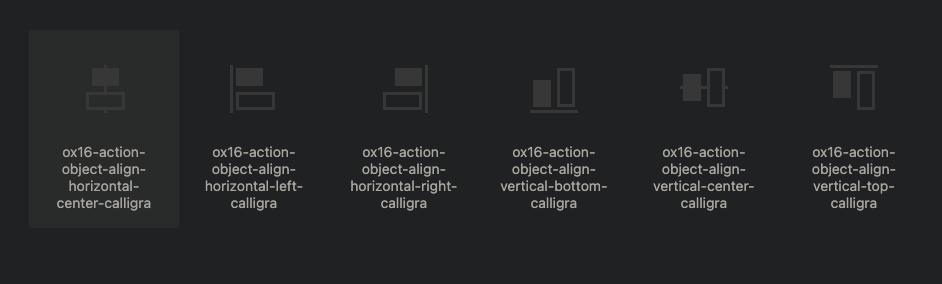
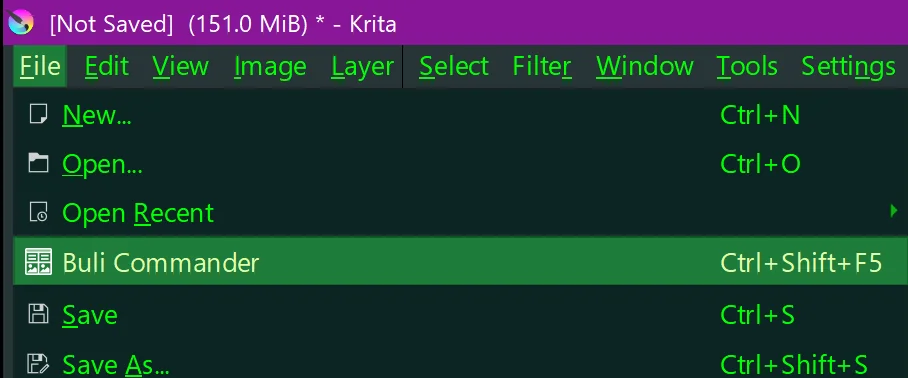
Tiny+ plugin that show all resources that can be used with QIcon() / Krita.icon().
Also plugin works as example on how to add extra resources/icons to Krita.
Plugin adds 3 icons with prefix MIVP: to resources to prevents name clashes.
How to install:
- copy & paste script to Krita’s Scripter (
Tools → Scripts → Scripter)
- run script
- if output is
my_icons_viewer_plugin added Successfully (Krita restart required.) install was success, else there is error message telling what did go wrong.
Tested on Kubuntu Krita 6.1.0 beta
from pathlib import Path
from krita import Krita

app = Krita.instance()
user_pykrita_path = Path(app.getAppDataLocation()) / 'pykrita'
plugin_desktop_path = user_pykrita_path / 'my_icons_viewer_plugin.desktop'
plugin_dir = user_pykrita_path / 'my_icons_viewer_plugin'
plugin_init_path = plugin_dir / '__init__.py'
my_icons_viewer_extension_path = plugin_dir / 'my_icons_viewer_extension.py'
my_icons_viewer_path = plugin_dir / 'my_icons_viewer.py'
my_icons_viewer_action_path = plugin_dir / 'my_icons_viewer.action'
resources_dir = plugin_dir / 'resources'
resources_init_path = resources_dir / '__init__.py'
icons_dir = resources_dir / 'icons'
icecream_white_24dp_svg_path = icons_dir / 'icecream_white_24dp.svg'
interests_white_24dp_svg_path = icons_dir / 'interests_white_24dp.svg'
toys_fan_white_24dp_svg_path = icons_dir / 'toys_fan_white_24dp.svg'

plugin_dir.mkdir(parents=True)
resources_dir.mkdir(parents=True)
icons_dir.mkdir(parents=True)

plugin_desktop_path.write_text("""\
[Desktop Entry]
Type=Service
ServiceTypes=Krita/PythonPlugin
X-KDE-Library=my_icons_viewer_plugin
X-Python-2-Compatible=false
X-Krita-Manual=readme.md
Name=My Icons Viewer Plugin
Comment=Example plugin on how to add icons to Krita.
""")

my_icons_viewer_action_path.write_text("""\
<?xml version="1.0" encoding="UTF-8"?>
<ActionCollection version="2" name="Scripts">
    <Actions category="Scripts">
        <text>My Icons Viewer</text>
        <Action name="my_icons_viewer_plugin:show_my_icons_viewer">
            <icon>MIVP:icons/icecream_white_24dp.svg</icon>
            <text>Show My 22 Icons Viewer</text>
            <whatsThis></whatsThis>
            <toolTip></toolTip>
            <iconText></iconText>
            <activationFlags>0</activationFlags>
            <activationConditions>0</activationConditions>
            <shortcut>ctrl+alt+shift+p</shortcut>
            <isCheckable>false</isCheckable>
            <statusTip></statusTip>
        </Action>
    </Actions>
</ActionCollection>
""")

plugin_init_path.write_text("""\
PLUGIN_NAME = __name__
PLUGIN_NAME_SHORT = 'MIVP'  # (M)y (I)ons (V)iewer (P)lugin
PLUGIN_VERSION = __version__ = '0.1.0'


def register_plugin():
    from .my_icons_viewer_extension import MyIconsViewerExtension
    MyIconsViewerExtension.register()


register_plugin()
""")

my_icons_viewer_extension_path.write_text("""\
from krita import (
        Krita,
        Extension)

from my_icons_viewer_plugin import (
        PLUGIN_NAME,
        PLUGIN_NAME_SHORT,
        PLUGIN_VERSION)

from .my_icons_viewer import (
        MyIconsViewer,)

# Notes:
#   importing resources ensures that resources are available,
#   and informs that this module uses resources.

from . import resources


_APP = Krita.instance()


class MyIconsViewerExtension(Extension):
    @classmethod
    def register(cls):
        extension = cls(_APP)
        extension.setObjectName(f'{PLUGIN_NAME}:my_icons_viewer_extension')
        _APP.addExtension(extension)

    def setup(self):
        self._my_icons_viewer = None

    def createActions(self, window):
        show_my_icons_viewer = window.createAction(f'{PLUGIN_NAME}:show_my_icons_viewer', 'Show My Icons Viewer', 'tools')
        show_my_icons_viewer.setIconVisibleInMenu(True)
        show_my_icons_viewer.triggered.connect(self._on_show_my_icons_viewer_triggered)

    def _on_show_my_icons_viewer_triggered(self, checked=None):
        if self._my_icons_viewer is None:
            self._my_icons_viewer = MyIconsViewer(objectName=f'{PLUGIN_NAME}:my_icons_viewer')
        self._my_icons_viewer.update_icons_model()
        self._my_icons_viewer.show()
        self._my_icons_viewer.raise_()
""")

my_icons_viewer_path.write_text("""\
from krita import (
        Krita,
        Qt,
        QSize,
        QRegularExpression,
        QIcon,
        QDirIterator,
        QFileInfo,
        QDir,
        QWidget,
        QSortFilterProxyModel,
        QStandardItemModel,
        QStandardItem,
        QListView,
        QVBoxLayout,
        QHBoxLayout,
        QLineEdit,
        QToolButton)

from my_icons_viewer_plugin import (
        PLUGIN_NAME,
        PLUGIN_NAME_SHORT,
        PLUGIN_VERSION)

# Notes:
#   importing resources ensures that resources are available,
#   and informs that this module uses resources.

from . import resources


_APP = Krita.instance()


def q_walk(start_path):
    it = QDirIterator(str(start_path), QDirIterator.IteratorFlag.Subdirectories)
    while it.hasNext():
        yield it.next()


class MyIconsViewer(QWidget):
    def __init__(self, **kwargs):
        super().__init__(**kwargs)
        self.setWindowTitle(f'My Icons Viewer (version: {PLUGIN_VERSION})')
        self.setWindowIcon(_APP.icon(f'{PLUGIN_NAME_SHORT}:icons/interests_white_24dp.svg'))
        self._init_models()
        self._init_ui()
        self._connect_signals()

    def _init_models(self):
        self._icons_model = QStandardItemModel(parent=self)
        self._filter_model = QSortFilterProxyModel(parent=self)
        self._filter_model.setSourceModel(self._icons_model)
        self._filter_model.setFilterKeyColumn(0)
        self._filter_model.sort(0, Qt.SortOrder.AscendingOrder)

    def _init_ui(self):
        layout = QVBoxLayout()
        self.setLayout(layout)

        filters_layout = QHBoxLayout()
        layout.addLayout(filters_layout)

        self._prefix_edit = QLineEdit(
                placeholderText='prefix ...',
                text=PLUGIN_NAME_SHORT,
                clearButtonEnabled=True)
        filters_layout.addWidget(self._prefix_edit, stretch=20)

        self._filter_edit = QLineEdit(
                placeholderText='filter ...',
                clearButtonEnabled=True)
        filters_layout.addWidget(self._filter_edit, stretch=80)

        self._view = QListView(
                flow=QListView.Flow.LeftToRight,
                viewMode=QListView.ViewMode.IconMode,
                iconSize=QSize(48, 48),
                gridSize=QSize(64 + 48, 64 + 24),
                uniformItemSizes=False,
                spacing=5,
                layoutMode=QListView.LayoutMode.SinglePass,
                resizeMode=QListView.ResizeMode.Adjust,
                selectionBehavior=QListView.SelectionBehavior.SelectItems,
                selectionMode=QListView.SelectionMode.ExtendedSelection,
                editTriggers=QListView.EditTrigger.NoEditTriggers)
        self._view.setModel(self._filter_model)
        layout.addWidget(self._view)

    def _connect_signals(self):
        # Notes:
        #   - editingFinished is NOT emitted when clear button is pressed.
        #   - clear button signal is emitted before text is cleared.
        #   - bug in QLineEdit, missing way to connect clear button.
        self._prefix_edit.editingFinished.connect(self.update_icons_model)
        prefix_clear_button = next((
                b for b in self._prefix_edit.findChildren(QToolButton)
                if b.inherits('QLineEditIconButton')),
                None)
        if prefix_clear_button:
            prefix_clear_button.pressed.connect(self._on_prefix_clear_button_pressed)

        self._filter_edit.editingFinished.connect(self._on_filter_editing_finished)
        filter_clear_button = next((
                b for b in self._filter_edit.findChildren(QToolButton)
                if b.inherits('QLineEditIconButton')),
                None)
        if filter_clear_button:
            filter_clear_button.pressed.connect(self._on_filter_clear_button_pressed)

    def _on_prefix_clear_button_pressed(self):
        self._prefix_edit.setText('')
        self.update_icons_model()

    def _on_filter_clear_button_pressed(self):
        self._filter_model.setFilterRegularExpression('')

    def _on_filter_editing_finished(self):
        regex = QRegularExpression(
                self._filter_edit.text(),
                QRegularExpression.PatternOption.CaseInsensitiveOption)
        self._filter_model.setFilterRegularExpression(regex)

    def update_icons_model(self):
        # remove old
        self._icons_model.removeRows(0, self._icons_model.rowCount())
        # add new
        root = self._icons_model.invisibleRootItem()
        prefix = self._prefix_edit.text().strip()
        base_dir = QDir(QFileInfo(f'{prefix}:').absoluteFilePath())
        for abs_resource_path in q_walk(f'{prefix}:'):  # noqa
            relative_resource_path = base_dir.relativeFilePath(abs_resource_path)
            prefixed_path = f'{prefix}:{relative_resource_path}'
            icon = QIcon(abs_resource_path)
            if not icon.isNull():
                item = QStandardItem(prefixed_path)
                item.setToolTip(
                        f'prefixed_path = {prefixed_path}\\n'
                        f'abs_resource_path = {abs_resource_path}')
                item.setIcon(icon)
                root.appendRow(item)

    def sizeHint(self):
        return QSize(830, 800)
""")

resources_init_path.write_text("""\
from krita import (
        QDir,
        QFileInfo)

from my_icons_viewer_plugin import (
        PLUGIN_NAME,
        PLUGIN_NAME_SHORT,
        PLUGIN_VERSION)


def _add_search_path():
    here = QFileInfo(__file__).dir().absolutePath()
    if here not in QDir.searchPaths(PLUGIN_NAME_SHORT):
        QDir.addSearchPath(PLUGIN_NAME_SHORT, here)

# Notes: this gets executed only on first time this module is imported.
_add_search_path()
""")

icecream_white_24dp_svg_path.write_text("""\
<?xml version="1.0" encoding="UTF-8" standalone="no"?>
<svg
     width="24"
     height="24"
     viewBox="0 0 24 24"
     fill="#eeeeee"
     version="1.1"
     id="svg1"
     xmlns="http://www.w3.org/2000/svg"
     xmlns:svg="http://www.w3.org/2000/svg">
    <rect
         style="fill:none;stroke:none"
         id="rect1"
         width="24"
         height="24"
         x="0"
         y="0" />
    <path
         d="M 12.05,21.923 7.6385,13.40375 Q 6.05575,13.7 4.778,12.7105 3.5,11.72125 3.5,10 3.5,8.87875 4.17025,7.94525 4.8405,7.0115 6.04225,6.6155 6.425,4.3115 8.12125,2.90575 9.81725,1.5 12,1.5 q 2.18275,0 3.87875,1.40575 1.69625,1.40575 2.079,3.70975 1.20175,0.396 1.872,1.32975 Q 20.5,8.87875 20.5,10 q 0,1.73075 -1.27225,2.701 -1.272,0.97 -2.797,0.70275 z M 7,12 Q 7.375,12 7.7375,11.875 8.1,11.75 8.4,11.45 L 8.95,10.9 9.6,11.3 q 0.525,0.35 1.1375,0.525 Q 11.35,12 12,12 12.65,12 13.2625,11.825 13.875,11.65 14.4,11.3 l 0.65,-0.4 0.55,0.55 q 0.3,0.3 0.6625,0.425 Q 16.625,12 17,12 17.825,12 18.4125,11.4125 19,10.825 19,10 19,9.25 18.525,8.6875 18.05,8.125 17.3,8 L 16.55,7.9 16.5,7.1 Q 16.375,5.375 15.075,4.1875 13.775,3 12,3 10.225,3 8.925,4.1875 7.625,5.375 7.5,7.1 L 7.45,7.9 6.7,8.05 Q 5.95,8.2 5.475,8.725 5,9.25 5,10 5,10.825 5.5875,11.4125 6.175,12 7,12 Z M 12.05,18.65 15,12.9 14.8655,12.7845 Q 14.17875,13.13275 13.44525,13.31625 12.7115,13.5 12,13.5 11.3635,13.5 10.64225,13.33075 9.92125,13.1615 9.20375,12.7845 L 9.06925,12.9 Z M 12,7.5 Z"
         id="path1"
         style="stroke:none" />
</svg>
""")

interests_white_24dp_svg_path.write_text("""\
<?xml version="1.0" encoding="UTF-8" standalone="no"?>
<svg
     width="24"
     height="24"
     viewBox="0 0 24 24"
     fill="#eeeeee"
     version="1.1"
     id="svg1"
     xmlns="http://www.w3.org/2000/svg"
     xmlns:svg="http://www.w3.org/2000/svg">
    <rect
         style="fill:none;stroke:none"
         id="rect1"
         width="24"
         height="24"
         x="0"
         y="0" />
    <path
         d="m 2.38475,10.7115 4.6345,-8.221 4.6345,8.221 z m 1.9825,8.95 q -1.098,-1.098 -1.098,-2.6575 0,-1.58275 1.098,-2.67325 1.09825,-1.09025 2.6615,-1.09025 1.5635,0 2.6615,1.098 1.09825,1.098 1.09825,2.6615 0,1.5635 -1.09825,2.6615 -1.098,1.098 -2.6615,1.098 -1.56325,0 -2.6615,-1.098 z M 8.62875,18.6 Q 9.2885,17.9405 9.2885,17 q 0,-0.9405 -0.65975,-1.6 -0.6595,-0.65975 -1.6,-0.65975 -0.94025,0 -1.6,0.65975 -0.6595,0.6595 -0.6595,1.6 0,0.9405 0.6595,1.6 0.65975,0.65975 1.6,0.65975 0.9405,0 1.6,-0.65975 z M 4.948,9.2115 H 9.1 L 7.01925,5.56725 Z m 8.31175,11.548 v -7.519 h 7.519 v 7.519 z m 1.49975,-1.49975 h 4.51925 v -4.5195 H 14.7595 Z M 17.01925,10.7115 Q 15.84425,9.74225 14.978,9.0135 14.1115,8.28475 13.54625,7.674 12.98075,7.0635 12.702,6.49425 12.423,5.925 12.423,5.2905 q 0,-1.00975 0.68675,-1.6885 0.6865,-0.679 1.72675,-0.679 0.6365,0 1.19025,0.303 0.554,0.303 0.9925,0.872 0.4385,-0.5595 1.002,-0.86725 Q 18.5845,2.923 19.2115,2.923 q 1.027,0 1.7155,0.69425 0.68825,0.69425 0.68825,1.702 0,0.625 -0.27875,1.1895 -0.27875,0.56425 -0.84425,1.17 -0.56525,0.606 -1.43175,1.33475 -0.86625,0.72875 -2.04125,1.698 z m 0,-1.9615 Q 18.7905,7.327 19.453,6.59625 20.1155,5.8655 20.1155,5.3405 q 0,-0.402 -0.24525,-0.65975 Q 19.625,4.423 19.23275,4.423 18.94625,4.423 18.674,4.5895 18.402,4.75575 17.95575,5.202 L 17.01925,6.10775 16.08275,5.202 Q 15.627,4.74625 15.3605,4.5845 15.09425,4.423 14.80575,4.423 q -0.402,0 -0.64225,0.24325 -0.2405,0.24325 -0.2405,0.655 0,0.54425 0.6625,1.275 Q 15.248,7.327 17.01925,8.75 Z m 0,-2.17125 z M 7.02875,7.377 Z m 0,9.623 z m 9.9905,0 z"
         id="path1"
         style="stroke:none" />
</svg>
""")

toys_fan_white_24dp_svg_path.write_text("""\
<?xml version="1.0" encoding="UTF-8" standalone="no"?>
<svg
     width="24"
     height="24"
     viewBox="0 0 24 24"
     fill="#eeeeee"
     version="1.1"
     id="svg1"
     xmlns="http://www.w3.org/2000/svg"
     xmlns:svg="http://www.w3.org/2000/svg">
    <rect
         style="fill:none;stroke:none"
         id="rect1"
         width="24"
         height="24"
         x="0"
         y="0" />
    <path
         d="m 12,11.999998 q 0,-2.09225 1.49225,-3.5845 1.49225,-1.4925 3.58475,-1.4925 2.09225,0 3.5845,1.4925 1.49225,1.49225 1.49225,3.5845 z m -8.6615,3.5845 q -1.49225,-1.49225 -1.49225,-3.5845 H 12 q 0,2.09225 -1.49225,3.5845 -1.49225,1.4925 -3.58475,1.4925 -2.09225,0 -3.5845,-1.4925 z M 12,11.999998 q -2.09225,0 -3.5845,-1.49225 -1.4925,-1.49225 -1.4925,-3.58475 0,-2.09225 1.4925,-3.5845 Q 9.90775,1.846248 12,1.846248 Z m 0,10.15375 v -10.15375 q 2.09225,0 3.5845,1.49225 1.4925,1.49225 1.4925,3.58475 0,2.09225 -1.4925,3.5845 -1.49225,1.49225 -3.5845,1.49225 z"
         id="path1"
         style="stroke:none" />
</svg>
""")

app.writeSetting('python', 'enable_my_icons_viewer_plugin', 'true')
print('my_icons_viewer_plugin added Successfully (Krita restart required.)')
/AkiR