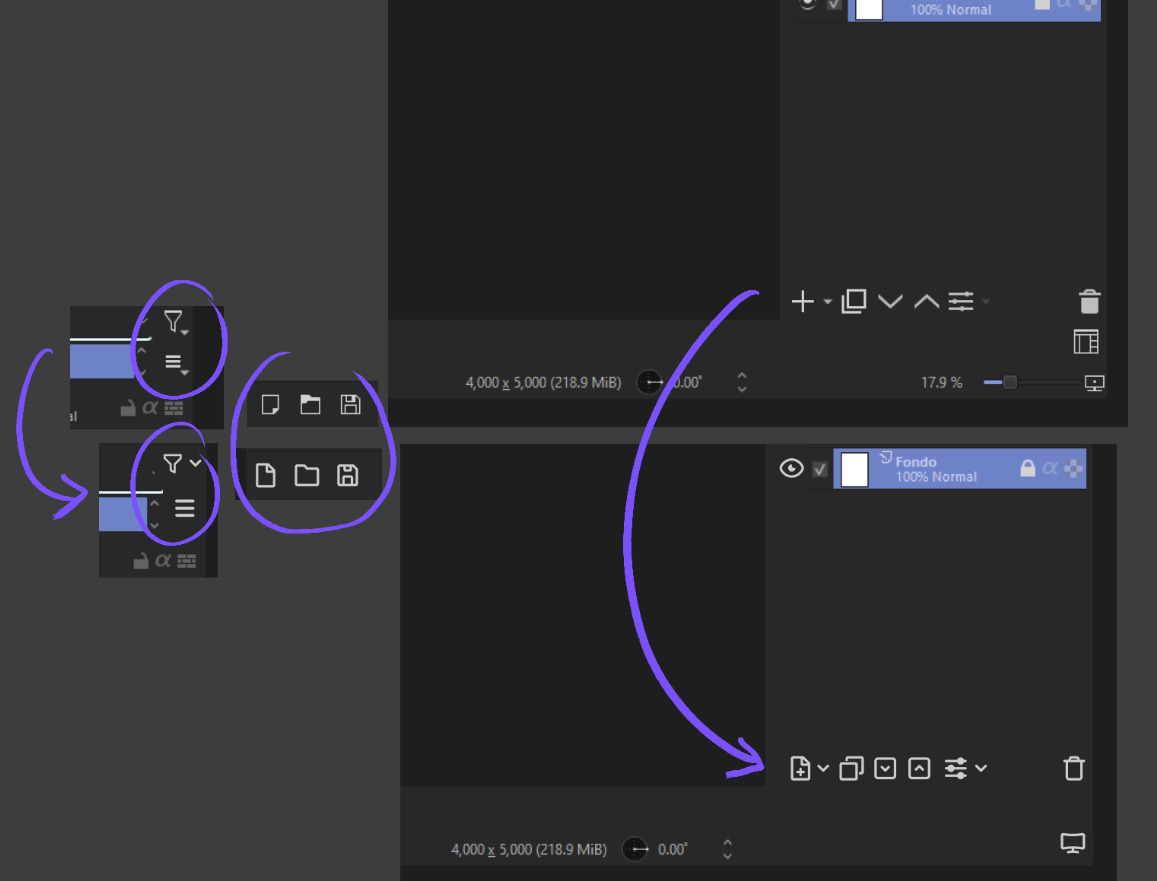
I don’t want to ask for them to be updated in the base Krita because I know it’s a topic that has already been discussed a lot here, and I don’t want to bother with that.
I just want to modify them for myself because I would like to make some changes.
I don’t have advanced programming knowledge to modify the interface, but I suppose that just changing some icons shouldn’t be too difficult. However, I don’t know what to modify or where to start.
I hope someone can help me with these questions, or if you have any advice, it would be appreciated. Thanks! :D/
It’s possible with the API. I recommend you to get the Python Plugin Developer Tools to inspect the GUI and also get icons and actions identifiers.
Here’s a sample code to alter the duplicate layer and delete icons. Run it in the Scripter (Tools > Scripts > Scripter).
from krita import *

# -- Method 1
# To demo only, to use a local file replace the path with QIcon("path_to_file")
icon_path = Krita.instance().icon('all-layers')
Krita.instance().action('duplicatelayer').setIcon(icon_path)

# Force button to refresh because Krita is already running.
# You won't need the lines below line if running as a plugin because
# the change will happen before buttons are first drawn.
layers_docker = next((w for w in Krita.instance().dockers() if w.objectName() == 'KisLayerBox'), None)
layers_docker.findChild(QToolButton,'bnDuplicate').setIcon(QIcon(Krita.instance().action('duplicatelayer').icon()))

# -- Method 2
# Find right docker
layers_docker = next((w for w in Krita.instance().dockers() if w.objectName() == 'KisLayerBox'), None)
# Locate button
btn_delete = layers_docker.findChild(QToolButton,'bnDelete')
# Set new button icon
icon_path = Krita.instance().icon('broken-preset')
btn_delete.setIcon(icon_path)
There are roughly two ways to change icons. If the button is tied to an action then you can change the action icon. It has the advantage of updating the icon everywhere it appears.
But some buttons aren’t actions or won’t respond to that method, so you use the method 2, altering the button itself.
You’ll want to put your changes in a plugin so it runs automatically when Krita starts. Here’s a nice intro to scripting for Krita.