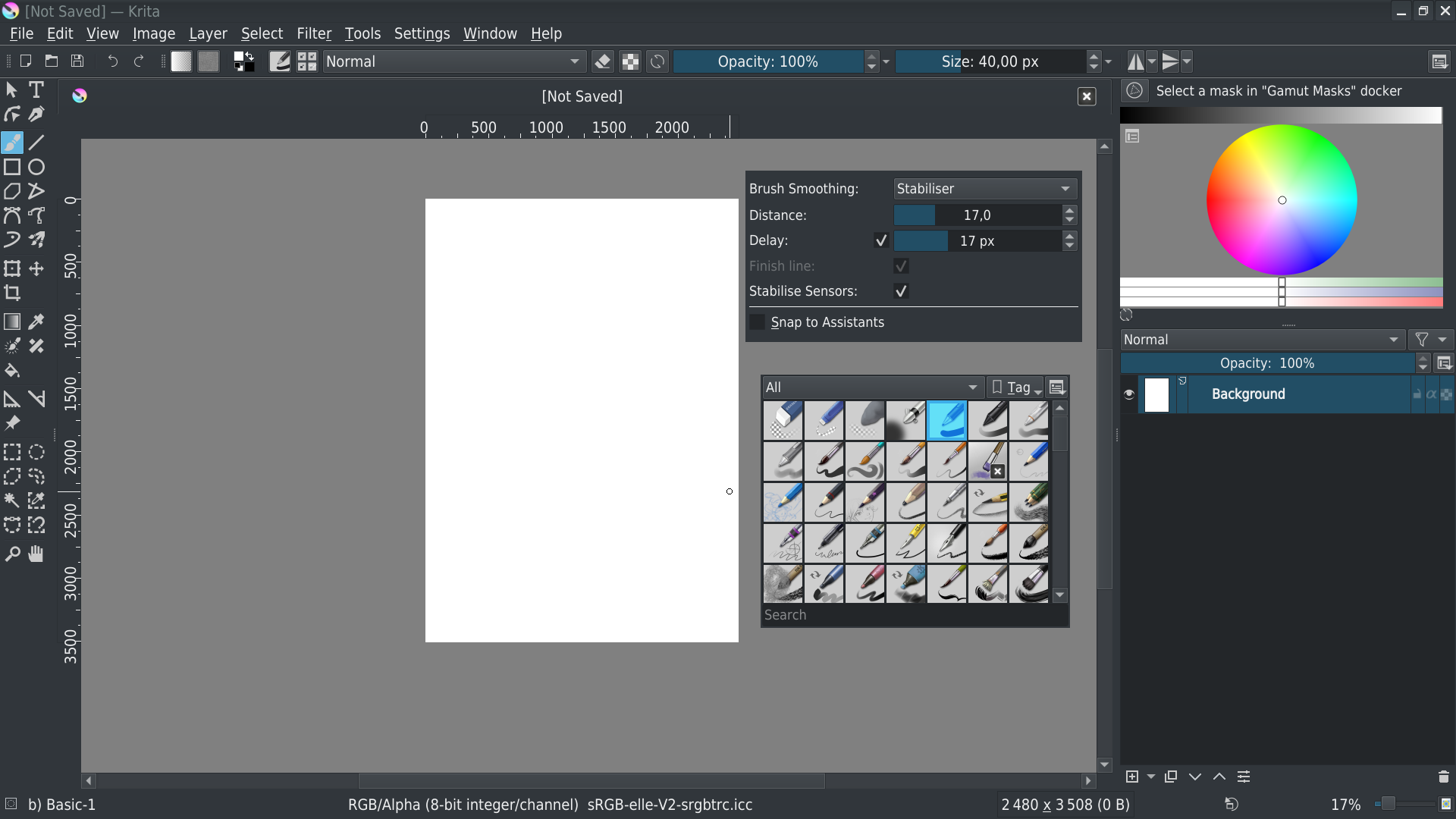
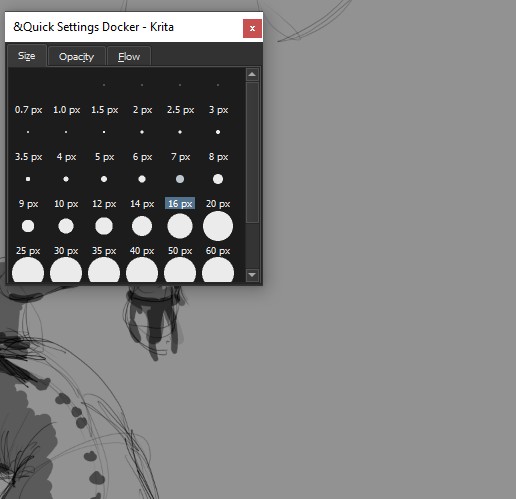
In the screenshot you can see a floating window, this window has a large white bar at the top with the name (&Quick Settings Docker - Krita) and an X to close it. Is there any way to just cut this off? It’s really not necessary, takes honestly a lot of space and is quite distracting.
Even if it’s a bit hacky I wouldn’t mind, I haven’t found a way in settings but maybe I just missed it
Krita is not your operating system, it’s windows.
And Krita users Qt as framework which needs to intact with your windows OS to run.
There are limitations, and developers of Qt needs to change that - if possible - eventually together with the developers of windows.
You’re asking on the wrong forum.
@Venn Just a side note, it’s possible to do it in WIndows. Other apps do it ;0. QT has the same thing for some other parts, for example I can do it in Krita’s scrippter with QDialog. QWidget though no idea how to work with that :(.
But I can understand that’s impossible to implement this as an option in Krita for the following reasons:
Once you have removed the title bar, it’s not possible to place it back in docker, your window stay above
You can’t move the window (except if you’re using Linux/KDE, which natively provide combination keys&mouse to move a window without being on title bar - I’m not sure about other window managers and/or OS)
To do what I did, you need to hack a little bit the native Qt widget; so if you want to implement it in Krita, this is specific code to implement, with maybe new bugs, for few users, and an interface that is not easy to use
I think there’s already a topic talking about another docker manager, not sure if it will be used one day or not, but I understood that Krita’s team prefer to use Qt standard instead of tweaked/specifics widgets to ensure the best compatibility and the lowest maintenance relative to third part component (maybe I’m wrong, but it’s what I’m currently understood)
And with explanation 1) and 2) I don’t imagine how many topics will be opened in this forum by users completely lost with a non functional interface
After that, if you’re really interested, I can give the tip to remove title bar from docker windows…
Title management for Docker is not relative to OS, it’s a pure Qt thing
Qt framework already provide some basic possibilities with title bar, just read the doc
The question is relative to Krita interface, so the question should be asked to Krita forum (Qt developers or Microsoft developers don’t care about Krita all other possible software…)
The problem is that Qt’s Dockwidget implementation is ill-maintained and quite buggy. We can add custom widgets to the titlebar and change things there, but that provokes bugs, like the one where the the dock widget won’t be resizable after undocking.
I’ve spent months in 2004, when I had just become the Krita maintainer trying various ways of adding panels to Krita’s ui. There were at least two custom panel implementations in KOffice back then, all of them completely broken…
Then QDockWidget was added to Qt and I swore I’d never use a custom implementation ever again.
Then we started hacking it, by adding our own titlebars and things, and that gave us endless bugs over the years.
We might go with KDab’s dock widgets in the future, for 5.0, but we still need to look into what that means for the UI, because at that point, the image windows will also become dockers. We’ll lose the QMdiArea at that point. Which means we’ll lose the subwindow mode.
Not precisely an answer to your question, but if you’d like the some dockers without the title bars, you can try KanvasBuddy. It’s a plugin that makes a minimalist UI to access some dockers, which includes removing the titlebar.
Tangent: Out of curiosity @Kapyia, how did you make KB not have the titlebar? Doesn’t it also use QT?
Yeah that’s basically what I’d prefer. I have to say from what I read here and read past few years since starting with Krita QT seems to be a bit unwieldy.
I tried to set a flag on QDialog as a test and it surprisingly worked though you can’t obviously move it around which I thought I’d just solve with a button that locks/unlocks with unlocked being default. But then I tried to set a flag on QWidget for a docker and I just can’t make it work (well I certainly don’t know how and it doesn’t give any error for me to google xD).
I thought I’d put together just a small custom docker for me to work with but I really don’t know how to push this functionality to a docker (I’m really not a python guy and even then the docs for pyqt are for me well a bit difficult to understand to say the least).
So I’d really appreciate your tip I don’t mind even if it’s a bit hacky for personal use if it’s actually possible I don’t mind learning
@halla I can understand that being safer here is much better than going with something hacky I wasn’t expecting for it to be possible to begin with just curious if maybe there was a way. Thanks a lot for bringing your insight into this
Man I already have KanvasBuddy xD. Completely forgot about it how the heck does that work I wonder that it removes the top bar?
Oh I remember I had a problem with kanvas buddy because it doesn’t clone the dockers it basically steals them which breaks the rest of my workspace uncomfortably. Is there a way for that already please or does it still take over?
from krita import *

def getWidgets(parent):
    """Return a list of ALL widgets"""
    def appendWithSubWidget(parent):
        list=[parent]
        if len(parent.children())>0:
            for w in parent.children():
                list+=appendWithSubWidget(w)
        return list

    return appendWithSubWidget(parent)

mw = Krita.instance().activeWindow().qwindow()

for w in getWidgets(mw):
   if isinstance(w, QDockWidget):
       nw=QWidget()
       w.setTitleBarWidget(nw)
Basically, will impact all Dock widgets (maybe you need to add a filter to apply this on floating dock only otherwise your in your docker will be hard to reorganize and to use other)
You have to execute it manually each time you start Krita.
Not tested with multi-windows…
KanvasBuddy is build from a QDialog (I think, too lazy to check exactly from which class it’s made ) instead of a QDockWidget, otherwise when Krita is executed in fullscreen mode, it won’t be visible (and then, useless )
@Grum999 I see I’ll try and check around how to incorporate this into my workspace.
I checked Kanvasbuddy and with my very limited knowledge about this subject the only thing so far I see is QWidget not QDialog.
I think it uses the technique I found and used on QDialog I mentioned previously where it sets the flag (setWindowFlags(Qt.Tool | Qt.FramelessWindowHint)). Thought I’m not sure if this is the part that makes it remove the top bar or not. It did work for me so I guess that might be it?
If it work for you, it might be the right thing to
The documentation says:
Window flags are a combination of a type (e.g. Qt::Dialog) and zero or more hints to the window system (e.g. Qt::FramelessWindowHint).
If the widget had type Qt::Widget or Qt::SubWindow and becomes a window (Qt::Window, Qt::Dialog, etc.), it is put at position (0, 0) on the desktop. If the widget is a window and becomes a Qt::Widget or Qt::SubWindow, it is put at position (0, 0) relative to its parent widget.
And flag Qt::Tool is a combination of Qt::Popup and Qt::Dialog (and both indicates widget is a window)
Qt::Popup
Indicates that the widget is a pop-up top-level window, i.e. that it is modal, but has a window system frame appropriate for pop-up menus.
So this one might the one that remove the title bar…
@Grum999 Who would have thought I’ll be finished with programming for today, open Krita and its art related forum and get back to programming. Hehe ^.^
Thanks for letting me know. Still it seems it’s possible so I wonder what are the downsides of this method. Is this a hacky solution in a way (not that I mind)?
If you modify the user interface, according to what you do, you may have unwanted side effect (like not to be able to reorganize panel in dock) or, as @halla said, get some bugs…
From my point of view, yes.
Even if Qt provides everything to made the modification, the fact you have to execute a script to catch widgets and modify their properties is a kind of hack…
Yeah, it’s a lot of code there I don’t even know what most of it does.
On the other hand you think it’s possible to add some functionality to KB that would allow to have multiple instances of it instead?
You know 2 or 3 floating windows around and this way I could replace some of the built in functionality without worrying about the rest of the workspace - I know you can have multiple inside KB but that’s still just a single window so it would be nice a few more floating around at the same time.
(technically I copied everything and renames the class to get 2 working, it’s far from perfect and has some annoying shortcomings but I don’t want to dig into the code too much as I don’t know how exactly python works and krita with it at least not before I ask and try to find out if there’s a simpler way).
After a decade of coding on Mac I got some insights how and what to do, so I’m pretty confident what to say. This might be not the same concept for all platforms but that’s not the end of the world.
Admitted my talk was more generic than yours but you could have said yours silently updating the topic if your experience is truly richer regards to Qt without to put my argument completely down.
Anyway as you say yourself, the support for that detail that caused so much noise is just basic. No nothing really reliable, else we would have it already in krita, im sure.
Let’s keep it a nice discussion, where we build and collect ideas for the topic, ya?
And yes, I’m interested to learn Qt. So far I didn’t dedicate my time to Qt
I am not totally sure but I think this hint only works in windows not on dockers out of the box.
Most panels around are dockers except Scripter and I think Kanvas Buddy also.
That is why they have such uncharacteristic behaviors as they are their own identity.
You can have dockers that Kanvasbuddy hasn’t borrowed open in canvas only mode.
If there are dockers you specifically want access to all the time then set up a workspace with only those open and save it as a workspace preset. You need to have canvas only mode set up to show dockers - done via Configure Krita.
If the dockers you want are integrated into Kanvasbuddy, you could turn them off in the config.ini file.
I would say though - the whole point of KB is to keep access to tools and options while keeping the interface as minimal as possible; so having lots of additional dockers open kind of defeats the point.
Having said that - I do keep the preview docker available, but also integrated a switch into KB to turn it on and off.
Malle_yeno and I wrote a fair bit in the Kanvasbuddy thread about how to customise it to your needs - so it might be worth a read if you haven’t already. There’s also more detail about how to setup canvas only mode - I think that’s in the Toolkit thread but linked to in the KB one.
p.s. Do you know you can hold shift and drag the cursor to change brush size dynamically?


 That’s unfortunate.