Hello!
I started making a game for Godot engine, I decided to make 64x64 tiles in Krita, i changed angle to 30, i changed grid and guides spacing to 32, I changed Type to Isometric and everything went fine until I applied them in Godot, they would not align. A lot of searching did not get me far, until I downloaded a random tileset created by a random person and inserted it into Godot, it aligned perfectly fine so I went to open it in Krita and tried to align my grid to those tiles,
I could NOT do it. And I could not find a solution. My conclusion is that currently Krita is uncapable of producing isometric pixel art, I mean it can not produce the grid for it which almost forces me to use other software for it.
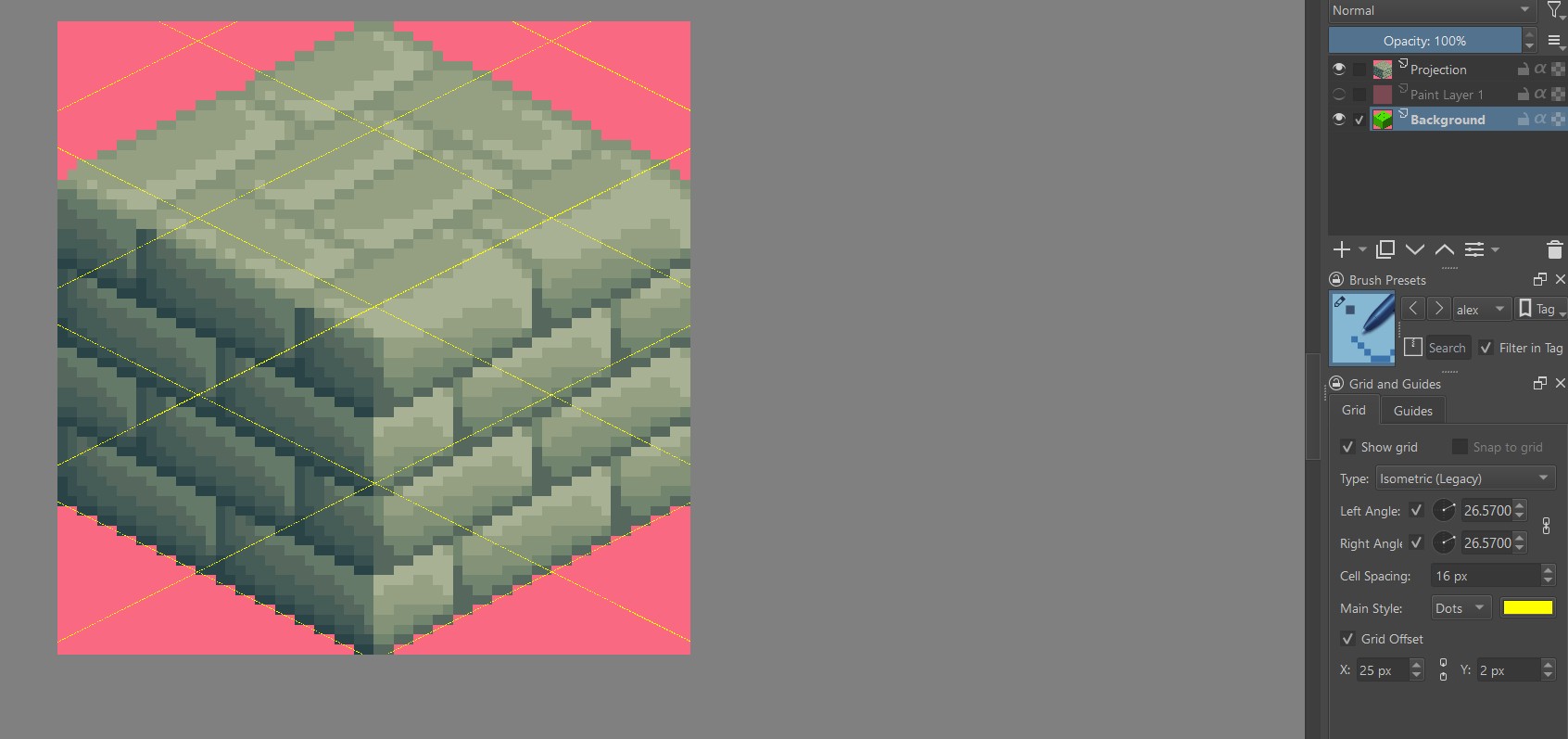
Maybe the closest I could get was by setting angles to 26.7 and cell spacing 29!? and it would still only align in certain places of the tilemap so useless if I wanted to bulletroof my work to work with any game engine.
I downloaded latest version, now I have isometric (legacy) and Isometric, none of them can still create a grid for the tilemap that works perfectly in Godot. So what is the point to provide it at all?
Here is what people are doing to create an isometric grid in Krita: https://www.youtube.com/watch?v=SvKucmJGYu0
I hope you find it stupid, because it is!!! But this is the only way!!!
Why can’t you just replicate it to Grid and Guides without being meticulous about lining up your angles and rocket science geometry? Or I just have to draw it myself or download it from web and use as a layer.
Here is the alternative: https://www.youtube.com/watch?v=qXHFwhnzFAg
To change my art to 30x37 instead of 32x32 ? No I am not going to make my tiles Krita-friendly and then mess about settings in Godot just to favor Krita, this is either going to work as supposed to work or I’m just not going to use Krita if it cant do the grid for me.
Am I the only one in the world with such a problem? Looking at youtube videos I don’t think so, it’s either these 2 ways or there is just no other videos because Krita can NOT do it.
Now some screenshots and files to play around with attached.
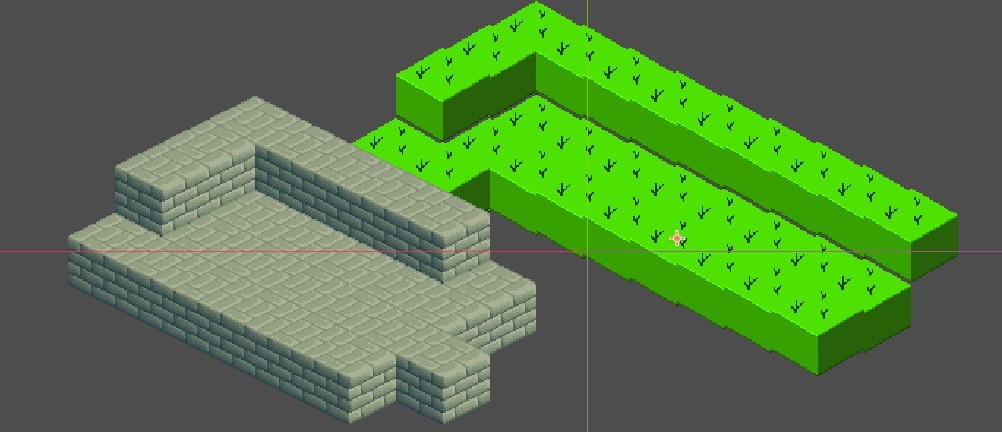
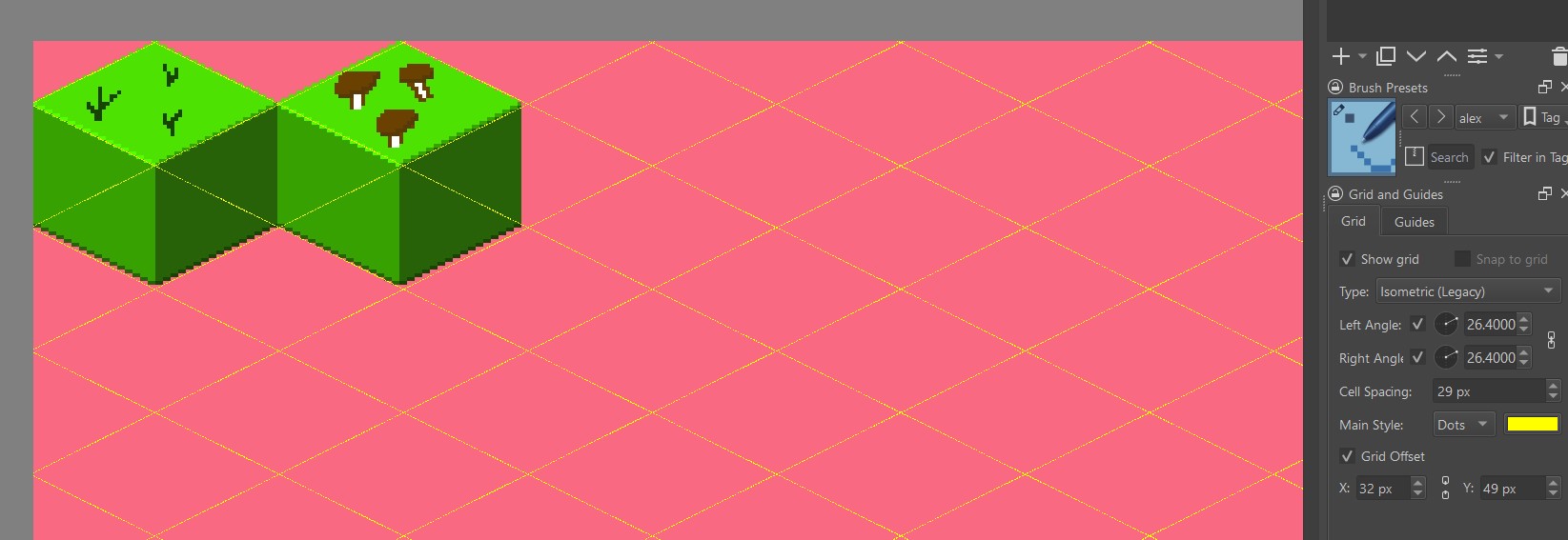
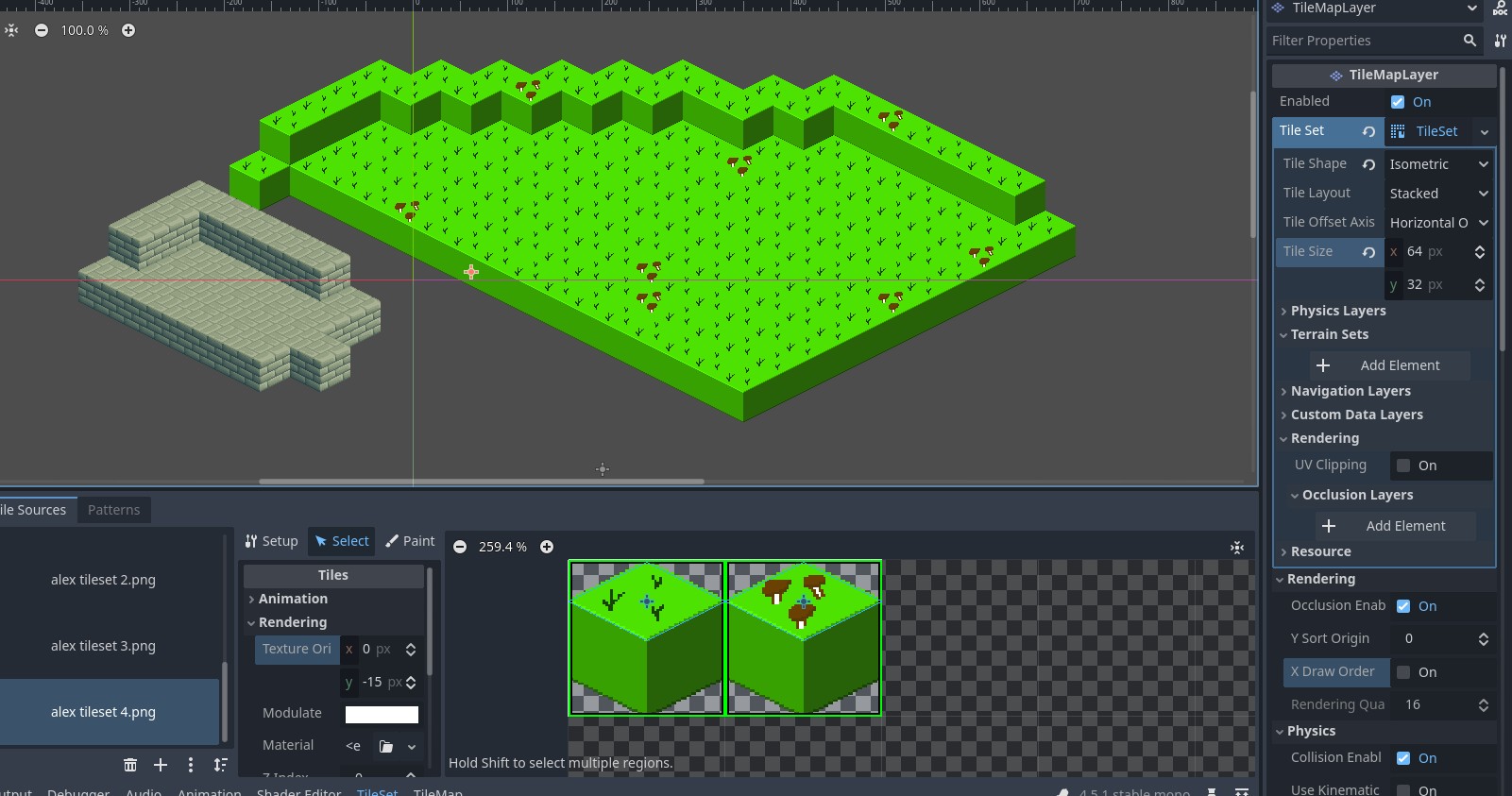
so this is Godot with tile size 64x32 and the stone tiles are what people call 2:1 and that what a random person could do, and green is my test where nothing aligns using krita isometric 30 angle and 32 spacing
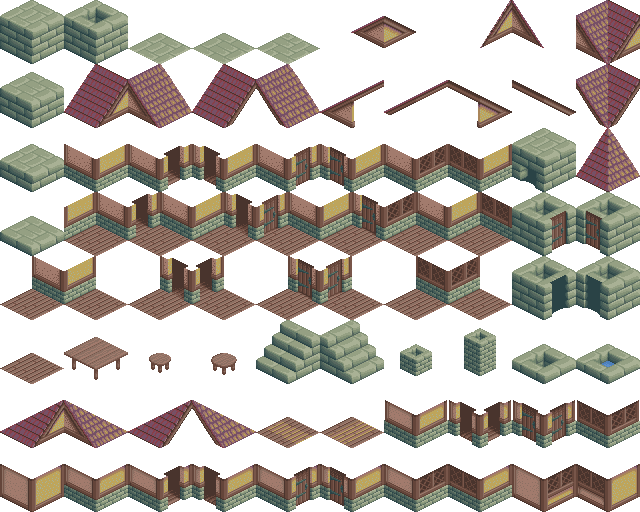

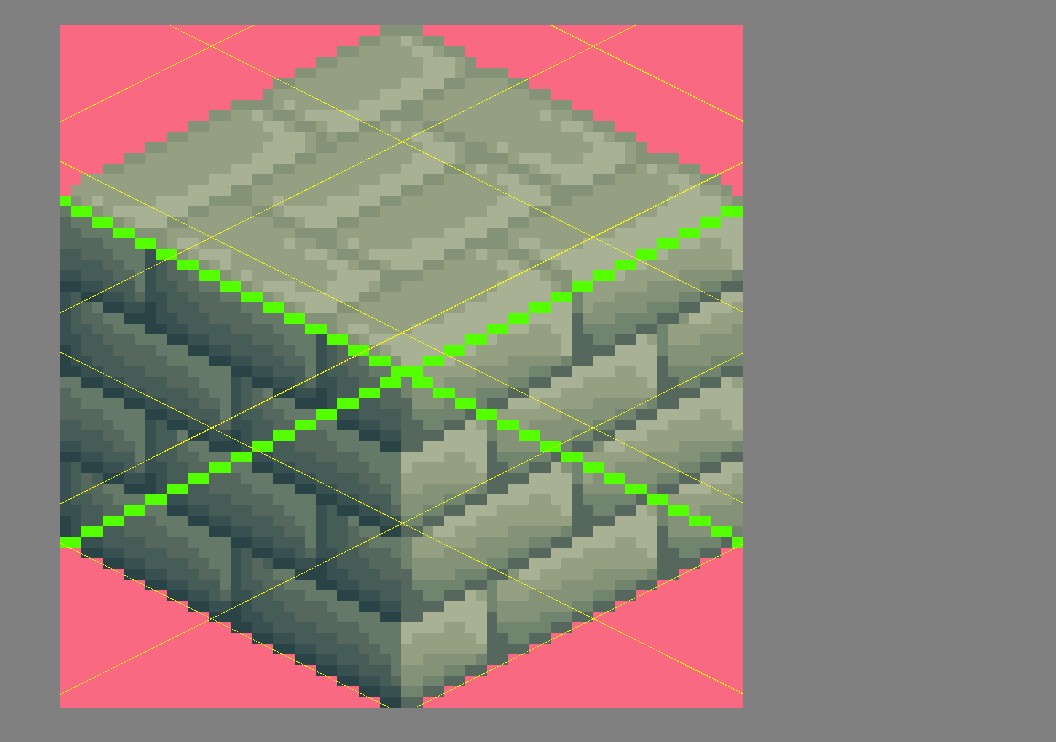
So I putting this stone tilemap into krita will never make Krita’s Grid and Guides align with the images, it will always be out of sync with offsets even if you align one tile. So how am I supposed to draw isometric pixel art tilemaps in Krita? I don’t know, maybe you can help me, you are the experts.
I am only a day or 2 with this, and I’m stuck, I’m either drawing the layer of grids myself now and putting it into background (I will because I already have my brushes setup, i wasted plenty of time by now) or I am finding a different capable software, I don’t plan to babysit Krita, give it coffee in the morning and a massage, it either does the job or something else will do the job. It’s harsh reality, Krita is not up to the task as I see it, why mislead by adding these “isometric” capabilities that don’t work? I don’t know. But all it does it makes me feel stupid thinking I’m doing something wrong, so am I?!
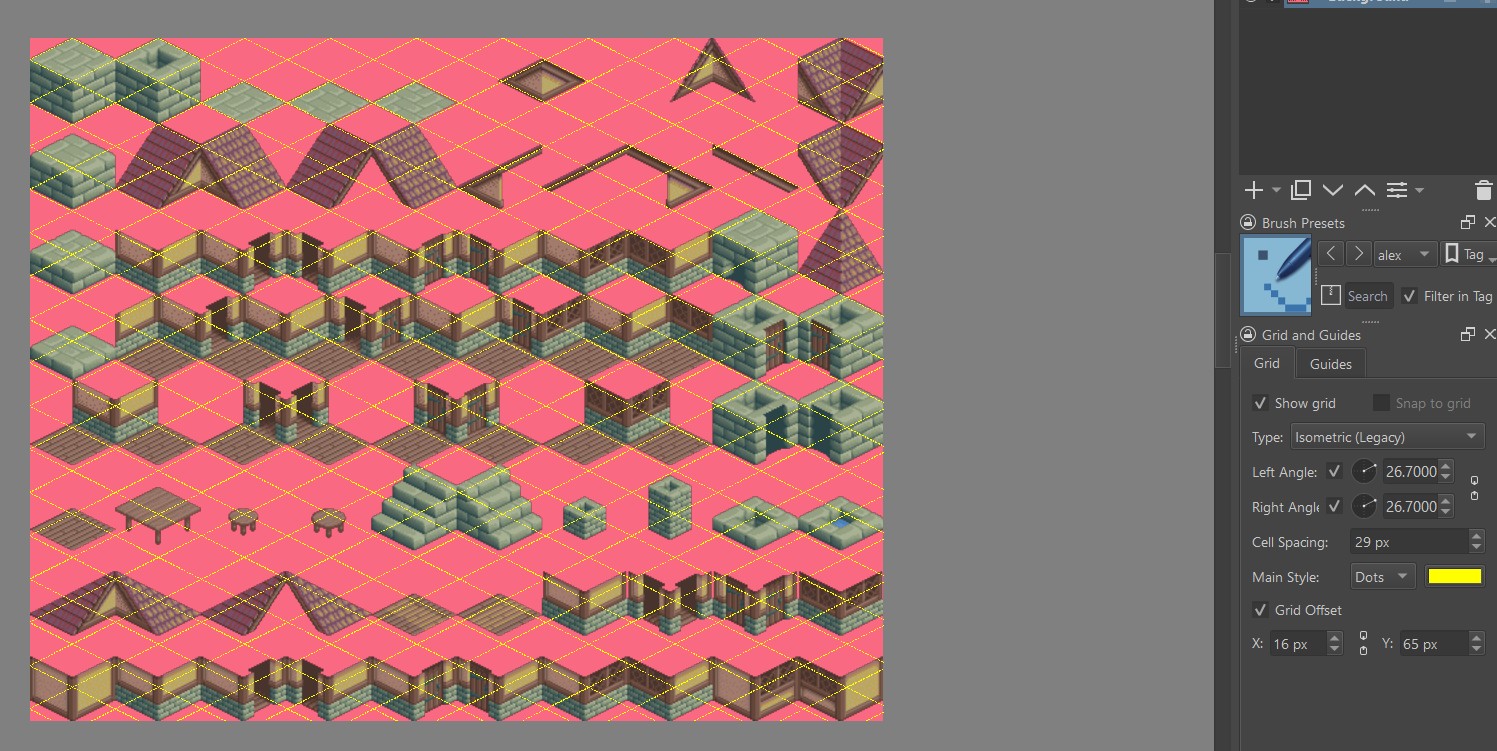
(4 images with attempts of 4 different settings missing because new users only allowed 4 media contents, they would show angles of 30 and 26.57 with isometric and isometric (legacy))
Which setting will make it work? Now I wasted so much time writing it here because - “Am I too stupid to want something that basic in such an advanced piece of kit as yours?” Do you really not want this huge share of content creators that do isometric pixel art to use Krita for it? I don’t understand.