Hello,
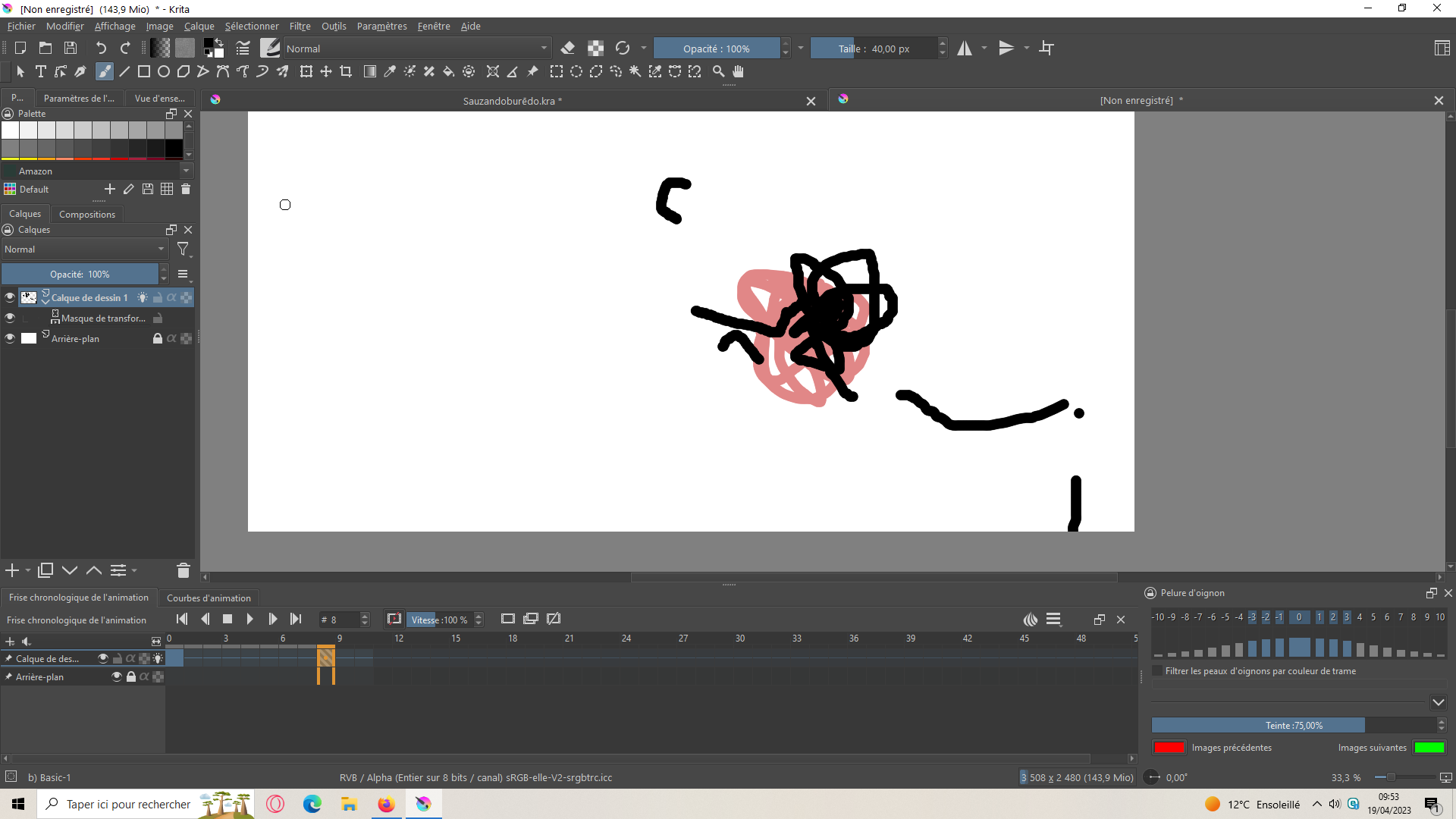
I’ve been on Krita for a few days now, I’ve never drawn or animated much so I’m just getting started. Unfortunately I have a problem (I am on Windows and the latest version is 5.1.5 I think). When I draw on a layer (let’s call it layer 2) and well the onion skin of the first layer on which I try to take “example” is erased strangely (I don’t have the eraser activated though…). I’m getting desperate for a solution. (maybe it has something to do with the motion tween because layer 1 is a motion tween frame).
Can you create a simple animation, using simple shapes, that shows the same problem and post screenshots from that?
If you’re animating frame by frame on the paint layer and also applying an animated transform mask with layer by layer transform keyframes, that may be causing the effect you see.
Does turning off the visibility of the animated transform mask remove this ‘problem’?
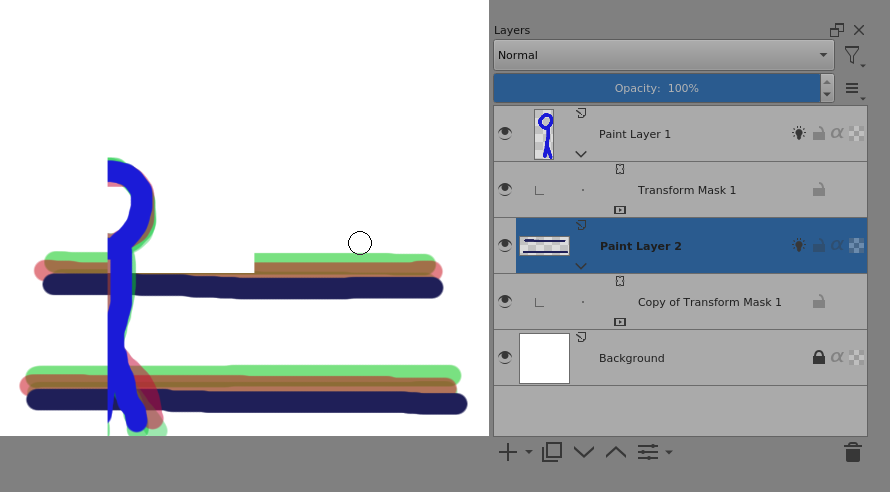
I’ve tried to recreate this with a simple animation that has animated transform masks applied - using two animated paint layers each with an animated transform mask on them.
I don’t see a problem with the onion skins while making the animation.
However, if I save and reopen the file, then toggle the visibility of Paint Layer 1 then I do see artefacts:
It’s normal, I would have to make a video to show you that it bugs, it’s impossible to do it with a screenshot. To clarify, where there is my cursor is where I click and you can see that the drawing appears on the right, so → bug
And I have the impression that nothing will change if I do what you tell me because it just seems that we don’t have the same version (yours seems older). If you don’t mind, could you try it on the latest version (maybe your version is the latest, but I started animating not long ago so I don’t know much about it).
And then there are problems when I use the motion tween on a layer, then when I create an image at the end of the motion tween on this same layer (see photo above).
I’m using the version 5.1.5 appimage on Linux.
I’ve set a different theme to you and have a differently scaled Layers Docker.
If you can demonstrate this with a simple animation and provide the .kra file, using a link to a file sharing service/website, someone may be able to look at that for you.
With animated transform masks, you often have to select the frame on the Timeline, after adjusting values on the Animation Curves, to force the rendering/composition of the canvas image. Also, playing the animation to see the intended effect is a good idea.
Unfortunately nothing works, I think I’ll just change my software even if it means abandoning my animation, I really don’t want to get upset and waste time on it. Thanks anyway for taking the time to try and help me.