Type of device* : Drawing tablet
Brand and version of the device: Intuos BT-M CTL 5100WL
System** : Windows 10
* graphics tablet
** Windows 10
Description of the issue (you can include screenshots):
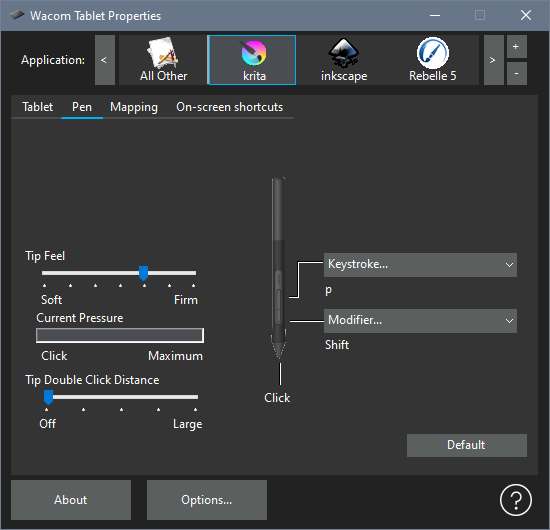
I have a maddening issue with the buttons on my pen for my wacom intuos BT-M, and have had it for a long time.
No matter how I set the lower button on the pen, it will behave like pressing [SPACE], thus grabbing the canvas and moving across it.
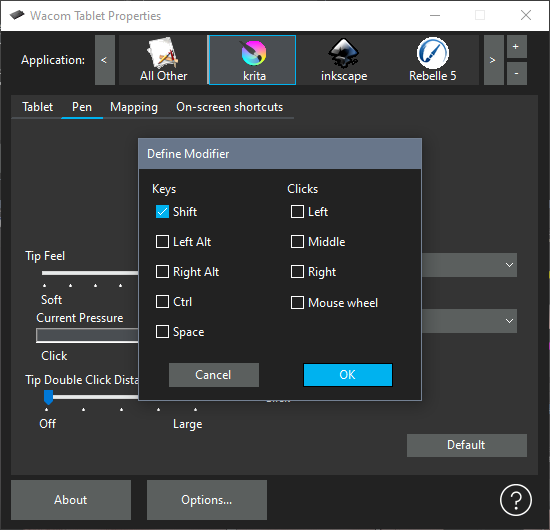
It used to be possible for me to set it to [SHIFT] so I could increase and decrease my brush size with it.
- Changing the shortcut in the Wacom tablet properties doesn’t fix it, I can set it to any shortcut and it will still have this behaviour.
- The issue is with the pen alone, brush size increase/decrease can be set to [SHIFT] on the tablet itself as well as on the keyboard and will work