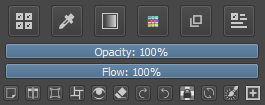
I just gave this plugin a try. I really love the idea, and I paint a lot in Canvas-only mode so this could be super useful to me. But I have ran into a multitude of issues, several of which alone make it completely unusable to me:
I could find no way to make it only show in canvas-only mode, so every time I switch between normal and canvas-only (which I do all the time) I would have to manually start and stop KB
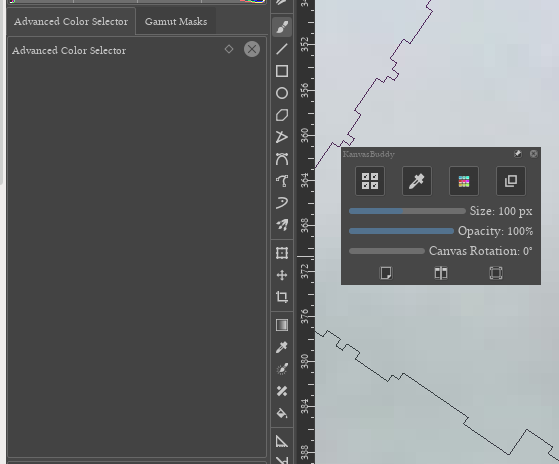
KB “steals” dockers, so if it’s open in normal mode, my dockers will be missing.
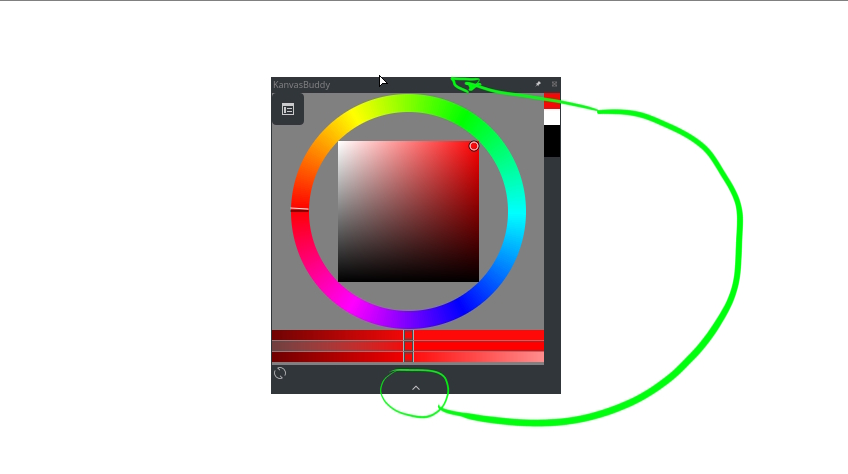
I couldn’t find a way to resize it, and a color picker that is smaller than my cursor is useless.
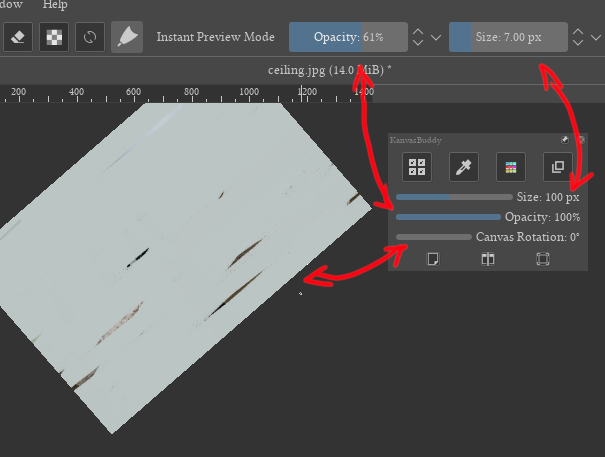
The sliders (eg canvas rotation, brush size) do not update if their value was changed via other means, (eg the canvas actions) so they are useless for giving information.
Point 1 and 2 are tied together too, since there is really no point in KB displaying when not in Canvas-Only mode, to begin with.
If these issues were fixed I would probably use this tool a lot so I don’t have to come out of canvas-only only for eg. switching layer. But in its current state it is unusable.
Arch Linux + KDE 5, fully updated.
Tested with both the stable release and dev versions.
Hey @Kapyia, are you still updating this plugin? If life keeps you busy that’s fine and understandable, but in that case I wonder if anyone else could try to help us with fixing issues? I sadly can’t, I don’t know python or the API and don’t have the time and energy to start learning it now.
I tried to take a look but… on my side the plugin works perfectly on Krita 4.4.0-beta2
I’m using an appimage under Linux.
Then, I suppose that people for which plugin doesn’t work anymore are using Windows (10) or maybe a Mac OS?
Or maybe there’s some specifics configuration applied to plugin?
With Krita 4.4.0-beta1 the problem occurs too? or is it specific to beta2 only?
Without any information about the problem, that’s very hard to understand what is the problem and to help…
from google translate:
hi. I used your file but this error occurred. The original version did not have such a problem. May I know where the problem is?
AttributeError
Python 3.8.1: C:\GAMES\STEAM\steamapps\common\Krita\krita\bin\krita.exe
Sun Mar 21 07:07:08 2021
A problem occurred in a Python script.  Here is the sequence of
function calls leading up to the error, in the order they occurred.

 C:\Users\123\AppData\Roaming\krita\pykrita\kanvasbuddy\uikanvasbuddy.py in closeEvent(self=<kanvasbuddy.uikanvasbuddy.UIKanvasBuddy object>, e=<PyQt5.QtGui.QCloseEvent object>)
  119
  120     def closeEvent(self, e):
  121         self.panelStack.dismantle() # Return borrowed widgets to previous parents or else we're doomed
  122         self.kbuddy.setIsActive(False)
  123         super().closeEvent(e)
self = <kanvasbuddy.uikanvasbuddy.UIKanvasBuddy object>
self.panelStack = <kanvasbuddy.kbpanelstack.KBPanelStack object>
self.panelStack.dismantle = <bound method KBPanelStack.dismantle of <kanvasbuddy.kbpanelstack.KBPanelStack object>>

 C:\Users\123\AppData\Roaming\krita\pykrita\kanvasbuddy\kbpanelstack.py in dismantle(self=<kanvasbuddy.kbpanelstack.KBPanelStack object>)
   76         for parent in self._widgetParents:
   77             self._widgetParents[parent].setWidget(self.panel(parent).widget())
   78             self._widgetParents[parent].widget().setEnabled(True)
   79
   80
self = <kanvasbuddy.kbpanelstack.KBPanelStack object>
self._widgetParents = {'ColorSelectorNg': <PyQt5.QtWidgets.QDockWidget object>, 'KisLayerBox': <PyQt5.QtWidgets.QDockWidget object>, 'PaletteDocker': <PyQt5.QtWidgets.QDockWidget object>, 'sharedtooldocker': <PyQt5.QtWidgets.QDockWidget object>}
parent = 'sharedtooldocker'
].widget undefined
AttributeError: 'NoneType' object has no attribute 'setEnabled'
    __cause__ = None
    __class__ = <class 'AttributeError'>
    __context__ = None
    __delattr__ = <method-wrapper '__delattr__' of AttributeError object>
    __dict__ = {}
    __dir__ = <built-in method __dir__ of AttributeError object>
    __doc__ = 'Attribute not found.'
    __eq__ = <method-wrapper '__eq__' of AttributeError object>
    __format__ = <built-in method __format__ of AttributeError object>
    __ge__ = <method-wrapper '__ge__' of AttributeError object>
    __getattribute__ = <method-wrapper '__getattribute__' of AttributeError object>
    __gt__ = <method-wrapper '__gt__' of AttributeError object>
    __hash__ = <method-wrapper '__hash__' of AttributeError object>
    __init__ = <method-wrapper '__init__' of AttributeError object>
    __init_subclass__ = <built-in method __init_subclass__ of type object>
    __le__ = <method-wrapper '__le__' of AttributeError object>
    __lt__ = <method-wrapper '__lt__' of AttributeError object>
    __ne__ = <method-wrapper '__ne__' of AttributeError object>
    __new__ = <built-in method __new__ of type object>
    __reduce__ = <built-in method __reduce__ of AttributeError object>
    __reduce_ex__ = <built-in method __reduce_ex__ of AttributeError object>
    __repr__ = <method-wrapper '__repr__' of AttributeError object>
    __setattr__ = <method-wrapper '__setattr__' of AttributeError object>
    __setstate__ = <built-in method __setstate__ of AttributeError object>
    __sizeof__ = <built-in method __sizeof__ of AttributeError object>
    __str__ = <method-wrapper '__str__' of AttributeError object>
    __subclasshook__ = <built-in method __subclasshook__ of type object>
    __suppress_context__ = False
    __traceback__ = <traceback object>
    args = ("'NoneType' object has no attribute 'setEnabled'",)
    with_traceback = <built-in method with_traceback of AttributeError object>

The above is a description of an error in a Python program.  Here is
the original traceback:

Traceback (most recent call last):
  File "C:\Users\123\AppData\Roaming\krita\pykrita\kanvasbuddy\uikanvasbuddy.py", line 121, in closeEvent
    self.panelStack.dismantle() # Return borrowed widgets to previous parents or else we're doomed
  File "C:\Users\123\AppData\Roaming\krita\pykrita\kanvasbuddy\kbpanelstack.py", line 78, in dismantle
    self._widgetParents[parent].widget().setEnabled(True)
AttributeError: 'NoneType' object has no attribute 'setEnabled'
I don’t really know how to help here because I didn’t make or maintain KB so I can’t interpret the Python traceback.
But the last line seems to suggest that a non-supported widget is trying to be enabled. My advice would be to turn off the new widgets in the json and turn them back on one at a time to see what the problematic widget is.
Unfortunately, at the moment I don’t know of any way to place the additional icons / actions in additional rows.
Since I like your idea very much and I am interested in it myself, I have searched today, for a few hours without success, for an appropriate possibility to implement it.
some additional info of lower value (won't help either)
Unfortunately, I have only been working intensively with Krita since February and have no idea about programming in today’s programming languages. I programmed something with BASIC in the 1980s and have never dealt with it since 1993.
I can juggle scripts a bit and so I included the Python snippets offered in this thread in my KanvasBuddy installation and was even able to clean up the small syntax errors on my own. However, that is all I am capable of.
I’m unable to use it in the Krita 5 alphas too. Have tried to find out what the reason is, but my coding skills are at novice-level and so this was not successful. So I’m also very sorry that it doesn’t work in the actual Krita 5’s. (And sometimes I have thought, this is a reason to stuck on Krita 4!)
I added brush settings as a button on the bottom panel, so that’s a possible candidate.
I got the impression from what Kapyia said that the plugin uses some unorthodox tricks to get it to work, so maybe there’s some fundamental incompatibility developed?
I could probably make lots of guesses - but I really don’t know what I’m talking about…
that is surely more than I can do with the ones I do.
I think what it is doing is just hidding some buttons that are excessive. you can try and comment them out (# self.layout.itemAt()…) so you receive 2 extra buttons but dont need to call perhaps 2 names that might have changed in the new version of krita.