Ah missed that … thanks works now!
Okay forgive me … really stupid question probably … but how does one get to add other dockers/commands etc?
I don’t see any setting for Kanvasbuddie … is all the customisation only through code?
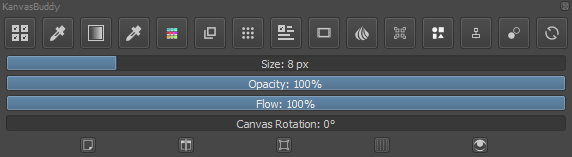
That’s right, in fact the last time I added I think 2 extra panels and an extra button, the one for the recorder.
1 Like
But I don’t know how to get those … the previous pic was from this post at the top …
Mine looks like the default shown in pic below here and I don’t know where to change it … I don’t know code.
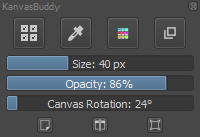
Oh you talk about that, you have to modify the file that is in pykrita\kanvasbuddy, config.ini
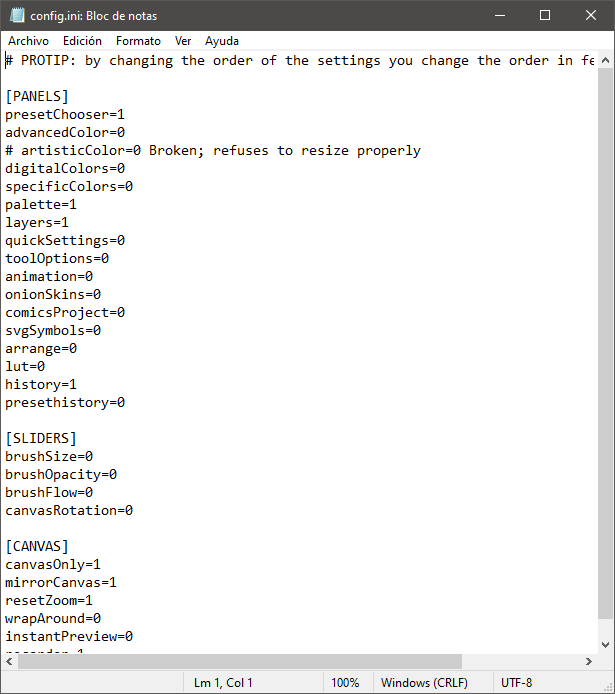
You only change the 0 to 1, to activate or deactivate panels/buttons/sliders.
3 Likes
Super thank you! 
1 Like
patched up this plugin for krita 5. you can download the zip file from this link and install from the tools menu in krita.
theres some extra goodies in there as well, like shift+number shortcuts
5 Likes
Oh well, I guess now I can remove the patch from my drive.
I tried to install this in 5.0.0. I get the error @redrobin reported still. I tried applying @SchrodingerCat 's patch, and no longer get the error. But when I run the script now, no window appears - it just empties my layer docker and palette docker (and probably something else I’m not noticing).
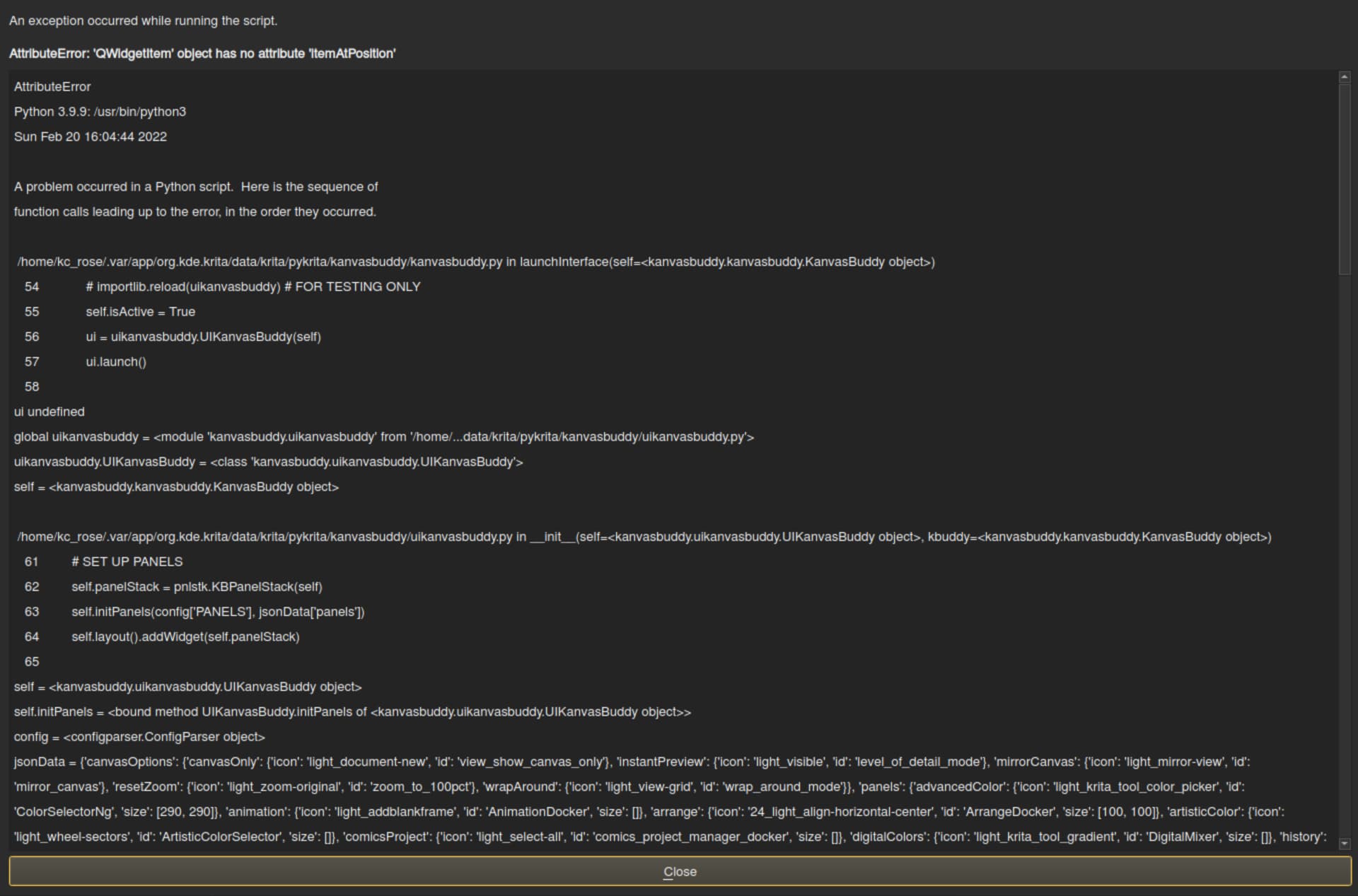
if youre talking about this bug:
AttributeError
Python 3.8.1: /usr/bin/python3
Sat Jan 15 17:05:18 2022

...

Traceback (most recent call last):
  File "/home/rob/.local/share/krita/pykrita/kanvasbuddy/kanvasbuddy.py", line 56, in launchInterface
    ui = uikanvasbuddy.UIKanvasBuddy(self)
  File "/home/rob/.local/share/krita/pykrita/kanvasbuddy/uikanvasbuddy.py", line 63, in __init__
    self.initPanels(config['PANELS'], jsonData['panels'])
  File "/home/rob/.local/share/krita/pykrita/kanvasbuddy/uikanvasbuddy.py", line 83, in initPanels
    self.panelStack.loadPanel(data[entry])
  File "/home/rob/.local/share/krita/pykrita/kanvasbuddy/kbpanelstack.py", line 58, in loadPanel
    pc = KBPresetChooser()
  File "/home/rob/.local/share/krita/pykrita/kanvasbuddy/kbpresetchooser.py", line 25, in __init__
    self.layout().itemAt(0).widget().layout().itemAt(4).itemAtPosition(0,0).widget().hide()
AttributeError: 'QWidgetItem' object has no attribute 'itemAtPosition'
then either you downloaded the wrong zip or made a mistake when installing. the code causing this bug has been removed completely in my patch. try wiping your resource directory from any kanvasbuddy files and then make sure to install the kb-0-5-unofficial zip. i dont know whats up with your second bug though.
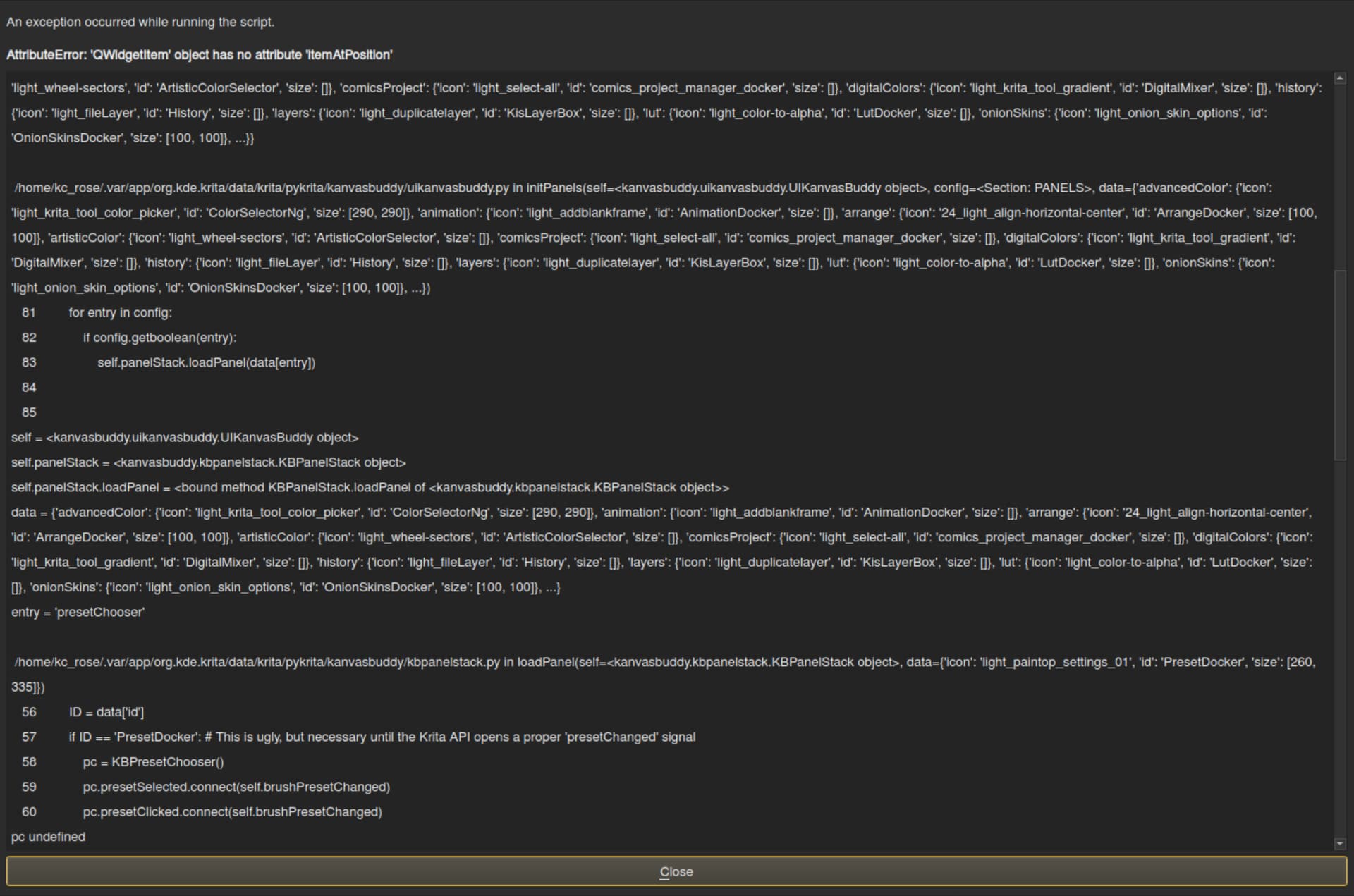
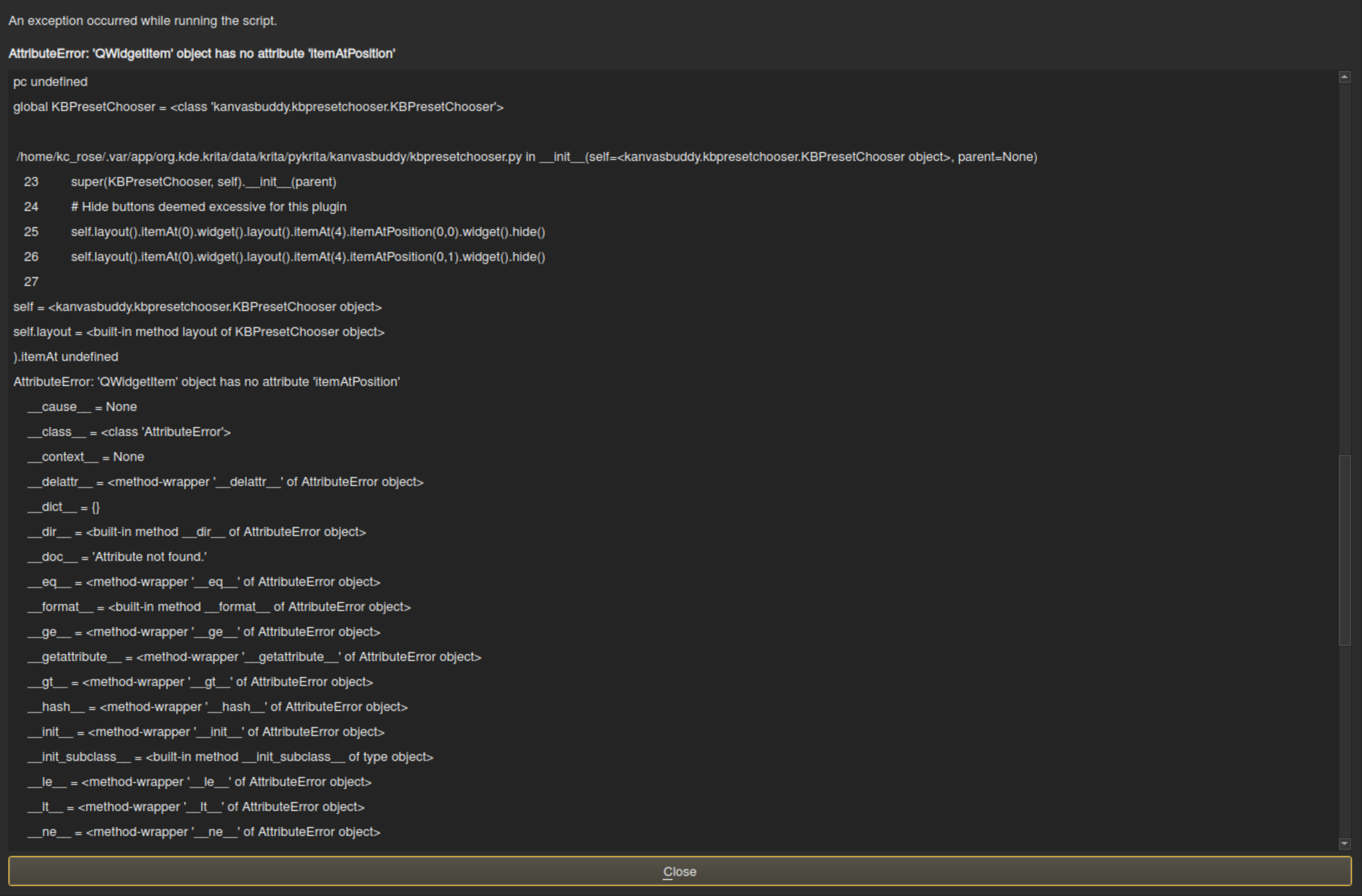
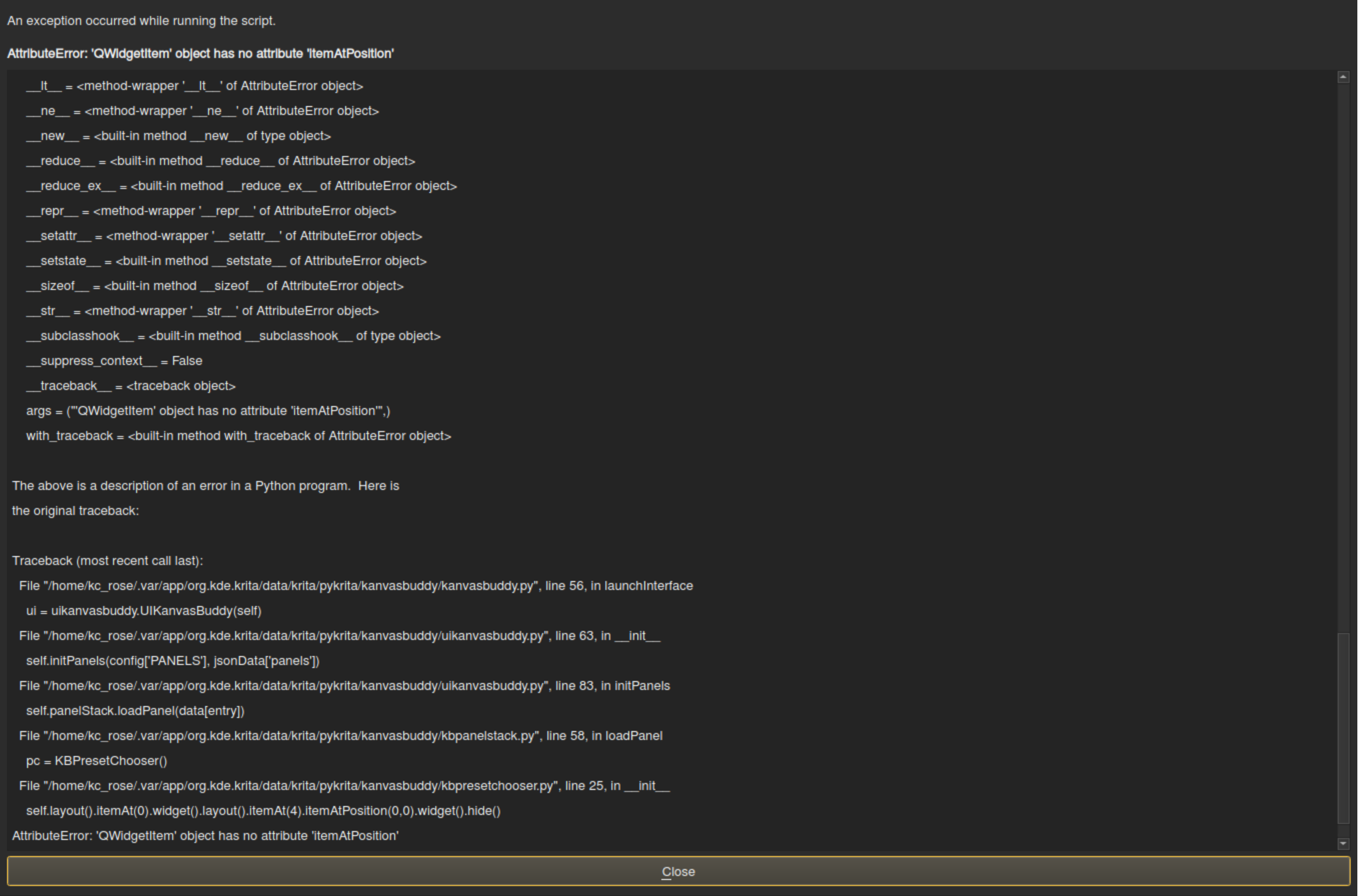
 Hello @sadinwilfbin and welcome to the forum!
Unfortunately we don’t know which operating system and version of Krita you are using, if you are using “the original” from Kapyia which only works on Krita 4.x versions, if you are using his version WITH the patch from @SchrodingerCat from post 129 which makes KanvasBuddy also run on Krita 5, or if you are using the fully patched version from @Halcyoen from post 149 for Krita 5.x which you can download here and must not patch KanvasBuddy additionally with.
The “settings” of KanvasBuddy are done in the “config.ini”. The tools you want to use are set to 1, the others to 0. This can be done with any text editor.
So, to enable us to help you we need to know which operating system, which Krita version and which KavasBuddy version you are using, so is it Kapyia’s original unpatched or patched with SchrodingerCat’s patch or is it Halcyoen’s version?
Also, it would be good if you could highlight the COMPLETE error message text that you already posted the screenshots of in its window and then copy it to then either post it here in a codebox or upload that text to a service provider such as Pastebin and then post the link to it here.
Michelist
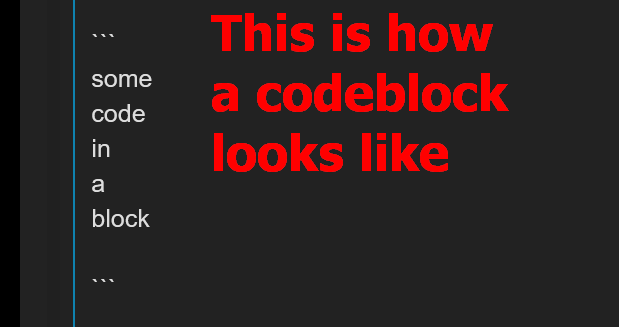
Edit/Add: To store long texts or code blocks in a way that is easy to read for others, place them between three introductory and three concluding backticks. This is the following character in brackets ( ` ), you must use as said three directly consecutive (you can also copy this here and paste accordingly).
Here in the forum it looks like this:
some
code
in
a
block
and here the codeblock as a screenshot from the editor
I think this will also remove the limit for the number of characters per post, if necessary split it into two posts.
i am using a surface pro 3 with pop_OS 21.10 (gnome version: 40.4.0) on wayland, krita 5.0.2, and kanvas buddy by kapyia
Okay, this can’t work like this, you have to adapt the original plugin with SchrodingerCat’s patch for Krita 5, to do this you have to unpack the “kbpresetchooser.py” and the “data.json” from the archive of SchrodingerCat and overwrite the originals in the directory “//krita/pykrita/kavasbuddy/”. In this folder you can also find the “config.ini”.
The other solution would be to install Halcyoen’s version of KanvasBuddy which you’ll find in the archive “kb-0-5-unofficial.zip” from Halcyoen’s archive “KanvasBuddy-master.zip”. A clumsy “solution” to offer its patched version buried within Kapyias Version like the Russian Matrioschka-Dolls.
To install it you should delete all KanvasBuddy files from Krita before. I haven’t tested it yet, there is at least one report here in the topic that it doesn’t work, I only know that the patched original version (SchrodingerCat) works for me.
If you need further support, then feel free to ask. I will be going to bed soon, and so I may not reply to you until tomorrow, but I am not the only one trying to support here.
Michelist
ok thank you!
1 Like
Hello! Is there by any chance a way to make it work with the Android version of Krita? I’m in search of such a minimalist toolbar to make Krita more tablet friendly and it seems perfect!
I don’t think plugins work with the android version yet. So probably not possible right now.
Will this version work with Krita 5? It does not for me. ( I installed it using the tools > scripts> import python plugin method).
would love to hear if it worked for other people. It seems like a really usefull tool as I prefer working in full canvas.
Will which version work with Krita 5? Are you talking about the original, the patched original by @SchrodingerCat, or the patched version by @Halcyoen?
The original doesn’t work. The patched by @SchrodingerCat works if you apply the patch correctly. And the patched version by @Halcyoen does work too, if you find your way through his archive and pick the right components out of it, because it is composed with a very unlucky hand.
So we have two yeses and one no, which one you are talking about?
Michelist
I tried the patched version by Halcyoen first, and it’s working fine (Linux) … have even been able to just add HSV adjustment, lol, which is amazing for me; thanks to the helpful notes in this thread.
Ran Tools > Scripter, as directed above … KanvasBuddy - a Minimalist Toolbar - #77 by malle_yeno … added the text then pressed the Play button. Then copy/pasted the full output into a text document, and searched for HSV, noting the text in front of the comma, ready to include it into the code.
Went to Krita Scripting School … Krita Scripting School … clicked on an appropriate icon, and copied the ID at the right of the page to include into the code. Named it hsvAdjust, and used hsvAdjust in the config.ini also.
If anyone wants to add the HSV adjust too, in the actions sections of both the config.ini and properties.json …
properties.json (copy/paste a section, then replace relevant parts, or the double-quotes will throw an error … they may anyway, so need checking if errors)
},
“hsvAdjust”: {
“id”: “krita_filter_hsvadjustment”,
“icon”: “addcolor”
config.ini
hsvAdjust=1
The icon unfortunately isn’t showing, but I notice it’s an svg, and there’s an issue I did a bug report for yesterday that involves svg issues with gradient maps bundle importing successfully but the maps not showing. Tested changing dark theme to light, but it’s the same. Will add to bug report.
Adding actions is otherwise working fine.