Kjell
September 21, 2023, 8:03am
1
Hello! Long time lurker, new forum-user & add-on developer (I guess!)
After using Krita for some time (a couple of years now) I have made a few scripts.
*I am using the same naming scheme as with keKit for Blender or Modo, however the scope is far more modest here ;>
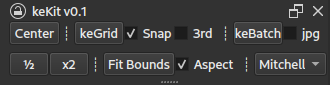
this post updated: check the link above for the latest features & updates)Centers the selected/active layer
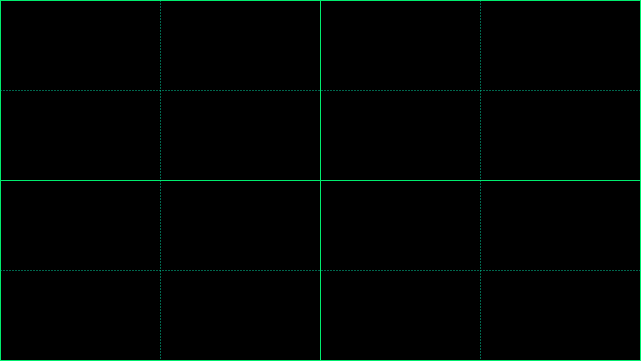
Calculates a relative grid (with two subdivisions) based on the document size
Options:
Snap : Also toggles snapping on/off. Note: Krita layer snapping only uses the mouse pointer : Layer bounds+center snapping TBD3rd : Uses Rule of Thirds instead for quad grid layout.
Batch Exports visible Groups/Folders .
Automatically creates a subfolder for the exports based on the document name & location.
Thus requires new documents to be saved before batch operation
Visible root layers (& groups that are named ‘Fx’ & ‘Background’) are excluded :
Useful for processing each of the exported groups with the same effects and/or backdrop
Option:
JPG : keBatch uses JPG instead of PNG.
Defaults (override in ke_batch.py if needed):
PNG: Alpha, Level 0/Uncompressed. For maximum speed now - pngcrush later
JPG: 85%. For WIP & quality insensitive use-cases
Note: Slow - the process can take a long time in big documents with a lot groups
Scale selected layer 50% or 200%
Stretches selected layer to fit the document bounds Option:
Aspect : Fit Bounds maintains aspect ratio of the image
Choose preferred pixel transform processing method for Half, Double & Fit Bounds:
27 Likes
@Kjell , and welcome to the forum!
Thanks for sharing!
Michelist
2 Likes
sooz
September 21, 2023, 2:50pm
3
Welcome to the forum, @Kjell . Thank you for this plugin. I have a feeling this is going to be very popular.
1 Like
Awez
September 22, 2023, 2:37am
4
That grid script would’ve saved me so much time! These are great
1 Like
SirEric
September 22, 2023, 4:04am
5
Does the PNG batch option simply export the ‘mergedpreview.png’ file from the KRA file?
Kjell
September 22, 2023, 4:33am
6
Hi,
The example image (boxes marked 1 & 2) above shows three stacked images/layers, each in a group.
Box nr2 shows the effects layer being activated/made visible, changing the colors of all the layers & groups below it.
Box nr3 shows the end result in a file browser.
Note that you can click the image above to enlarge it.
Kjell
September 22, 2023, 4:53am
7
Thanks!
I should note, the solution is pretty hacky: There may be some visual glitches* and what not, as the fixed grid (as it still is) is not made for this
*such as weird over-draw:
Has worked ok for me though
SirEric
September 23, 2023, 4:16am
8
I get it now - it’s a batch layer exporter.
1 Like
Kjell
October 1, 2023, 10:33am
9
I have updated/changed the batch export functionality: (not just groups now)
notes updated:
Batch-Exports visible paint layers, group layers, clone layers, & vector layers from the current active document
Automatically creates a subfolder for the exports based on the document name & location
Thus requires new documents to be saved before batch operation
Visible root layers & groups that are named ‘Fx’ & ‘Background’ are excluded :
Useful for processing each of the exported groups with the same effects and/or backdrop
Any capitalization is accepted (e.g: fx, FX, Fx etc.) exclusion-words are converted to lower-case in the script
(same link as in original post)
1 Like
Kjell
October 8, 2023, 3:26pm
10
Back again! (with v0.12) ;>
I would have liked to automate the last step; Converting the alpha to Transparency Mask.
3 Likes
Kjell
October 28, 2023, 9:30am
11
Minor logistics update:
keKit for Krita is now also available on GitLab
(I will probably use both (GitLab & GitHub) for a while)
3 Likes
banca
November 14, 2023, 12:37pm
12
Wow! Awesome plugin, this will save me a bunch of time!! Thank you for sharing!
Can I suggest a feature? Centering only the horizontal or vertical axis would be great
keep the good work and thanks again
1 Like
Kjell
November 14, 2023, 1:49pm
13
Maybe! I have planned something similar as an option: A workaround for the lack of layer snapping (more or less just checking the layer center pos and snapping it to nearest grid intersection point (where 2 lines cross) , instead of just the center of the doc) Maybe the full bounding box of the layer. at some point.
1 Like
banca
November 16, 2023, 3:41pm
14
Thats really cool! Thx for your work!
1 Like
Kjell
December 14, 2023, 12:31pm
15
Long time no update! ;>
Added horizontal and vertical centering options. Links in 1st post.
Centering Demo:
8 Likes
sooz
December 14, 2023, 5:27pm
16
Thank you for posting the update.
1 Like
banca
December 14, 2023, 6:09pm
17
That is incredible! Thank you very much for this
2 Likes
Kjell
February 25, 2024, 3:05pm
18
Long time no update ;>
Preview WIP demo of a new feature : “Average Color”
(next kekit release is real soon™)
5 Likes
Looks interesting, even promising, I’m waiting to be surprised!
Michelist
Kjell
February 27, 2024, 8:10am
20
keKit for Krita 0.14 released!
NEW: Average Color
Also; keKit will no longer have -preset- shortcuts. Most features (including Average Color) are still assignable, of course.
Links in 1st post!
5 Likes

 Hello
Hello