It would be revolutionary for krita animation if you could add keyframes for entire groups like you can with individual layers. It would allow for easier advanced camera movement as well as nested movement sort of like in adobe animate.
This can already be done using the glorious, puzzling and confusing Animated Transform Masks with the Animation Curves docker:
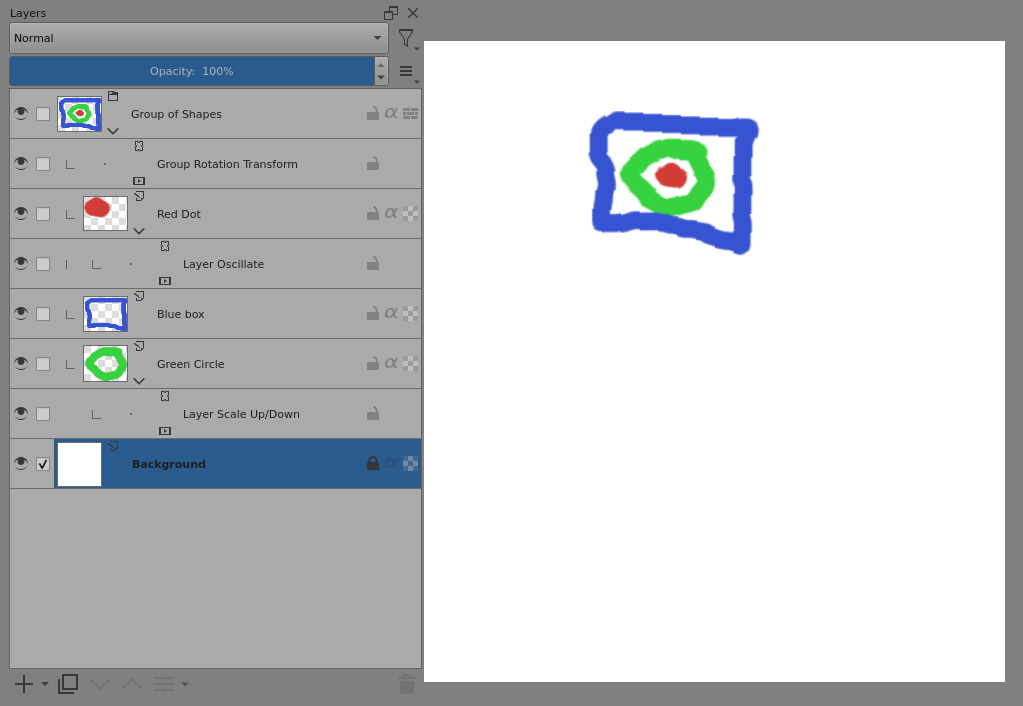
Resulting Animation:
(The video can be played looped.)
If this is what you mean then please change the topic category to Support and Advice.
Or, give a more detailed explanation of what you mean.
I am aware that you can do this with transform masks but working with them is quite frankly a buggy, destructive headache. If we could just make actual manual keyframes on the timeline for groups it would be an arguably easier, less destructive way to get similar results and could be used for a wider array of things. For example, you could group a character’s body parts to create a rig and be able to manipulate multiple parts at once.
I can understand your point of view on that subject. You should have said that you already knew how to use the existing facilities and were proposing new and improved facilities.
What do you mean by that? I made ‘manual keyframes’ on the timeline when using those animated transform masks for the animation above.
I’ve done that before with animated transform masks (subject to the User Interface and User Experience problems you’ve already mentioned).
So, what do you mean? What would the process look like in terms of user interface?
How would it differ from the existing arrangements?
What would the practical user experience be?
1 Like
Sorry if I’m being unclear, I don’t write forum posts like this often.
By ‘manual keyframes’ I just mean keyframes on the main animation timeline rather than the animation curves timeline.
What I’m suggesting is to be able to create keyframes for groups just like how you can with layers, if implemented it would basically look like this, where you can have the layers within the group be animated independently from one another but be able to move the group as a whole around.

mockup ^
Once again, I am aware that you can do this with animation curves but this is an unreliable and finnicky process that I generally try to avoid due to how destructive it can be.