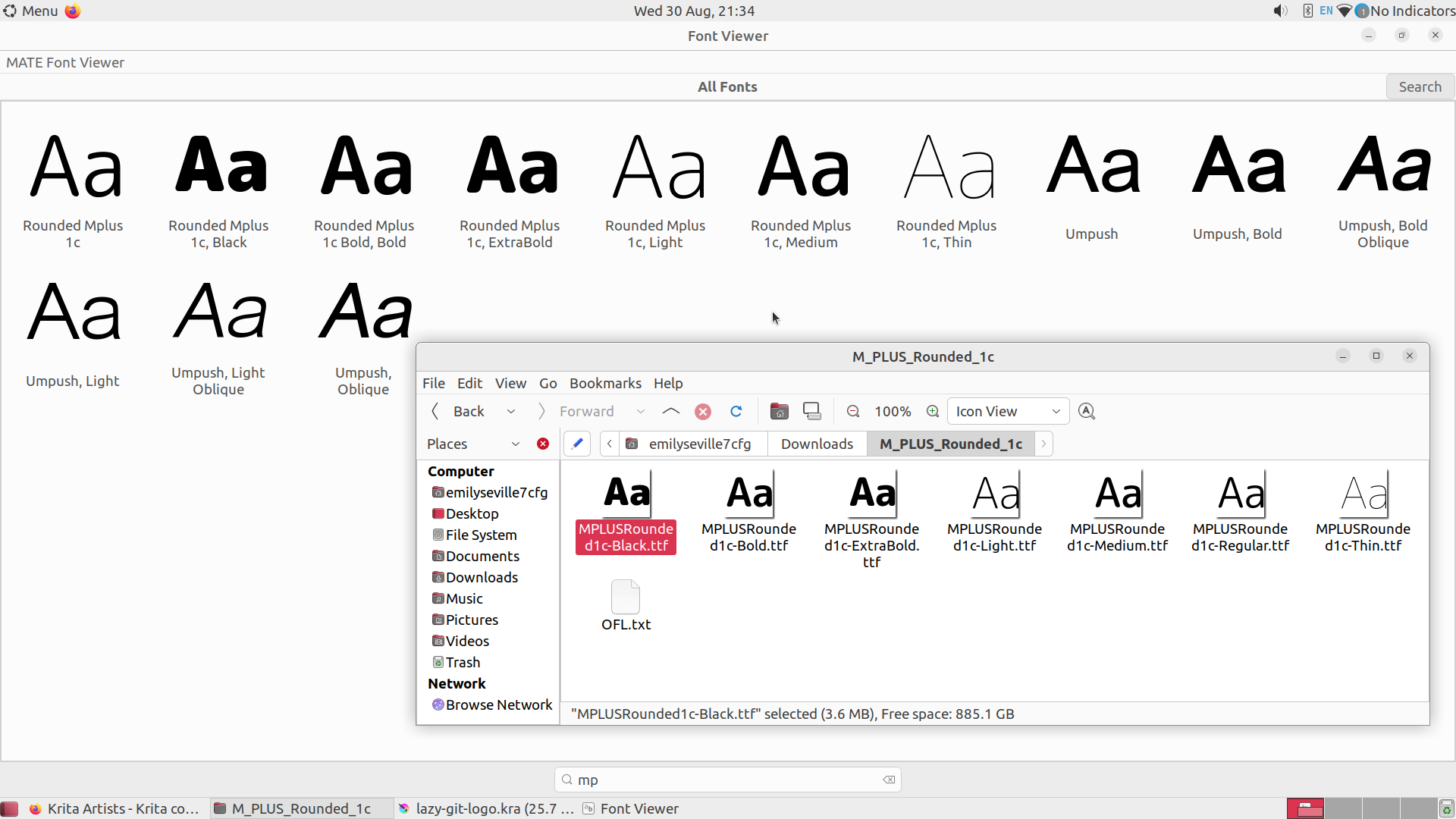
I’ve installed M PLUS Rounded 1c font family by steps written here. There were several .ttf files in .zip and I installed them all via MATE Font Viewer. But when I reloaded Krita and tried to type any of these font names it failed to find them and fell back to Ubuntu font.
It would be interesting to know your reasons for using 5.0.2 instead of 5.1.5, if you want to say why.
I’ve downloaded those fonts and installed them using the font viewer installer.
They all appear in Libre Office and GIMP as ‘Rounded Mplus …’.
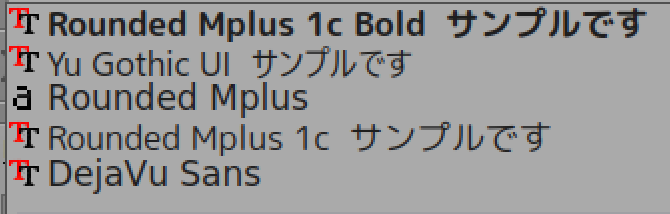
With the krita version 5.1.5 appimage, only two of them appear and the rest seem to be ‘collapsed’ into a single entry called ‘Rounded Mplus’ with some kind of simplified icon representation:
Are you running krita in an isolated environment? If you are then it may not pick up fonts added by the user. They would need to be added locally in its isolated environment.
For me, the Debian repository is still at 4.1.7. That’s not a problem because I use the appimage and you can get it from here: Krita Desktop | Krita
Download it, give it execution permissions then run it. It will use the configurations and resources that the installed 5.0.2 version does.
I’m having a very similar issue and I was wondering if you ever found a solution?
I’m on Windows 11 and using Krita 5.2.11. The fonts are properly installed on my system and show up in other programs, but Krita doesn’t detect them at all, even after restarting both the app and my computer.
If you’ve managed to fix the problem or found a workaround, I’d love to hear about it!