Kinetic Scrolling does not work within the docker “Workflow Buttons”.
STEPS TO REPRODUCE
- Make a Workflow Buttons docker
- Try to use Kinetic Scrolling
OBSERVED RESULT
Kinetic Scrolling does not work
EXPECTED RESULT
Kinetic Scrolling does work
Krita 5.3 prealpha (git 34f6765) on Windows 11.

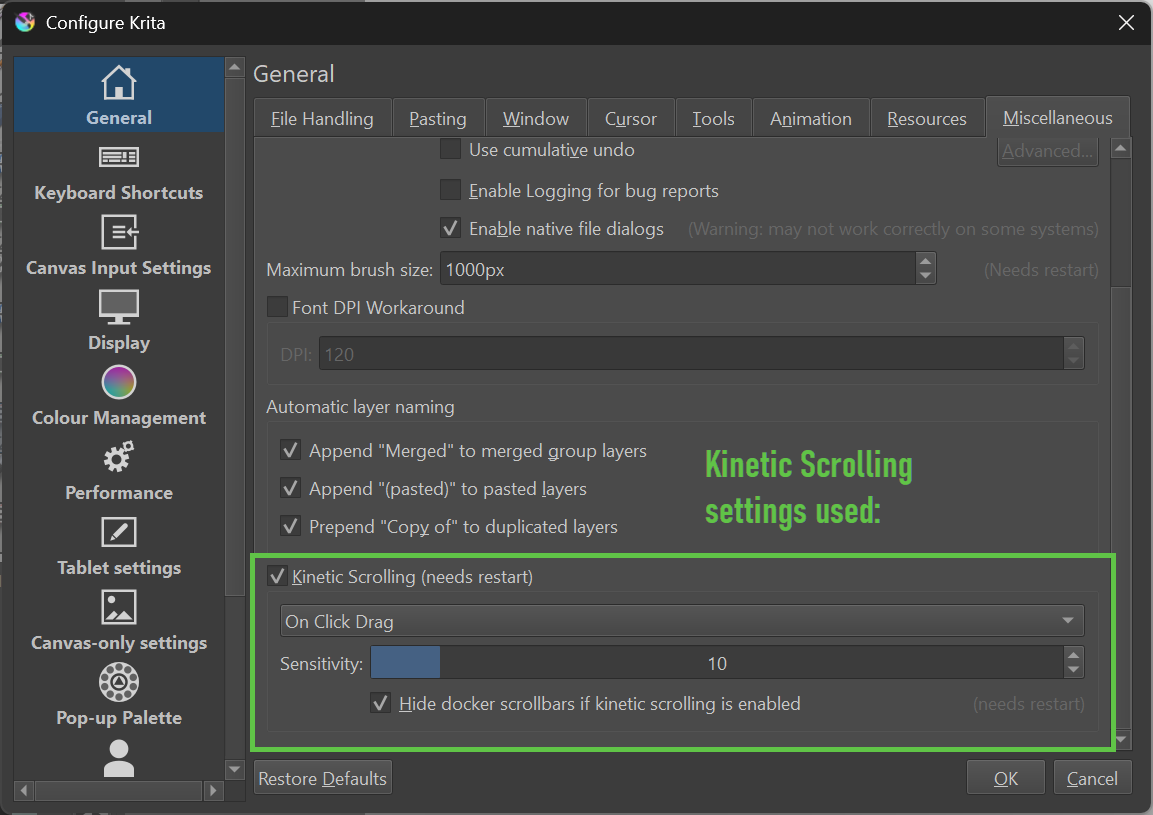
Bug Report:
EDIT:
Further information for clarity.
I tried using:
- a pen on drawing tablet.
- finger on notebook touchpad
- mouse with left click
Example pen on tablet:
I tab the docker with the pen tip and then move the pen up and down - this represents “on click drag”.
Result: no movement of the docker’s content.
It is the same with all the combinations I tried (also with different settings in the preferences).
I think Kinetic Scrolling isn’t enabled at all in the mentioned docker.