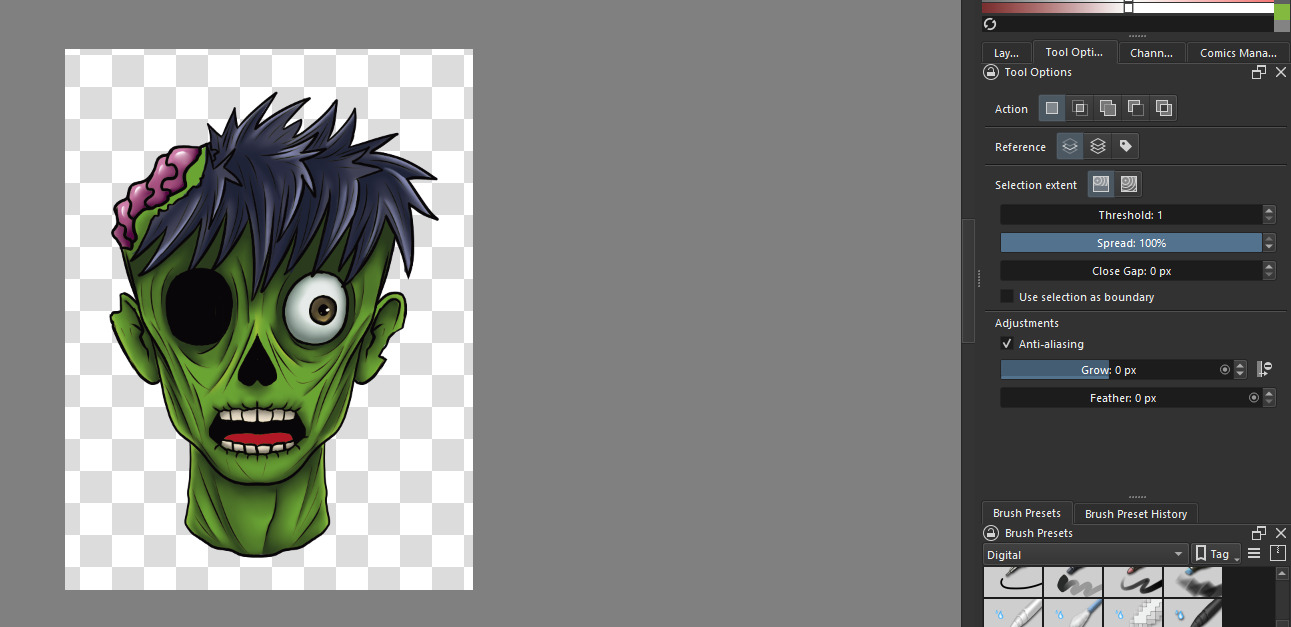
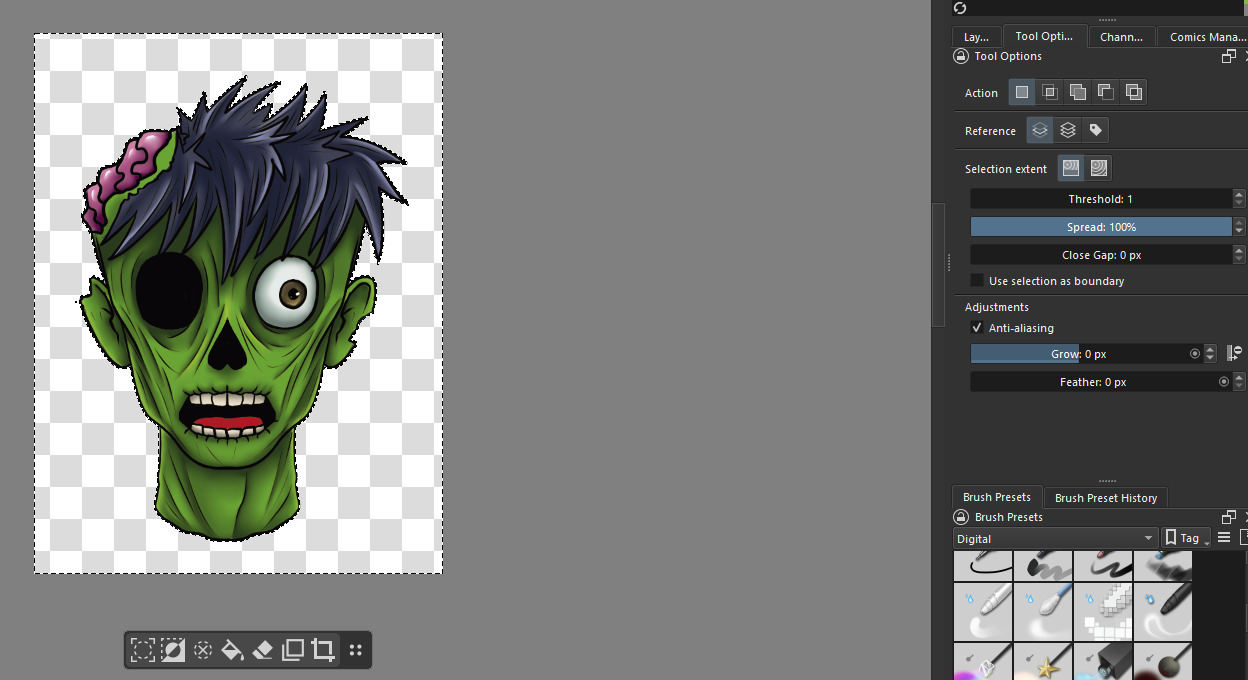
First, I love the update to this tool. That tiny bar is like my little companion when cropping/making selections.
I don’t know if this is an overall issue or not, but I’ve been making stickers and add a 20px white border for the cut line within Krita prior to sending off to print. This often involved saving a flat png file, selecting the empty space and inverting to grow 20px for this border.
The selection invert is not working as it used to. Below are the images with steps.
I choose the selection wand like I normally do (with settings showing) and select the empty space.
Then at this point, I’d normally just go to select → invert. But I wanted to try the invert bar. When I do that, it includes empty space outside the canvas despite this being a flat png file I opened clean.
If I just hit the crop option after this outside area is added in the selection, let it “grow” crop, then redo this process it works as intended where the invert selection does NOT add empty space outside the area.
I am not sure if I’m missing a setting, but I did this on files where I had zero issue before and suddenly this is now an issue with the invert.
I think you may have accidentally introduced off-canvas content just beyond the lower and right edges of the canvas. This is easy to do if you briefly brush/touch the stylus on the tablet when the cursor is outside the canvas.
Try doing Image → Trim to Image Size which will remove all off-canvas content (from all layers).
Then repeat your selection process to see if the problem is fixed.
Why would Krita save off-canvas information in a png?
This is happening in a flat png file as well as a .kra file. The .kra file would make sense, but not a flat png I open weeks later that never had this issue.
Only started with 5.3 since I updated today, and happening with every single png file. I even made a new one from scratch with a blank color blob and it’s doing the same thing. I went back to old png files to redo a white border that worked without issue before, and they now have an issue.
Either a setting is on that wasn’t on before and I don’t know which it is, or I have a bug.
Your screen video recording (especially the Trim to Image Size) does show that there is no off canvas content.
Can you make an affected .png file available via a file download link?
The new one with a blob in it will be suitable.
I believe that you have found a bug in 5.3.0. because with the test image you provided, 5.2.16 works normally but 5.3.0 shows those extra selected areas.
When exporting from krita, did you use Export Advanced and Resize the image down a little?
I get the same extra areas if I do that with 5.3.0 but not with 5.2.16.
(But I doubt if you did a downward resize for the test image.)
Nope, I just cropped from the original file(meaning I have a ton of illustrations so I crop to the desired illustration I want to save out), set image properties → background to transparent, then saved as a png.
I close the file to avoid conflicting with the data that may be floating around in the other layers in case I forget to trim to file/etc, reopen the flat png and then do my border selection here.
The Resized .png export was a ‘mirage’ distraction. It happens with .png ‘blob’ images made with GIMP too.
However, it doesn’t happen if the image has more than one contiguous paint area. e.g two blobs.
Please try that to confirm my observation.
Out of curiosity I took my blob png, extended the canvas via the crop tool to the right, placed another blob, and now the invert selection only adds extra to the bottom. If I put more canvas room to the bottom, then the invert selection works.
For some reason the invert selection is requiring an additional working area to exist on the right and bottom, probably about 5-10pixels?
I think that’s what you suggested doing if not my apologies for misunderstanding.
The bug is even more strange that I first thought and you can extend the extra areas by erasing outside the canvas.
My observation about two or more blobs being present resulting in there being no problem is only applicable for an opened .png file having that content. If I import a .png file with one blob then paint an extra blob in it, the problem is still there.
I’ve Confirmed your bug report. We can let the developers explore all the various aspects of strangeness here and hope they can make sense of them and fix them
Came here cause I encountered the same bug but wanted to see if it was just me and a setting or a bug. But for me it’s not even a jpg. It’s a kra document I was working on since before the update.