I’m just curious.
Since I know that David Revoy is using Krita on Linux, I would like to know if other Artists use Krita on Linux as well.
If so, it would also be nice to know which Distro you use.
I will start: I’m currendly on Windows, but soon will migrate to Linux Manjaro KDE which I have tested with Krita and a Wacom Intuos5 touch tablet.
As far as I can tell everything is working fine.
Hi, I’ve been using Fedora for a couple of years now, but it’s like Grumm said before the distribution doesn’t really matter, the important thing is that you feel comfortable.
I use Linux Mint with Cinnamon. It’s nice, it’s fairly simple and it’s already set up like I want it (unlike KDE Plasma when I tried Kubuntu), and has some nice little utilities. Seems pretty much fine, and it’s Ubuntu-based, and got used to it.
I use Krita (Flatpak Version) on openSUSE Tumbleweed and it works without any issues. I would imagine no matter the distro everything should work flawlessly. Plus Wacom tablets are very well supported on Linux.
I use Krita on Linux for over a decade. Currently I use Manjaro with KDE plasma. I mostly stick to KDE because it has the best setup tool for Wacom tablets and is generally easy to use.
Switched from Windows to Linux Mint. I can say with confidence that after switching to the distribution, the drawing process has become more pleasant, and the program behaves more predictably, this is very important to me. It seems to me that Krita works much better on Linux than on Windows, judging only from my experience. I used to use a Wacom graphics tablet, now I work with Xp-Pen. There were no serious problems with these tablets, everything is fine.
Wow, never thought that so many of you actually would reacted to my posting.
Great!
So far, the majority seems to use an Ubuntu based Distro and a Wacom device of sorts.
I had a rather short encounter with Linux Mint, I kinda liked it, but something doesn’t sit well with my PC and Mint.
To deactivate the Touch of my Wacom, I had to write a little script. Nothing fancy, I made it an application in the settings and put it in the startup manager.
To test it, I run it in the command line editor and it worked.
From the auto start not so much.
After a few reboots it worked…until it doesn’t.
Back on Manjaro this is not an issue, you put the touch funktion to rest by disabling the “touchpad” and it stays that way until you enable it again.
I have tested Manjaro in the KDE and Gnome version.
Gnome ships with the GUI for Wacom tablets, on KDE you have to install it.
I noticed a difference in the brush behavior between Windows and Linux.
It seems, on Linux the RAM usage is much better, so that even a 4k image is not a problem for my 14 year old PC.
Anyways, I hope to see more entrys in my little survey and we can chat about our experiences with Krita on Linux, Windows or Apple.
I’m on Debian, using an old Wacom and the Krita appimages, and everything works great.
The most important thing is to stay away from Wayland for now and use XOrg instead. Also generally, old devices will never become “unsupported” on Linux, but very new ones might be an issue until developers catch up.
im using linux mint cinnamon edition, migrated around when extended support on windows 7 ended bcos i hate windows 10.
i also have the script on startup to disable touch for my wacom which is connected by usb, so far it has always worked for me.
note that it wont disable touch if your tablet is not connected at startup since when you disconnect and reconnect it back, the default state is always touch enabled.
Save this as ~/.local/share/applications/krita.desktop and edit the paths and Krita version accordingly. (Download a Krita logo image, too, to get a nice icon.)
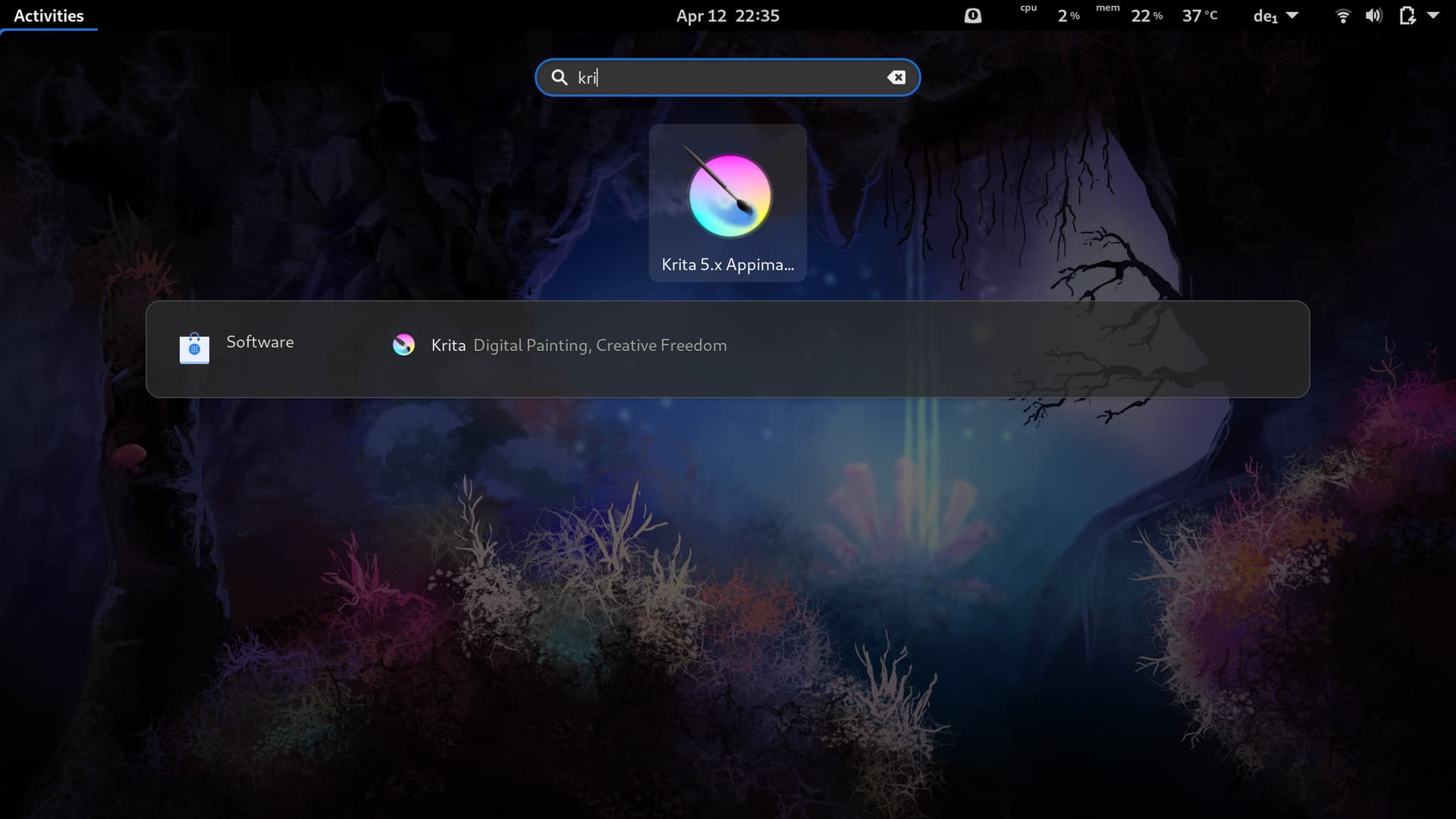
Under Gnome, now I can press the windows key and start typing krita and I get this:
Also you can see from the screenshot that I didn’t even bother to put the correct minor version numbers for Krita since I’m so often downloading new appimages. Because I didn’t want to have to edit the desktop file every time, I put a symlink in the desktop file instead of the direct path to the appimage (for me that’s ~/bin/krita-pref so that I can just switch the symlink over when downloading a new appimage. Since I have the terminal open to set executable rights anyway that’s the quickest for me. Of course, if you don’t want to keep the old appimages, you could just overwrite the previous appimage with your new download.