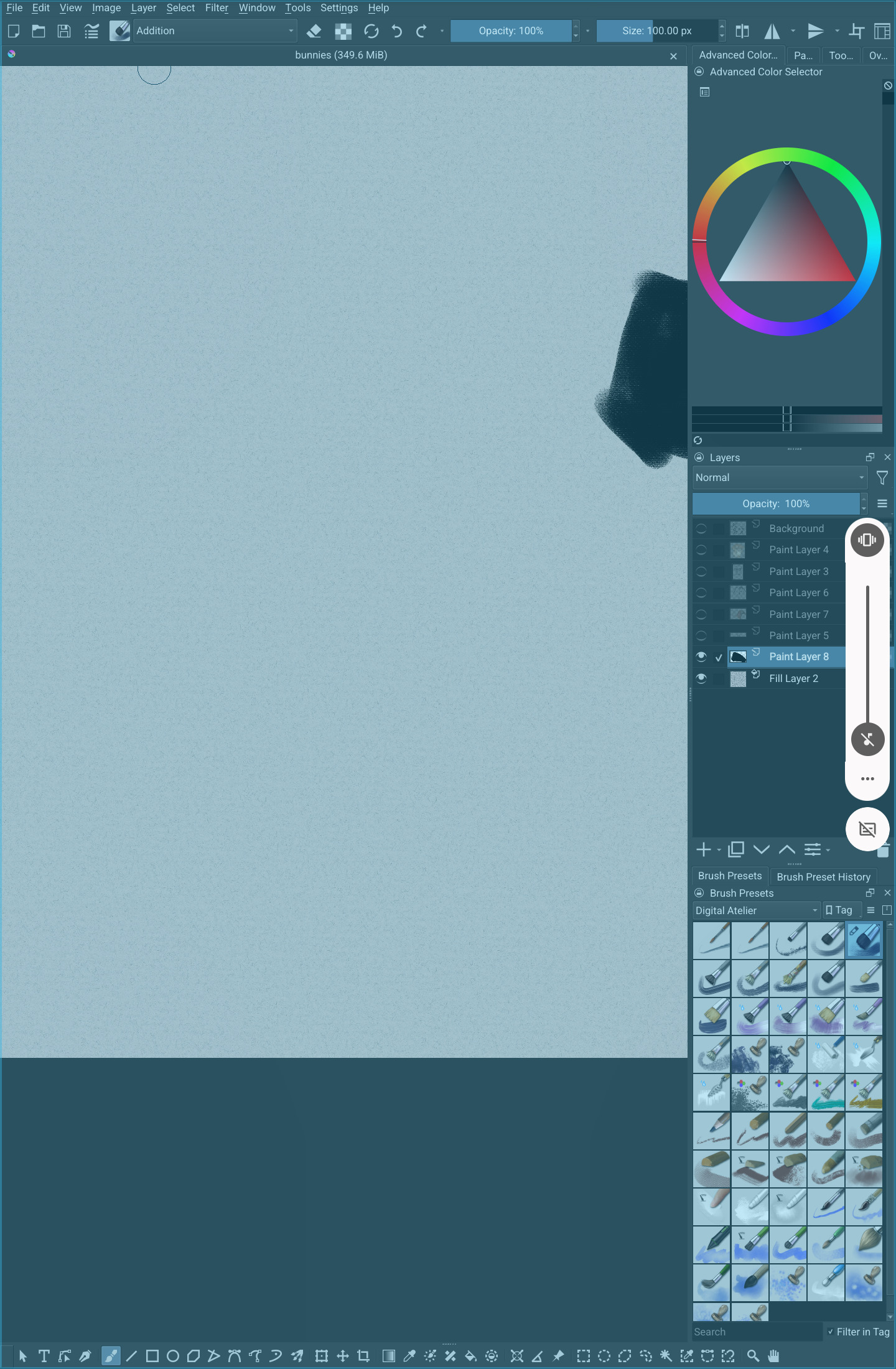
Type of device* : Tablet
Brand and version of the device: Wacom movinkpad 11
System** : linux???
*Android tablet
** Android 14.0
I can’t seem to figure this one out. it highlights like this when I try to draw or move and only goes away when I zoom or rotate
This has been reported before, it’s probably related to fixes made in 5.2.14 where the Google GBoard keyboard application would prevent physical keyboards from working after it had been summoned once. But is not something I can make on any device I have available, so there’s probably some piece of information missing still.
So, some questions (please make sure to answer each one separately it’s always a bit confusing if they get mixed together):
- Are you using a physical keyboard or some other physical device attached to the tablet? If yes, does unplugging those change anything?
- Which language is your device set to? If possible, does switching the device to US English fix the problem?
- Which keyboard application are you using? You should be able to find this under the “Language & Input” settings under “Current keyboard”. Does it work if you try a different keyboard application? Ideally, install “Unexpected Keyboard” and see how that behaves, it’s the least buggy keyboard I’m aware of and if the problem still happens when using that, we know it’s not coming from there.
1 Like