Current UI feedback
Currently Krita mobile does not have a very friendly preset in my opinion, however, i think that after you take a bit of time to configure it, even as a beta version, it can provide a very good experience on mobile.
So i am going to say some settings i think are good and some things about the UI that i think could be improved or changed in the next versions.
(btw this is just my personal opinion and ideas please don’t take this too seriously)
((also sorry for the poor english if there’s some, not my native language))
Things i think work really well for mobile:

Minimal UI and Top bar:
This is what my Krita looks like, and the reason i think this is really good is because i have hidden most of the UI, maximizing the screen space for art, and also moved all that i use frequently into the top bar for quick access.
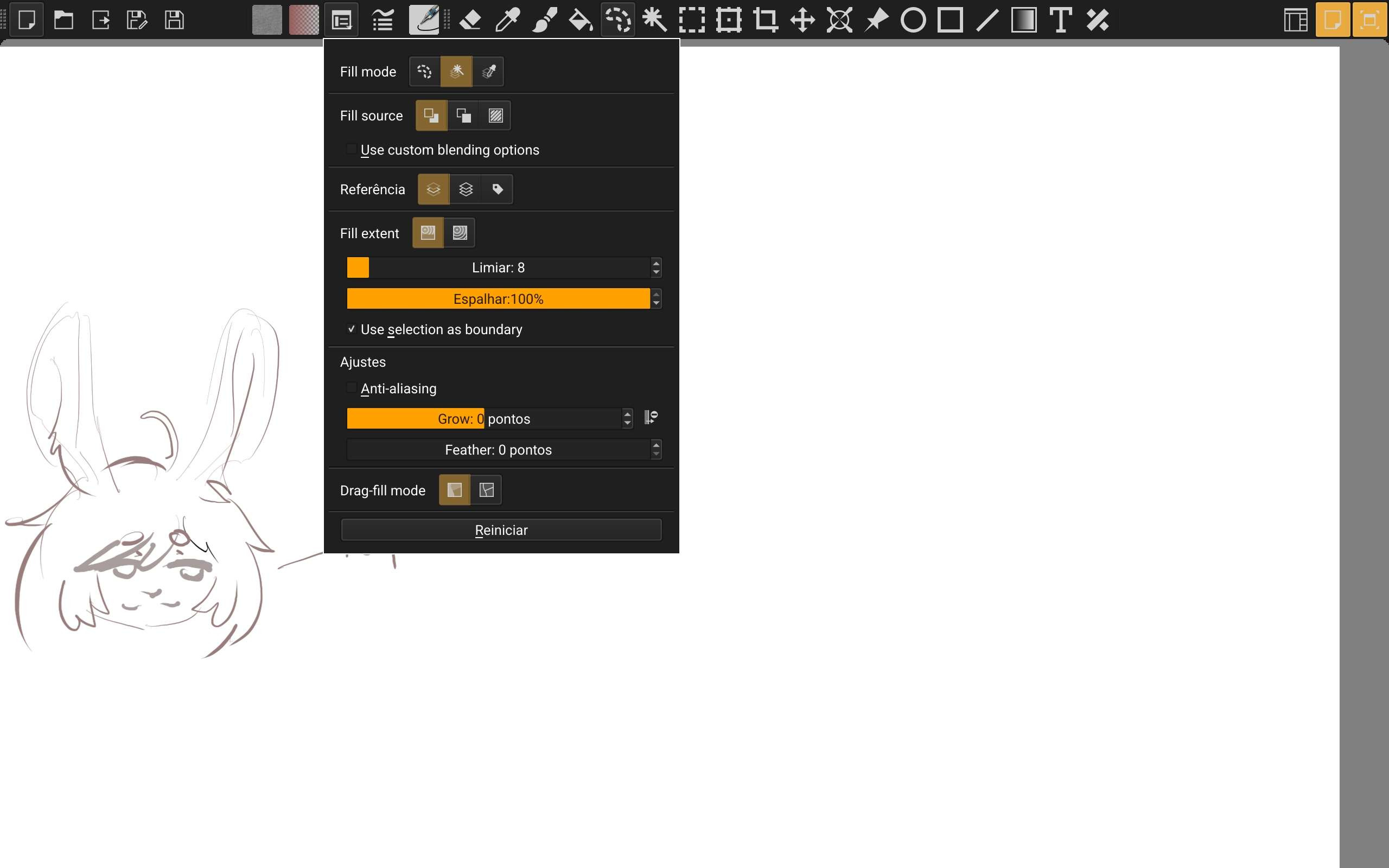
There i have some buttons related to saving and exporting the file, some drop down menus for the current tool settings, gradients, textures, a pop up menu for the brush settings window and then various buttons for the tools i use the most.
What about the default toolbar on the left?
By default Krita has a Dock toolbar panel on the left with all of the tools, but i don’t find myself using all of them that frequently (sometimes it would also take a bit of time to find the tool i wanted to use), i also noticed that i can’t fit them all on the screen without making the icons really small or making the bar wider, having two columns with buttons instead of one, which takes away a bit of screen space, so for those reasons i think it’s better to customize the top bar with only the tools they like more.
The Pop-up Palette:
I think the Pop-up Palette is a wonderful thing you guys created, it already worked very well on PC, and it works even better on mobile when you configure it to show up by touching the screen with your finger and only drawing on the canvas with the pen. it works really well because you can just go on drawing more and more, and when you wish to change the color, brush or brush size you just touch the screen and you have it right there, that easy.
About the touch gestures:
Clearer feedback
The current touch gestures are already good, but i think we could have a clearer feedback when changing things like the brush size for example.
I have it configured so when i drag 3 fingers across the screen i can increase or decrease it, however, there’s no clear indication of the change in value besides the size of the brush cursor itself, which is sometimes on the corner of the screen and is not very noticeable. A solution some other art programs have (that i really like) is that when you change the brush setting with a gesture, the brush cursor gets centralized on the screen, filled with a solid color and has it’s size displayed under it as a sort of preview.
More Gestures:
I think it would also be good to have a gesture of touching and holding, this could be a really useful setting for alternating between tools and showing other pop up menus and settings, like for example, touch and hold with one finger to color pick, do it with 2 fingers to use the magic wand, with 3 it activates the transform tool on the layer, etc.
The layers:
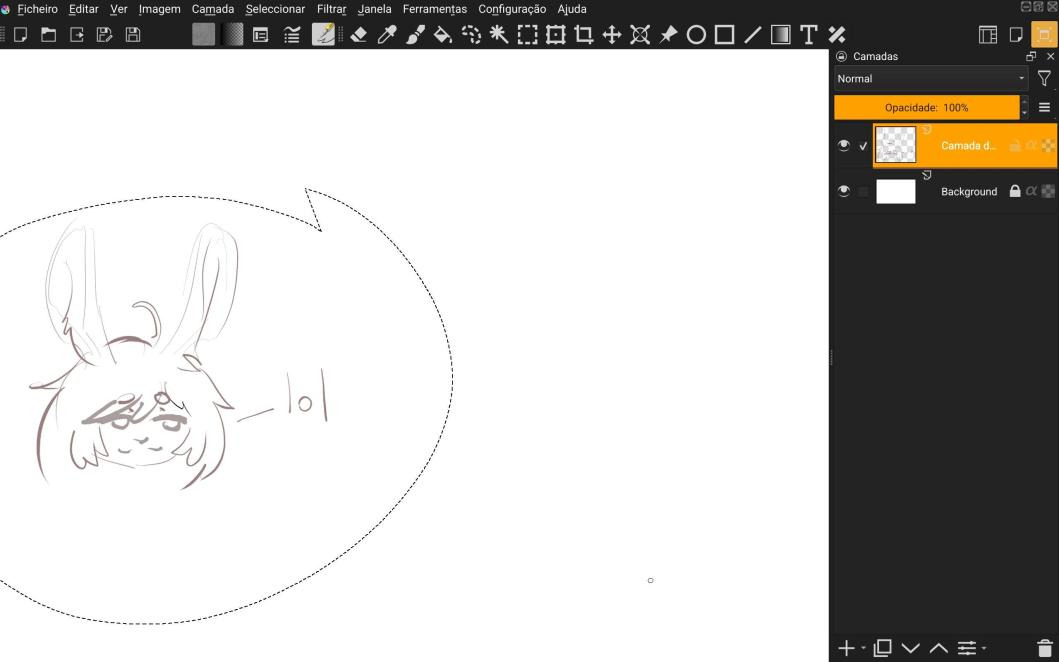
I set up my Krita config so the top bar is shown when on the canvas only mode and the layers are hidden, this is because the layers panel just takes quite a bit of horizontal space. This works pretty well for me but i think it would be good to have a more minimal layer panel with:
- hidden layer names, making the panel less wide.
- pop up menu for layer options like opacity and blend mode
- Transparent background
Alternatively it could be a cool idea to have a quick layer switching menu (something very minimal) integrated with the Pop-up Palette since it’s already that convenient and clean as an UI.
Suggestion: It would be cool to have a way to export all and import of your Krita settings, i tried looking around but didn’t find something that worked for everything.
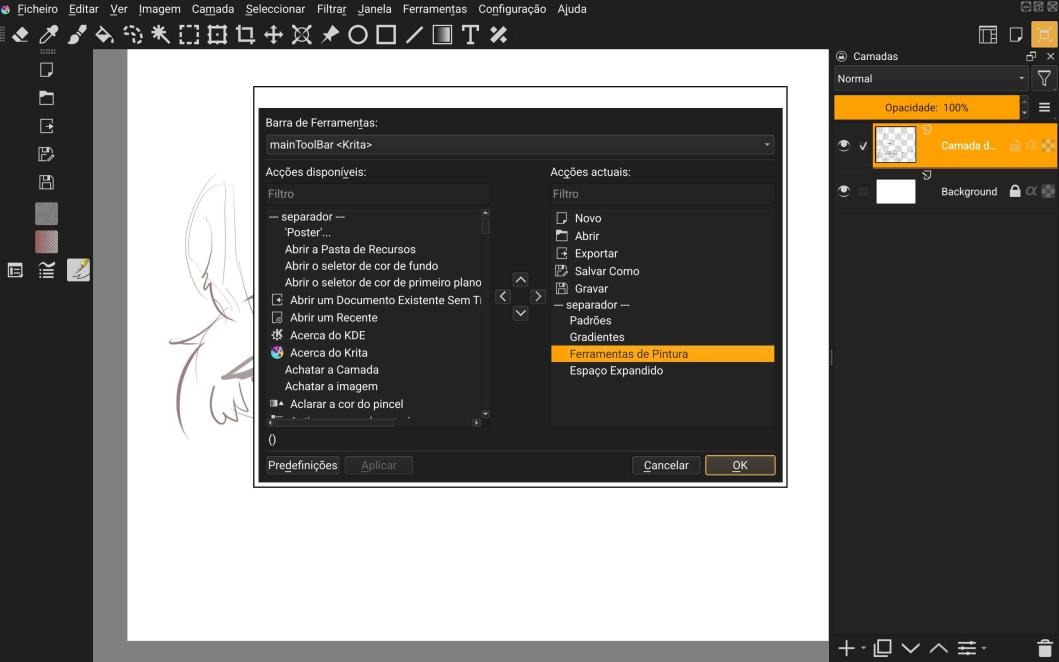
Also something annoying that i noticed is that the “painting tools” bar “action” stays horizontal on a vertical bar which makes it look like this:
That’s it, thanks for reading my ideas and experience with Krita i hope it helps somehow xD.
also thanks to all the developers responsible for this amazing software i really like it.
btw feel free to give other suggestions or criticize some of mine!