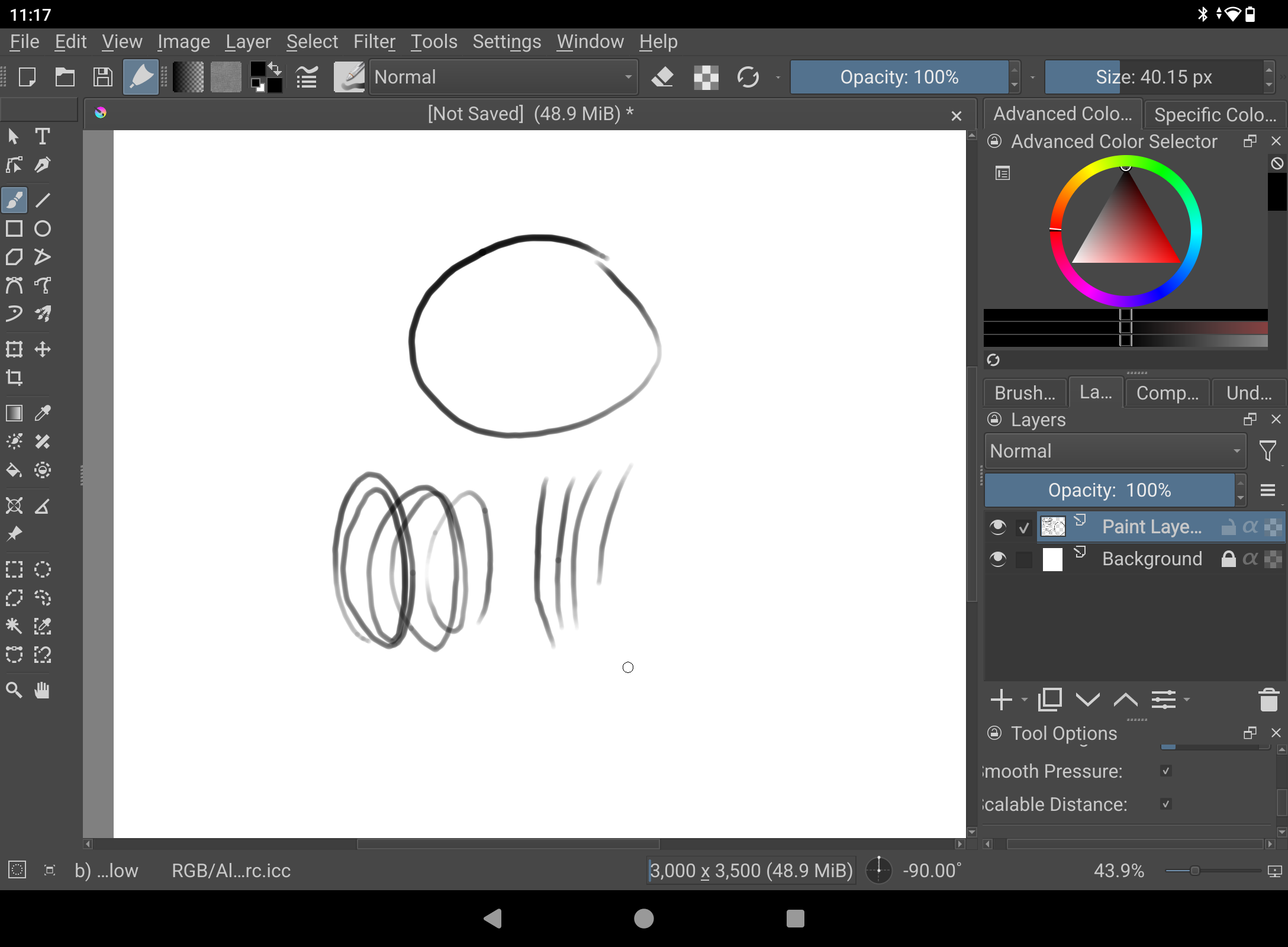
I just recently got a Huion kamvas 13 (a standalone iPad to do work on the go) and installed Krita since I am familiar with it via my larger drawing tablet. However, when I opened it to begin drawing, the brushes were acting in jagged lines and not smooth at all. I’ve checked everything from stabilization to tablet display settings and nothing seems to work. I really would rather not spend a ton more money to get an apple ipad just for procreate, so if anyone has any advice I’d be grateful.
I looked up Huion Kamvas 13 and didn’t see an Android version. I’m not that familiar with it though…
Usually a problem like this is from not installing the Huion driver and making Krita and the tablet agree on whether to use Windows Ink.
I installed the Krita app straight from the Google play store, if you think that might be the issue. I tried on other drawing apps too and the issue persists into Clipstudio and Ibispaint. Could it be a tablet issue in general? Or did I get ripped off?

It’s not an iPad.
It’s a Huion Kamvas Slate 13 which is an Android tablet.
What you see is the fairly common ‘segmented curve’ problem:
Jagged Line Issue: (Wacom Intuos PTK540-WL | Win 10)
This is caused by the reporting rate of the tablet not being able to keep up with the rate of movement/curvature of the stylus. If it’s too slow then you’ll get a series of straight lines instead of a curve.
Also, a combination of tablet driver and ‘weak’ computer may not be able to deliver stylus position updates fast enough to give a smoothly connected series of coordinates for the painting application to generate a smooth curve.
You can try drawing more slowly or try the various different brush smoothing options and settings.
So it’s not a ‘krita problem’.
You seem to have bought ‘weak/slow hardware’. It might be very good for slow stroke drawing/painting.
Thank you everyone for your helpful insight. Since it’s been deduced that this probably isn’t the greatest software, is there any recommendations for a standalone tablet under 500 that you would suggest? (Again, really trying to avoid an apple ipad but don’t want to spend too much.)
Your have to do a bit of homework (finding out the RAM, etc to see if they have the requirements to run Krita) but perhaps one of these?: