I keep getting this message when I try to render my animation.
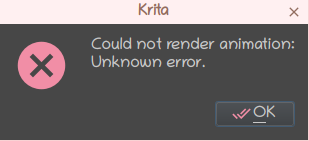
I’m not very tech savy and I’m unsure what I should do.
I’ve used krita to make animations multiple times before and I’ve never gotten this message until after I did the 5.1.5 update. After the update I’ve notice there’s this message at the bottom of the render window: FFMpeg version: 5.0.2 (MP4/MKV UNSUPPORTED)
I checked the file version I had for FFMpeg through the package manager and I saw that I had 7:4.3.5-0
So I’m a bit confuse there as well. I didn’t think to much about it since I’m trying to render a GIF.
All the forms I’ve been looking at are all about a year old so I’m hoping I can find someone who knows what I should do.
I have a HP pavilion laptop, I use Linux Mint debian edition 5, I have a AMD Ryzen 7 5800U processor with Radeon Graphics. As I mentioned before I have version 5.1.5 for krita.
Hello @SoulyArtistic and welcome to the forum 
Upgrading to 5.1.5 should not affect the ability of ffmpeg to render the animation intermediate frames.
It may be that LM-Deb-5 has updated to a non-suitable ffmpeg in its repository that does not have .mp4/.mpv codec support because of license reasons. (It gets complicated.)
Please download this ffmpeg build:
https://johnvansickle.com/ffmpeg/releases/ffmpeg-release-amd64-static.tar.xz
This package is ‘double wrapped’, it’s confusing.
Open it and the archiver will show another archive called ffmpeg-release-amd-static.tar(1). Extract that.
Then open the ffmpeg-release-amd-static.tar(1) archive and it will have a folder called ffmpeg-6.0-amd64-static inside it. Extract that and leave it in your Downloads folder for now.
In that ffmpeg-6.0-amd64-static folder is the ffmpeg executable.
In the Render Animation window, change ‘FFMpeg’ to point to the ffmpeg executable that is inside the ffmpeg-6.0-amd64-static folder.
That should work so please try it and let us know if it does.
Hi, thank you for the feedback. I clicked on the link and I press saved file when it was prompted, but after a few seconds of downloading it would say download failed. I tried retry download, I clicked on the link again and retried downloading that way, I waited a bit and then tried downloading again. I wanted to make sure it wasn’t my internet since it is a bit slow, so I browsed different sites, played a video on youtube and I even download a high definition wallpaper. I then tried re-downloading again and it still failed.
I use firefox, maybe that could be a problem. Is there another link I could try downloading from.
I’m sorry for the inconvenience. I’m not sure why I can’t download that file.
I don’t know why your download failed but I’ve zipped up the final folder and here it is:
ffmpeg-johnvansickle-6.0-64-bit-static.zip
In the next version of krita, 5.2.x, I believe that it’s intended to incorporate ffmpeg into the application, presumably to avoid these sorts of problems that quite a few people have.
Good luck
Alright, the download completed, and I was able to put in the new ffmpeg for the rendering and it worked!
Thank you thank you!
I’m happy to hear that in that ffmpeg will be a part of krita in future versions.
Once again thank you for your help.
