Type of device* : Pen/graphic tablet and Laptop
Brand and version of the device: Wacom CTL-672
System** : Windows
* graphics tablet/display tablet/2-in-1 laptop/Android tablet
** Windows/Linux/Mac/Android, + version (you’ll find it in Help -> Show system information for bug reports)
Description of the issue (you can include screenshots): Lately i figured out krita doesnt detect pressure of my pen. When I checked stettings i realized Krita detects my pen as mouse. I have no idea how to fix it and its big issue for me.
In your Wacom driver application, I think its name is control center, you should create a profile for Krita (and any software you use with your tablet).
The next thing to do is to disable WindowsInk in your driver, usually that is found in tablet drivers where the pen settings are made, often it is a checkbox, sometimes a radio-button. After you made that setting, save or confirm it, like Wacom states in the manual.
Now in Krita, via ‘‘Settings’’ >> ‘‘Configure Krita’’ >> ‘‘Tablet Settings’’ set the radio-button in front of ‘‘WinTab’’, confirm that setting with the OK-Button in lower right corner and restart Krita.
Now it should theoretically work.
In case it does not work for you, you can try the reverse setting, so in your Wacom driver select WindowsInk and confirm it as before, then in Krita do ‘‘Settings’’ >> ‘‘Configure Krita’’ >> ‘‘Tablet Settings’’ and set the radio-button in front of ‘‘Windows 8+ Pointer Input (Windows Ink)’’, confirm that setting with the OK-Button in lower right corner and restart Krita.
If both options do not work for you, then please report back and describe briefly what you have done so far and where you are stuck.
Furthermore, name the version number of Krita you use, and from where you got your copy of Krita.
Also name the version of Windows you use.
Thank you.
Michelist
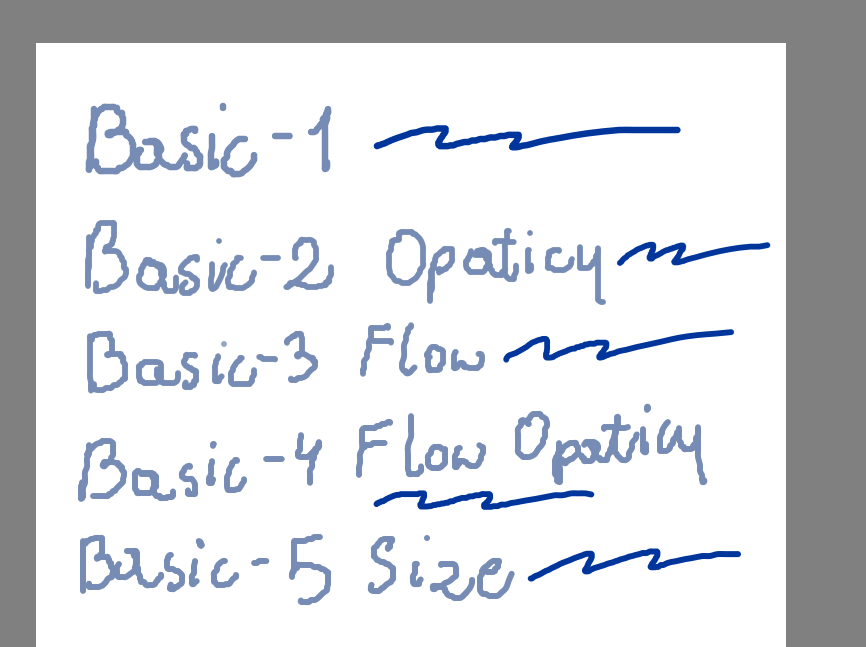
Add/Edit: By the way, the b) Basic-1 has no pressure sensitivity.
Thank you so much! This helped and made me realize i dont even have drivers for tablet i had three years lol. I’m sorry I didnt name my version of Windows, it’s Windows 10.
About edit, yeah ik, just wanted to compare.
Again, thank you sm for help! You are a life saver
I guess, you now have installed your driver, created a profile for Krita, and it works as you wanted it to work?
If not, or in case of further issues, feel free to ask.
 Hello
Hello 