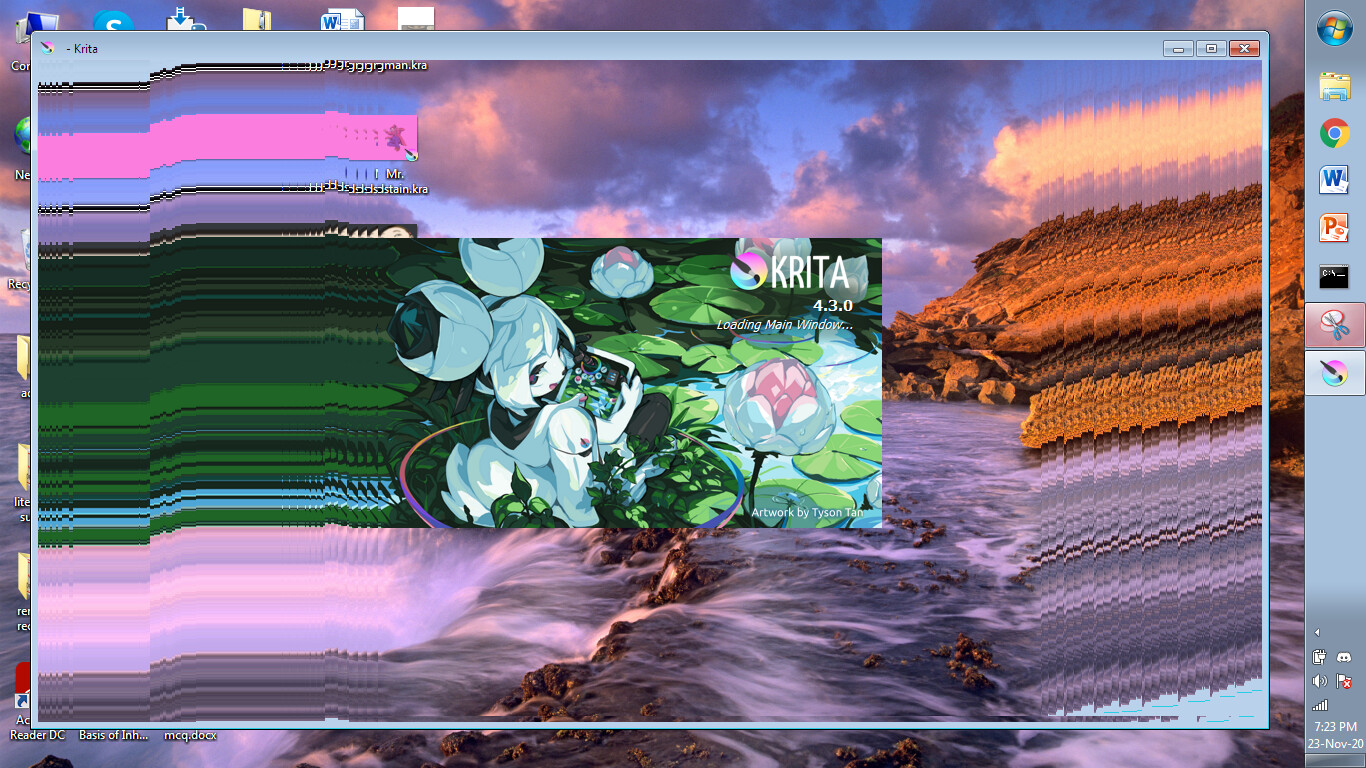
So I have been using Krita 4.3.0 on my very potato laptop (HP 650 Notebook PC, 32-bit, Windows 7, 4GB RAM) since mid-July of 2020 and it has been working smoothly. I even used it yesterday after a hiatus of a week and it worked with no issues. However, this afternoon when I try to open the app I’m met with this
Upon moving the app around you notice that it is not a transparency issue but that Krita has just copied whatever is behind it and is frozen on it. Also when I move the window to the side such that it goes behind the taskbar then drag it back it forms this mess that you can see in this image
Now for the most baffling part: Krita is actually still working. The app is working normally and upon moving my cursor I can actually trigger certain buttons if I can predict where they are. If I open a drawing, I can actually draw on the canvas and change brushes. Basically what is happening is similar to me using a perfectly normal Krita, but I’m completely blindfolded.
I tried searching the internet for solutions to this problem, even tried installing other versions of Krita (I tried 4.4.1 and 4.2.9) and they all suffered the exact same problem.
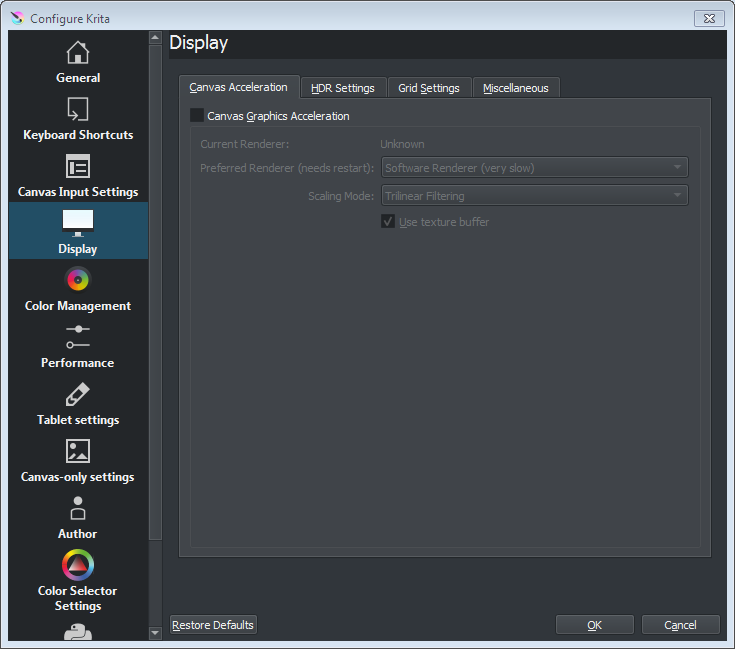
Well, first of all, we don’t support Windows 7 anymore… That said, the problem you see it a bug int the graphics drivers on your system. You can work around it by disabling GPU acceleration in Krita’s settings dialog.
Update: I turned on GPU acceleration and Krita is now working again. However I would still like to know my options considering support for Windows 7 has ended.
I guess the last krita before the end of the support, was 4.2.9, so it should be working quite fine, though then you are forced to live with all its bugs forever.
As with time more programs will stop to work on win7, and the system may become less secure, it may be a good idea to change it to win10 or any linux distribution.
Also, from what I’ve read, krita support for 32-bit systems will end at some time in the future. Then you really would be stuck with the last version that worked on your laptop.
The easiest (and most expensive) option would be to buy a new or second hand modern laptop with 64-bit hardware and Windows 10 on it. I realise that may not be a suitable option for you.
Staying with your 32-bit laptop, you can buy second hand ‘recycled’ 32-bit Windows 10 licences and installation DVDs on ebay and simlar places, but check out the feedback for those.
If you want to go Linux, many of the popular distributions have stopped support for 32-bit systems.
You can still get Linux Mint 19.3 for 32-bit system though which is supported until early 2023. Linux Mint is very suitable for Linux beginners.
If possible, you can increase your RAM from its current 4GB if you’re happy to spend money and take the access panel off (if it has one).
Also, it would be nice to remove the hard drive (after making a USB stick copy of your datafiles) and replace it with something like a 240GB SSD. (Assuming your hard drive is SATA and not the very old PATA standard.)