Hi Folks. Not sure if this topic came up before, I hope that somebody can lead me in the right direction
My child, 10 showed interest in digital drawing. Windows tablet + stylus. To a degree he understands / uses opacity, layers and a couple of other tools. I understand the concept of “workspaces”, but I just feel that even if I undock most of the things he does not use, It is still a bit too many buttons and menus 
So… I have seen Artist Pad from Tablet Pro, which can probably do what I think will work for him.
To be specific, this is how I envision a workflow that he will be comfortable with. A white drawing space with about 10 large buttons on the right side that would be easy to press with a thumb. Each button would bring out one item while pressed and hide it when let go. Things like: Color pallet, Brushes, Layers, FX, etc.
The idea behind this is so that he has as much workspace as possible and the tools he will use will not bother him. Do you think I should just get “Artist Pad” or are there better options for what I am trying to do in Krita? Kindly let me know.
Thank you.
Maybe try canvas only mode (and using all the controls from pop-up pallate)
Tusooa,
Thank you for reply, but I feel it is not a fluid workflow for a child + windows tablet.
I like the idea of just a few large buttons on the side that will open particular tool/pallet and close it automatically when depressed.
Is there anything better than Artist Pad to do what I want?
Thank you.
There are a few plugins to Krita that are similar and free, you can check them out first.
Resources — Krita Manual 5.0.0 documentation - Both “TabUI” and “On-Canvas Shortcuts”.
There is also KanvasBuddy made by @Kapyia that might be useful, it looks like this:
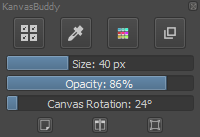
download here: GitHub - Kapyia/KanvasBuddy: A minimalist toolbar plugin for Krita - maybe you could just make a new workspace with just KanvasBuddy floating around and some Layers docker or something like that.
See how to manage/install plugins here:
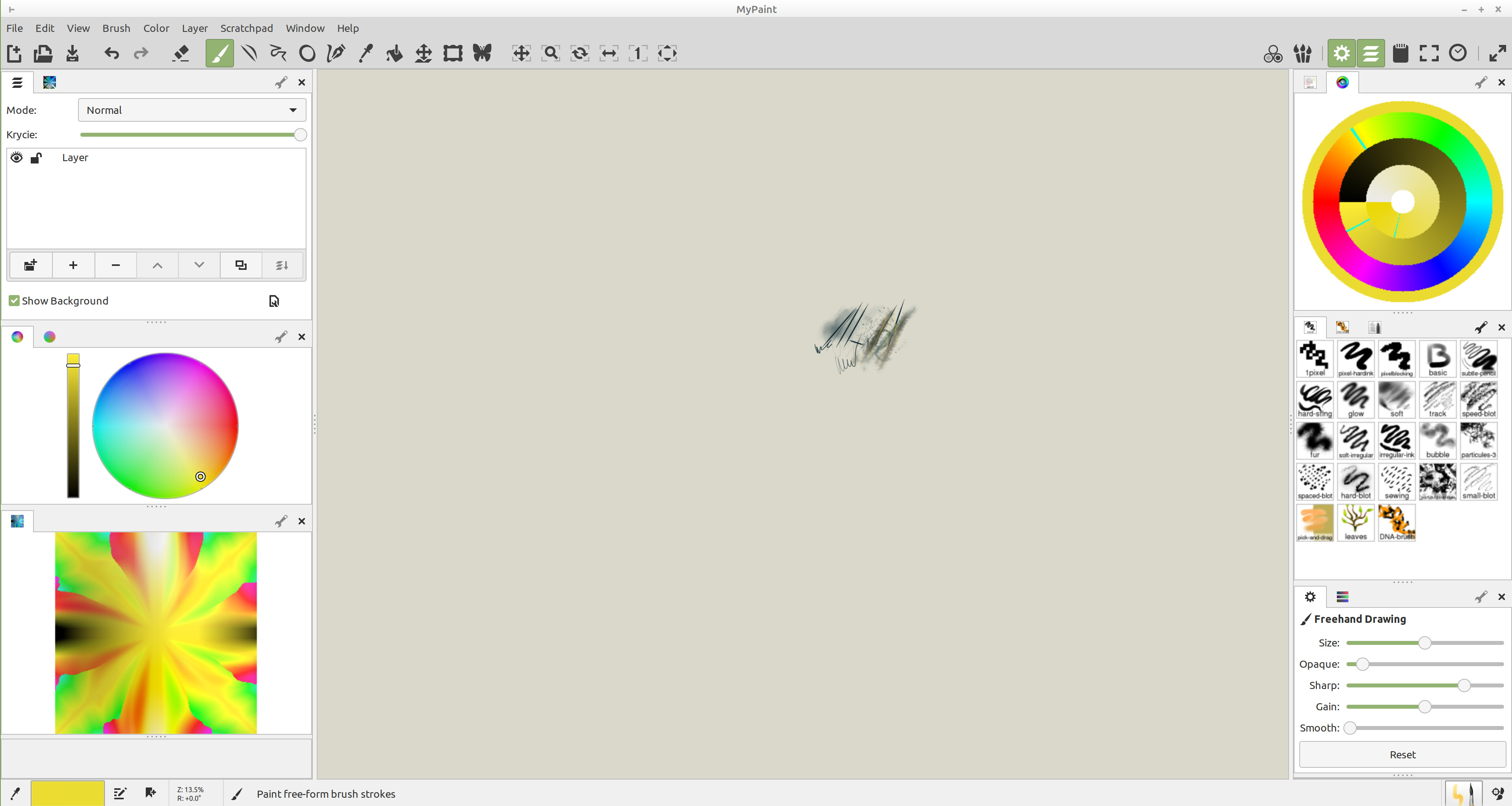
But on the other hand, have you considered for example MyPaint? It’s also free and open source, but it looks a bit more kids-friendly in my opinion, has much less dockers and has even a butterfly icon for symmetry. If you check it out, make sure to enable the “flower selector” as I call it, in the program it’s called “Liquid Wash”.
How it looks on my system (I changed the UI a bit)
Tiar,
Thank you for your input!
Will check these out in the next couple of days. I think Krita is better choice as there is room to grow. I tried a few other software titles, I like Krita the most. Just have to figure out the most comfortable workspace / workflow for him so amount of tools do not confuse him . He actually made several drawings without me watching over his shoulder on Krita  Once he is familiar, he will customize workspace it the way he wants.