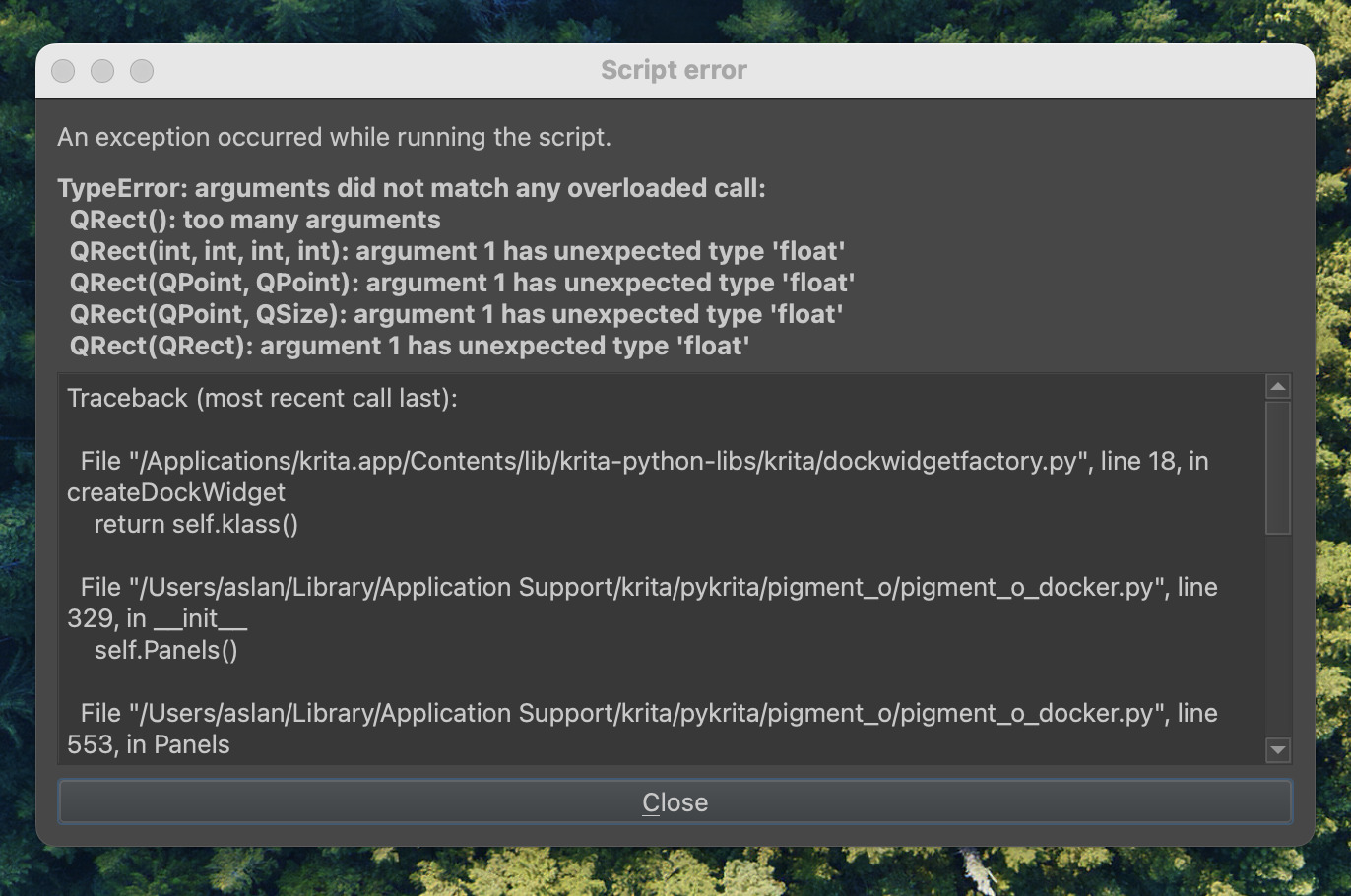
I created a file where I was going to trade in a bunch of different patterns with some non destructive filter layers over the top of it. But when I tried to change the pattern on the fill layer by going to properties it crashed. Over and over again. So I decided to try installing the newest version of krita and now it can’t get past the start up graphic. When I click a different window I can see this
I gave the error window to an LLM and it told me that the issue was my Pigment.O plugin was not updated for the newest version of krita so I had to delete that and that seemed to fix it.
Seems like something that could be handled more gracefully…When a plugin it doesn’t work why does it make the entire thing hang instead of just giving a message and moving on?
I guess your kritarc is corrupted, and maybe the resource database resourcecache.sqlite too.
First, you should try to let Krita rebuild your kritarc, you will find it your systems %LOCALAPPDATA%, according to your screenshot, and if you don’t skin your OS, you are probably using macOS, so do the following to find your kritarc:
In Finder do Cmd+Shift+G (Go to Folder), type ~/Library/Preferences/kritarc to find the config file.
There you can rename your kritarc to kritarc.old or whatever else you like if you want to have a chance to restore it, or delete it right away. The next start, Krita will rebuild it from scratch.
If it solves your issue, then it is fine, but if not delete it again and do additionally delete your resource database resourcecache.sqlite in Krita’s resource folder in ~/Library/Application Support/krita (which can only be deleted when Krita isn’t running, in the case you want to do this somewhere in the future for other reasons). When you restart Krita, both files will be recreated from scratch.
If both actions did not help, you should delete the folder Pigment.O and the file Pigment.O.desktop out of the folder pykrita in your resource folder (~/Library/Application Support/krita) and again restart Krita after you deleted your kritarc again, because Pigment.O will write its parameters into the kritarc each time it starts.
Glad you got lucky and got something useful from the lie machine. The thing with software errors is that some are so fatal that the only thing a program can do is to bail out completely to prevent more things from breaking.