Hello everyone
I am trying to practice basic animation in Krita but it keeps dropping the frames even in the lightest animation. Is there any permanent solution? Why is it happening?
Which version of krita are you using and which operating system?
Have you actually enabled ‘Drop Frames’ which would drop frames to give real time playback speed: ?

Does the animation get Rendered out to an Image Sequence correctly?
Is your computer quite powerful with plenty of RAM?
@AhabGreybeard I am using krita 5.1.1. I tried turning the drop frames option off but it is still dropping the frame. My system has 8 Gb ram.
Can you post a full screeen screenshot of the animation open in krita and also make the .kra file available via a file sharing link?
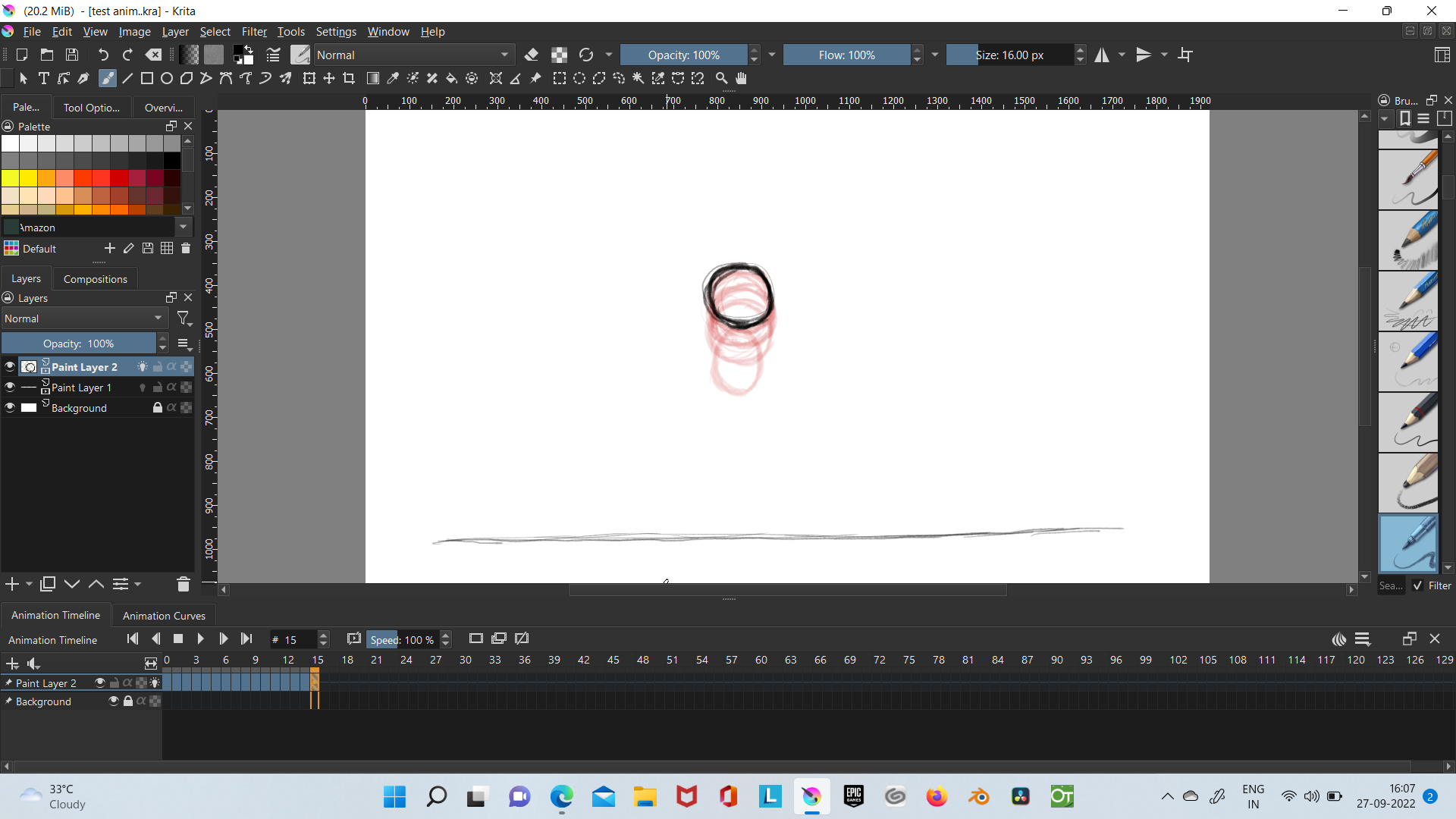
@AhabGreybeard this is the screenshot.
I’ll try again:
So, it’s two animated layers, 16 frames. Unknown canvas size and unknown frame rate.
Is there any way you can make that .kra file available via a link to a sharing service?
@AhabGreybeard I am sorry to frustrate you. Here is the file. please look into it.
Slowly but surely, the facts are always eventually revealed 
Some technical asides:
The file name is test anim..kra (two dots). This is always confusing.
You don’t need to animate the ground image layer because it never changes.
(You could try an animated ball shadow layer if you want a cool effect.)
The ball has horizontal drift on the fall and on the rise so there’s a horizontal jump between frame-15 and frame-0 on the loop.
On my old and wheezing desktop PC, I can’t notice any dropped frames.
So, what is it that you see which makes you think frames are being dropped?
I’m surprised that you can notice dropped frames at 24 fps, assuming that your computer plus krita is capable of displaying a 24fps rate.
On mine, the actual playback rate in krita is less than 24 fps because it’s an old slow PC and if I enable/disable Drop Frames during playback, there is a noticable change in speed as frames are dropped to bring it back to ‘real time’.
The canvas size of 1920 x 1080 is quite large and even though I have an SSD for storage, I can greatly reduce cache lag by going to Settings → Configure Krita → Performance → Animation Cache and setting the Cache Storage Backend to In-Memory (then restarting).
Then, toggling Drop Frames has no noticable effect on speed.
It seems to be Rendering out ok and here is the 24 fps video:
Do right-click → Loop on it before playing it.
Thank you very much @AhabGreybeard . It mostly skipped that squash part and it was quite obvious. So, I thought I should ask for help. Thank you 
It may be something to do with your computer or settings but all the frames are there and render out ok.
The bounce seems to be quite faster that ‘real life’ would be though I realsie that depends on scale.
A bounce like that is supposed to be symmetrical and you can make it that way.
If you remove all frames after the single max-squash’ frame then copy the entire range of remaining frames and Mirror them, you’ll get a bounce that is symmetrical in space as well as in time.
You can then insert Hold Frames to slow down the bounce rate.
After that, you can then draw intermediate images on the Hold Frames to smoothen the animation.
Here it is, mirrored with Hold Frames added:
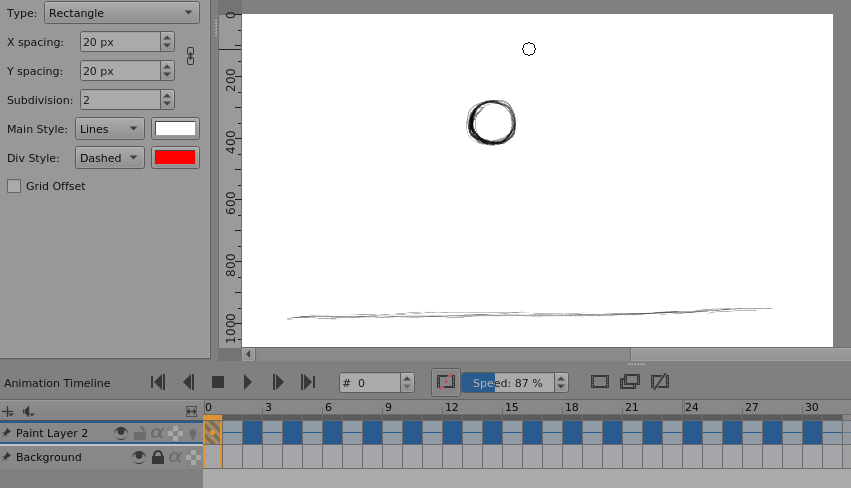
Ignore the Drop Frame and the Speed, that was me playing around.
Here is the resulting rendered video at 24 fps from frame-0 to frame-30:
There is an argument to say that the max-squash frame keyframe should not be repeated but I think the end result looks good.
You can deal with the fine details of that by not copying+mirroring the max-squash frame and also by drawing intermediate images on the Hold frames (in which case they will become new keyframes).