Ryzen R5 1600
GTX 1070
8GB Ram
Yesterday decided to try Fedora 36. I can’t make Krita work properly with Nvidia drivers.
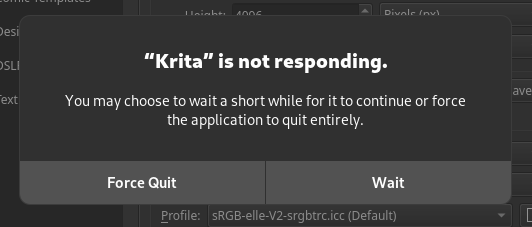
If I have Canvas Graphics Acceleration checked, when I try to create a new file Linux shows me that Krita stopped responding
In case I uncheck Canvas Graphics Acceleration Krita works, but it’s impossible to work like that.
Same if I uninstall Nvidia drivers. It works, but it’s stuttery and hard to work like that
Edit 1: I tried both the appimage version, as well as the Flatpak one. Same story for both
Edit 2: Solution from raghukamath works. However I found many other bugs that bothers me too. I fixed them by installing Plasma KDE X11. Works like a charm now
Are you under Wayland? does this happen in xorg?
Yes, i have been using wayland as far as I know (New Linux user here). Let me google what is xorg and I’ll try to install it,
Edit 1: Did an investigation. Found a solution:
When you log into Fedora, before you provide your password, you will note that there is a Gear Icon. Click on that gear icon and choose Gnome-xorg
Switched and Wow, it works ! I even got rid of a bug that wouldn’t let me click on in menu using my pen.
Thanks !
I’ll test today and if crashes do not occur I’ll mark your comment as the solution. (If I don’t mark it or don’t write anything more it’s 99% the solution  )
)
Wayland is a new technology although being default is not there yet for digital artists. And Krita is also not ready for wayland yet. So use xorg for now.