first off; im a newer user of krita. But the last few days, when i use krita it will freeze up right in the middle of drawing. I have the most recent version. and when it happens, its the only thing on my computer that freezes. any suggestions? ive been using other applications the last few days because i cant use krita. so im hoping maybe someone here has suggestions. Also- looking for suggestions on where to get brushes to install
Hi @mommabear90 Welcome to the forum.
So that we can help you, can you tell us the following:
- Your operating system (Windows, Android, Linux, etc.)
- How much RAM does your device have and were other things running at the same time (such as a web browser)?
- Is Krita freezing or is it crashing? You mention both.
- When Krita stops working is there a message on the screen?
- Is it possible to provide a screenshot with the problematic document open? Please be sure to include every aspect of the workspace including the bottom status bar.
My operating system is windows 11, 16gb ram. and yes i had a browser open. but before the past few days, it wasnt causing any problems. Im not sure whether to categorize it as freezing or crashing. I want to say more freezing. Because i can move my mouse, i can save my work, i can exit. Everything else on my computer will still work. Didnt get any pop up messages or anything, it just freezes in the middle of drawing. Almost like the pen and or workspace freezes up
When you provide the screenshot, we’ll be able to help.
Because you’re new here, you may find yourself limited as to the number of replies you can make in this thread. If that happens, you can open a previous reply and add more comments inside it.
EDIT: Add - In case the screenshot sounds like a frivolous request… (I know that sounds like an odd thing to people who are new to Krita).
We’ll be able to see the dimensions of your canvas, the usage data, the size and type of brush you’re using, the number and makeup of layers, as well as other things.
im not really sure what to post a screenshot of though, as nothing pops up or shows when it happens. no messages or anything.maybe im overlooking something though. I’ll take a screenshot next time it happens
Yes, you can wait until it happens again. When you do the screenshot, please make sure not to cut off any portion of the window or the status bar and be sure the layers docker is open.
Can you continue to work on the image after restarting your frozen Krita, or is it impossible to edit such an image after loading it back into Krita?
Michelist
Because you’re able to save and exit, that tells me Krita is not really frozen or crashed. Possibly you made a selection that has not been deselected. The next time you’re unable to draw, go to the select menu and click on deselect.
That’s kinda my question…if save and exit works…maybe even opening/creating a new drawing…it seems something is wrong with the brush/s or selection …
That is my guess too at the moment, let’s see what @mommabear90 has to say about this.
Michelist
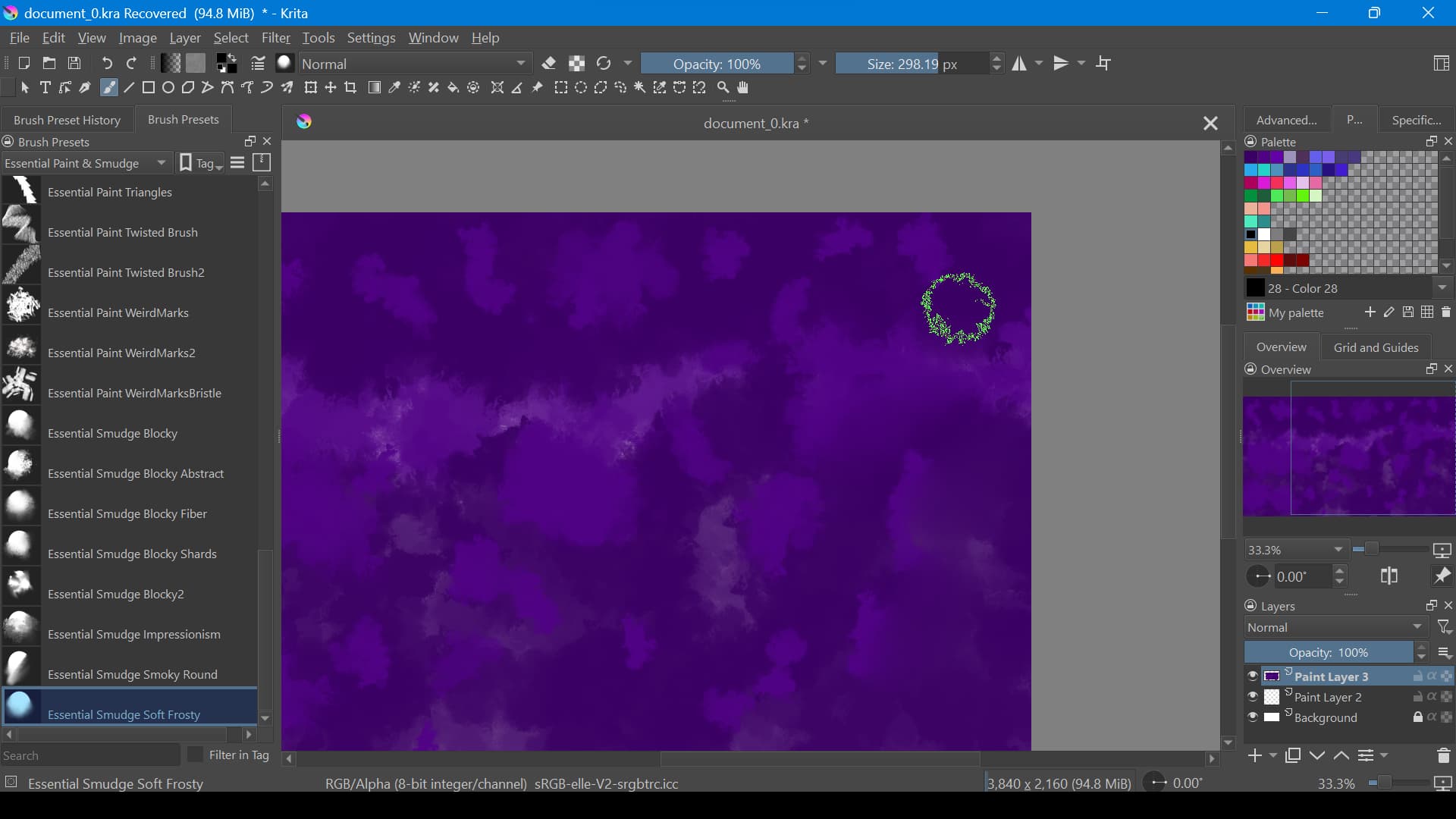
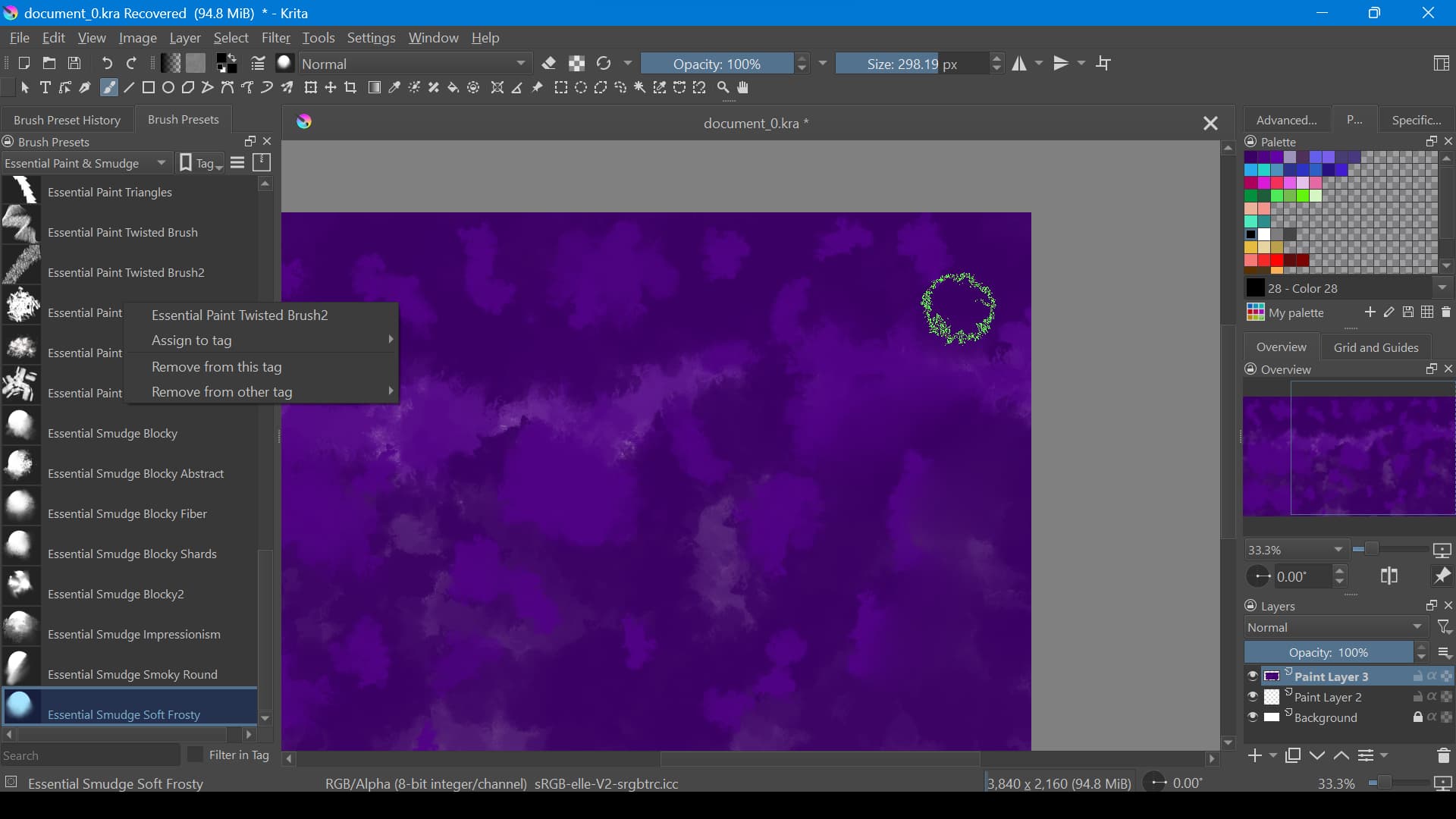
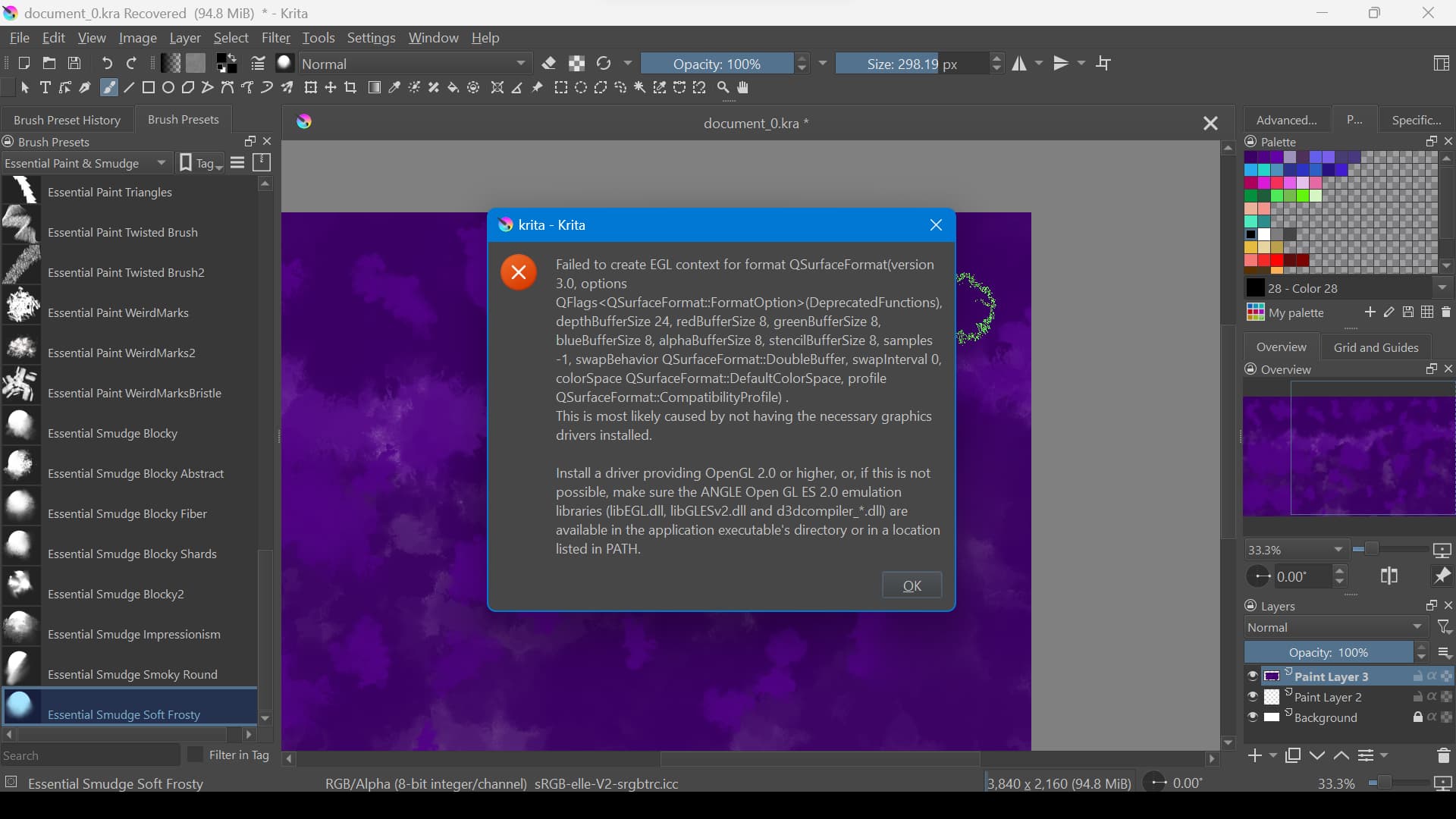
but this time, it closed out completely. I have tried removing brushes, (i was trying to see what was causing it to act up) but it was great until i went to use a blender/smudge brush. not sure if thats helpful though
i honestly, havent tried. but i can see if it will let me!
Good screenshots. Do you know how to update your graphics driver?
Please go in Krita via ‘‘Settings’’ >> ‘‘Configure Krita’’ >> ‘‘Display’’ to the tab ‘‘Canvas Acceleration’’, there please set behind ‘‘Preferred Renderer’’ the selection ‘‘Direct3D 11 via ANGLE’’ and confirm the dialog box below with the OK-Button, then restart Krita.
Now I hope that it works. Likewise, I hope you haven’t patched an old PC to Windows 11 capability, then my tip might come to naught.
If it does not work, we will need more information about the hardware of your computer. Usually, newer PC’s with Windows 11 Certification have graphics that are capable to do all the Direct3D-Stuff you need to run Krita.
Michelist
@mommabear90 Please create a new topic for that subject, That will be more useful to you and to anyone else who may be wondering about finding brushes to install.
@sooz amd @Michelist How about deleting kritadisplayrc so that it gets recreated the next time krita runs? kritadisplayrc has the line:
rootSurfaceFormat=bt709-g22
which seems significant for graphics but I’ve no idea in what way.
@AhabGreybeard I never would have thought of that.
@mommabear90 You can find the Kritarc file here:
(make sure Krita is closed first)
C: Users\YourName\AppData\Local (you may have to turn on the feature to show hidden files in your file manager)
Delete the kritarc file and then restart Krita. It will build a new one as soon as it starts up.
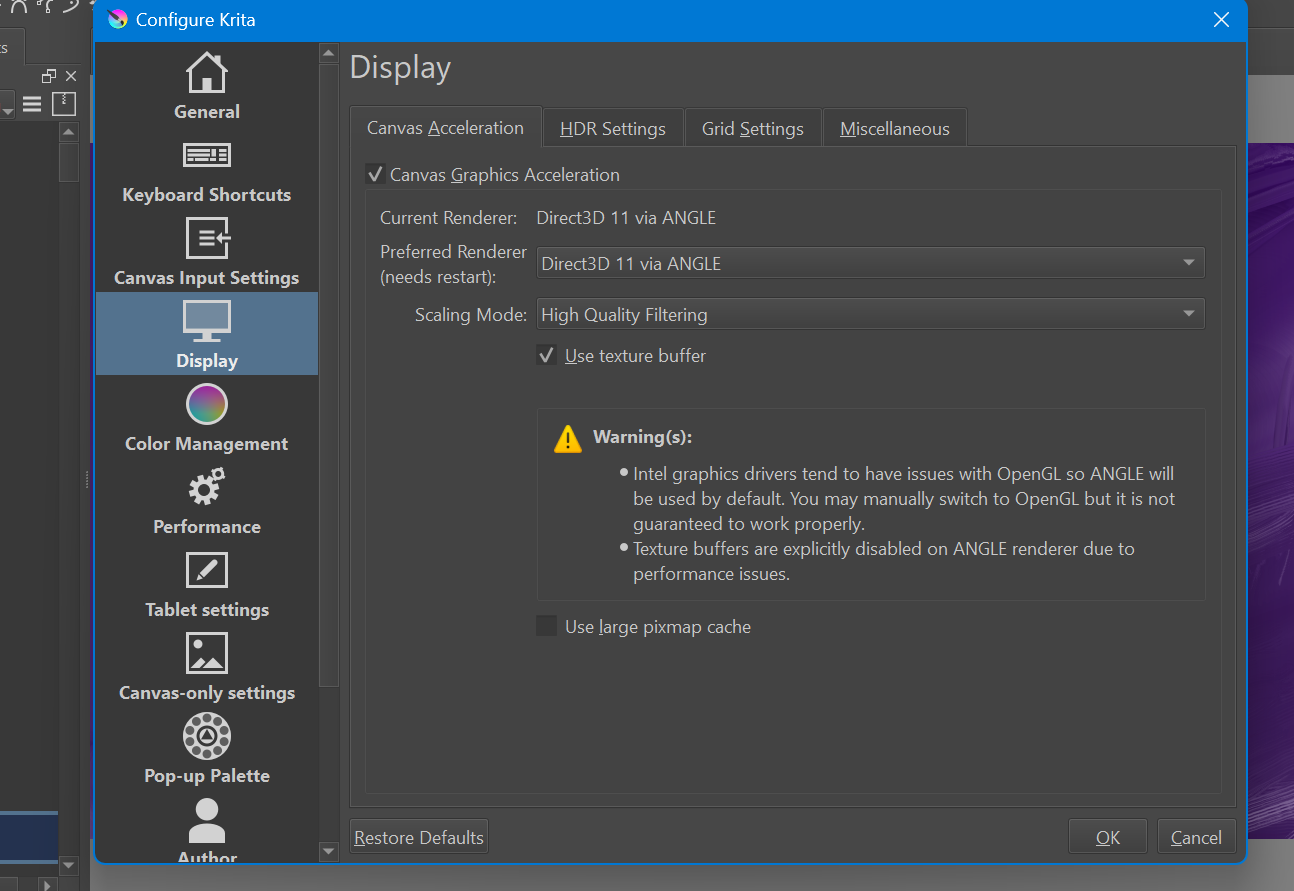
@sooz Another thing to do (more complicated) is to edit-delete that rootSurfaceFormat line and see what happens.
and nope. i bought this pc a few weeks ago from the store with windows 11 already installed 