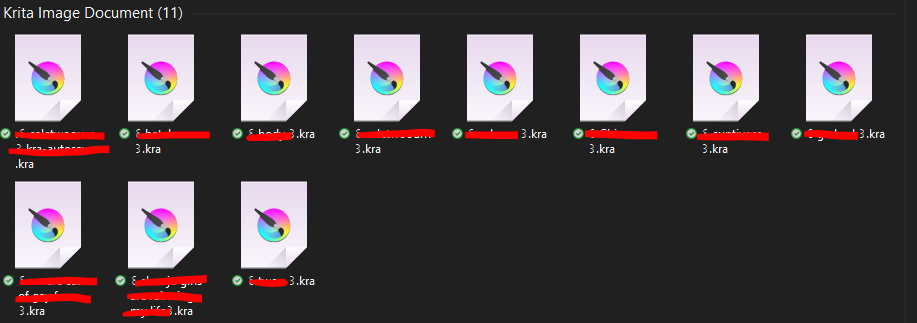
Normally this should be sufficient. Unfortunately, you didn’t write whether you installed Krita recently and the thumbnails never showed up, or whether you’ve been using it for a while and the thumbnails showed up before and then Windows Explorer “suddenly” stopped showing them.
But in both cases it seems to be a problem of Windows and the respective computer composition and configuration (in contrast to Macs with their always identical hardware of the individual models, for which Apple can offer always optimized software and updates on it), because nothing has changed in Krita and the shell extension and these work quite reliably with masses of users (otherwise the forum would burst with requests for help because of it), only Windows changes constantly through all the updates and is thus responsible for a large part of all requests for help here in the forum.
I have experienced myself that Windows did not want to show the thumbnails after one of the usual updates, and could fix it in one case by installing the shell extension. Another time, unfortunately, it could only be fixed by reinstalling Windows - who knows what they had done in Redmond to cause this. However, I waited until this reinstallation of Windows was unavoidable, since I select and open my images via Krita and use the paid “Total Commander” as a file manager instead of Explorer (which can display the thumbnails using the shell extension).
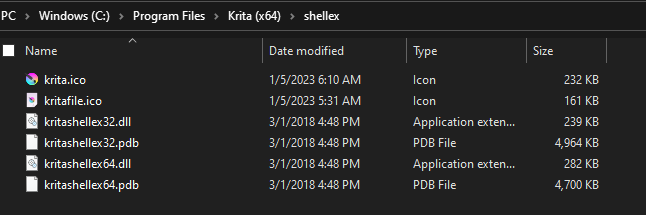
So you can try installing the separately downloadable shell extension and see if it fixes the error.
Or you can browse and open your pictures via Krita’s own file-dialog, if that is enough for you, it is enabled via ‘‘Settings’’ >> ‘‘Configure Krita’’ >> ‘‘General’’ in the tab ‘‘Miscellaneous’’ deselect the setting ‘‘Enable native file dialogs’’, you can enable the preview in the upper right corner of Krita’s file-dialog, relatively similar to Explorer.
Another forum user reported that the file manager XYplorer is able to display Krita thumbnails, but this is also paid (and I’m not sure if it uses the shell extension too, and if it will work with it, but it is shareware, you can try it before buying).
Thank you very much for helping me, I recently did a factory reset and did all the installation again from Windows to my most used programs, and when I installed Krita with Shell integrated the thumbnails never showed up.
Tried installing the Shell extension all by myself and it didn’t let me downgrade it or didn’t work.
But as you suggested I deselected “Enable native file dialogs” and works on showing me the files, thank you very much on helping me w/this issue : ) !!

 Hello
Hello