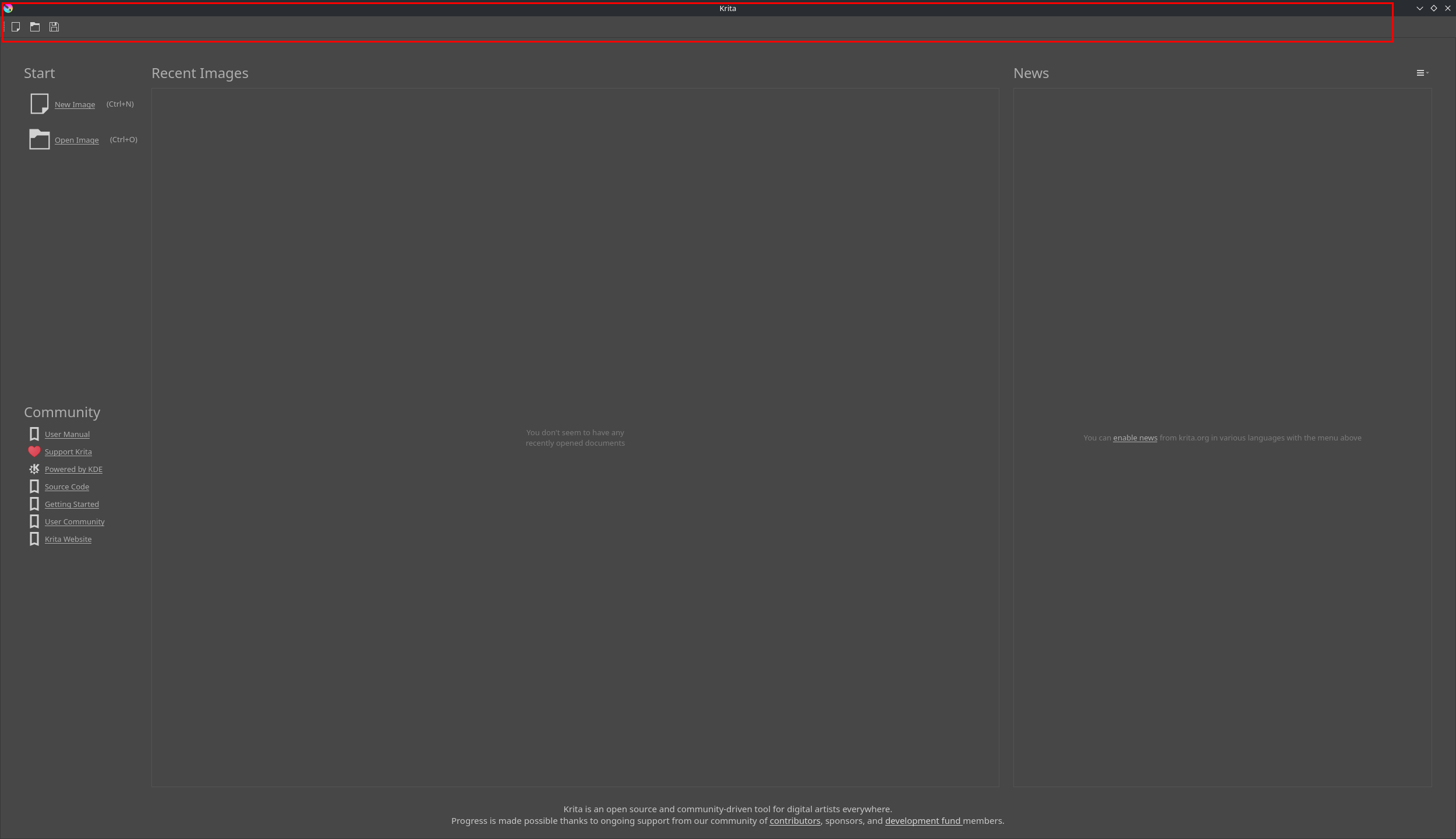
I have recently switched to Fedora KDE 42 (from Windows 11), and I’m having a serious issue in Krita where the topbar with all the menus is not being shown no matter what I try, as seen in the screenshot below:
This practically renders Krita useless as I can’t access any of the layer, image, tools, file, etc menus.
Here’s all the things I tried to do to fix this, with no success:
I tried using different distributions of Krita: the official Fedora Package, the Flatpak from Flathub, and the standalone .appimage, all with the exact same issue.
I deleted the configuration file on /home/user/.config/kritarc
I started Krita with the command “KDE_NO_GLOBAL_MENU=0” in the environment variables. This seemed to work at some point but then the problem came back even if the command was still there.
Making sure my OS is up-to-date.
Changing both my display’s scaling to 100%.
I tried searching this problem online and I found a few other people describing the same problem but no fix available. If anyone has any idea of what is causing this and how to fix it, that would be much appreciated. I never had any of these issues on Windows.
Search for the file krita5.xmlgui, it resides in Krita’s resource folder, and delete it, then again delete your kritarc before you try to start your Krita again.
In the case that you try/tried to import plugins from your Windows installation, please also empty your folder pykrita in Krita’s resource folder before you think about restarting Krita.
I can only hope this will help you and brings back your menu bar.
I’ve searched for the krita5.xmlgui file in Krita’s resource folder at .local/share/krita, as well as searching for it system-wide, but I do not have such file.
I haven’t imported any settings from Windows, this is a completely clean installation.
I’ve also tried to use an older .appimage of Krita (version 5.1.5), and I had the same problem there.
Were these reports also from Fedora, or were the reports from different distributions?
In the case that it were all reports from Fedora users, then I would start any not Fedora/Red Hat/CentOS Live Linux distribution to check if that may be an issue that belongs to that family.
A bold assumption could be that the problem you and the other reporters are experiencing is related to rare hardware and its drivers, because if it were a common problem, this forum would be flooded with such reports, since Fedora is a very widely used distribution. However, your report is the only one I can remember (and I am something of a resident of this forum).
Unfortunately, I don’t know Linux well. I know some SUSE and Mint secrets, but not so many Fedora tips and tricks, because I’m mainly a Windows user with Linux only playing a niche-roll for ~30 years - it never really was the main actor on my side.
Nevermind!, turns out that was exactly the problem. This Global Menu widget was present in one of the applications menu panel I set up on my second monitor, even though I was not using it.
After I removed the Global Menu widget and reopening Krita, the top menus started showing again.
 Hello
Hello