The toolbar you have marked is the tab, this can be of help when you have mutliple documents open. You can change it to sub-window mode in the settings configure Krita -> General -> Window - > Multiple documents mode but this will hide the tabs and you will have to tile or cascade documents to see or switch to multiple open documents or you can use ctrl tab too.
Wow! Your version of Krita looks much more modern and nice than mine! Even on Krita Next (from today) mine looks dated with the old icons.
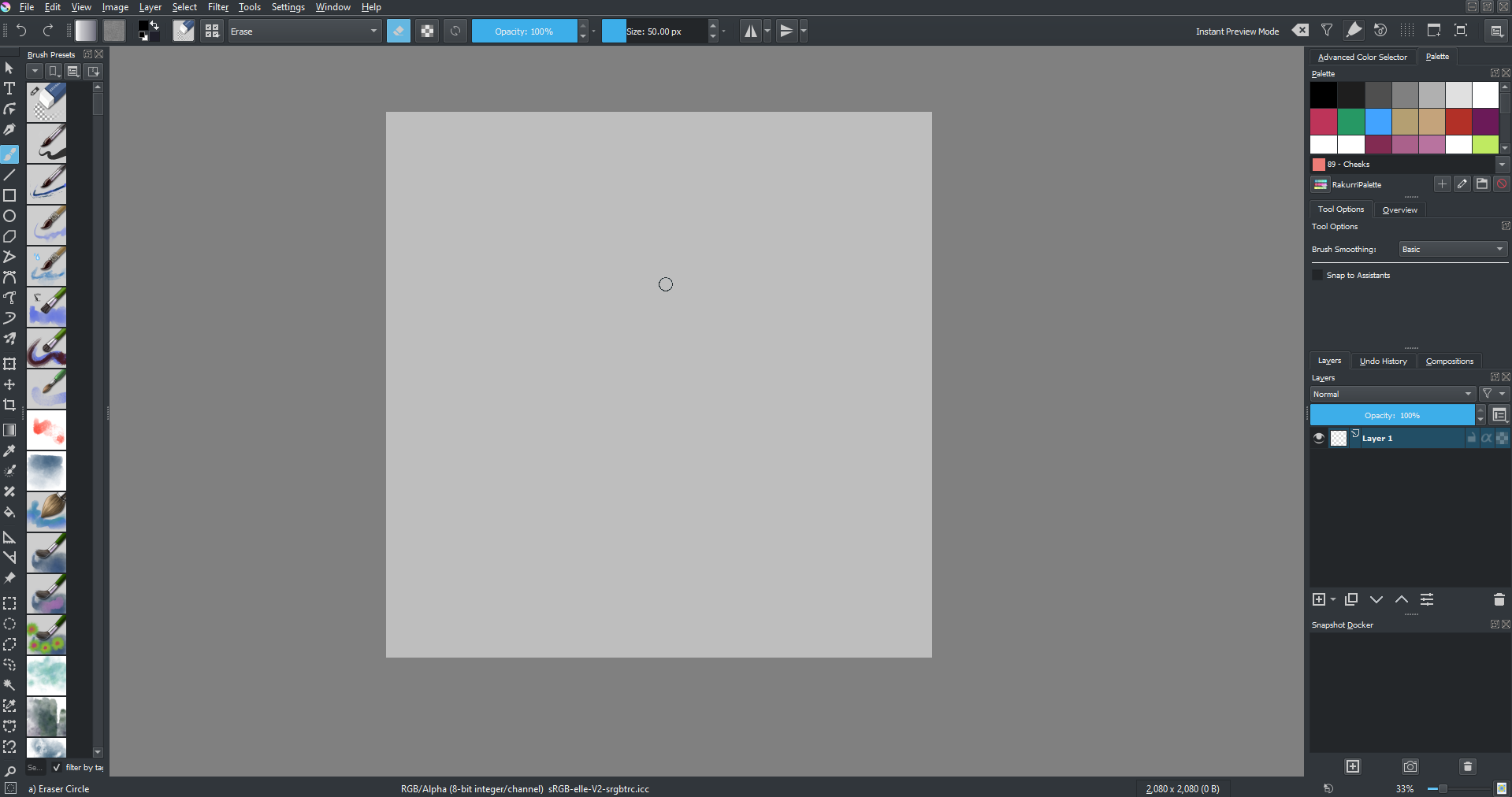
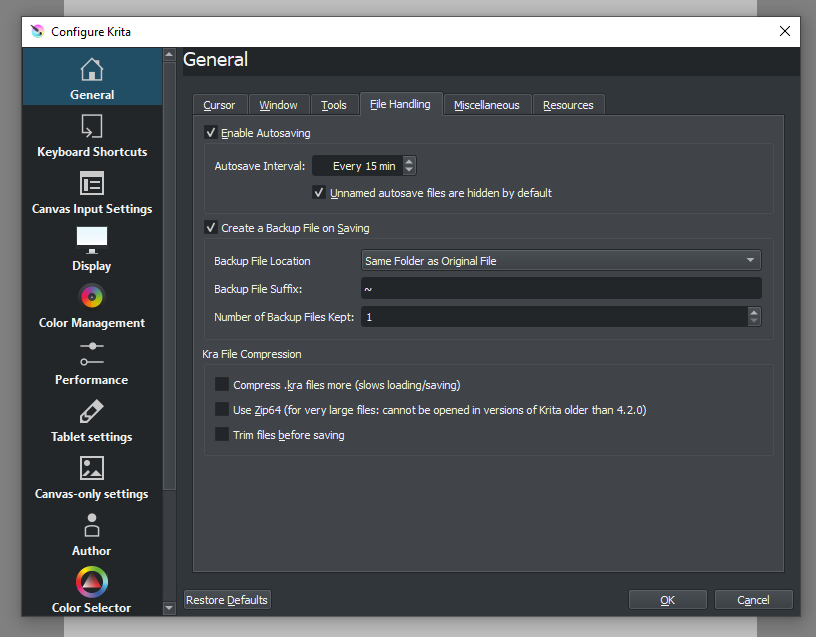
I would love to have the more modern look and icons come to Windows!
Talking about UI, if there is one thing that I really want changed more than anything, it’s this line here:

I wish it looked more like this

I know it’s small, but I get annoyed every time I see it, it’s so sharp and eye-catching and in my opinion ruins the look of the header
I also think that Krita should focus more on UI. After important things like the Resource Manager Rewrite is done.
3 Likes
I’ve tried your suggestion but tabs are better. @Rakurri has a good suggestion, but if you want to preserve the visual help, making the borders black can also make it more modern (and less eye-catching than white). I did a fast test, but agree with @Rakurri that focusing on the UI and making it more integrated would be great!:

1 Like
I’ve reported the issue with the ampersands (which I also experience on Arch Linux with the native pacman release) to the maintainers/packagers:
Let’s see what comes out of it, native packaging is a great feature about linux distros, so I think it’s worth getting this right everywhere (also users might not even realize this is a packaging problem and think the krita team does a sloppy job with the UI, also a reason to tackle this  ). If necessary and possible I’ll put in the work myself to get this issue resolved in the PKGBUILD, at least as long as this does not escalate into a neverending rabbithole haha, fingers crossed.
1 Like
I personally e-mailed the Arch Linux krita package maintainer about it and never received a reply or a fix, so in other words, he doesn’t give a damn.
By the way, Boud et al. don’t care about how their software looks on other distros and setups as long as it looks okay on their potato laptops.
If you’re expecting a professionally designed and uniform looking software, look somewhere else because krita is a patchwork of different people’s UI design and UX ideas which don’t make much sense when put together.
Not to mention that simple essential stuff like a brush resource manager has taken them more than 4-5 years to fix, and who knows if they’ll ever fix it (can’t even save favorite brushes).
I think a stray ampersand here and there is the least of their worries.
Well then we can help them get up to speed right? May be we can hore a UX designer and develop the UI they way we want it by forking it initially and then up-streaming the changes? I am sure the team wouldn’t say no to Merge requests
I get the ampersand when I switch to fusion theme, in breeze it is not there.
Yes, it’s a bug in the fusion theme code in Qt. It also happens on Windows, for instance.
I researched some more - although this is not yet a solution at all (as it overrides a system global and partially disables mnemonics functionality), here’s at least an easy workaround (for linux distros) that can be applied manually:
Will study this a bit further, I’m not yet completely disillusioned that there might be a viable strategy to packaging (for some systems at least :)).
Thanks for the input so far everyone!
So regarding 3. I can now definitely say that it’s not a papercut bug (not by this definition anyhow). I’ve got some understanding of the issue but ultimately well over one day (which I’ve now spent) is as much as I agreed for myself to invest on this area for now. I’ll keep my eyes open and I might revisit this at a later point - according to the KDE bugtracker this might have even been fixed beginning of 2019 but it’s not transparent to me (without significant time investment) whether that patch has trickled down the release channels already on a broader scale.
On the positive side, I’ve meanwhile submitted a patch for 7. and did the research for 8. - the alignment issues can be tackled (although it’s not at all as trivial as it looks on the surface because the Qt layouting seems to behave differently between different platforms), the header formatting might be again not really a papercut, this comes from a third party KDE component and therefore lacks direct access in code.
As not everyone here builds Krita from master (or looks at nightly builds) I’ll also add the information here that the Krita team has been working on 1. a lot, this is going to look a lot nicer in one of the upcoming releases (and will offer additional functionality too). Rejoice! 
Hm, that patch isn’t all that relevant, because we had to fork kxmlgui during the Qt5 port: the framework as-is linked to too many kde framework libraries that we didn’t want to package, and work to make those dependencies optional was rejected, so we ended up forking.
This means we’ve got our own kcheckaccelerators class. I don’t think our version actually adds the & character, though, because it seems to only check for duplicates.
1 Like
Ah thanks a lot, that’s very helpful insight in general! Come to think of it you might have even mentioned the forking on your blog, but back when I read it I didn’t know yet it would relate to this someday. 
I too suspect the issue to be outside the Krita codebase, somehow related to which Qt/KDE libraries/library versions are packaged/linked with the binary in combination with the Qt style in use. (e.g. I run the official 4.4.2-beta2 AppImage with Fusion and it looks fine, I run the Arch-packaged 4.4.1 Krita with Fusion and it’s got the bug, I run the Arch-packaged 4.4.1 Krita with Breeze and it looks fine … quite a convoluted issue apparently)
Regarding 3. (ampersands in docker titles), the bug request for Krita’s arch package I’ve submitted has been rejected:
I’m pretty sure the Krita appimage doesn’t ship the gtk Qt plugin, which is why you’re not seeing this. The issue is either in krita or in Qt’s gtk plugin, nothing we can do about it packaging wise.
Maybe I’ll submit a (new) bugreport to Qt then. 
I tried to fiddle around and remove this, but I am not that well versed in coding, so I failed for now. This seems to be happening only on fusion theme, oxygen and breeze doesn’t have that ugly line. On the side note I changed the eye-catching separator in the brush tool option docker and made it consistent with other borders. I also removed a double border in transform tool right click context menu.
2 Likes
It definitely is a bug in the fusion style engine.
I downloaded today’s “Next” build, and the line seemed to be gone!  All the UI tweaks you guys have been making are superb. My excitement for 5.0 grows every time I download the master version, thank you for the fantastic work!
2 Likes
Yes @scottyp removed that line. There will be gradual tweaks in the UI. It is really hard to make changes because touching one thing breaks another.
2 Likes
I want to add something related to the reference tool:
When you mirror the view and try to rescale it, the arrows/cursor are also mirrored. (I couldn’t capture the cursor, but I drew how the cursor looks in red. Blue would be the correct way.)
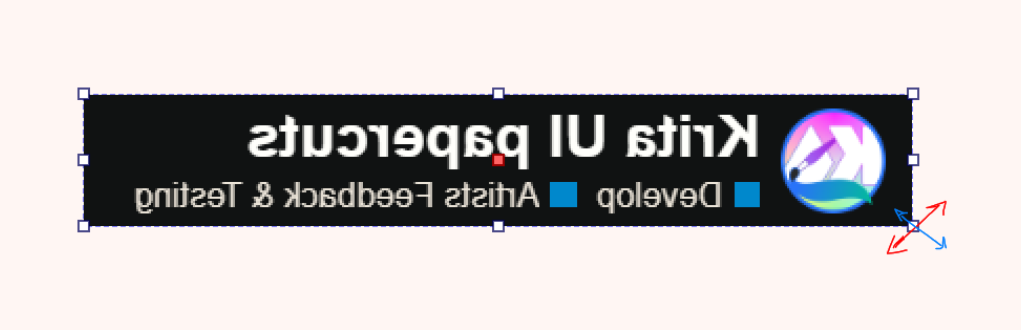
Also related to the ref tool, when you rotate a reference and want the rotation to snap to 45° you have to press Ctrl. But when you’re using the transform tool to rotate a layer for example, you use Shift to snap the rotation. I’m not sure why the two shortcuts are inconsistent.
And speaking of the transform tool, when you select something and press Ctrl+T it switches to the transform tool and you can transform right away. But when the transform tool is active already, pressing Ctrl+T does nothing. I think it would make for a better experience if Ctrl+T started the transform operation regardless.
(Sorry for bumping this old thread, but this seemed like a better place than making a new thread).
I know this thread was made 4 years ago, but I wanted to add to the comments about GTK/GNOME. Krita works and looks perfectly fine on my Debian 12 GNOME machine. I’m not on it right now, I’m typing this on my windows machine, but last time I used krita 5.2.2 on GNOME, it looked perfectly fine. And good luck getting GNOME devs to change anything, they’re notorious for being extremely stubborn about changes that don’t fit their vision. Thankfully, it works fine in my use case. I like GNOME, despite how the devs for it can be at times.