I apologise if this is not formatted correctly or in the wrong spot, i’ve never used this before.
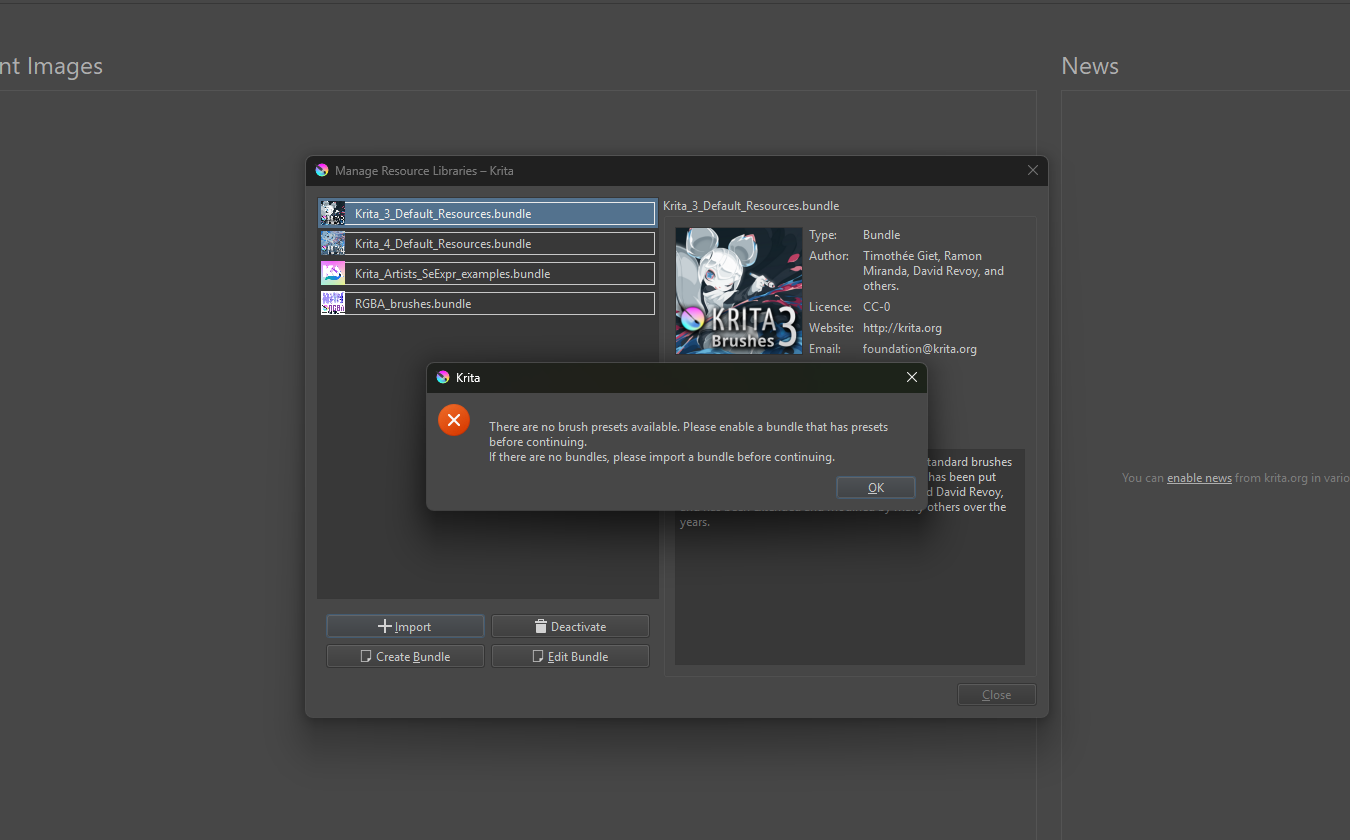
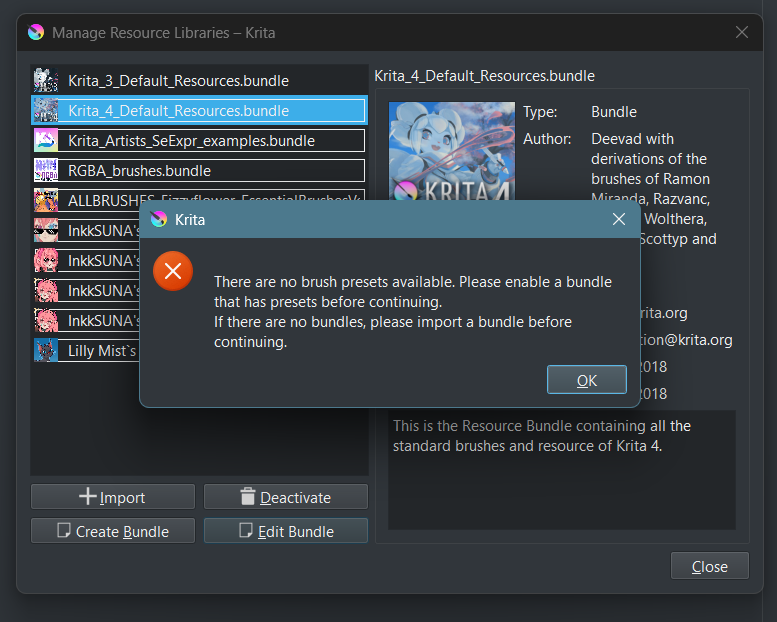
I’ve been using Krita for years but recently I had to move versions to the newer ones and I’m having issues. I’ve had an error that states I have no brush presets available (I do) and no matter what I’ve done, nothing has fixed it.
I’ve deactivated then reactivated bundles (usually restates the error after doing either thing)
I’ve deleted the resource cache and let it generate a new one (no difference)
I’ve completely deleted the entire Krita folder in Roaming and let it regenerate a new folder (still broken)
I’ve gone to prior versions (still broken)
I do not know what else to do, does anyone know why I’m having these issues?
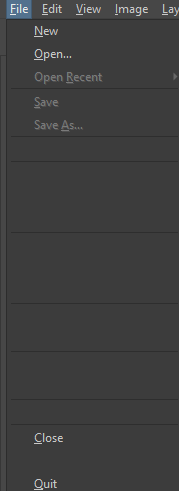
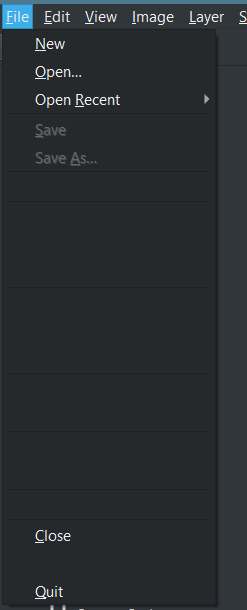
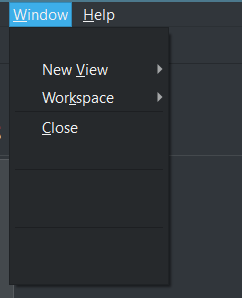
Alongside the errors related to the brushes, Krita’s UI also bugs at the same time, entire options in mentions and hotbars go missing.
A visual of only some of the missing options below.
The broken UI often is caused by a faulty plug-in, have you you installed any yourself?
The missing brush presets error is something I have seen a lot recently on the forum but I don’t know what casues or fixes it, perhaps a forum search will help you finding a solution.
Hi, to my knowledge, the only thing i’ve ever installed were brushes, the odd thing about the bug is that sometimes it does work, it just takes like 50 attempts to start up before it does so correctly.
I’ve looked all over for solutions but unfortunately found only suggestions i’ve tried. But like I said, even fully nuking the Krita folder full of the resource cache, brushes, etc and letting krita re-gen it didn’t fix it on the most up to date version.
I have once again changed versions back down to 5.2.3 and it SEEMINGLY is working now, however it was the same prior, it worked for a bit, then stopped working so lord only knows if it will continue that way.
One possibility is that you have a background application running that does some kind of file backup/synchronisation process or file monitoring process. Those activities could interfere with the creation/rebuilding of resourcecache.sqlite and its small temporary file which is repeatedly active during creation/rebuild.
Microsoft One Drive, any third party local file backup/synchronisation application or a cloud destination application such as the Dropbox or Google Drive synchronisation clients might cause this.
If you have third party anti-virus or other ‘security’ software installed, that’s another possibility.
You could try disabling any or all of those services to see if that gives a fix for the problem.
If it does then consider examining their application settings/configuration to exclude the entire krita resource folder from their scope of operation.
Note: If you disable One Drive, it can get re-enabled after a Windows system update or some other ‘significant’ OS system event.
These are the same issue, people who get the “no brush presets available” thing also get missing menu items. Still no clue why this happens though, no developer has been able to trigger it.
Users turning those off doesn’t seem to make a difference so far, so it’s probably pointless for someone to register for and install a slew of file sync applications.
Hi there! I came across this post because I’ve been investigating what looks like the same issue on Windows 11 for about a week now. I’ve been able to reproduce both the “no brush presets available” warning and the missing menu/UI options (which occur nearly always simultaneously; sometimes it’s just the brush error) in versions 5.3.1 and 5.3.4.
In my case, I found a very specific trigger: launching Krita twice in rapid succession while it’s still starting up. For example, double-clicking a desktop shortcut (or just krita.exe), and then double-clicking it again almost immediately quite reliably causes Krita to open with missing brush presets (and broken menus more often than not).
The workaround that’s worked consistently for me is to launch Krita only once and wait for it to finish opening, even if it takes a little while. In other words (assuming using Windows), one double-click from the desktop/File Explorer, or a single click from the taskbar/Start menu, without clicking again while it’s loading. Once Krita has fully opened, attempting to launch it again doesn’t cause the problem in my testing. I just have a habit of occasionally spam-clicking apps, lol.
I’m not sure whether this is the exact cause of your issue, but since your symptoms sound so similar to mine, it might be worth trying!
For anyone who might be curious about the technical side: I’ve reproduced this in both 5.3.1 and 5.3.4, and captured debug logs from affected launches showing resource database errors, including QSqlQuery::prepare: database not open and QSqlError("", "Driver not loaded", "Driver not loaded"). The issue appears to be related to startup timing, possibly involving how a second launch is handled before resource initialization finishes. It’s my understanding from browsing the KDE Bugtracking reports that this is already a known bug.
If I can provide any helpful further info, let me know
Brilliant! I was able to make this happen on both Windows and Linux by doing this. This could actually be the most common cause, people double-clicking on Krita pinned to the task bar or something and accidentally launching it twice.
I’ll look further into this when I can and try to track down what makes the error happen. Hopefully the solution will also cover less common cases, if they even exist.
This post actually helped me so much. I just tried this on my device as well (windows), and yeah, that seems to be what’s triggering it. Thank you for posting this because at least now people have an idea of what to do as to not trigger the bug- no more going Krita-less!
Alright, after looking into this further, the behavior matches up with the logs we got previously, so reasonably sure this is the cause. There’s a fix pending here that seems to resolve the problem: https://invent.kde.org/graphics/krita/-/merge_requests/3024
The problem was caused by other instances of Krita connecting to the one that was starting up and telling it to come to the foreground. Since that other instance wasn’t in a consistent state, it caused corruption and mayhem. Earlier versions of Krita seem to crash instead, which I guess is how it didn’t get noticed. The fix is pretty simply to just not react to the other connections until the application is actually started fully.